Christmas music & 4K scenes • Apple TV

Christmas Music & Carols 4K

Turn your Apple TV into a warm, glowing Christmas room. Put the music on, pick a scene and let it run through dinner, the gift exchange or a quiet evening with the lights down.

27 instrumental carols and holiday pieces stored in the app, fifteen slowly drifting 4K scenes, a clock with a countdown to Christmas, and a sleep timer that fades everything out. No streaming, no ads, no account.

Download on the App Store
Apple TV • tvOS 17+ 27 carols, offline 15 scenes in 4K No ads, no sign-in
Christmas Music & Carols 4K app icon

27

instrumental tracks

54 min

of music, all on the device

15

4K Christmas scenes

4

colour themes

See it on the TV

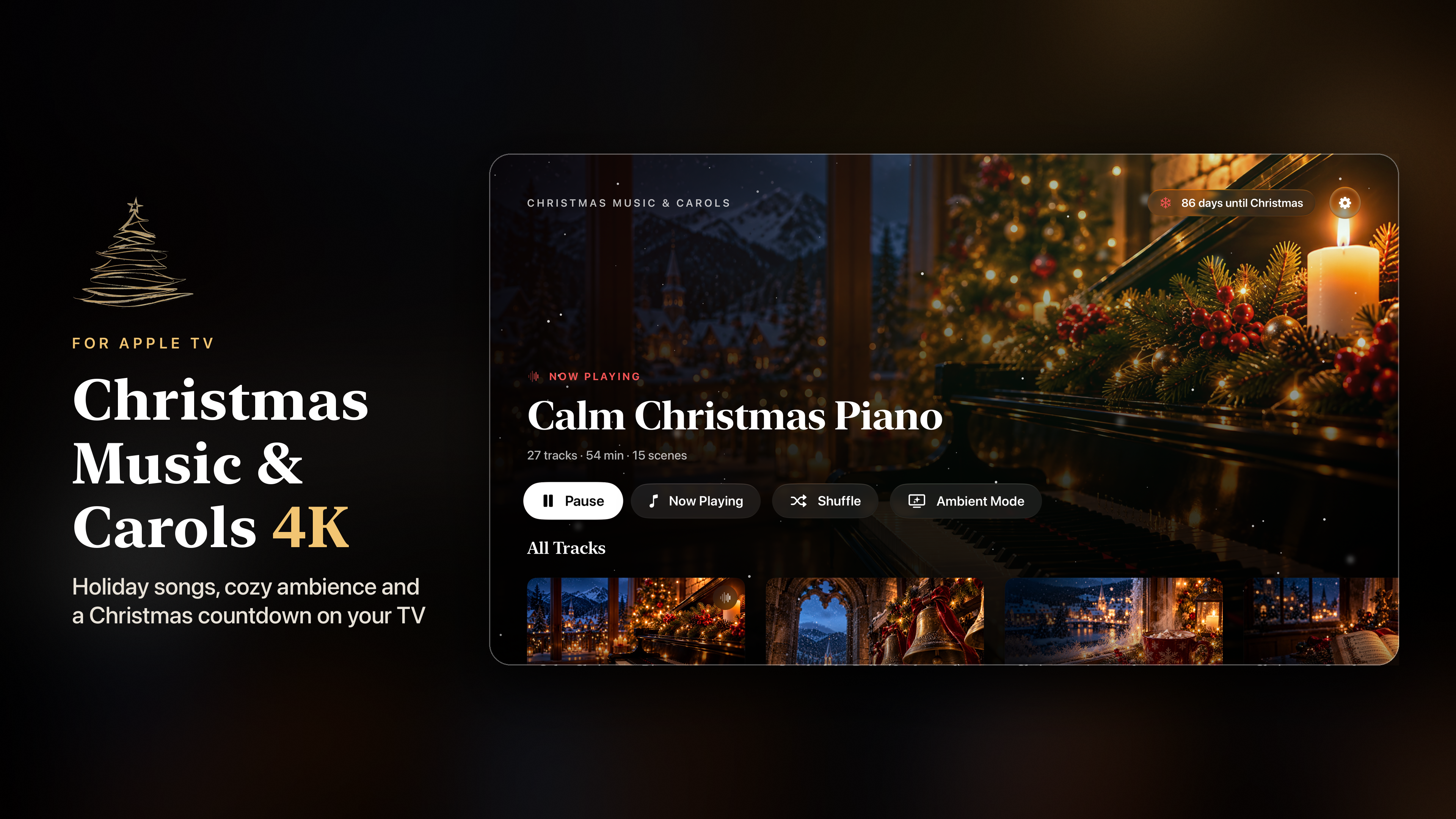
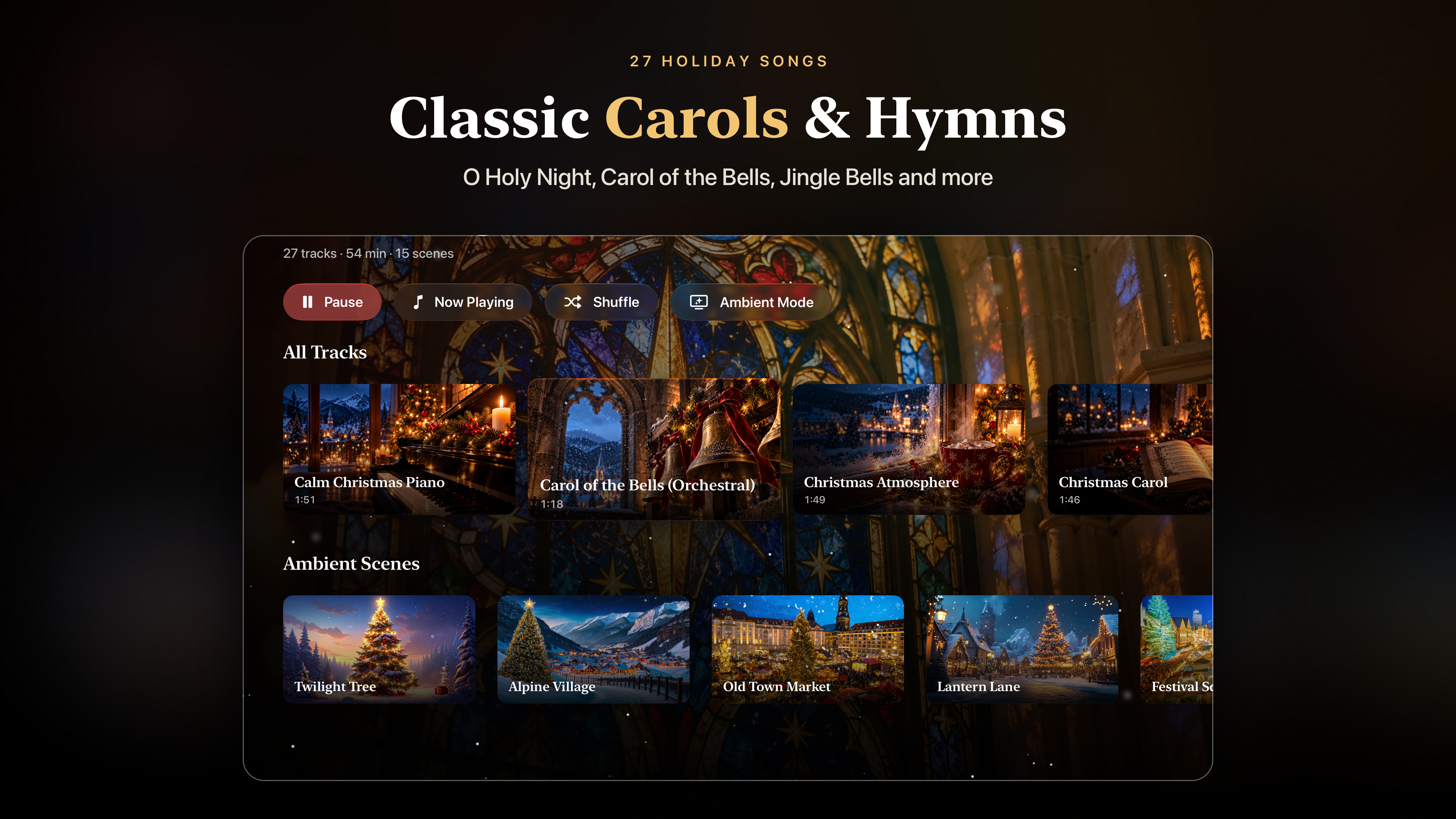
Thirty seconds of the app as it runs on Apple TV: the carol shelf, Ambient Mode, the countdown clock and the lights moving with the music.

The music

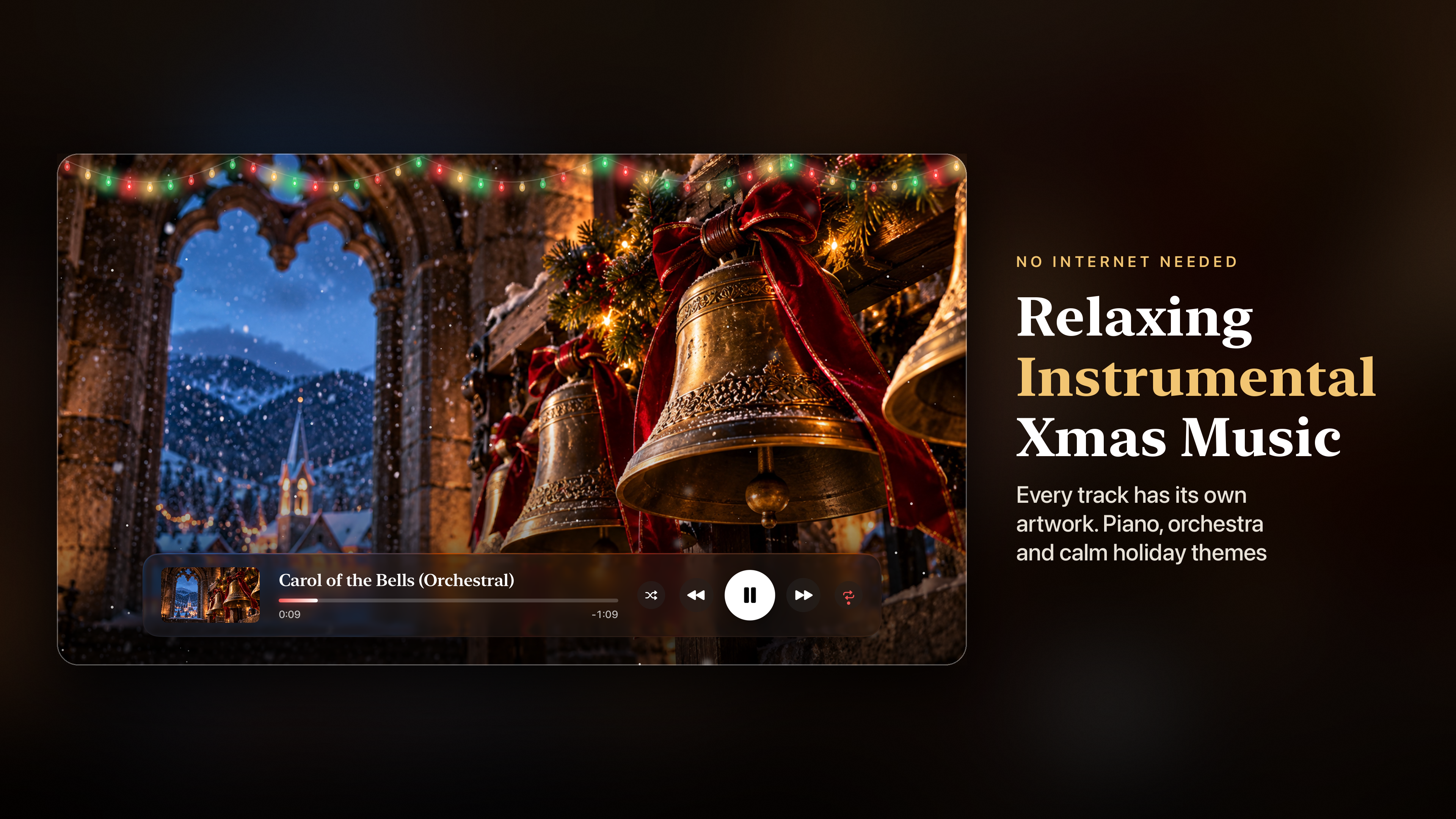
27 instrumental Christmas tracks, all stored in the app. No internet connection is needed, so nothing buffers or cuts out in the middle of a party.

Well-known carols sit alongside calm piano pieces and cinematic holiday themes, and every track has its own artwork. Start any song from the shelf on the home screen, or press Play All and let the whole collection run.

  • Carol of the Bells
  • Hark! The Herald Angels Sing
  • O Holy Night
  • O Come All Ye Faithful
  • O Little Town of Bethlehem
  • Jingle Bells
  • We Wish You a Merry Christmas
  • Calm Christmas piano

Playback that stays out of the way

  • Play in order or shuffle, repeat one song or all of them.
  • Skip back or forward ten seconds.
  • Music keeps playing when you leave the app.
  • The Play/Pause button on the Siri Remote works on every screen.
  • The current song appears in Control Center, so you can send it to a HomePod, AirPods or any speaker you already use with your Apple TV.

Ambient Mode

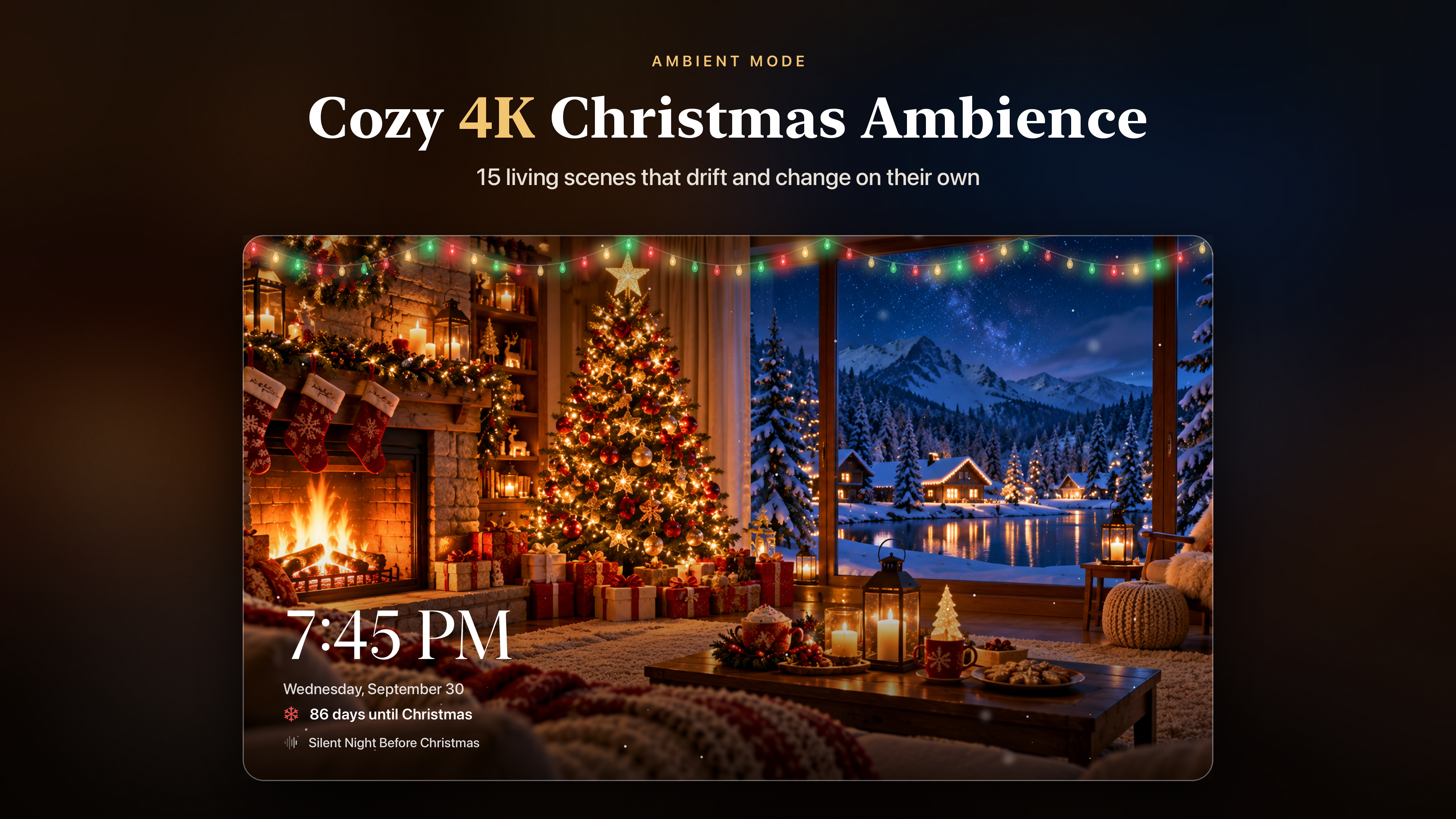
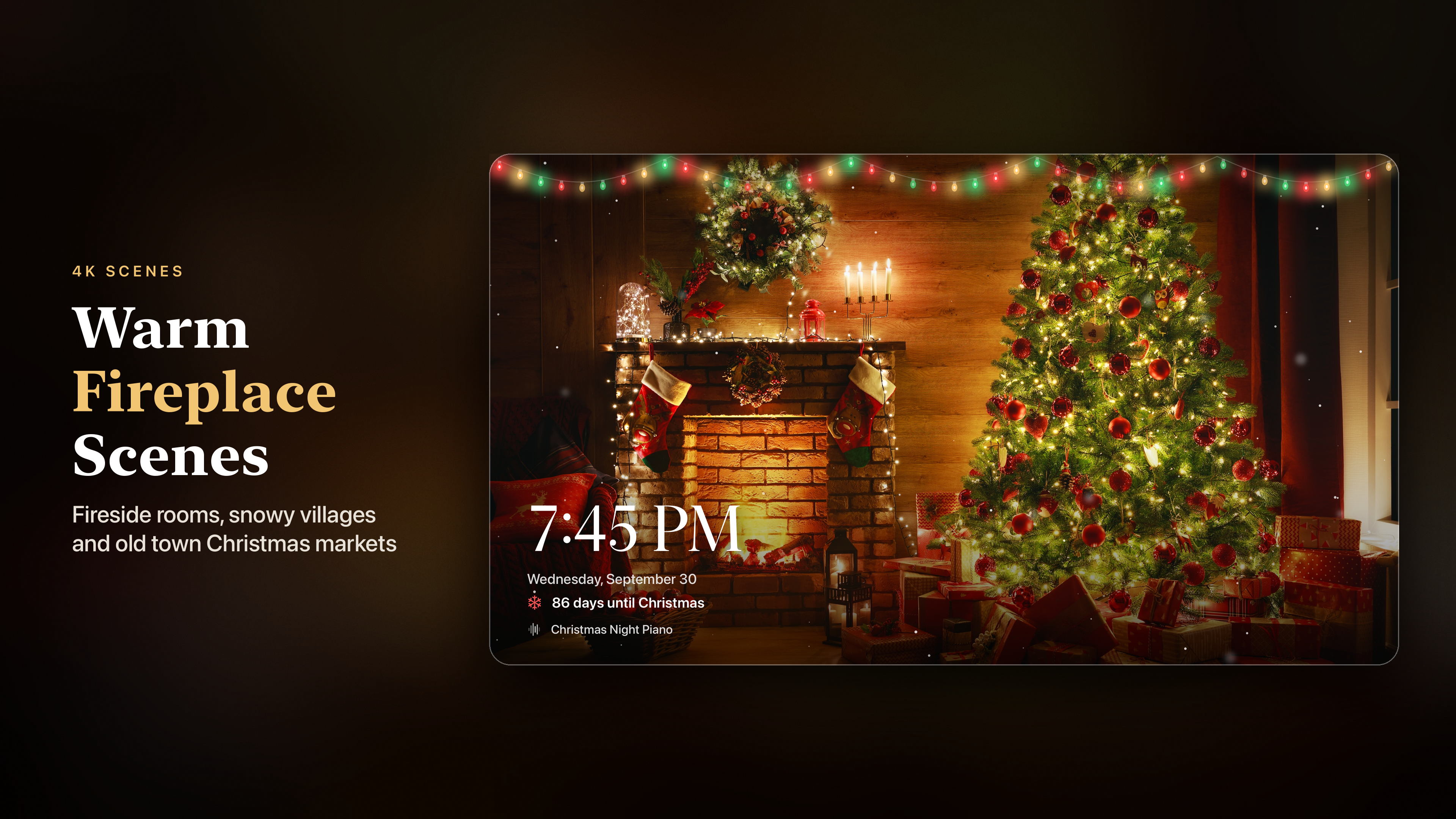
Made to be left on. Fifteen 4K Christmas scenes change on their own, and each picture drifts slowly so the screen never looks frozen.

Fifteen scenes

Alpine villages under snow, old town Christmas markets, a carousel at night, living rooms with a fire going and the tree lit - Fireside, Alpine Village, Night Market, Lakeside Lodge, Carousel, Snowy Hamlet and more.

Clock and countdown

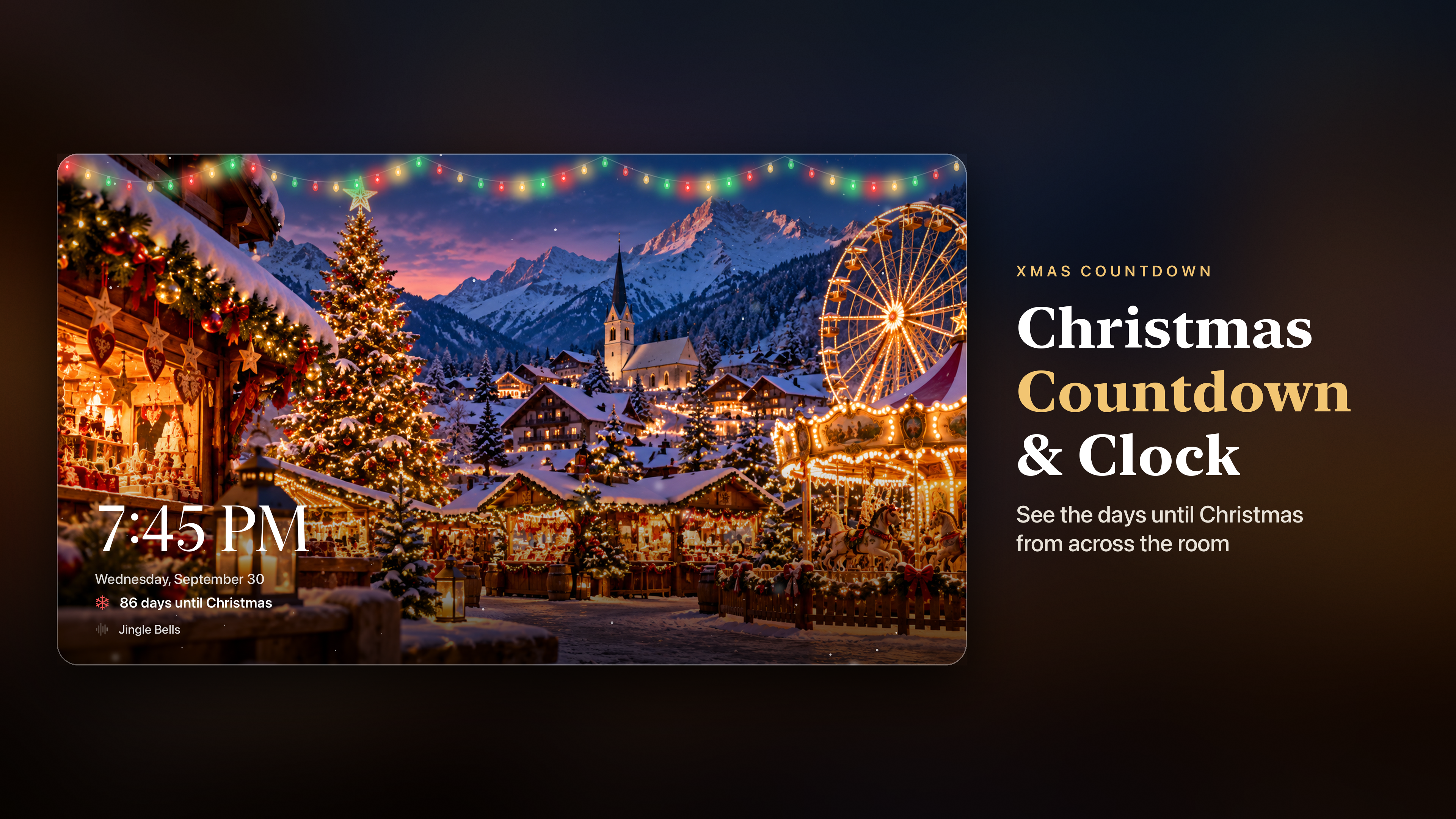
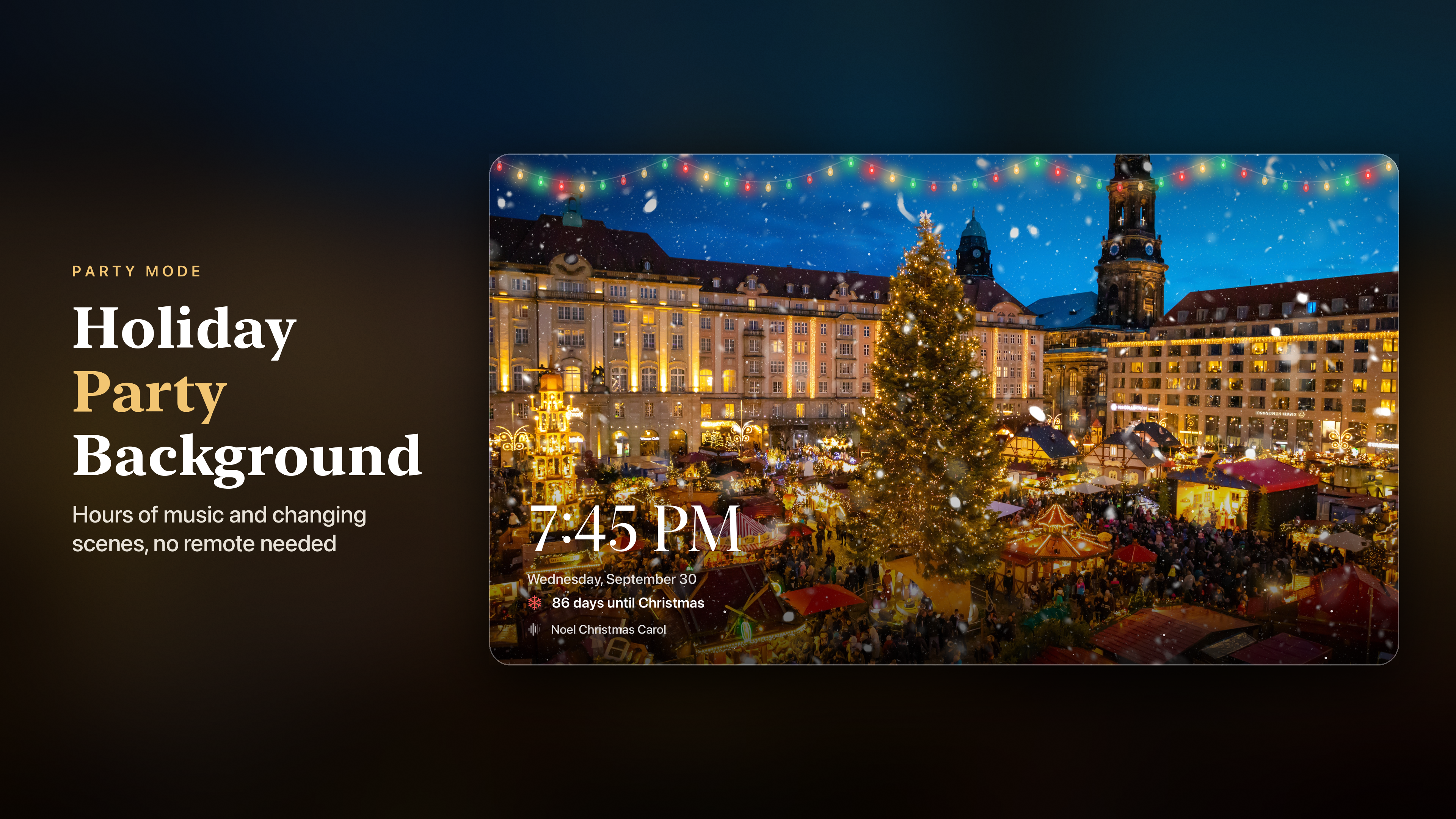
A large clock, the date and a countdown to Christmas sit in one corner. After Christmas the countdown switches to New Year's Eve.

Kind to your TV

The clock moves to the other side with every new scene, which protects the screen from burn-in, and the screensaver stays away for as long as Ambient Mode is open.

Remote-friendly

Swipe left or right to change the scene. Click the remote to show the controls for the music, the next scene and the sleep timer.

Your pace

Choose how often the scene changes, from every 30 seconds to every 5 minutes.

Just the picture

Hide the clock or the countdown if all you want on the screen is the scene.

For parties and quiet nights

Start Ambient Mode before your guests arrive and it looks after itself for hours: new scenes, a clock everyone can see and music that keeps going without anyone touching the remote.

  • Christmas Eve dinner and the gift exchange.
  • Decorating the tree.
  • The kids opening their presents.
  • Late in the evening, when all you want is a fire on the screen and quiet music in the room.

Sleep timer

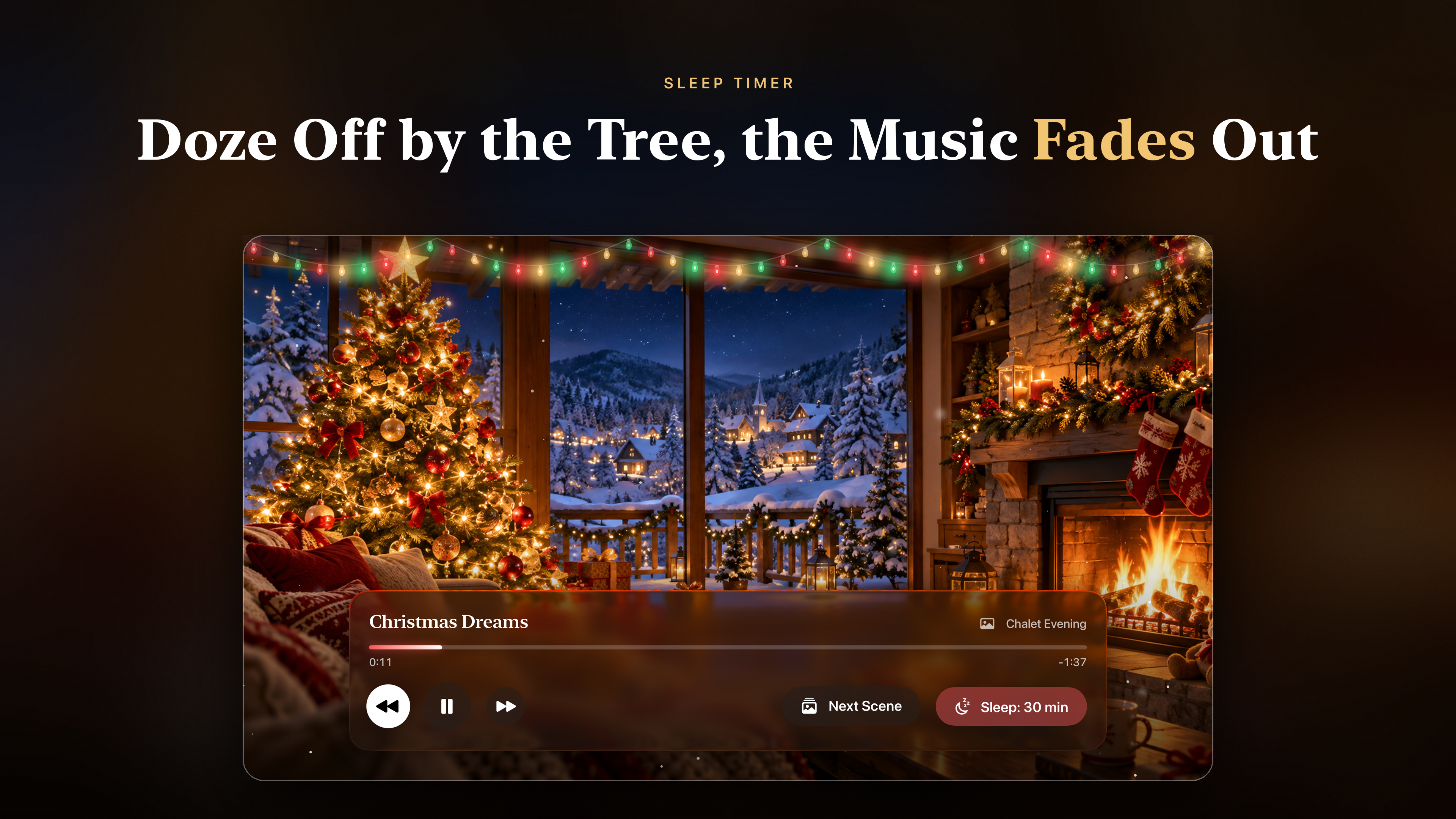
Set it for 15, 30, 60 or 90 minutes. When time is up the music fades out, the screen goes dark and your Apple TV can fall asleep on its own schedule.

Handy at bedtime, or for dozing off in front of the tree without the music stopping with a jolt.

Look and feel

Designed to be read from the sofa, across the room.

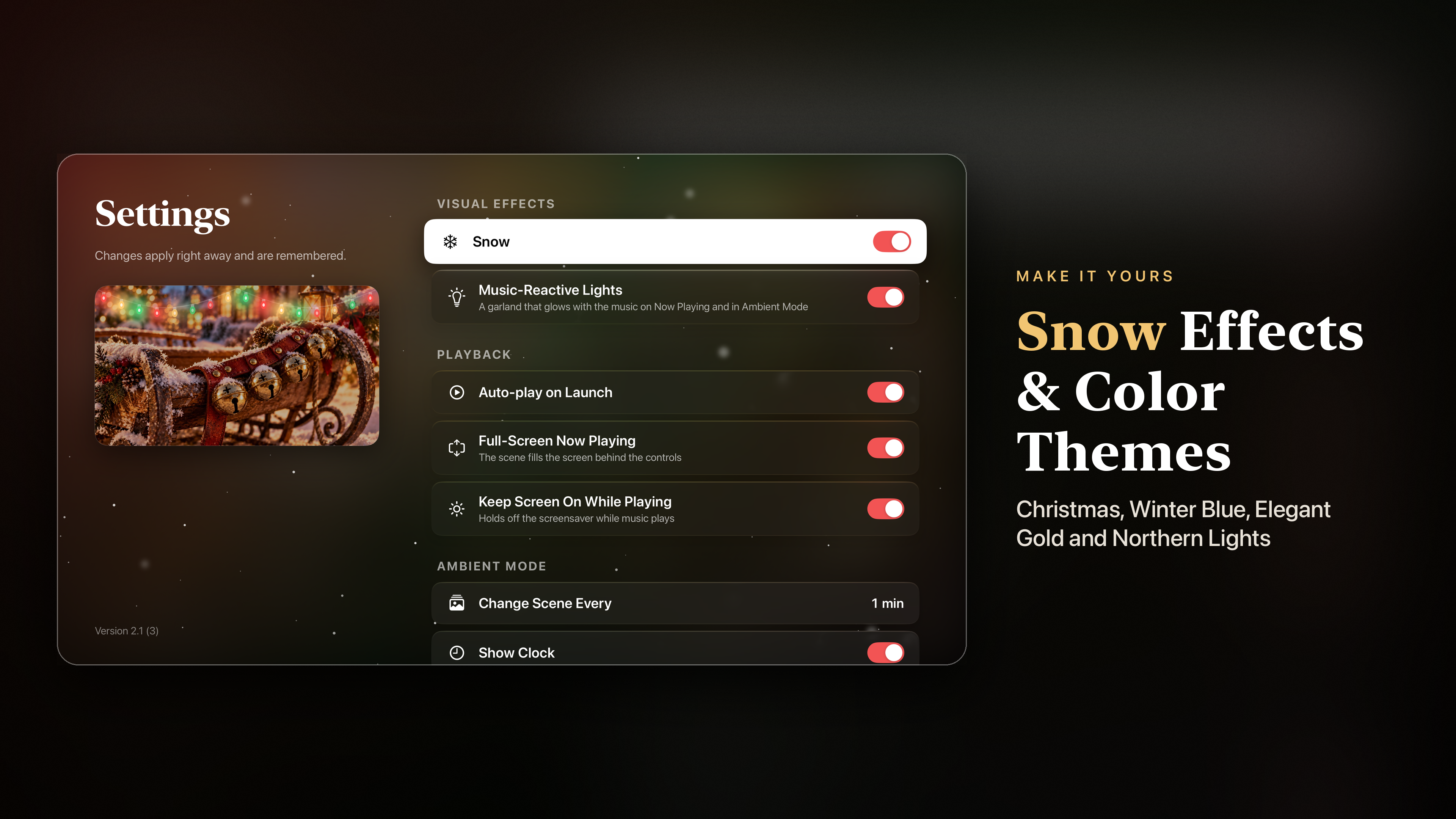
Snow in three layers

Soft snow falls at three depths, so the scene feels deep rather than flat.

Lights that follow the music

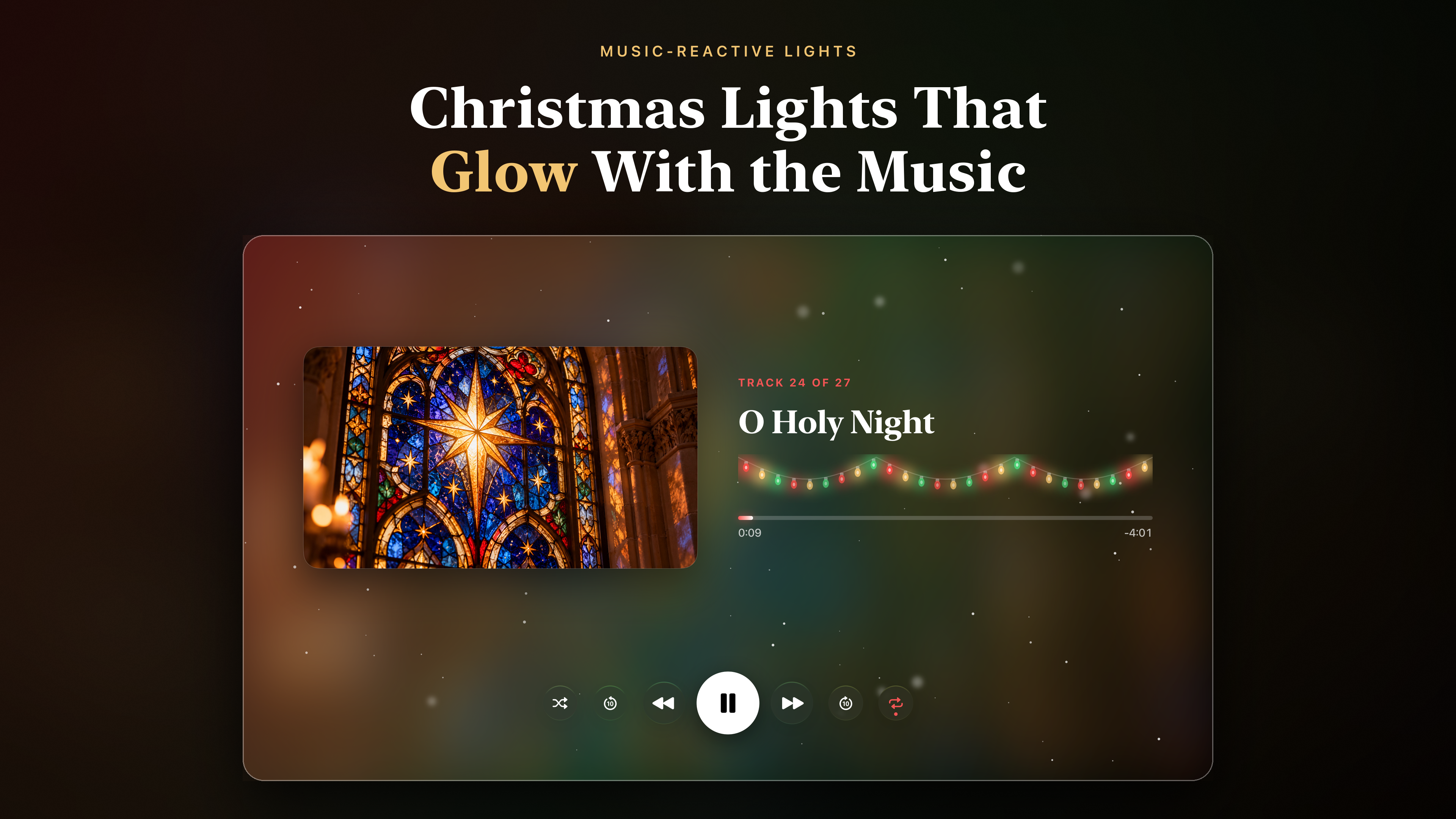
A string of Christmas lights brightens and dims with the music on Now Playing and in Ambient Mode.

Four colour themes

Christmas, Winter Blue, Elegant Gold and Northern Lights.

Two ways to play

Full-screen Now Playing with the artwork across your whole TV, or a classic layout with the cover and controls side by side.

Large type

Simple navigation and big text that reads well from across the room.

Opens the way you left it

Settings are remembered. Turn on auto-play and the music starts as soon as you launch the app; while it plays, the screensaver can stay away too.

Christmas Winter Blue Elegant Gold Northern Lights

Apple TV screens

The home shelf, Ambient Mode, the countdown clock, Now Playing and the settings, as they look on a 4K television.

Good to know

  • All music and scenes are on the device. Nothing streams, so a slow connection cannot interrupt the evening.
  • No ads.
  • No account or sign-in.
  • Keeping the screensaver away while music plays can be switched off in Settings.

Hosts

A backdrop and a soundtrack that run for hours without anyone at the remote.

Families

Music while the tree goes up and the presents get opened.

Quiet evenings

A fire on the screen and calm piano in the room.

Bedtime

A sleep timer that fades the music and darkens the screen.

Available On

Built for the living-room television.

Apple TV

tvOS 17.0 or later

Merry Christmas from our home to yours.

Frequently asked questions

Does it need an internet connection?

No. All 27 tracks and all 15 scenes are stored in the app, so nothing streams and nothing buffers in the middle of a party.

Which carols are included?

Instrumental versions of well-known carols such as Carol of the Bells, Hark! The Herald Angels Sing, O Holy Night, O Come All Ye Faithful, O Little Town of Bethlehem, Jingle Bells and We Wish You a Merry Christmas, along with calm piano pieces and cinematic holiday themes - about 54 minutes in total.

Can I leave it running for hours?

Yes, Ambient Mode is made for that. Scenes change on their own, the screensaver stays away while it is open, and the clock moves to the other side of the screen with every new scene to protect your TV from burn-in.

Can I play the music through a HomePod or AirPods?

Yes. The current song appears in Control Center on your Apple TV, so you can send it to a HomePod, AirPods or any speaker you already use with the Apple TV. Music keeps playing when you leave the app.

Are there ads or an account?

No ads, and no account or sign-in.

Which Apple TV do I need?

Any Apple TV running tvOS 17 or later. The scenes are in 4K on an Apple TV 4K.