Checked on the device • iPhone, iPad & Mac

SourceCheck: Detect Fake Photos & Deepfakes

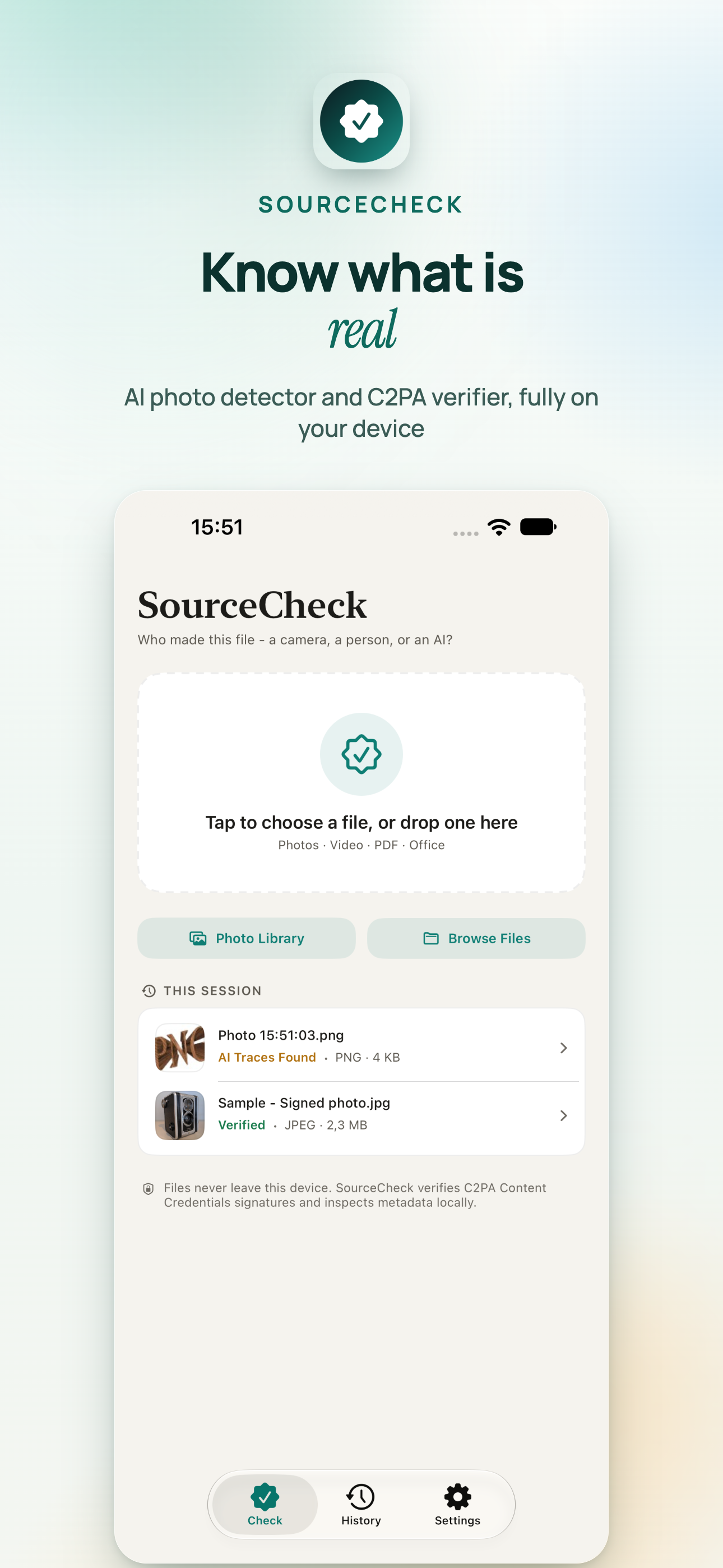
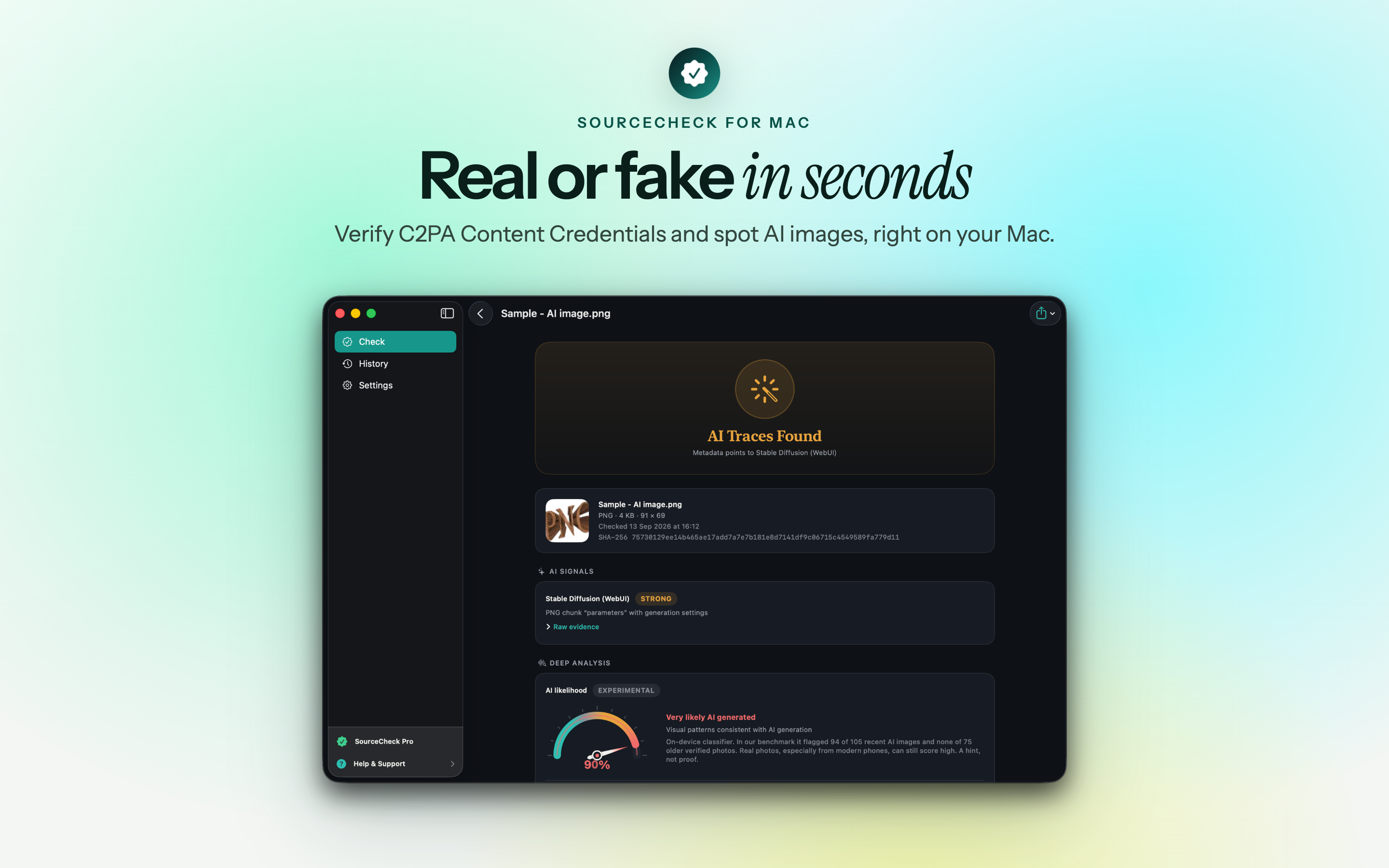
Is this photo real? SourceCheck gives you the answer in seconds.

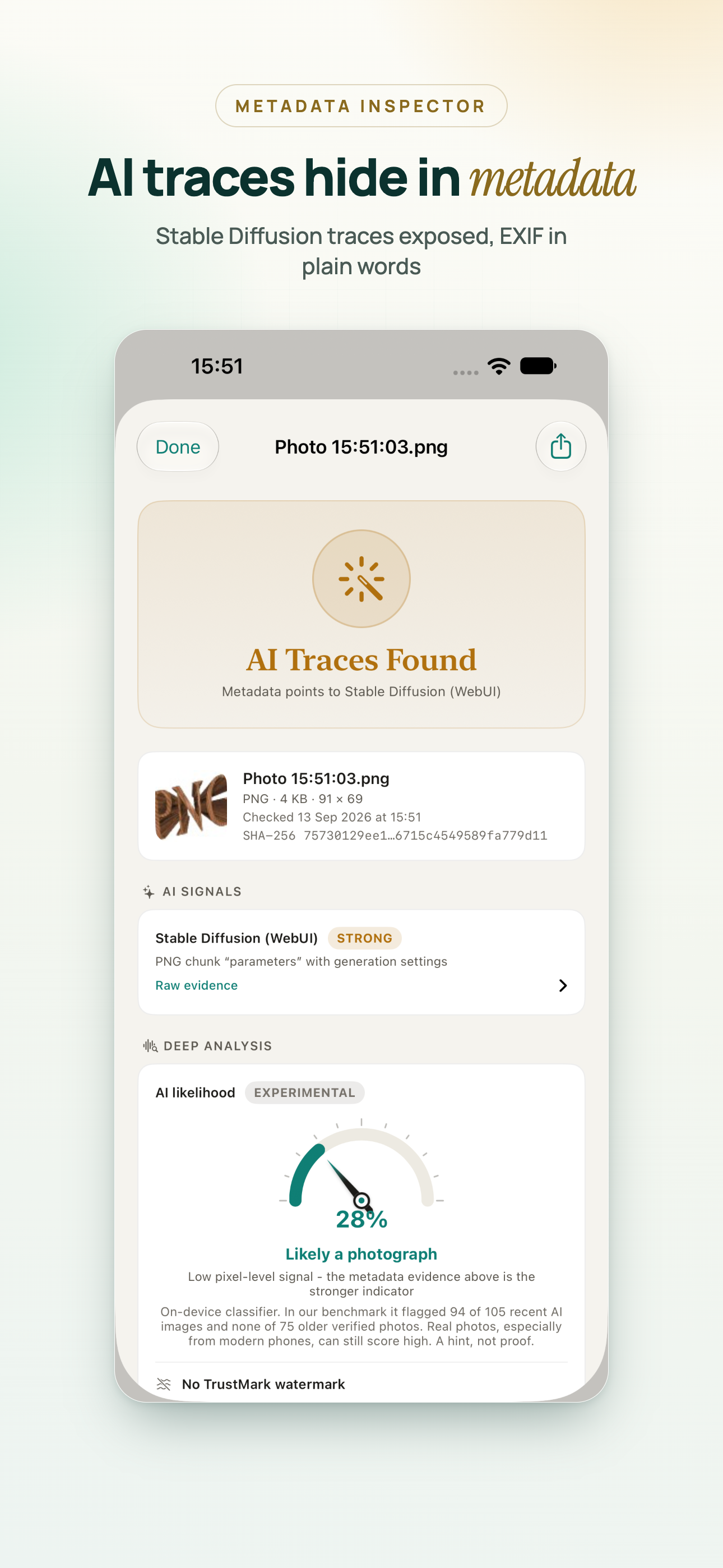
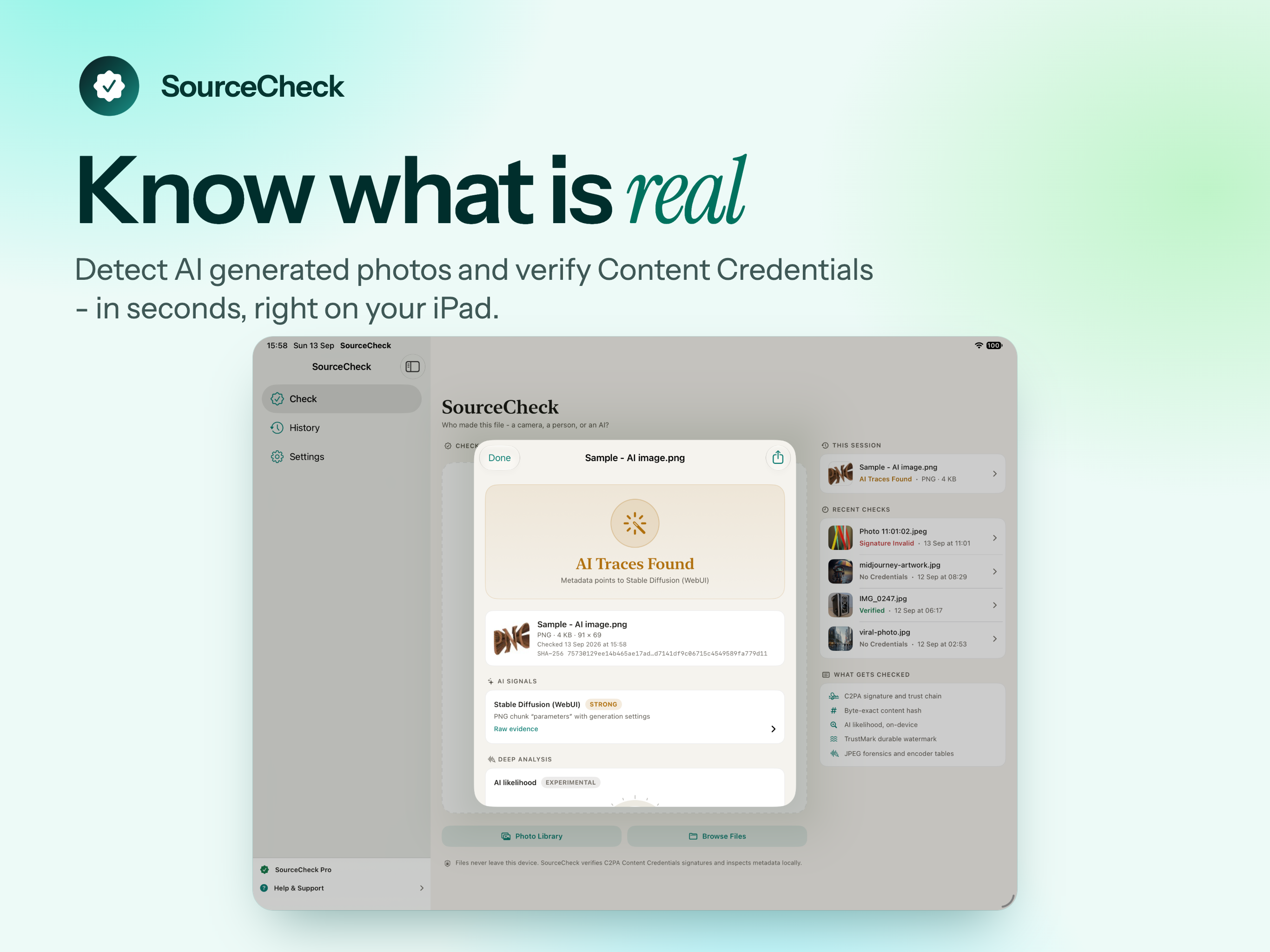
Open any image and see whether it came from a camera, an AI generator, or an editor that changed it after it was signed. It is a fake photo checker, an AI image detector and a full provenance inspector in one place - and every check runs on your device, so no file ever leaves it.

Download on the App Store
iPhone, iPad & Mac C2PA verification Works offline No uploads, no account
SourceCheck app icon

Seven plain verdicts, not guesswork

Every file gets exactly one verdict, and every verdict explains what was checked and what it means - so you can judge the evidence yourself instead of trusting a colour.

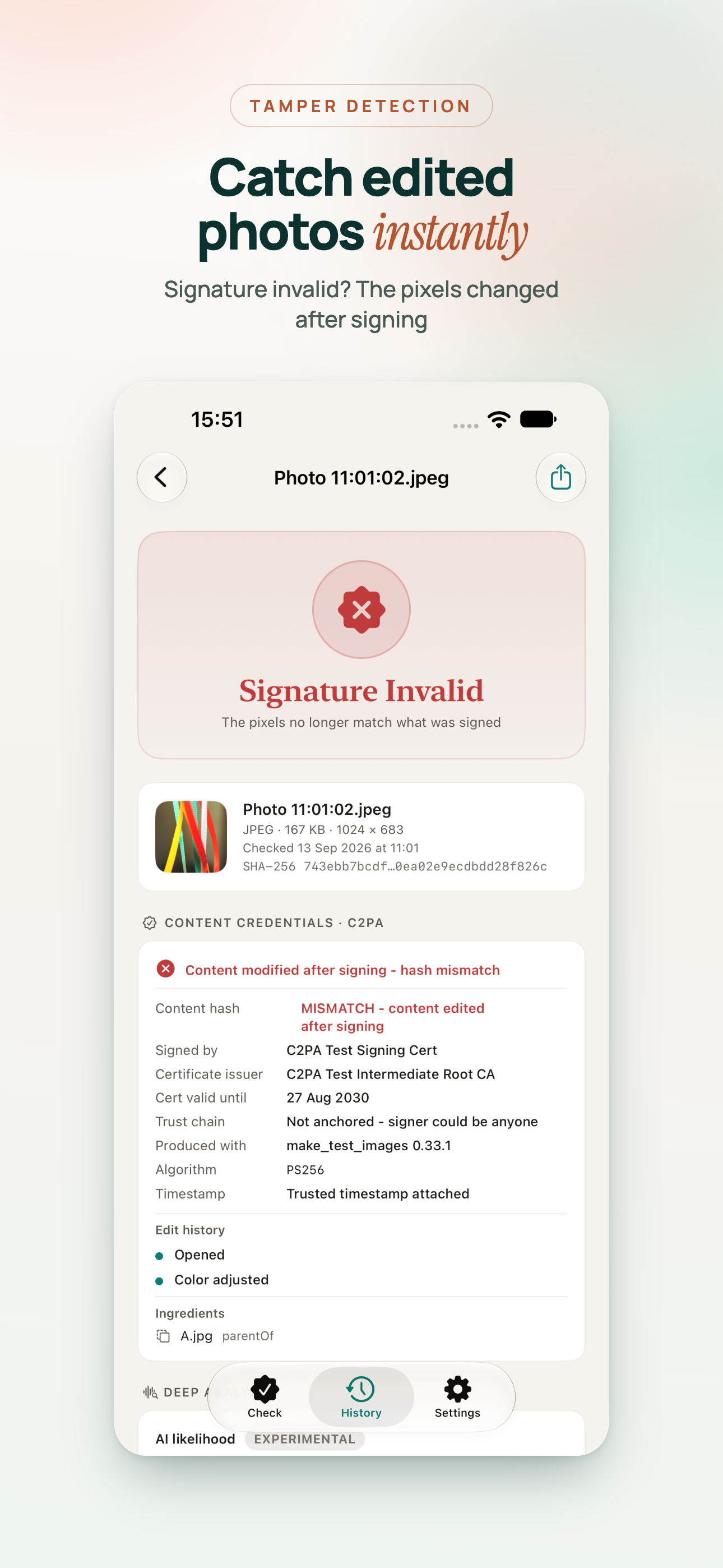
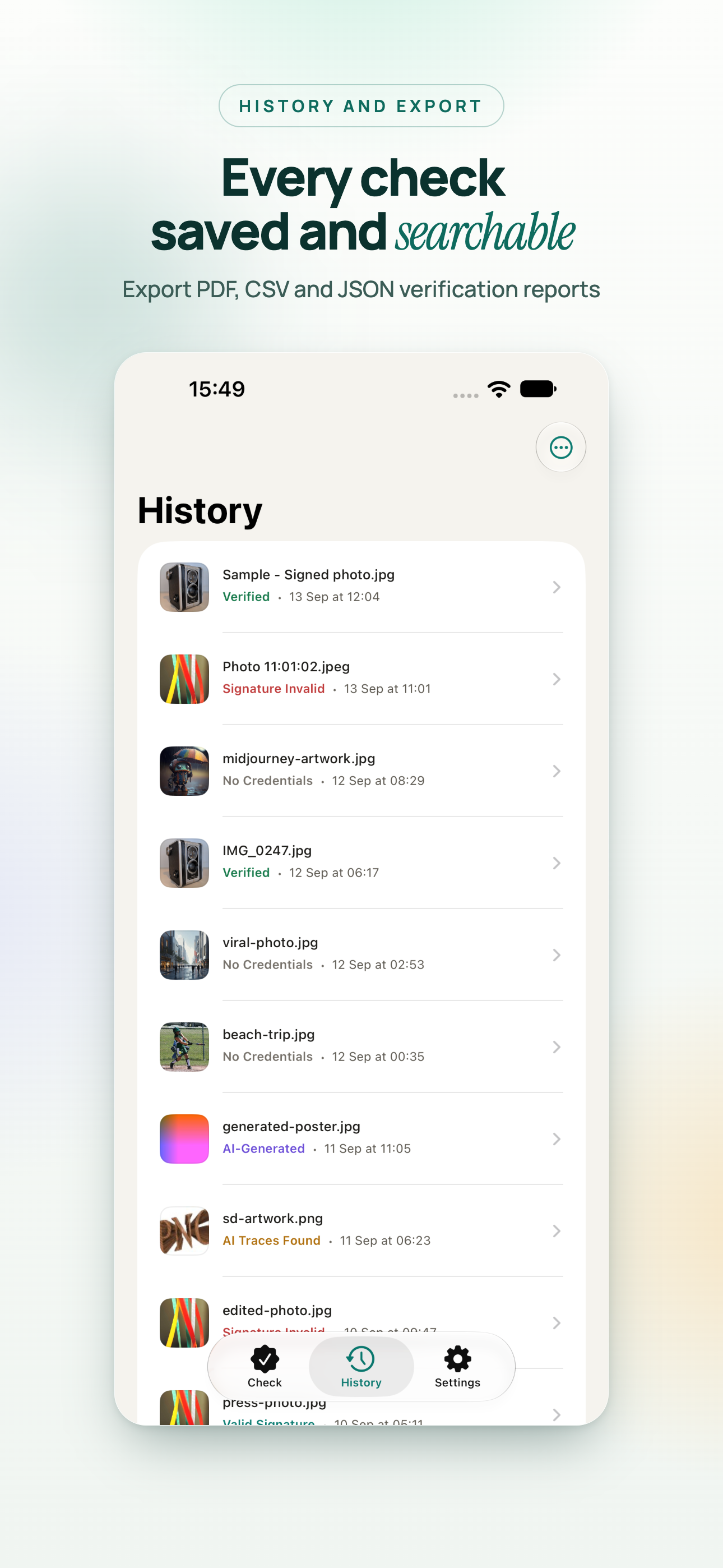
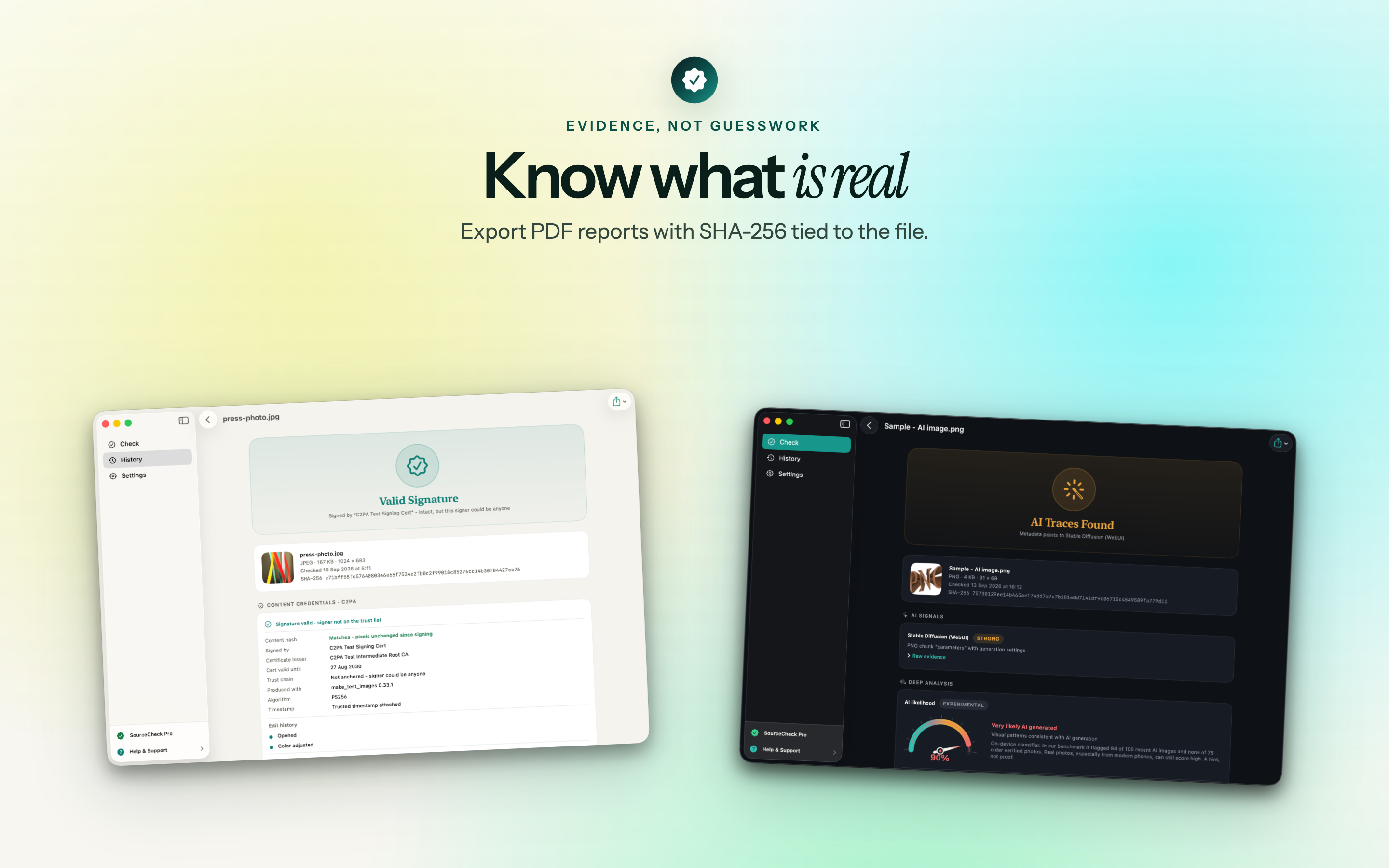
Verified Valid Signature AI-Generated AI Traces Found Signature Invalid Credentials Present No Credentials

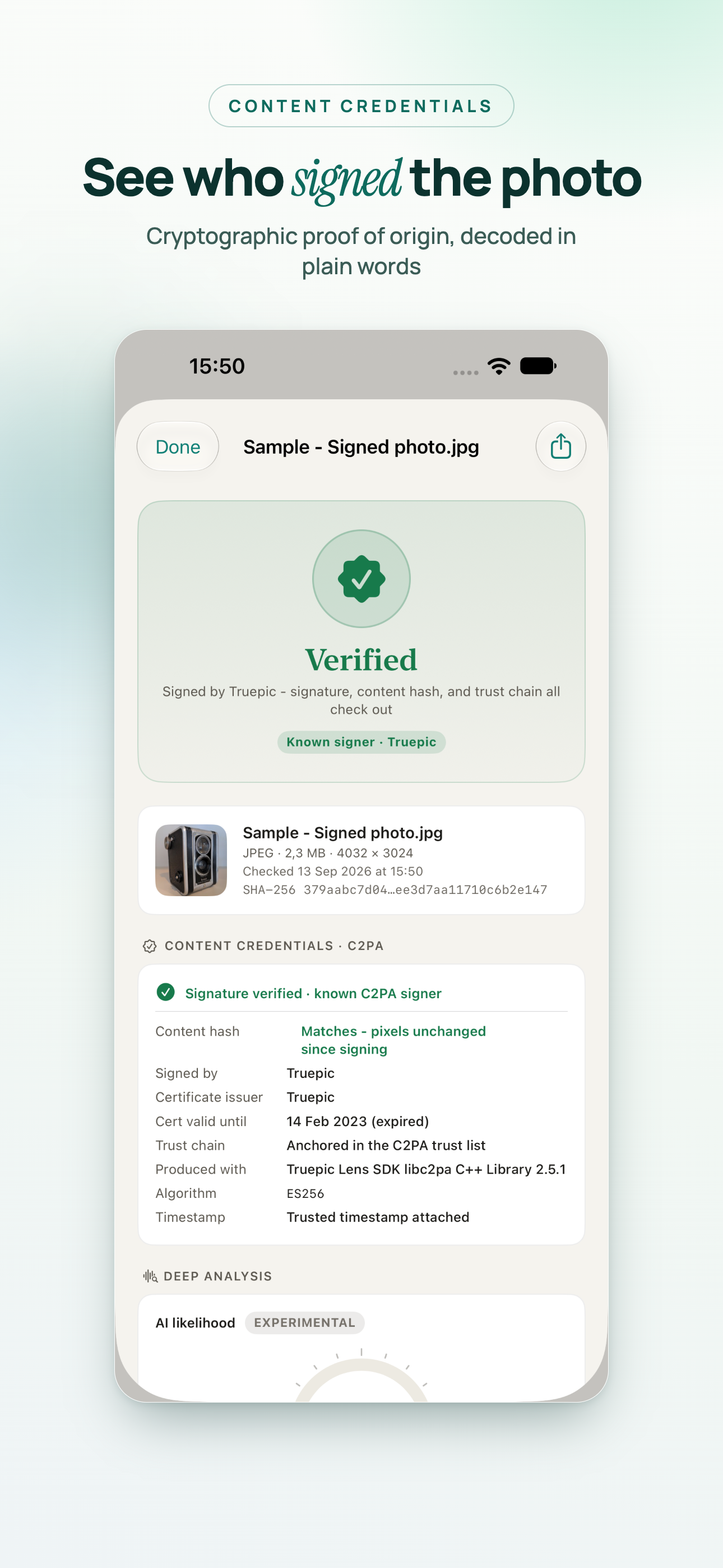
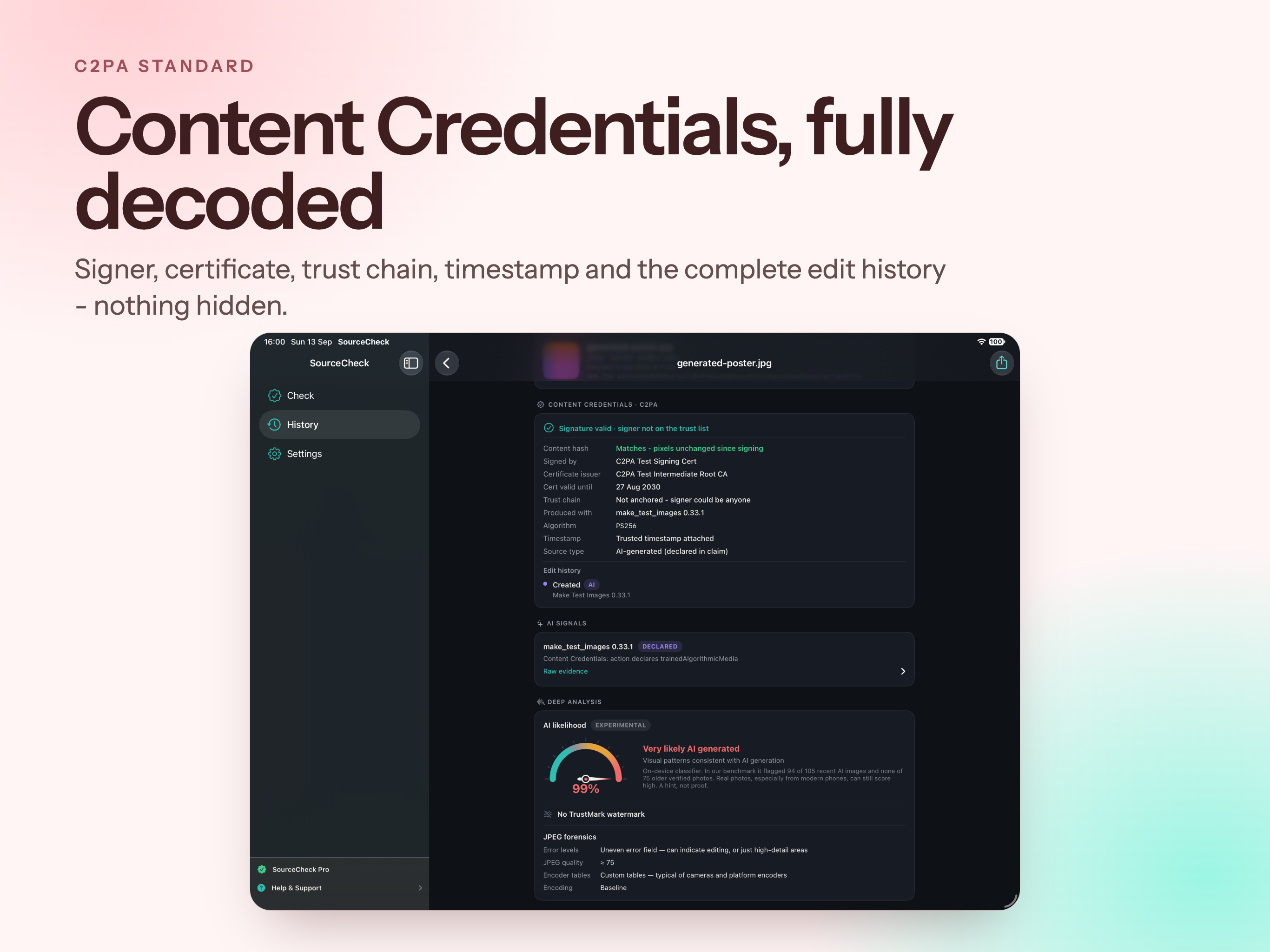
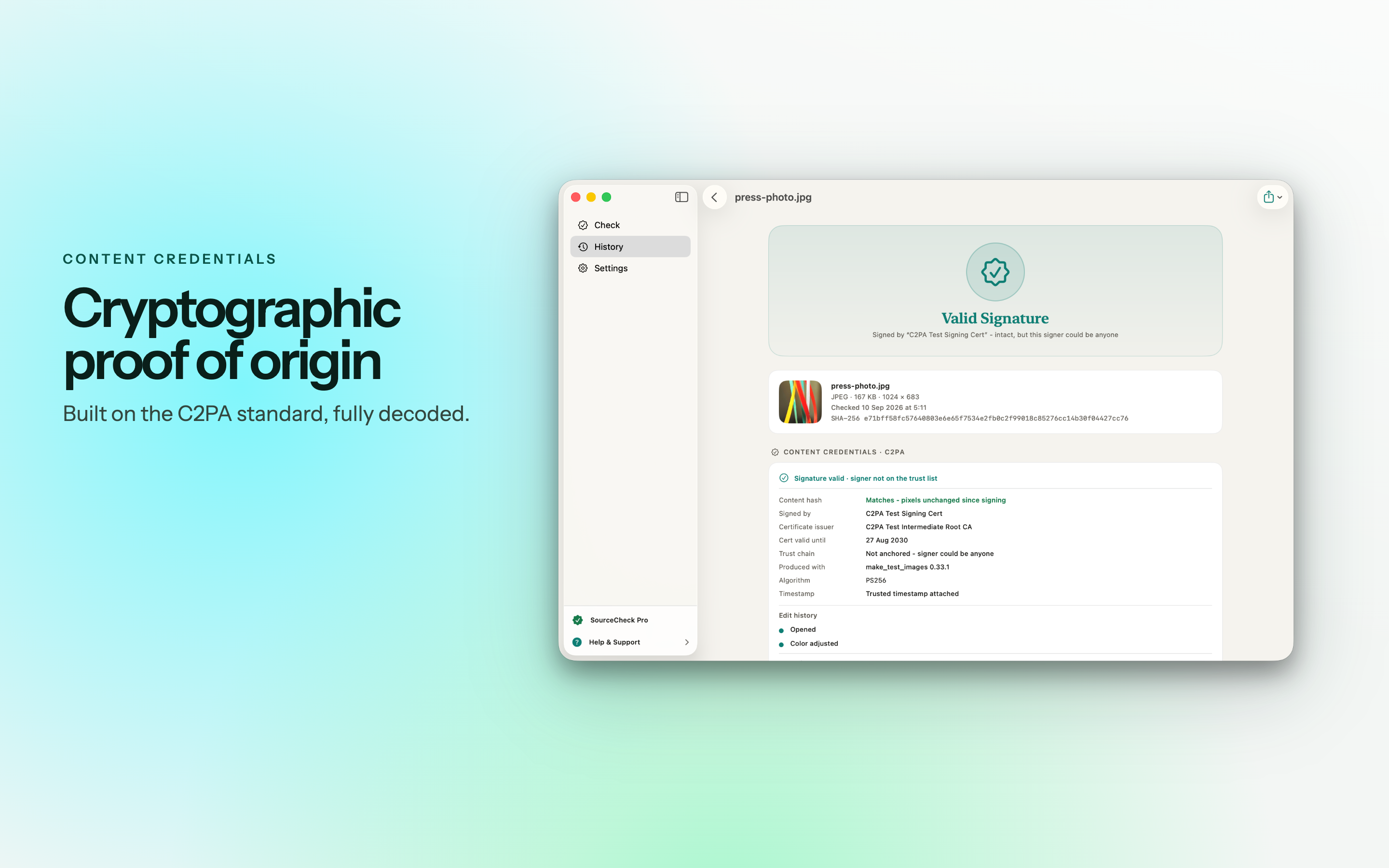
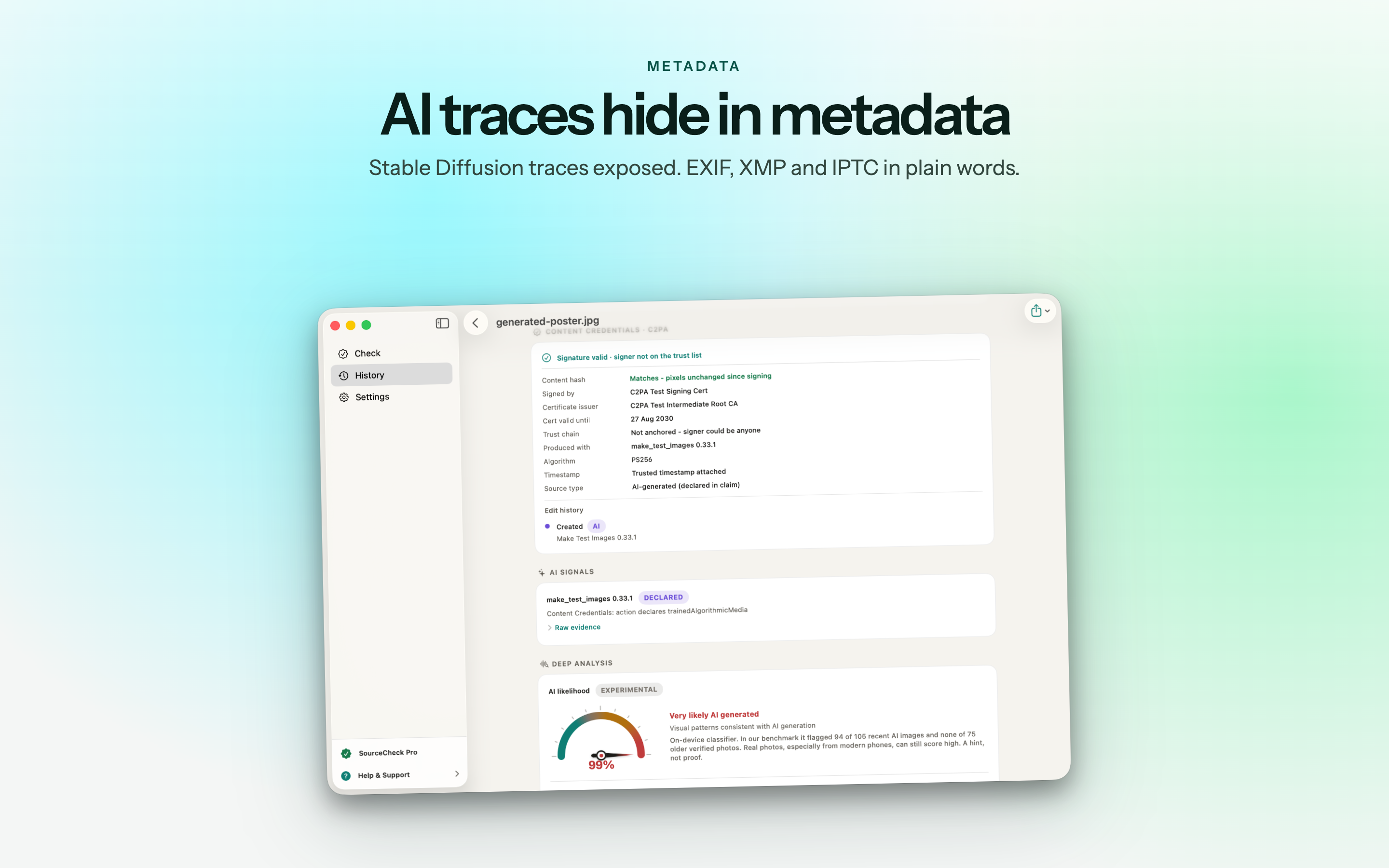
Verify Content Credentials (C2PA)

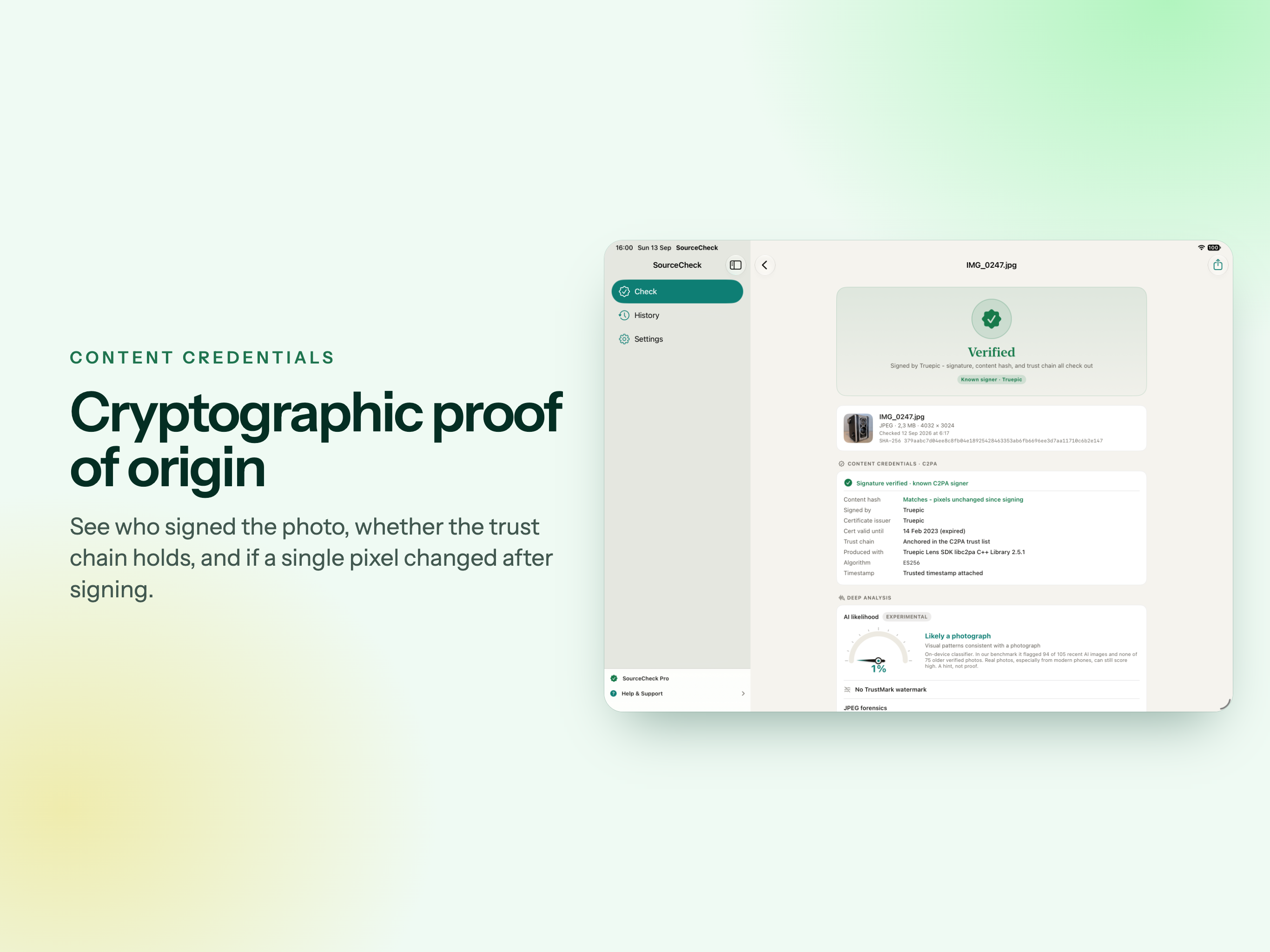
C2PA Content Credentials are the provenance standard backed by Adobe, Google, Microsoft, OpenAI, Leica and Sony. SourceCheck reads them and verifies them cryptographically.

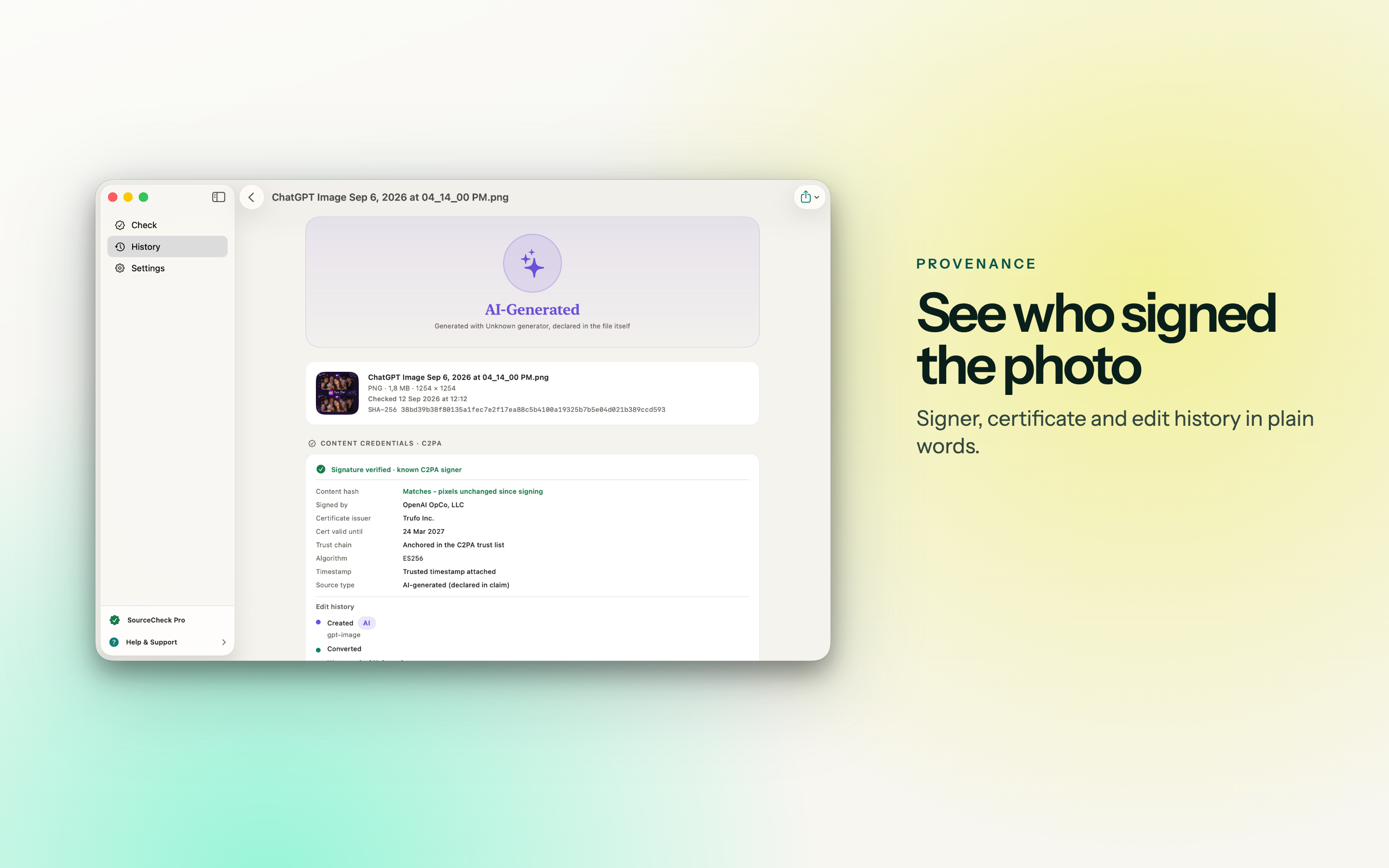
  • Who signed the file, and which camera or tool produced it.
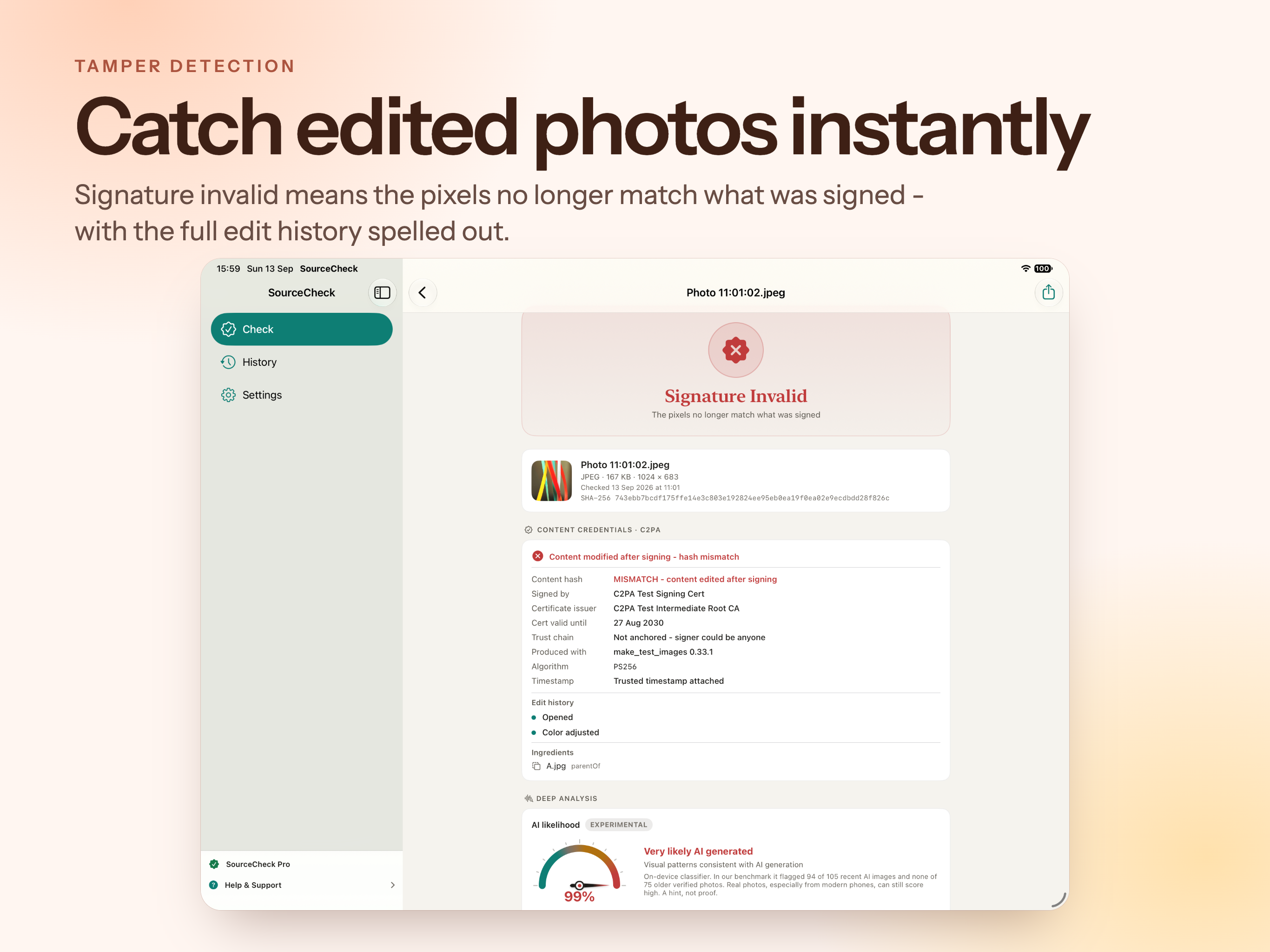
  • Whether a single byte changed since it was signed.
  • The recorded edit history and the source files it was made from.
  • Signatures checked against the official C2PA trust list, so a forged or self-signed manifest cannot pose as a trusted one.
7
Plain verdicts
94 / 105
AI images flagged in benchmark
0 / 75
False alarms on camera photos
0
Files uploaded

Deeper than a yes or no

Most photos carry no credentials at all. That is where the rest of the evidence matters.

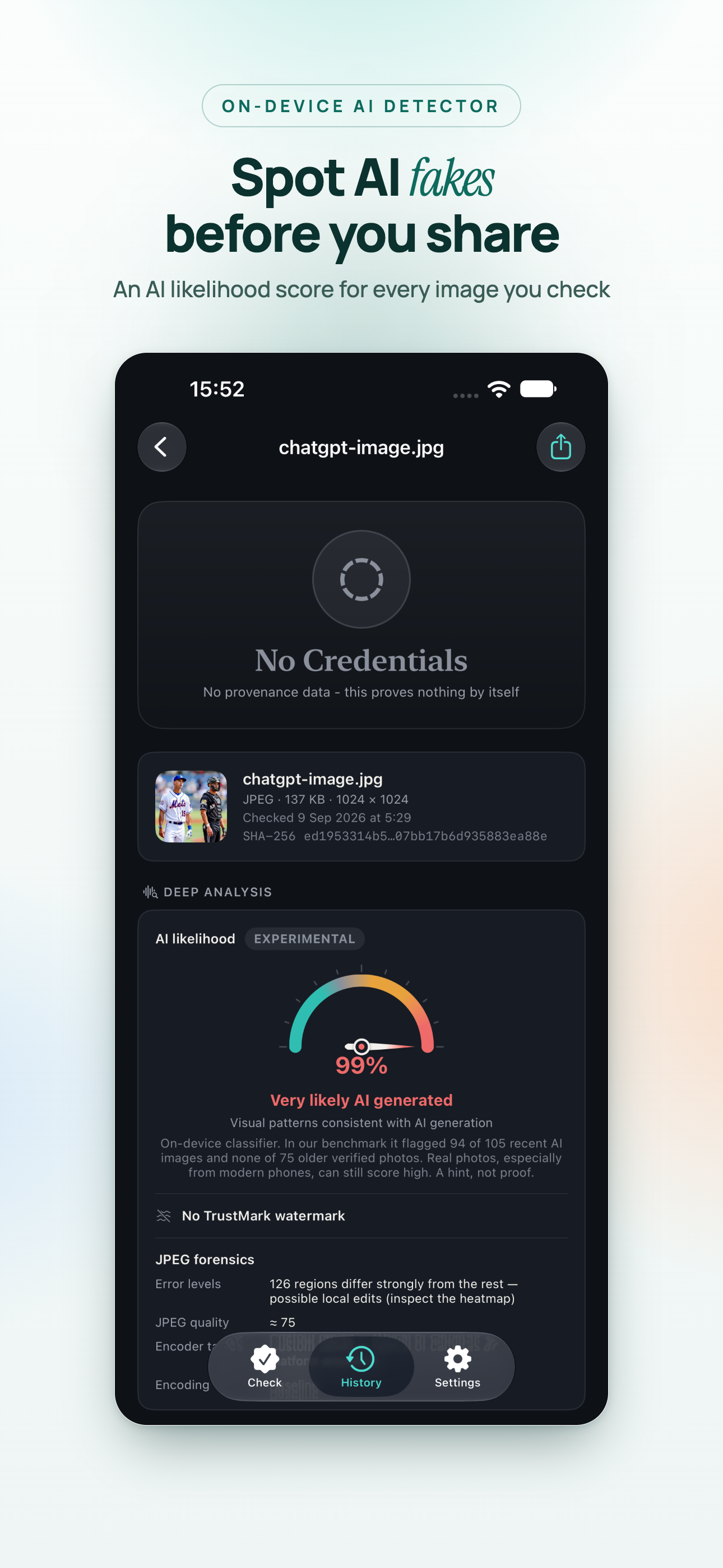
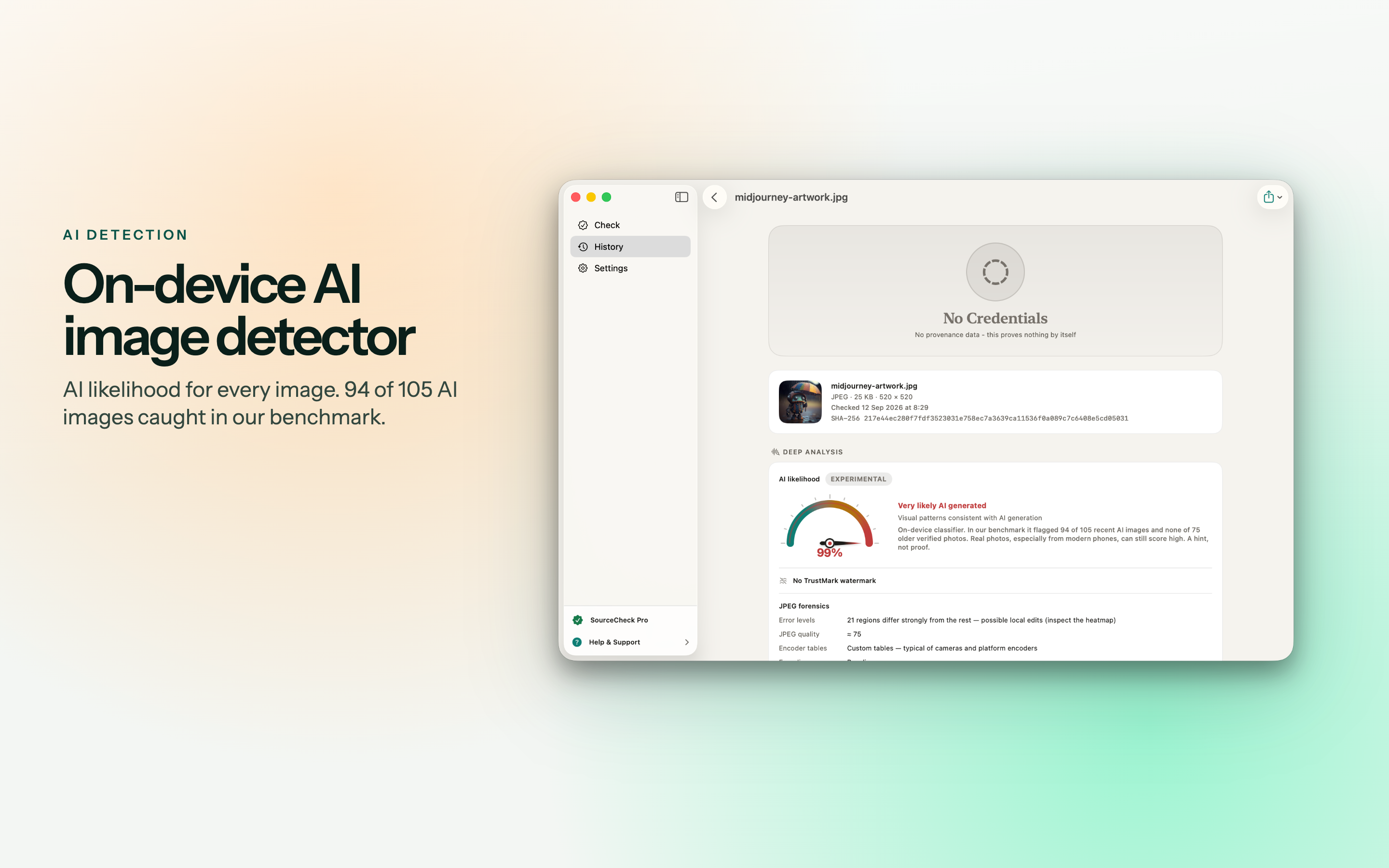
AI image detectionPRO

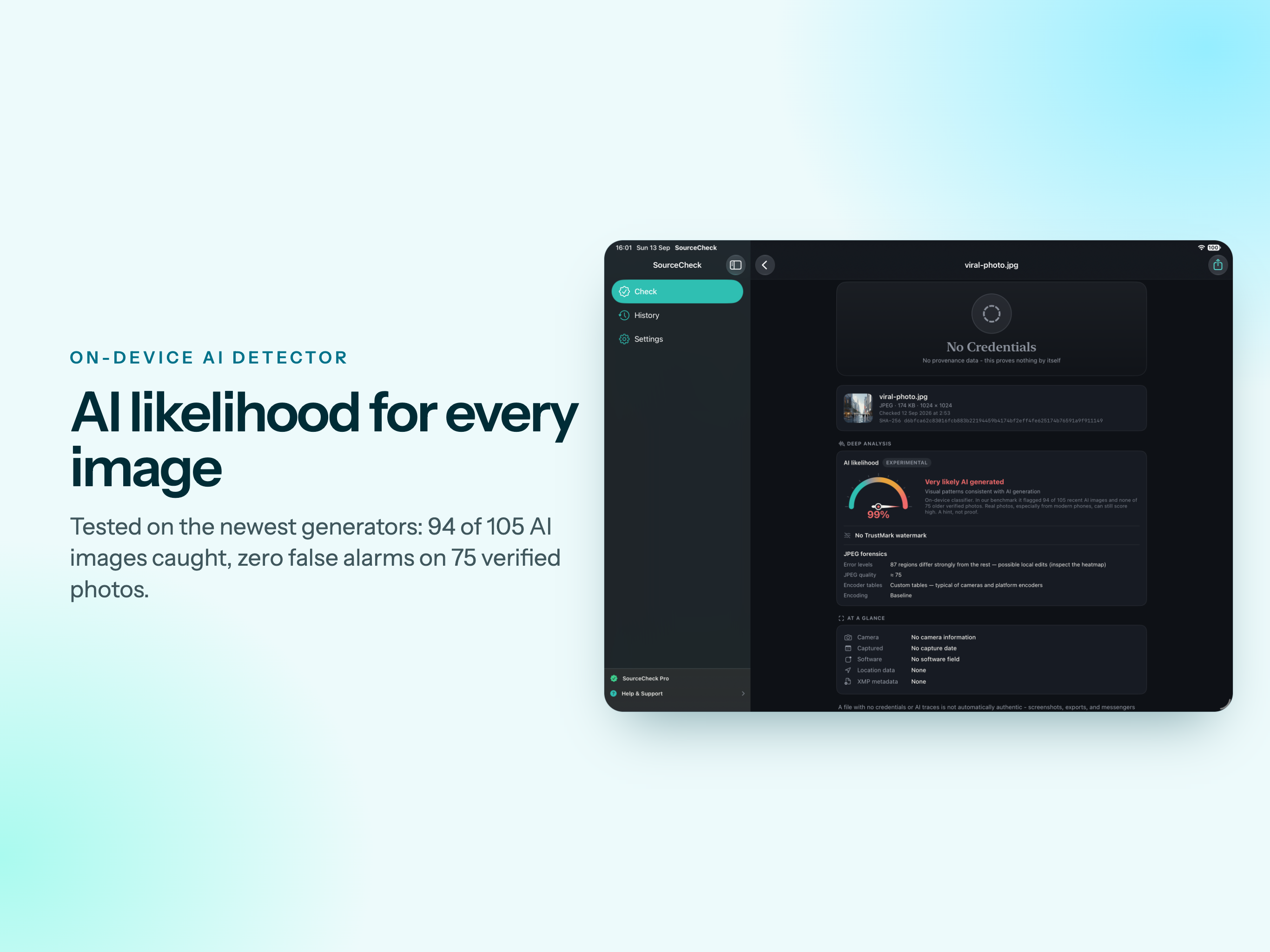
An on-device classifier estimates how likely an image is AI-generated. In our benchmark it flagged 94 of 105 recent images from Midjourney, Flux and GPT with zero false alarms on 75 verified camera photos. The score is a strong hint, not proof, and the app says so.

Watermark scanPRO

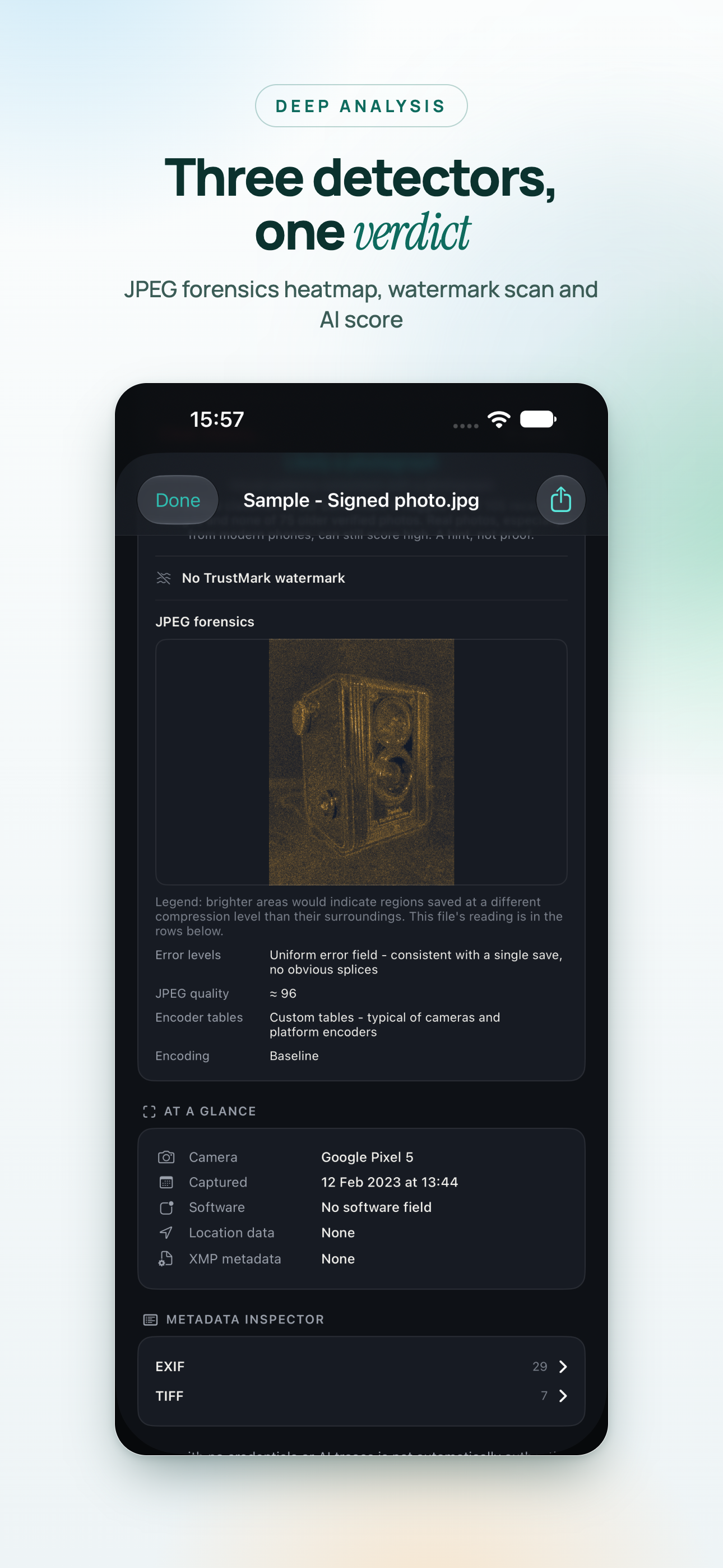
Finds durable TrustMark watermarks - invisible marks designed to survive resizing and recompression, and to point back to credentials that were stripped from the file.

JPEG forensicsPRO

Error level analysis highlights regions that compress differently from the rest of the image, a common sign of local edits such as a pasted object or a removed detail.

Encoder fingerprintsPRO

The way a file was encoded often reveals whether it came straight from a camera or passed through editing software on the way.

Metadata, decoded

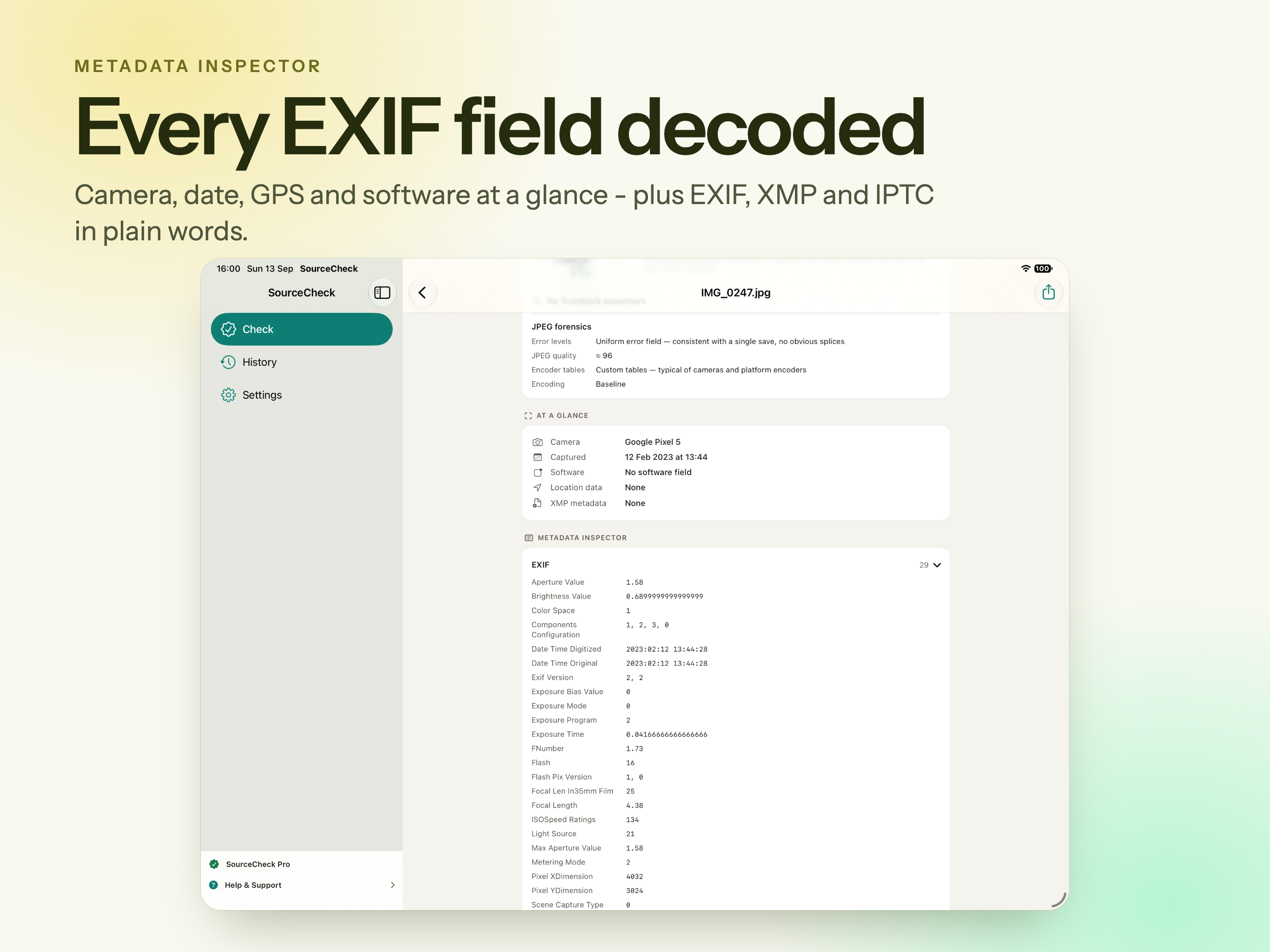
EXIF, XMP and IPTC in readable form: capture date, camera model, GPS presence, software fields, and the traces AI tools leave behind in PNG and JPEG files.

History that remembers

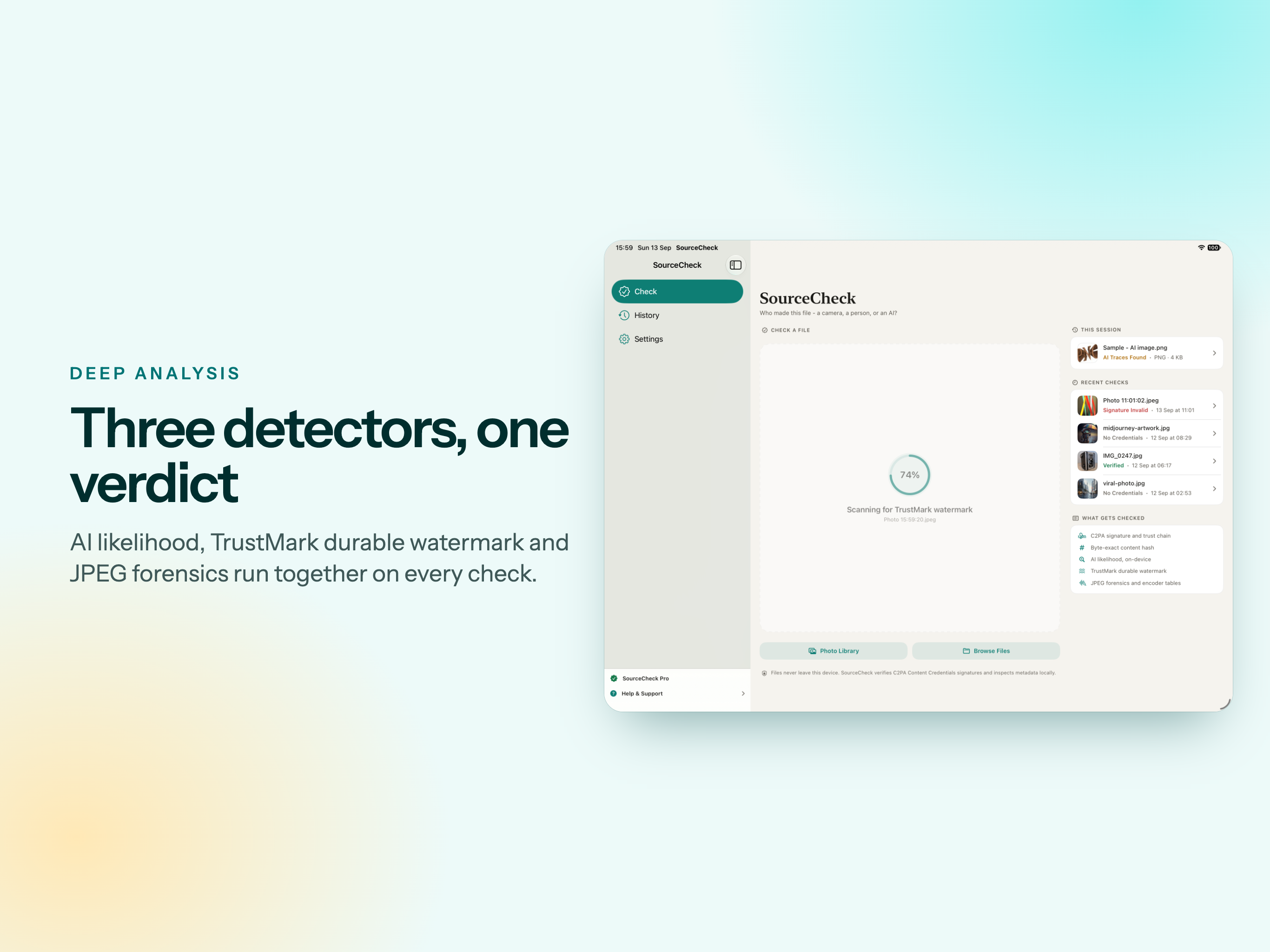
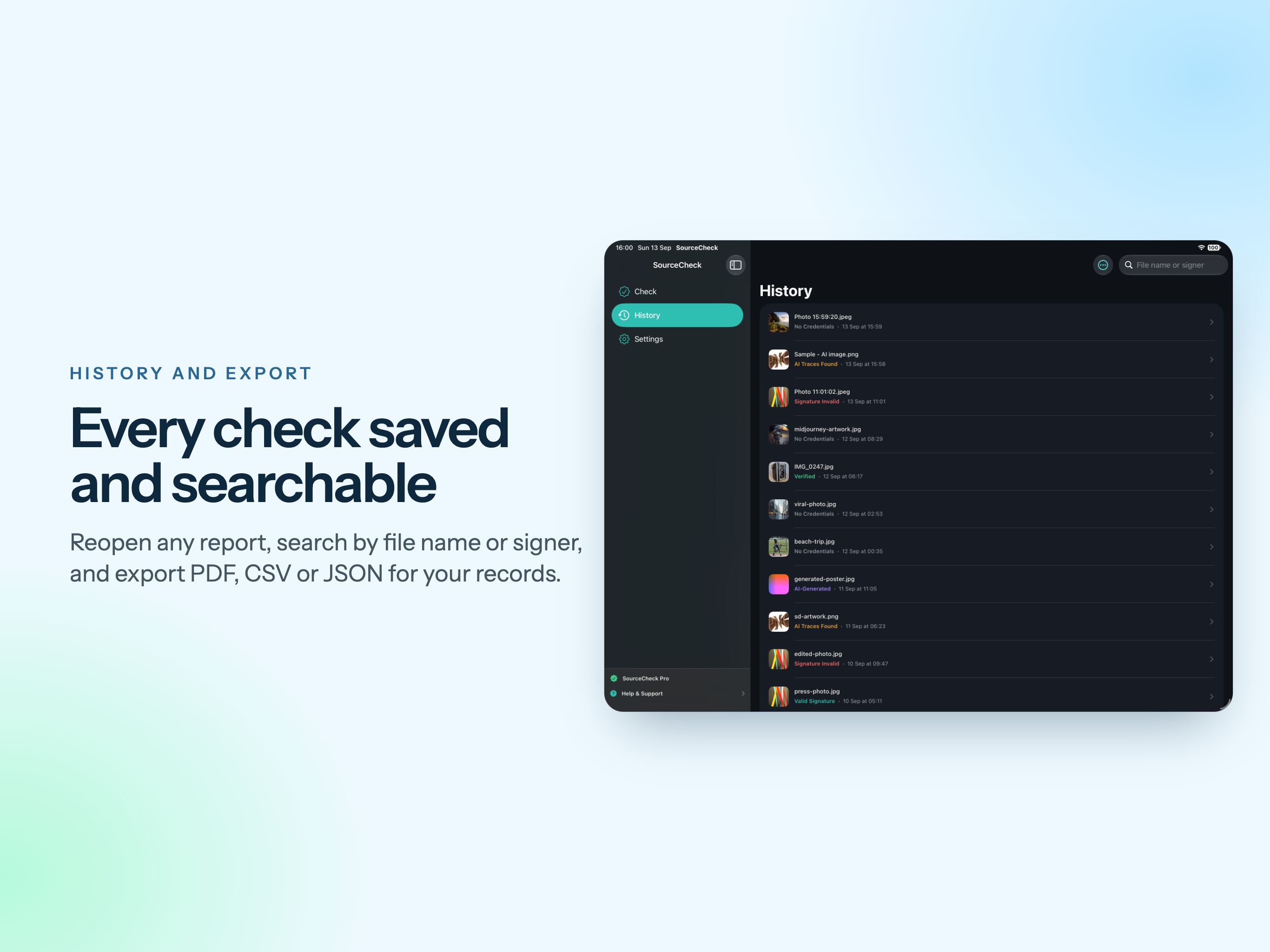
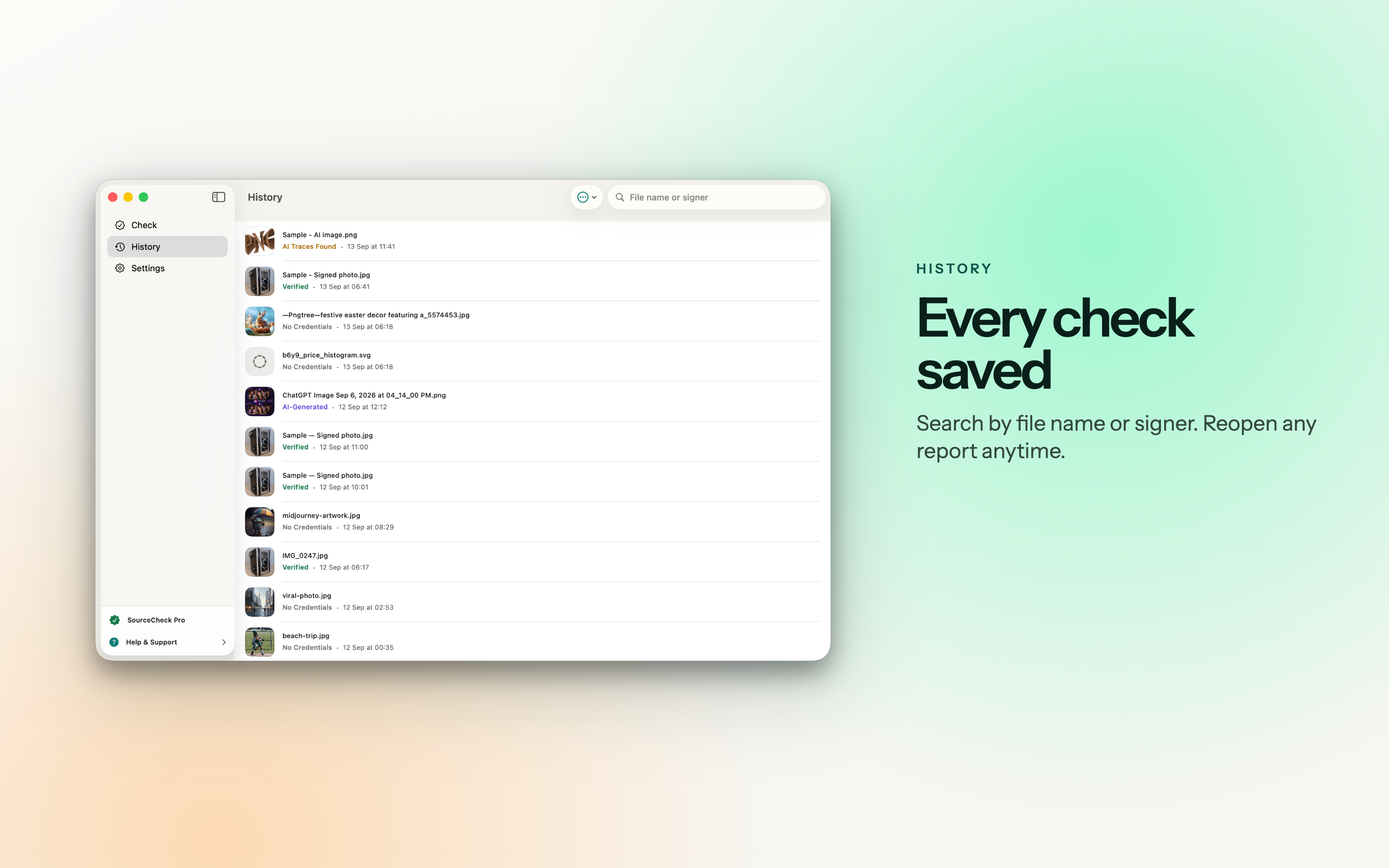
Every check is saved on your device with its thumbnail and verdict. Search by file name or signer, filter by verdict, and reopen any report later.

Works with your files

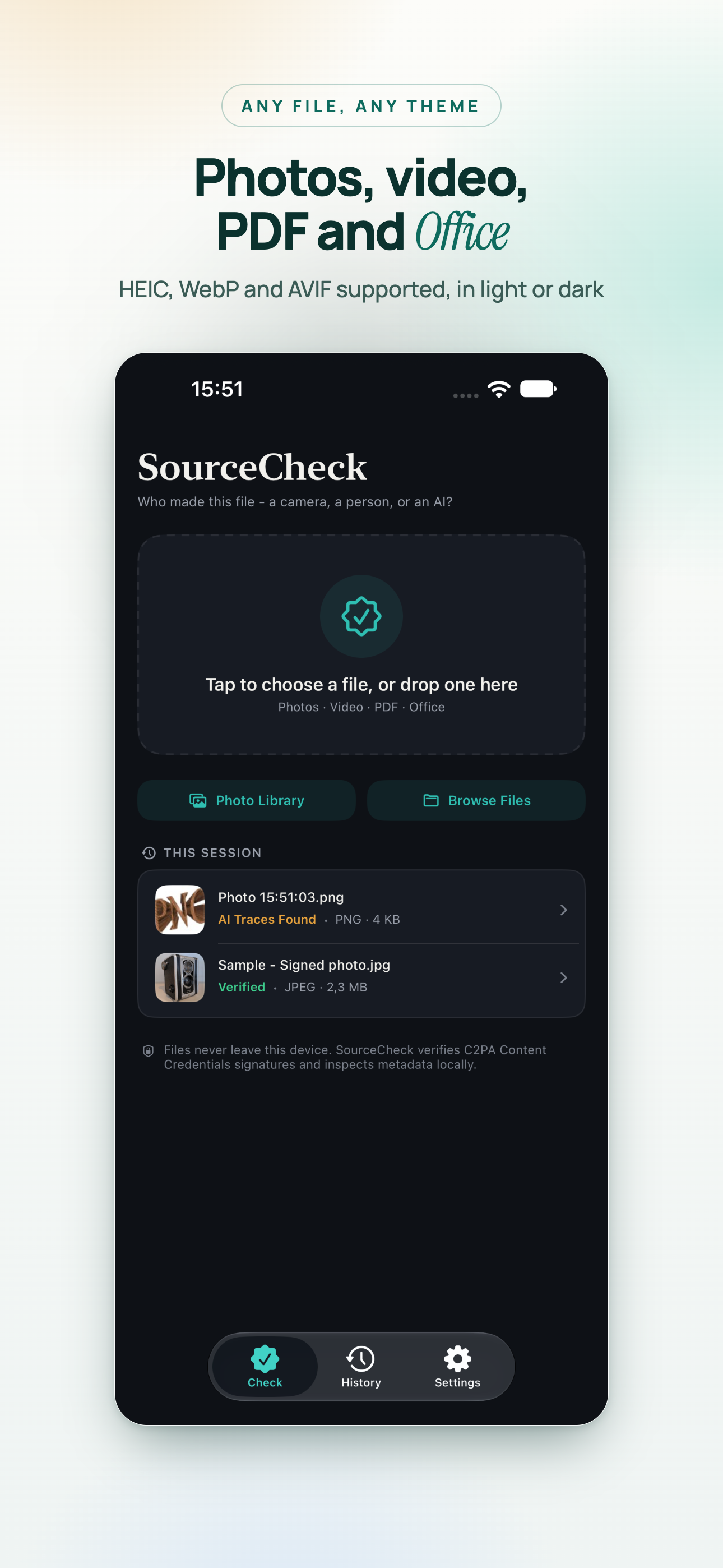
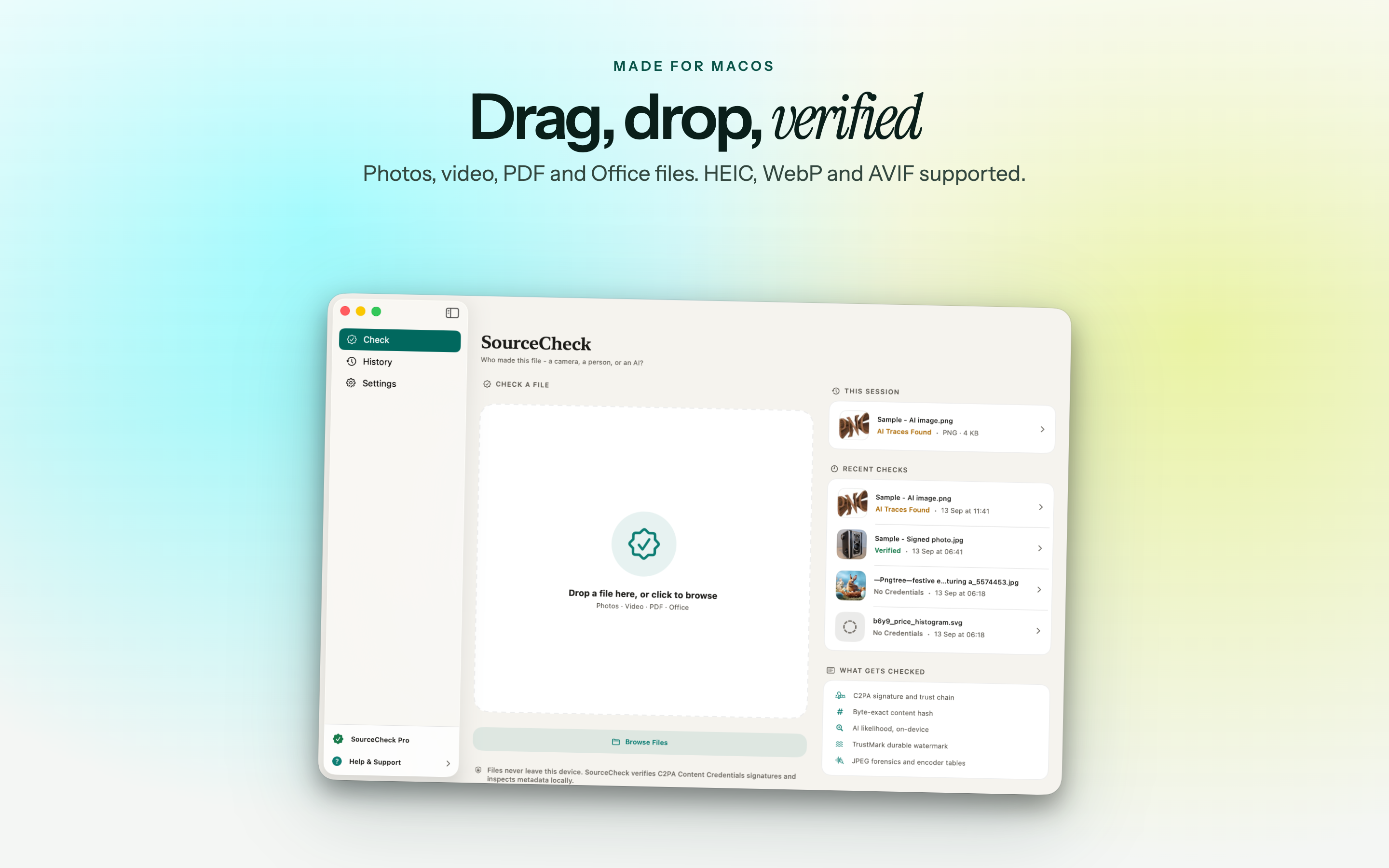
Check photos from your library, files from iCloud Drive, or anything you drop onto the window on Mac.

ImagesJPEG, PNG, WebP, HEIC, AVIF, TIFF, GIF
VideoMP4 and QuickTime
DocumentsPDF and Office documents
ReportsSHA-256 of the exact bytes checked; export to PDF, CSV or JSON

Private by design

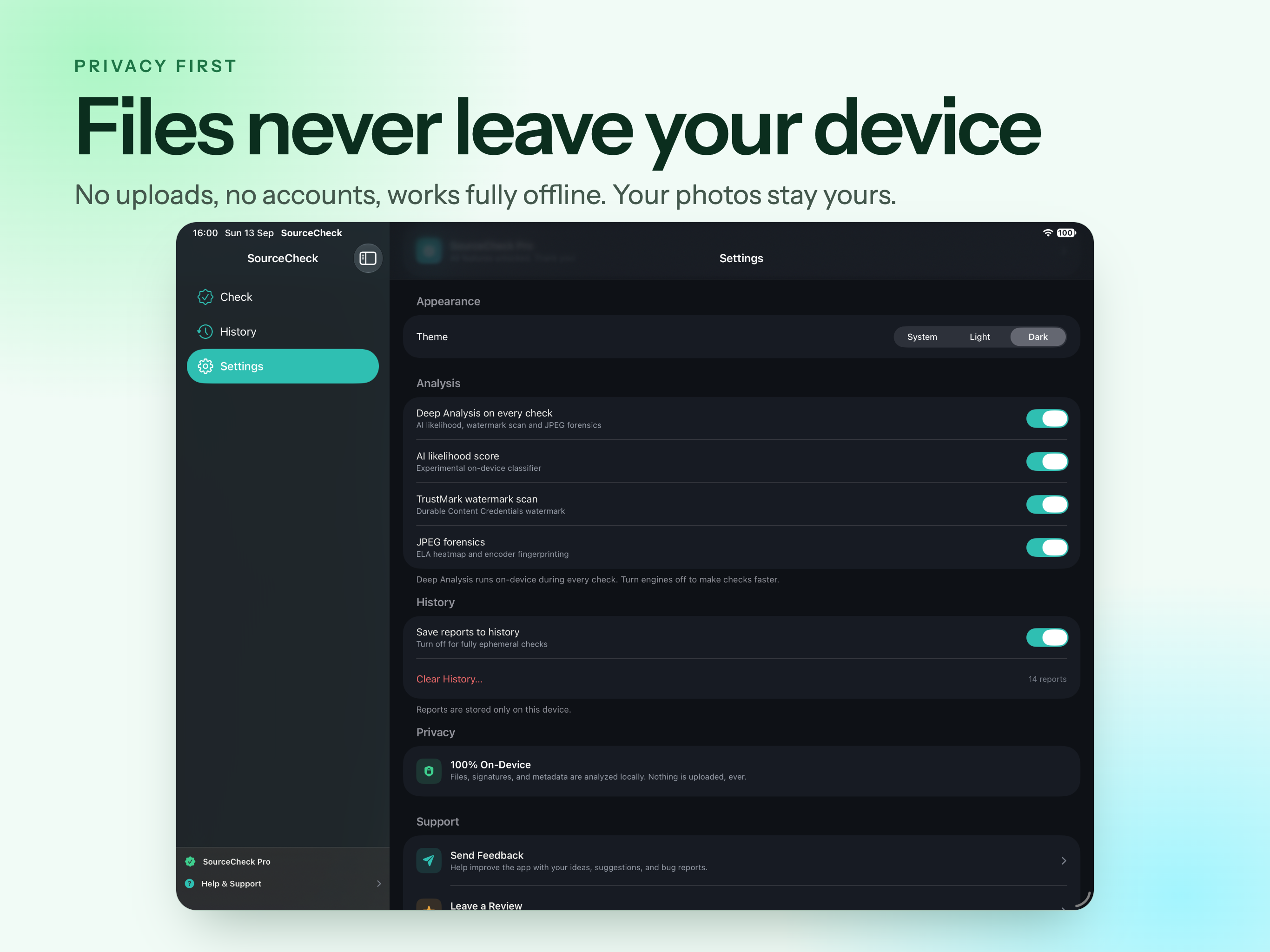
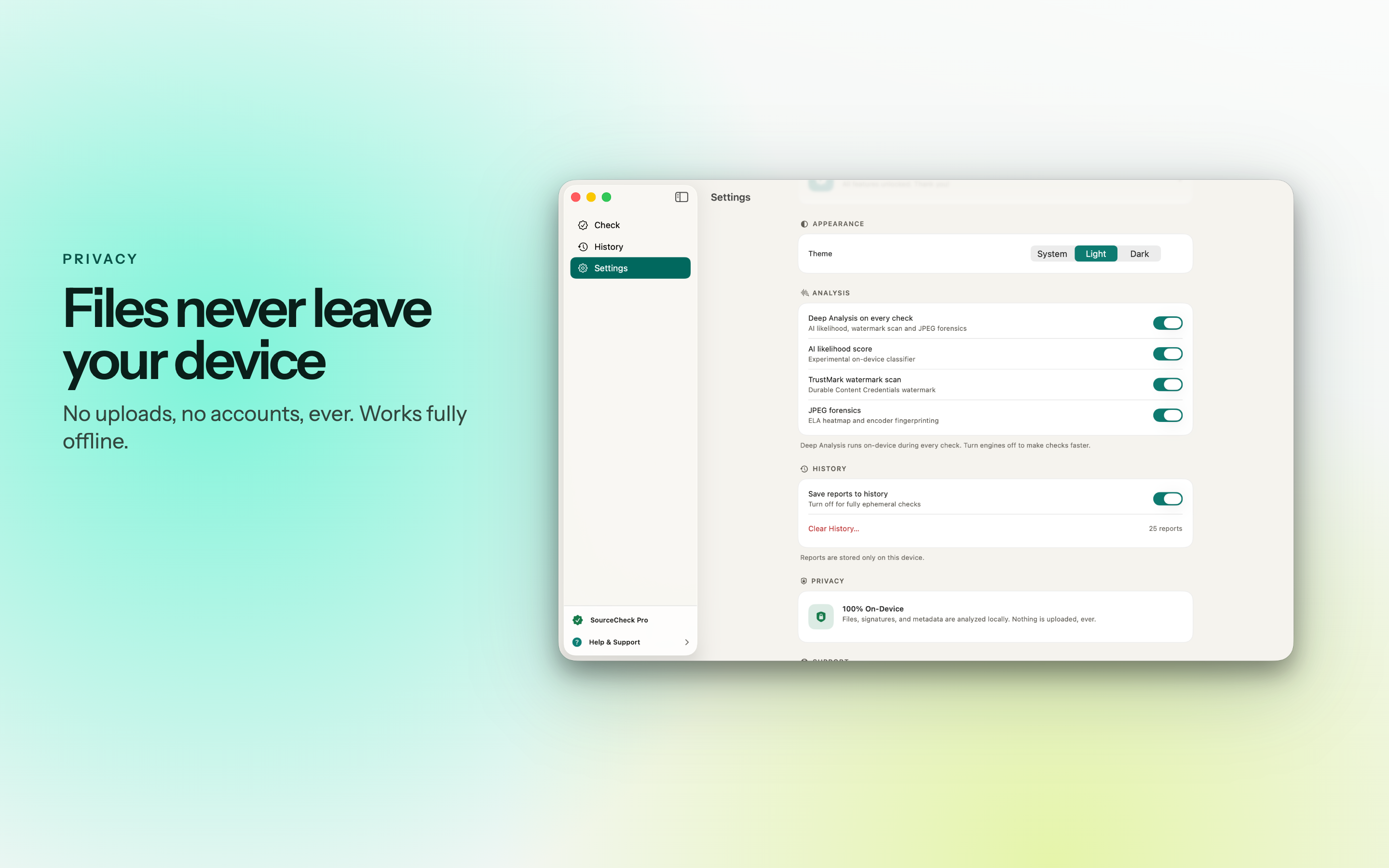
The photos people most need to check - a source's picture, a document, a private message - are exactly the ones that should not be uploaded to a stranger's server.

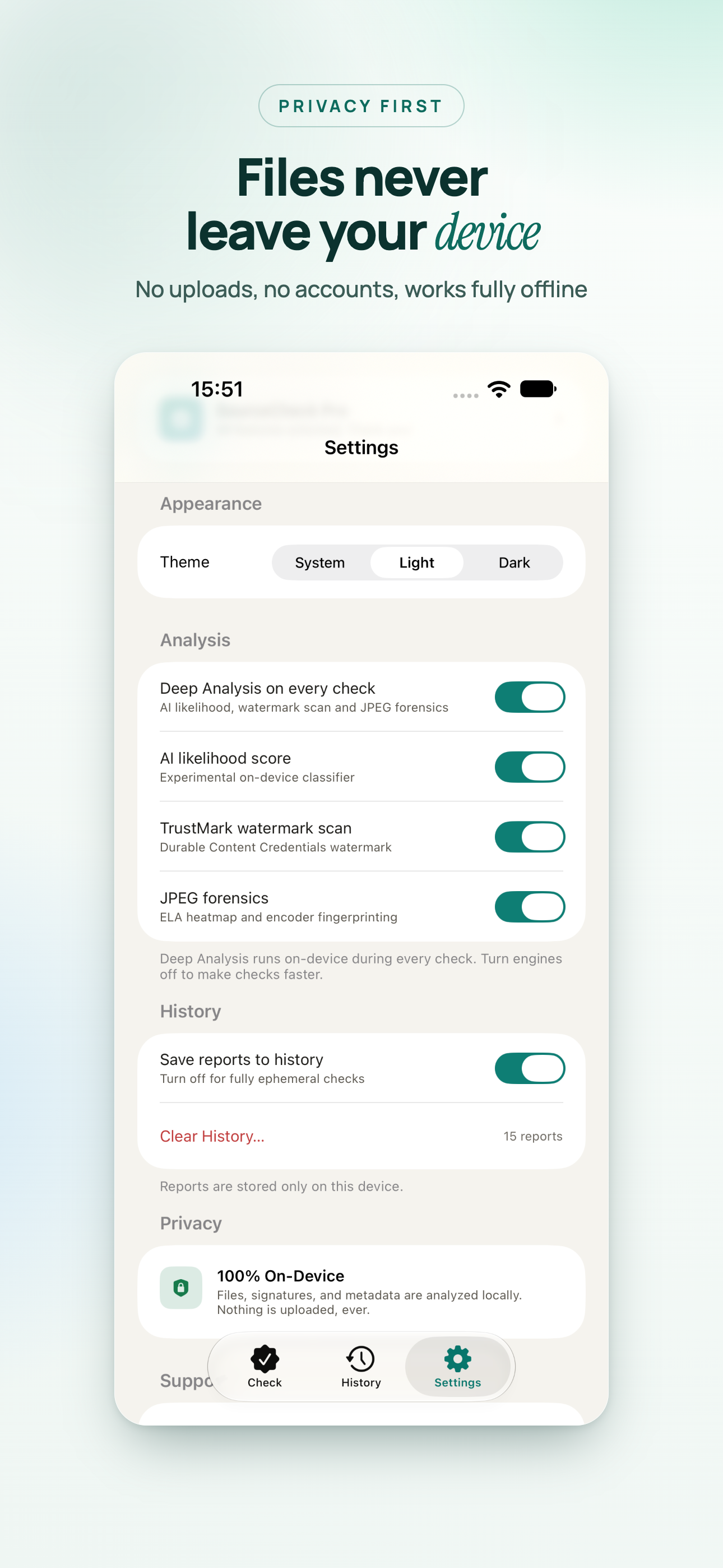
  • No uploads, no accounts, no tracking.
  • Analysis happens locally, so it works offline.
  • Reports record the SHA-256 hash of the file, so anyone can confirm later which exact file was checked.
Free
  • Verifies C2PA Content Credentials.
  • Reads EXIF, XMP and IPTC metadata.
  • Keeps your recent reports.
SourceCheck Pro
  • AI detection, watermark scanning and JPEG forensics.
  • Batch checking and unlimited history.
  • Report export to PDF, CSV and JSON.
  • Monthly, yearly with a free trial week, or a one-time lifetime purchase. One purchase covers all your devices.

On iPhone

For the photo someone just sent you. Open it from the library or from Files, and the verdict is there before you decide whether to forward it.

On iPad

Room for the full report beside the image - the signer, the edit history and the forensic view without scrolling back and forth.

On Mac

A native app with drag and drop, keyboard navigation and right-click actions on every report. Drop a folder of images in and check them as a batch.

Who it is for

Anyone who has looked at an image and wondered where it really came from.

Journalists

Checking a source's photo before it runs, with a SHA-256 record of the exact file that was checked.

Buyers

Checking a listing photo before paying for something that may never have existed.

Teachers

Checking submitted work and images for signs of generation or editing.

Moderators and researchers

Batch-checking images on a Mac and exporting the results as CSV or JSON.

A valid signature shows that a file has not changed since it was signed and who signed it. It cannot show that the scene in front of the camera was not staged, and a missing signature does not make a photo fake. SourceCheck reports what the evidence supports, and no more.

Available On

One purchase covers all your devices.

iPhone

iOS 17.0 or later

iPad

iPadOS 17.0 or later

Mac

macOS 14.0 or later

A downloaded image proves nothing about its origin. Checking it takes three seconds.

Frequently asked questions

Can SourceCheck prove a photo is real?

It can prove what the file itself says about its origin, when the file carries C2PA Content Credentials: who signed it, which tool produced it, and whether a byte changed since. Without credentials it reports the evidence it finds - metadata, AI traces, watermarks - rather than a guess. A signature shows the file is unaltered; it cannot show that the scene in front of the camera was not staged.

Is my photo uploaded anywhere?

No. Every check runs on your device, so nothing is uploaded, there is no account, and it works offline. Reports include the SHA-256 of the exact bytes checked.

How accurate is the AI image detection?

In the developer's benchmark it flagged 94 of 105 recent images from Midjourney, Flux and GPT with no false alarms on 75 verified camera photos. The score is a strong hint, not proof - see how accurate AI image detectors really are. AI detection is part of Pro.

What file types can it check?

JPEG, PNG, WebP, HEIC, AVIF, TIFF and GIF images, MP4 and QuickTime video, PDF, and Office documents - from your photo library, iCloud Drive, or dropped onto the window on Mac.

What is free and what needs Pro?

Free verifies Content Credentials, reads metadata and keeps your recent reports. Pro adds AI detection, watermark scanning, forensics, batch checking, unlimited history and report export. One purchase covers iPhone, iPad and Mac. Details on the SourceCheck help page.

Which devices does it run on?

iPhone and iPad on iOS 17 or later, and Mac on macOS 14 or later.