Offline subtitles • Mac

AI Subtitle Generator: SRT

Subtitle any video on your Mac in seconds. It listens to the speech, writes the captions, styles them, and either saves an SRT file or burns the captions into the picture.

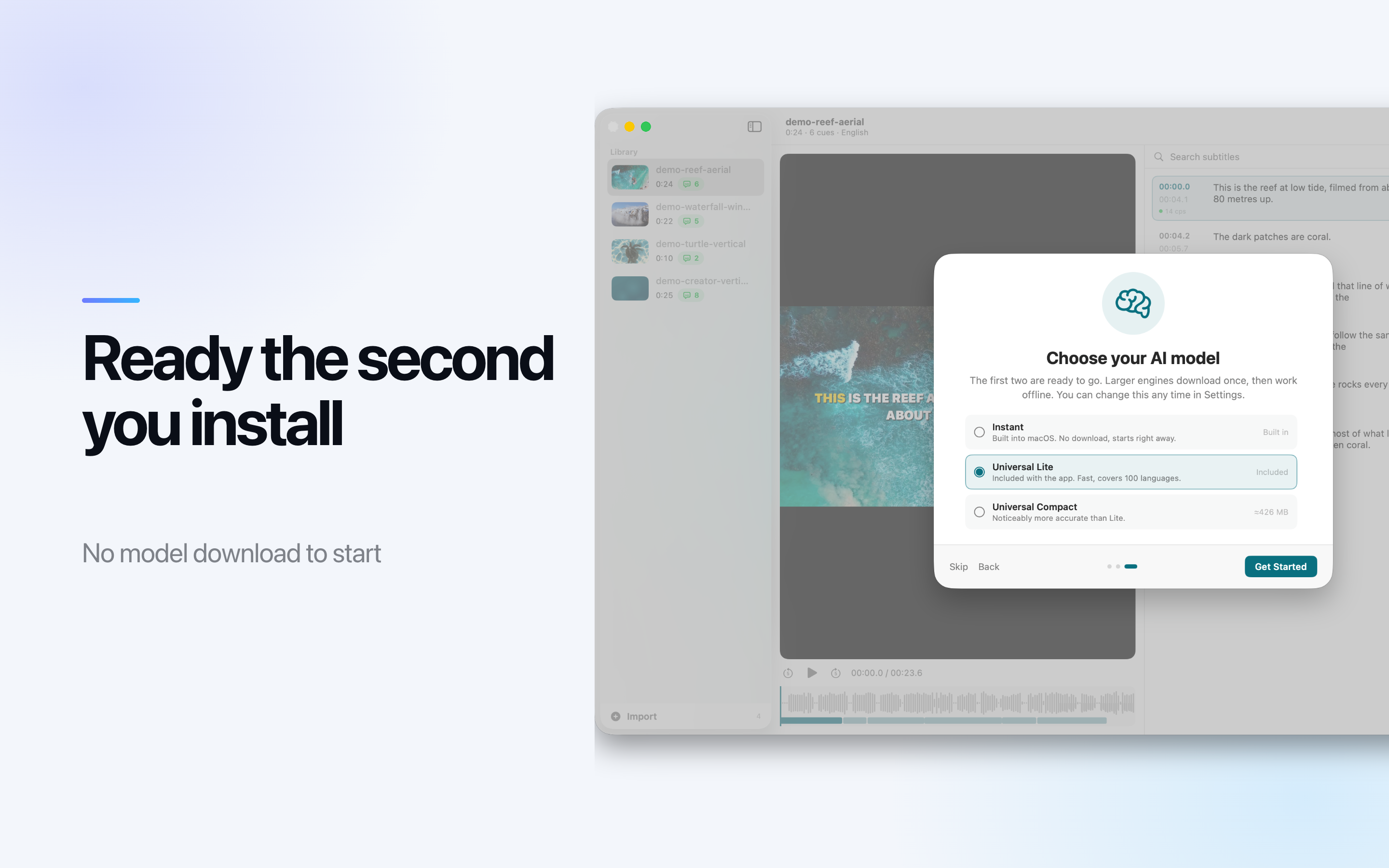
A speech model ships inside the app, so the first subtitle needs no download and no setup. Nothing is uploaded and nothing is metered by the minute - the transcription, the translation and the rendering all happen on the machine in front of you.

Download on the App Store
macOS 14 or later Close to 99 languages SRT, VTT, ASS, TXT Nothing uploaded
AI Subtitle Generator app icon

Drop In a File, Get Captions Out

Video or plain audio. MP4, MOV and M4V go straight in, and so do MP3, M4A and WAV - drag one anywhere in the window to start.

It writes the transcript

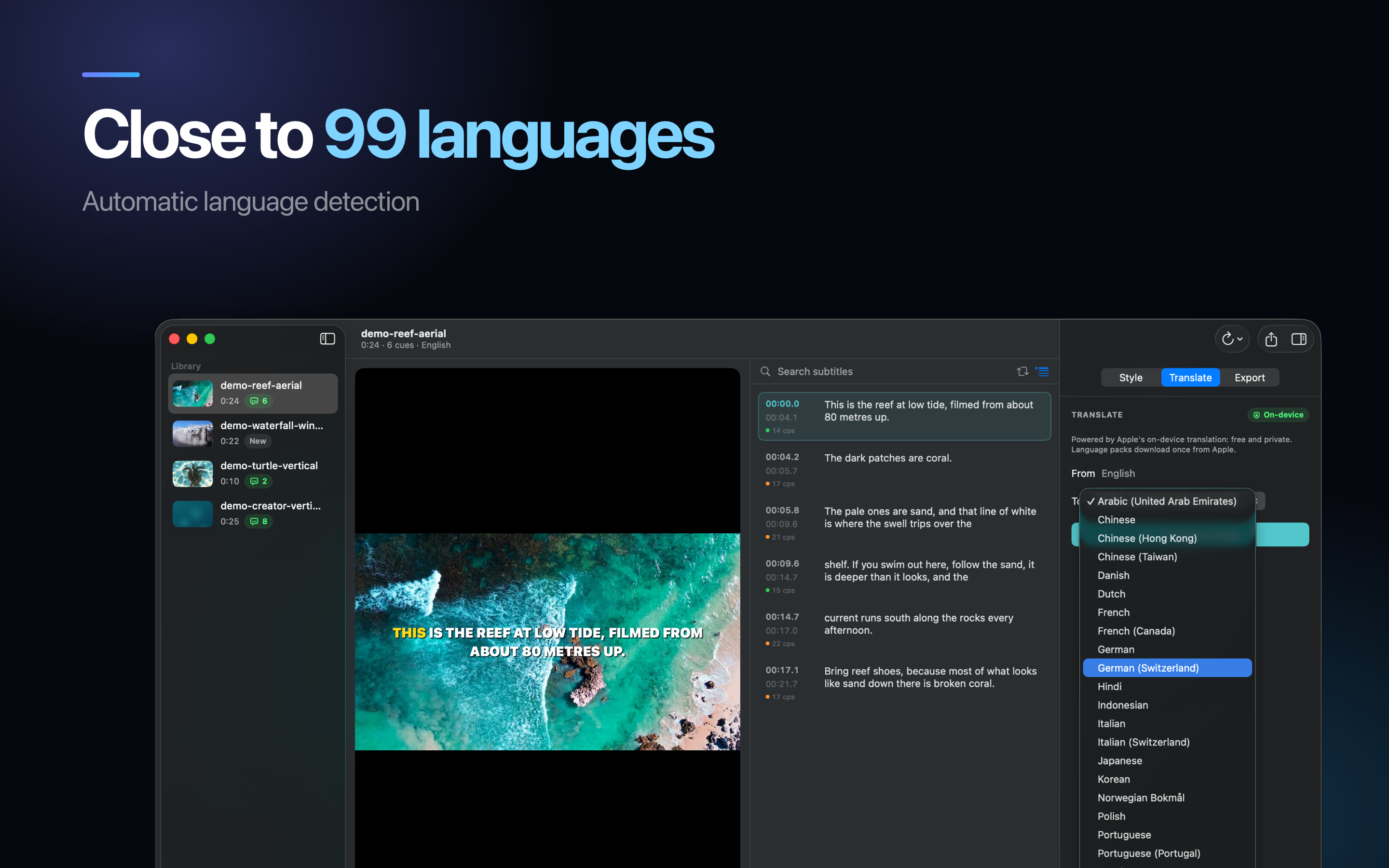
The spoken language is detected for you rather than picked from a menu. Every project stays in the library with its transcript and styling, so you can close the app and pick the same edit back up.

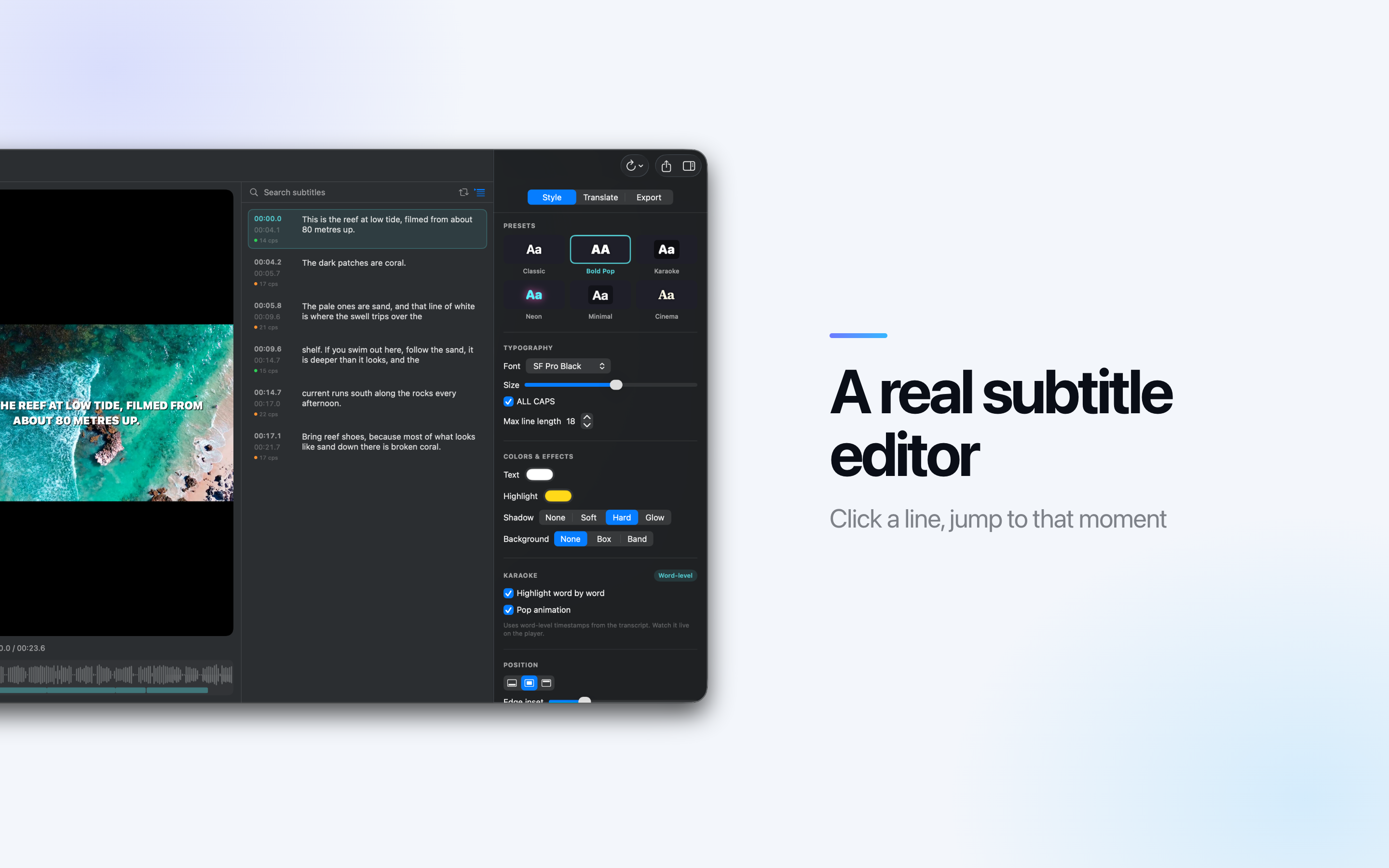
A real editor, not a preview

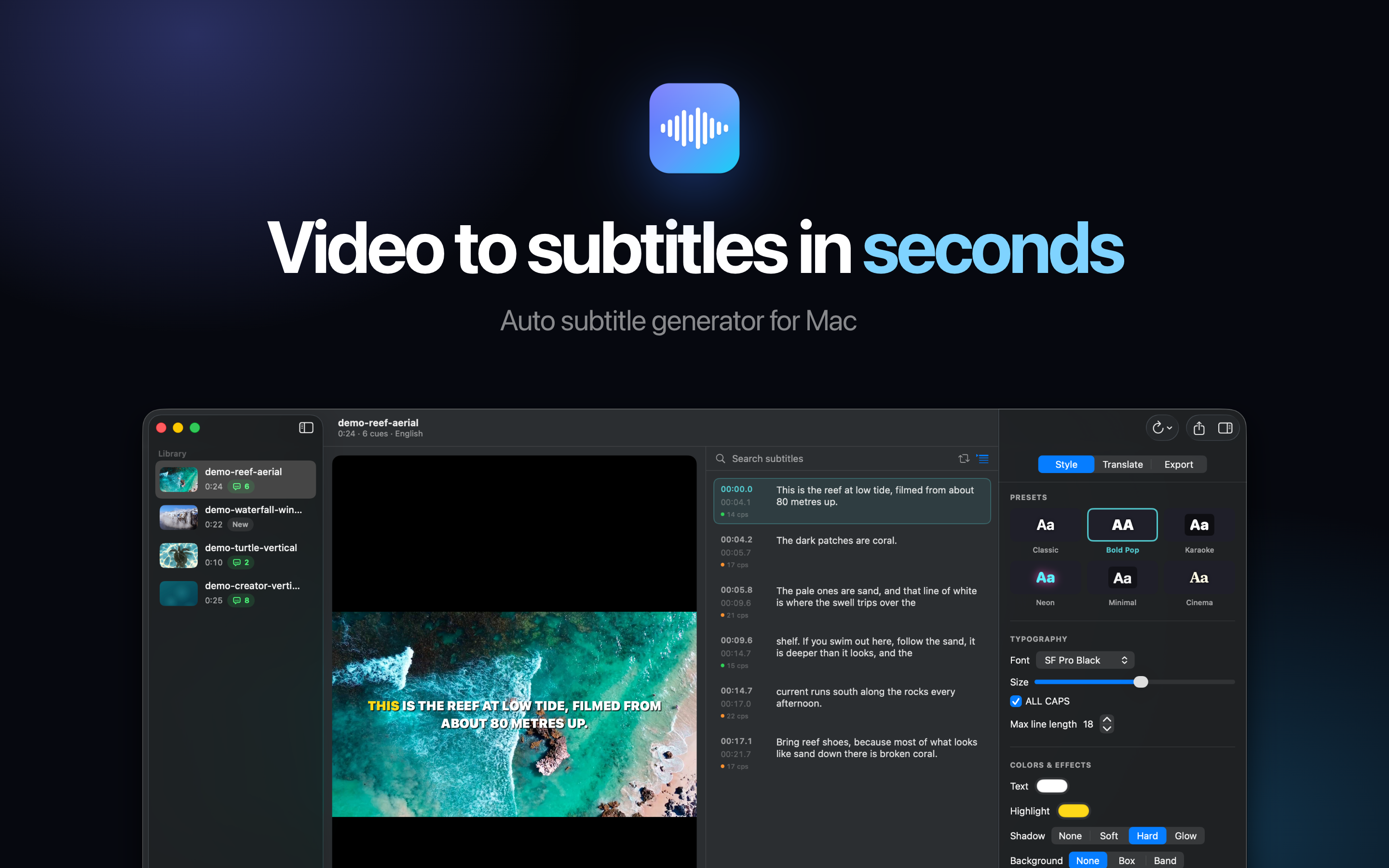
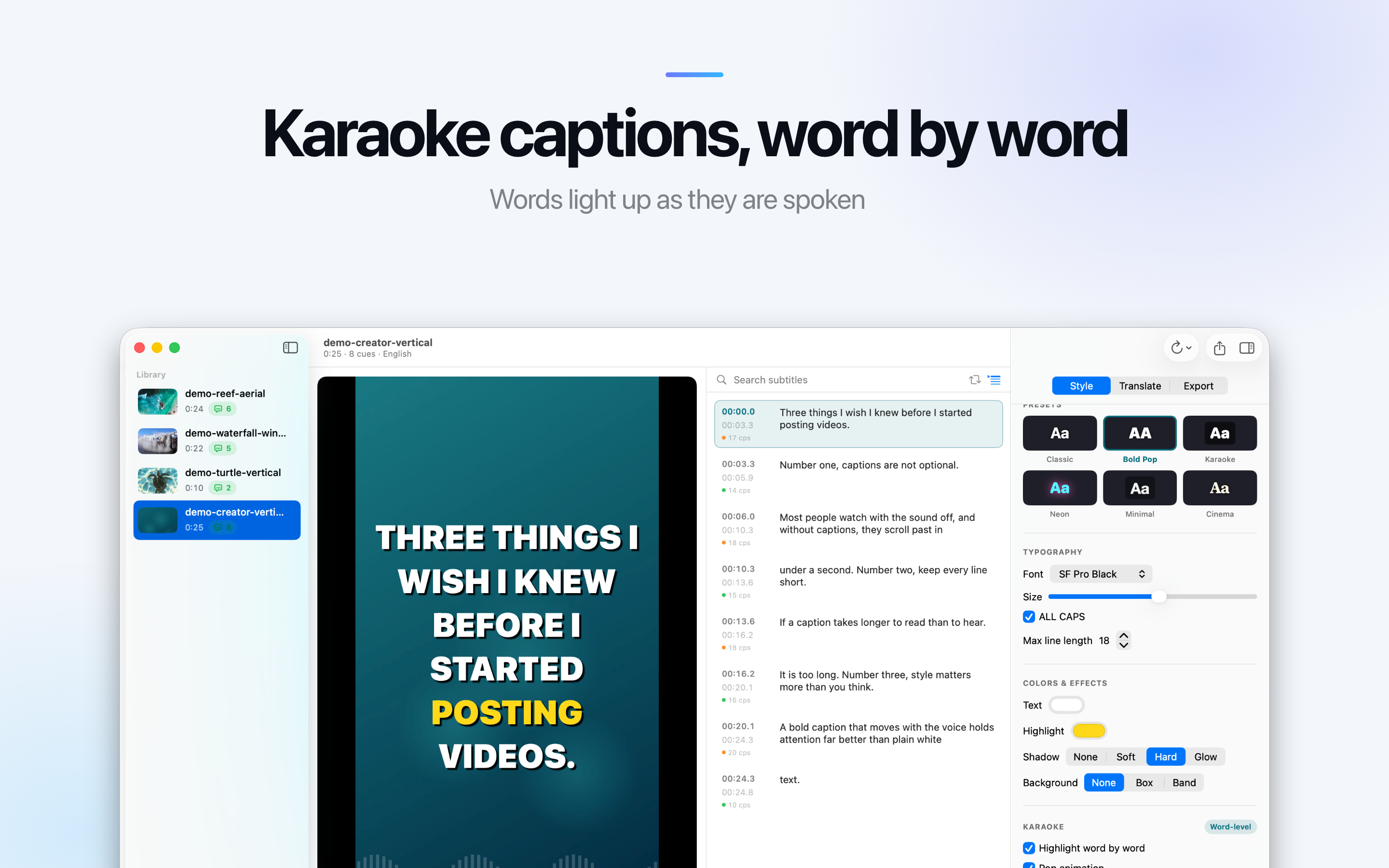
Click any line to jump to that moment in the video. Fix wording inline, snap timings to the playhead, merge or split lines, and search and replace across the whole transcript.

Reading speed on every line

Each line shows its speed in characters per second - the same check broadcast subtitlers use. It is how you catch the caption that is technically correct and physically unreadable.

Six presets, then your own

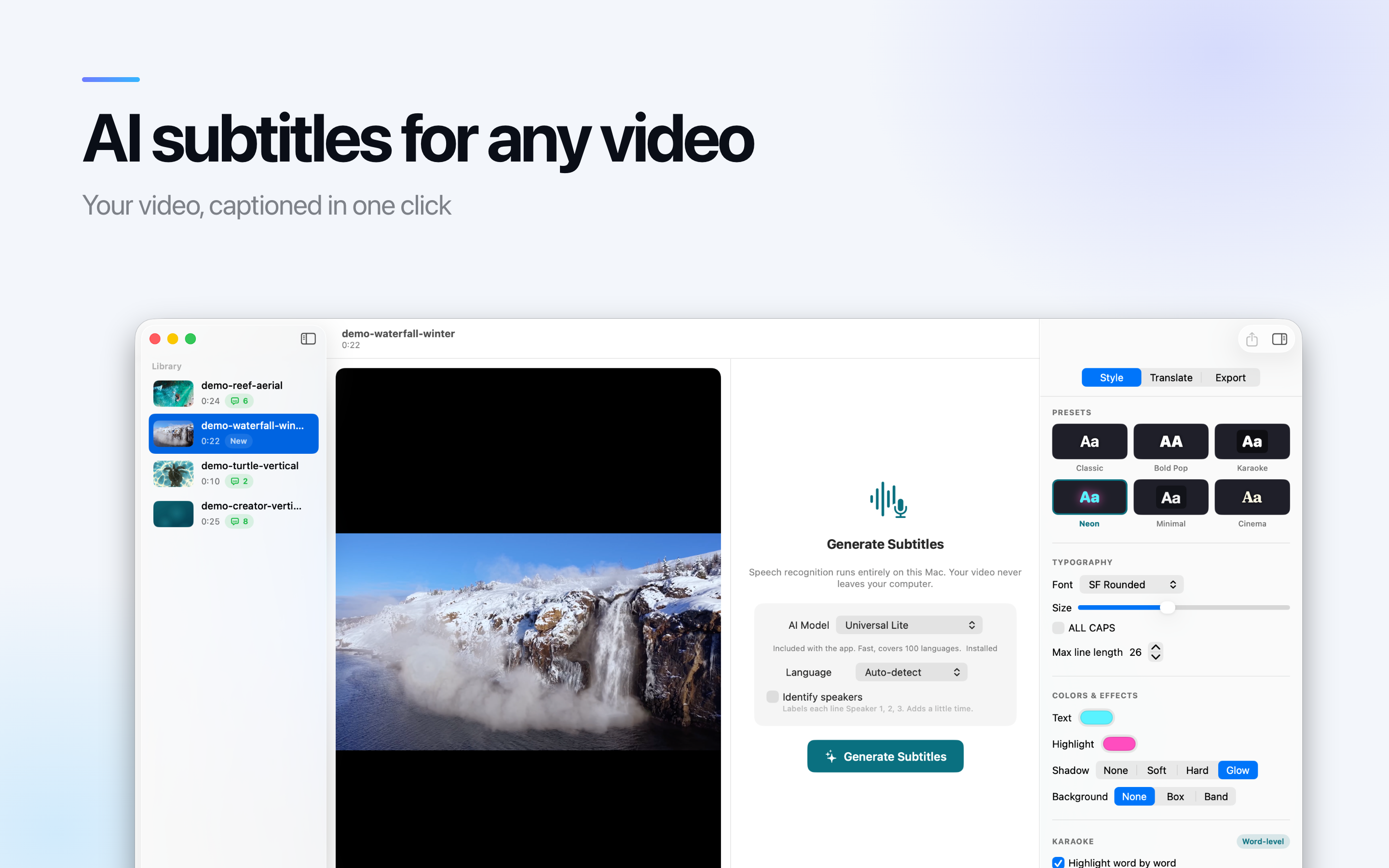
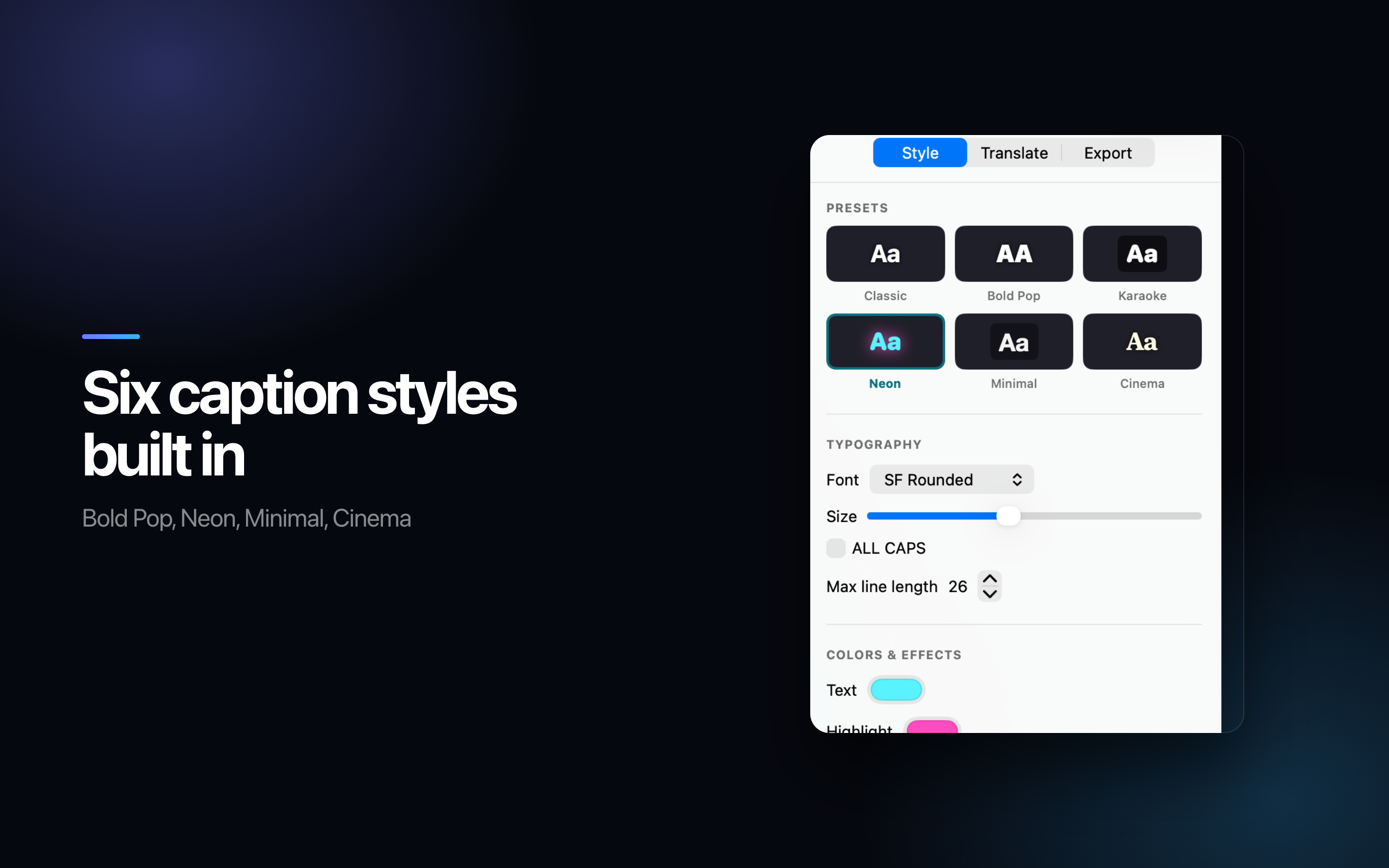
Classic, Bold Pop, Karaoke, Neon, Minimal and Cinema. Font, size, colour, shadow, background and position, updating live on the video as it plays.

Karaoke timing

Light up each word as it is spoken, timed from the transcript itself rather than guessed at. This is the look short-form video has settled on.

Translate without leaving

Translate a finished transcript using the translation built into macOS. It runs on device, costs nothing per word, and every line stays editable afterwards.

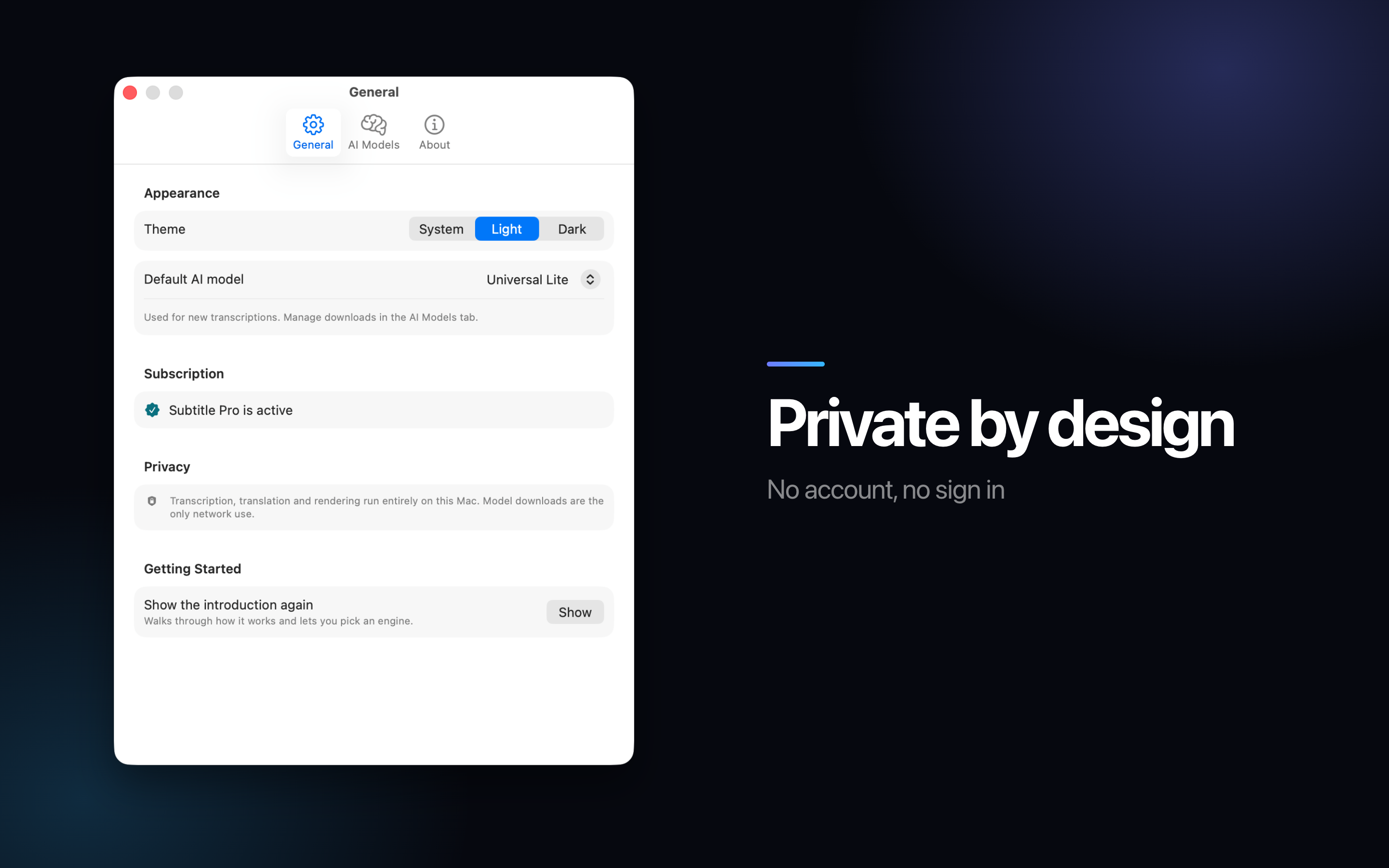
The footage never leaves the Mac

Subtitling normally means uploading the video to a service and paying by the minute. That is a bad fit for client work, interviews and anything under an NDA - which is most of the material that actually needs captions.

  • Transcription, translation and rendering all run on the Apple Neural Engine.
  • No account, no upload queue, and no per-minute meter running while you work.
  • A speech model is bundled, so the app is useful the moment it opens - no first-run download.
  • Long files are not a billing decision. A ninety-minute recording costs the same as a ninety-second one.
99
Languages, close to
0
Minutes uploaded
5
Recognition engines
6
Caption presets

On Mac

Split view library, light and dark themes, a waveform timeline, and a live preview of the exact captions you are about to export. Keyboard shortcuts where you expect them.

Burn it in, or hand over the file

Which one you need depends entirely on where the video is going, and the app does not make you choose at the start.

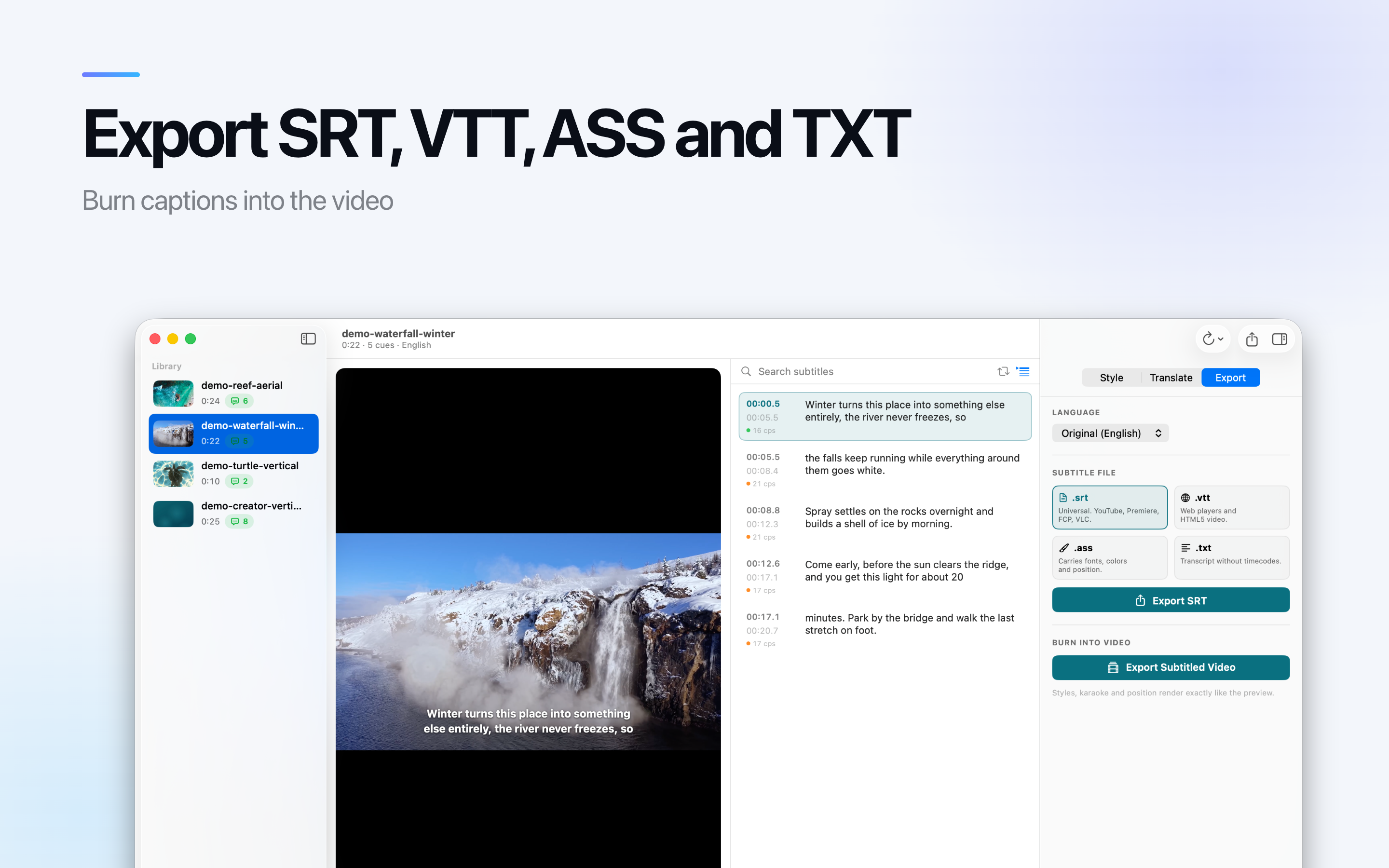
Burned into an MP4

For TikTok, Reels, Shorts and anywhere else that ignores subtitle files entirely.

SRT

The one everything reads - YouTube, Premiere Pro, Final Cut Pro, DaVinci Resolve, VLC.

VTT and ASS

VTT for web players and HTML5 video. ASS keeps your fonts, colours, position and karaoke tags intact.

TXT

A clean transcript with no timecodes, for show notes or a blog post.

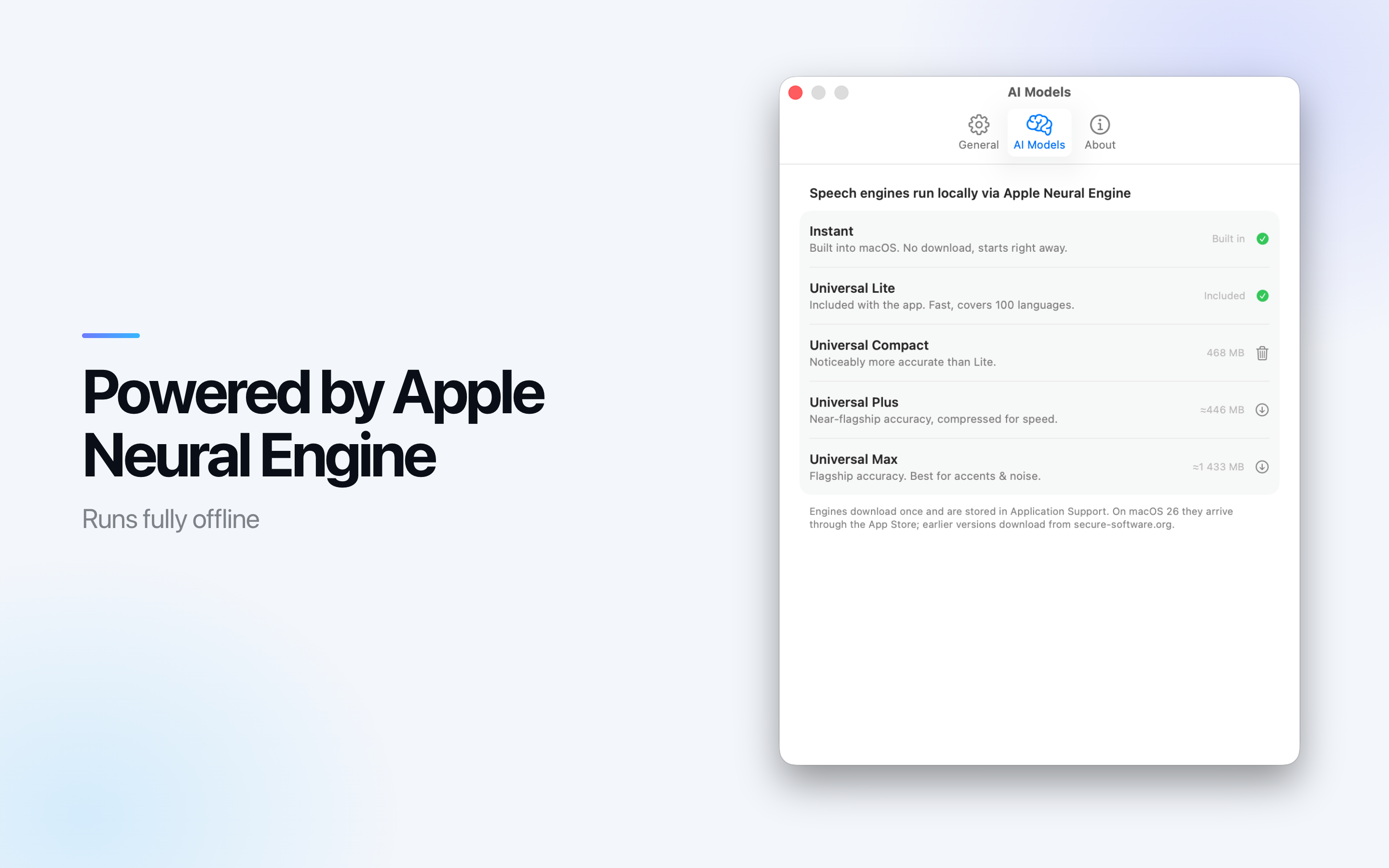
Pick the engine that fits the audio

Accuracy and speed trade against each other, and the right point on that curve depends on the recording rather than on a preference. Swap at any time and run the same file again.

Instant

Built into macOS 26, starts with no download at all, ten languages.

Universal Lite

Ships with the app and covers everyday clips. This is the one that means there is no first-run wait.

Universal Compact

Raises accuracy for longer talking-head video.

Universal Plus and Max

For the difficult material: heavy accents, several speakers, music under the dialogue.

Who Uses It

Mostly people whose video has to make sense with the sound off, which is now most video.

Short-form creators

Captions burned in, styled to match the channel, without a subscription that meters every upload.

Podcasters

An episode transcript for the show notes and the search engines, out of the same pass that made the captions.

Editors

An SRT handed to a client alongside the cut, produced without sending their footage to a third party.

Teachers

Captioned lessons, which is an accessibility requirement in a lot of places rather than a nice extra.

Available On

A Mac app. Requires macOS 14 or later; the Instant engine needs macOS 26.

Mac

macOS 14.0 or later

Frequently asked questions

Does my video get uploaded to be transcribed?

No. Transcription, translation and rendering all run on the Apple Neural Engine on your own Mac. That is what makes it usable for client work, interviews and anything under an NDA - the footage never leaves the machine.

Do I have to download a model before I can start?

No. A speech model ships inside the app, so the first subtitle needs no download and no setup. On macOS 26 there is also an Instant engine that uses the system recogniser in ten languages.

How many languages does it handle?

The Universal engines are built on Whisper and cover close to 99 languages, with the spoken language detected for you rather than picked from a menu.

Can I put the captions into the video itself?

Yes - render them into an MP4 for TikTok, Reels, Shorts and anywhere else that ignores subtitle files. Or export the subtitles on their own as SRT, VTT, ASS or a plain TXT transcript.

Is it just automatic, or can I fix the result?

It is a real editor. Click a line to jump to that moment, fix wording inline, snap timings to the playhead, merge or split lines, and search and replace across the whole transcript. Every line shows its reading speed in characters per second.

Can it translate the subtitles?

Yes, using the translation built into macOS. It runs on device, costs nothing per word, and every line stays editable afterwards.

Which Macs does it run on?

macOS 14 or later. The Instant engine specifically needs macOS 26; everything else works from macOS 14 up.