Native Mac • Catalog, check & export

FileLister: Folder Inventory

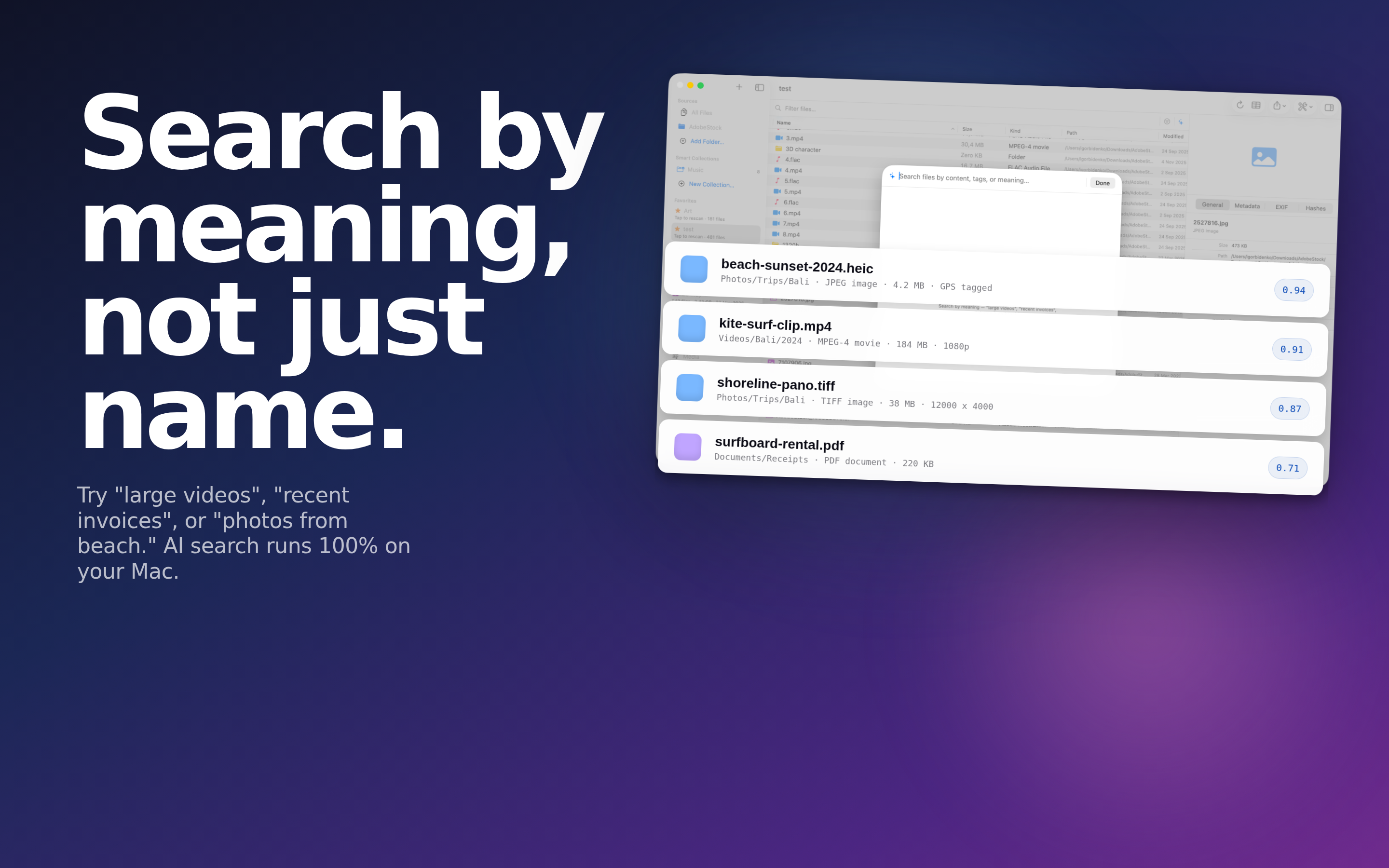
Turn any folder into a searchable catalog of every file - 90+ metadata fields, EBU R 128 loudness, checksums, AI content search, and one-click export to CSV, Excel, JSON, and more.

Then hold the folder to a spec. Describe what a correct delivery looks like - codec, frame rate, resolution, duration, loudness - and FileLister tells you which files miss it and why. Everything runs on-device; your files never leave your Mac.

Download on the App Store
macOS CSV, Excel, JSON & more Delivery spec checks EBU R 128 loudness AI content search On-device
FileLister Folder Inventory logo
100k+
Files cataloged per minute
90+
Metadata fields captured
10
Export formats built in
On-device
No cloud, no tracking

Everything a File Catalog Needs

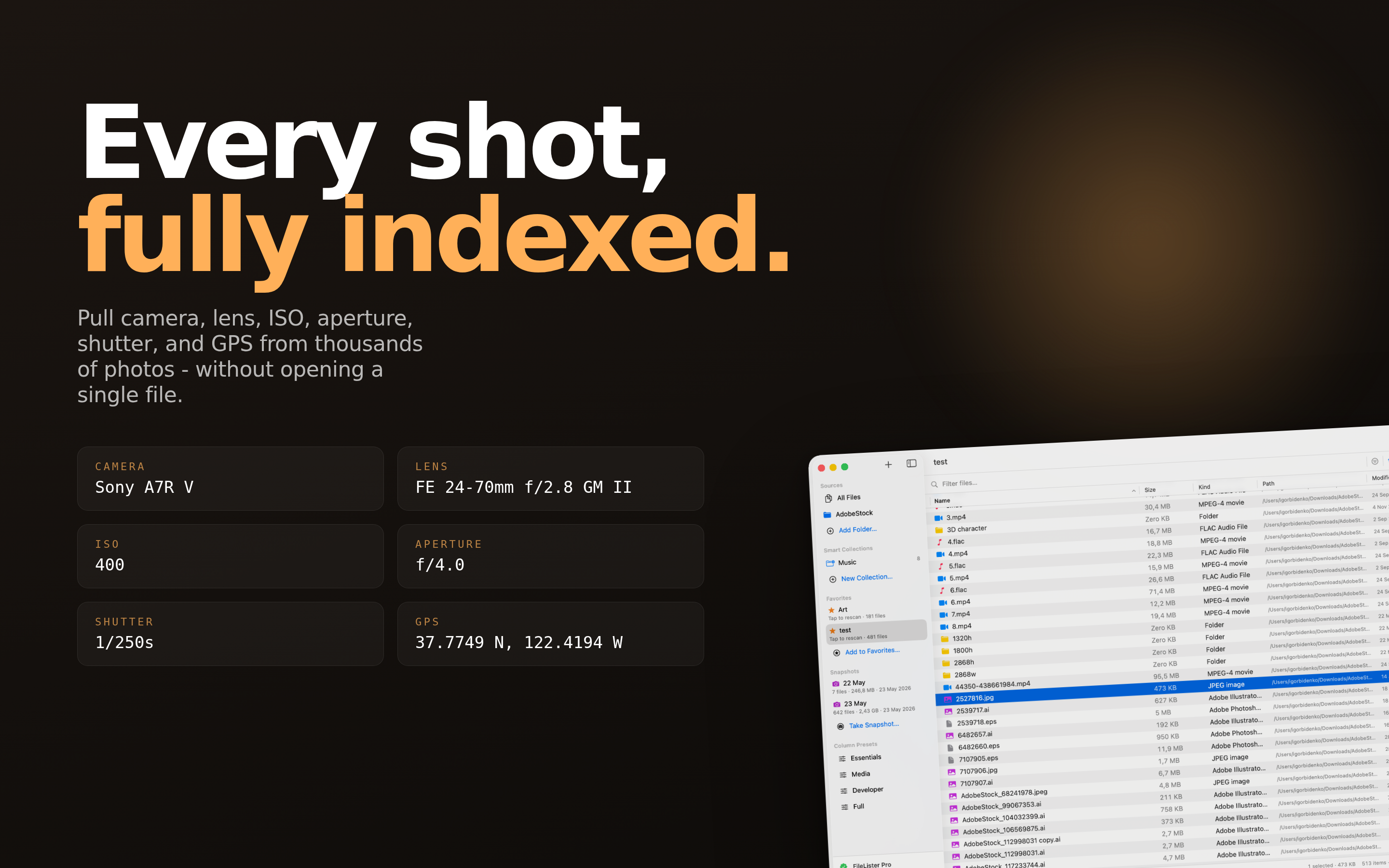
Scan a folder once and get a rich, searchable, exportable inventory of every file inside - metadata, thumbnails, hashes, and duplicates included.

Deep Folder Scanning

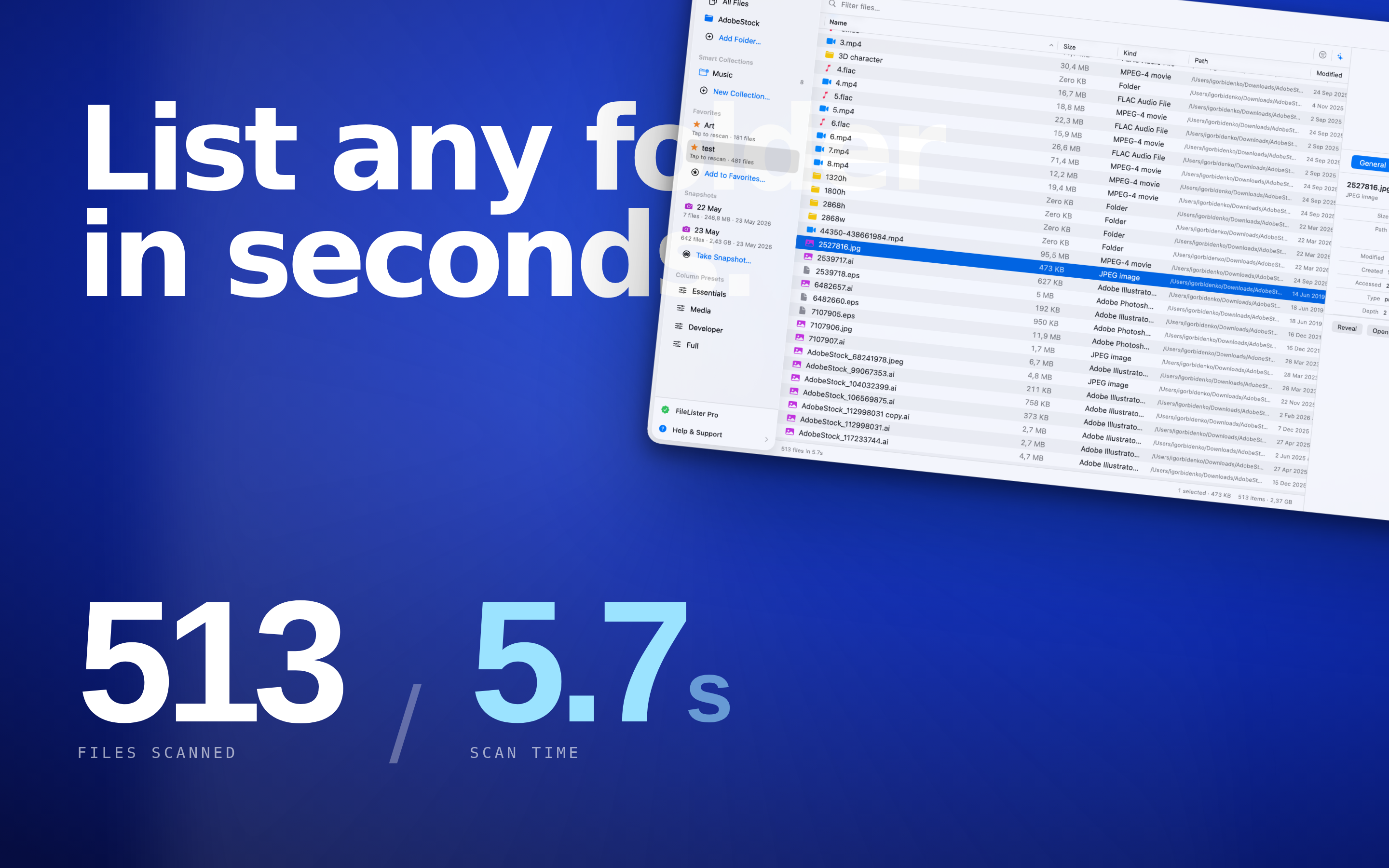
Point FileLister at any folder and it builds a complete catalog fast - 100,000 files in under a minute on Apple Silicon.

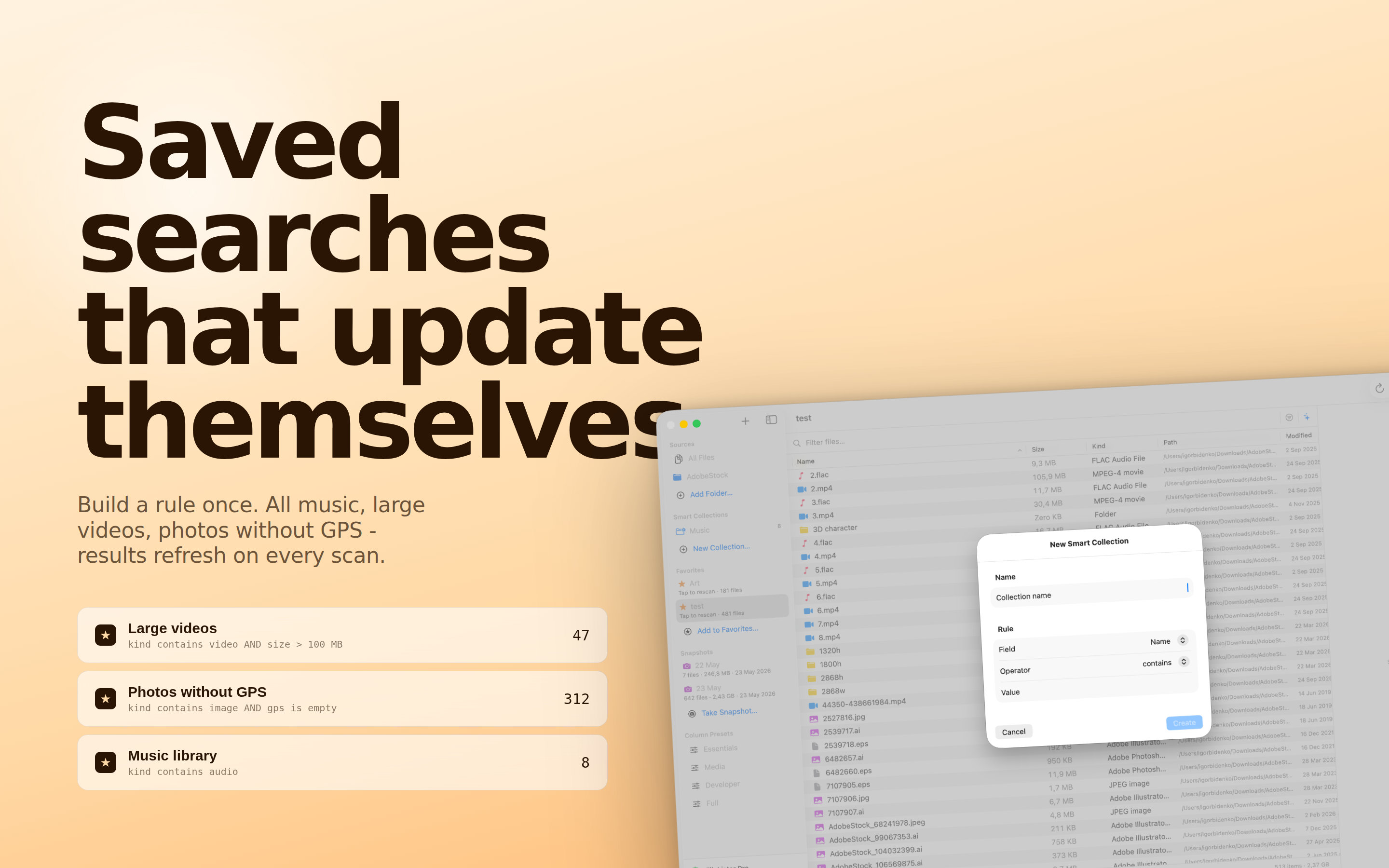
Filter Sets & Spec Checks

Write down what a correct file looks like - ProRes 422, 25 fps, at least 1920 wide - and every file in the listing is measured against it.

Only the Failures

Switch the listing to failures only, and every export becomes the flagged list. Or export it with the reason beside each file name.

EBU R 128 Loudness

Programme loudness in LUFS, loudness range in LU and true peak in dBTP, measured to ITU-R BS.1770-4 over the whole file.

90+ Metadata Fields

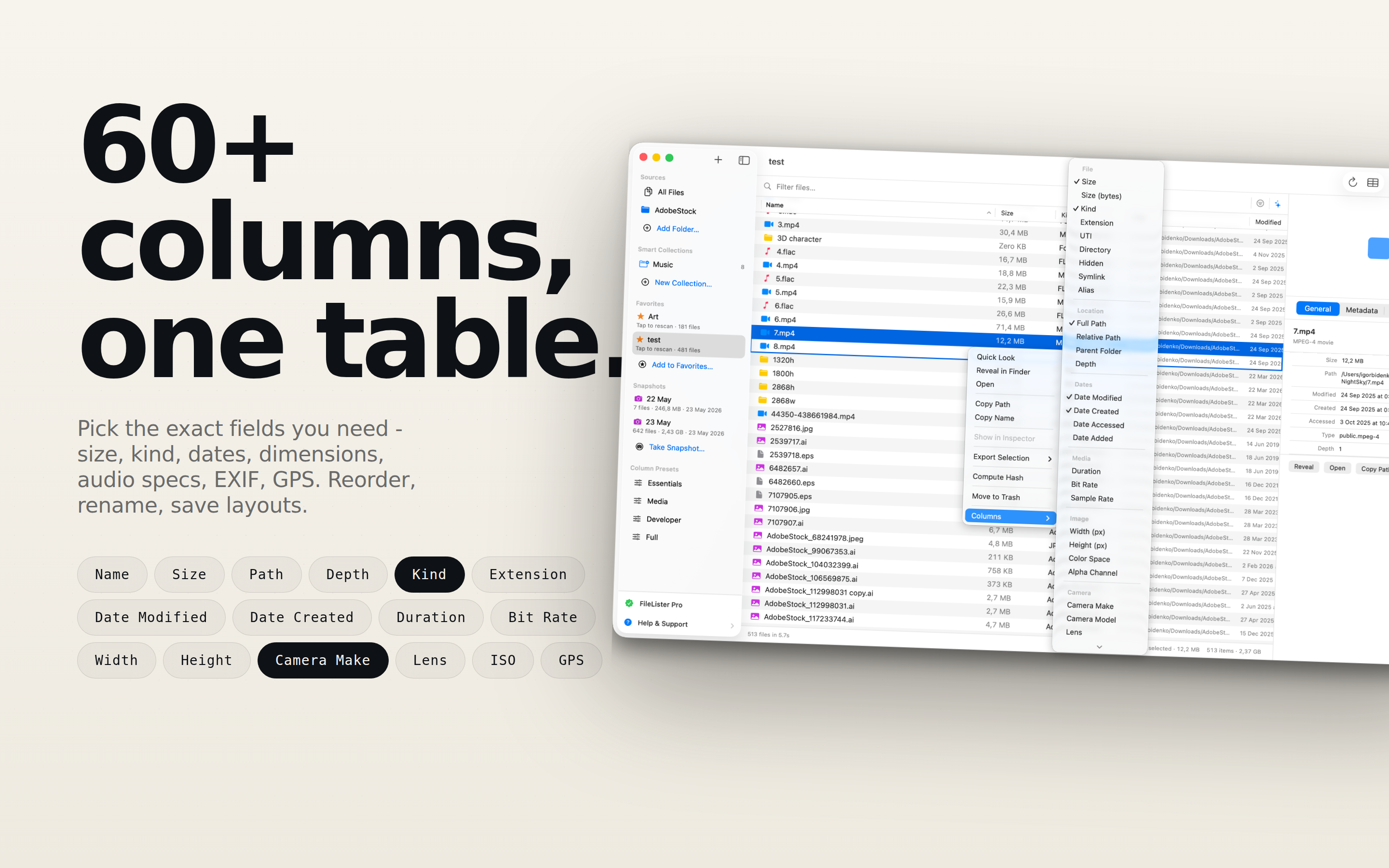
EXIF, camera and lens, video codec and frame rate, start timecode, HDR flags, audio track layout, checksums - in one pass.

Portable Column Layouts

A column set stores which columns, in what order, at what width - and travels as a small JSON file your whole team can import.

Export Anywhere

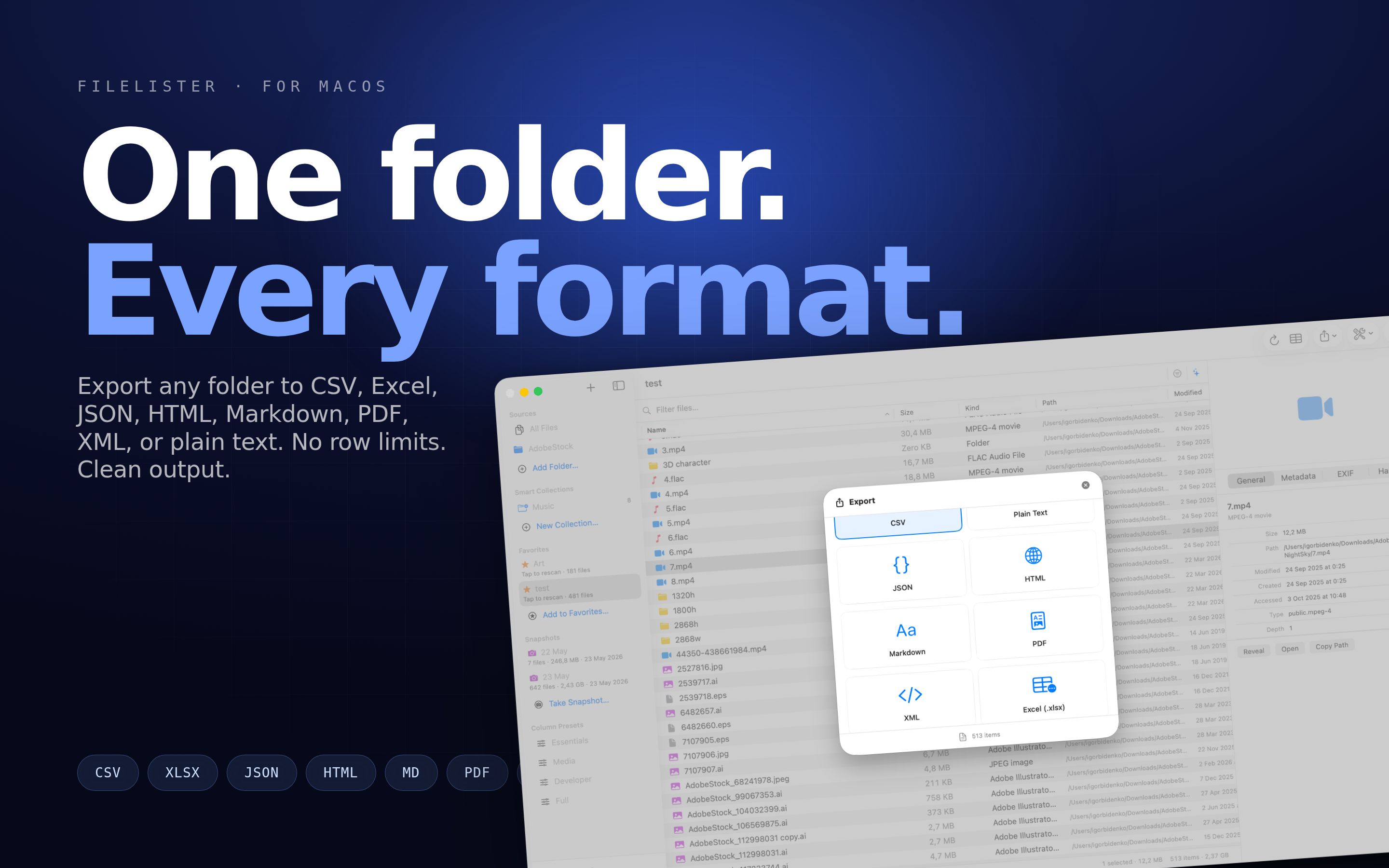
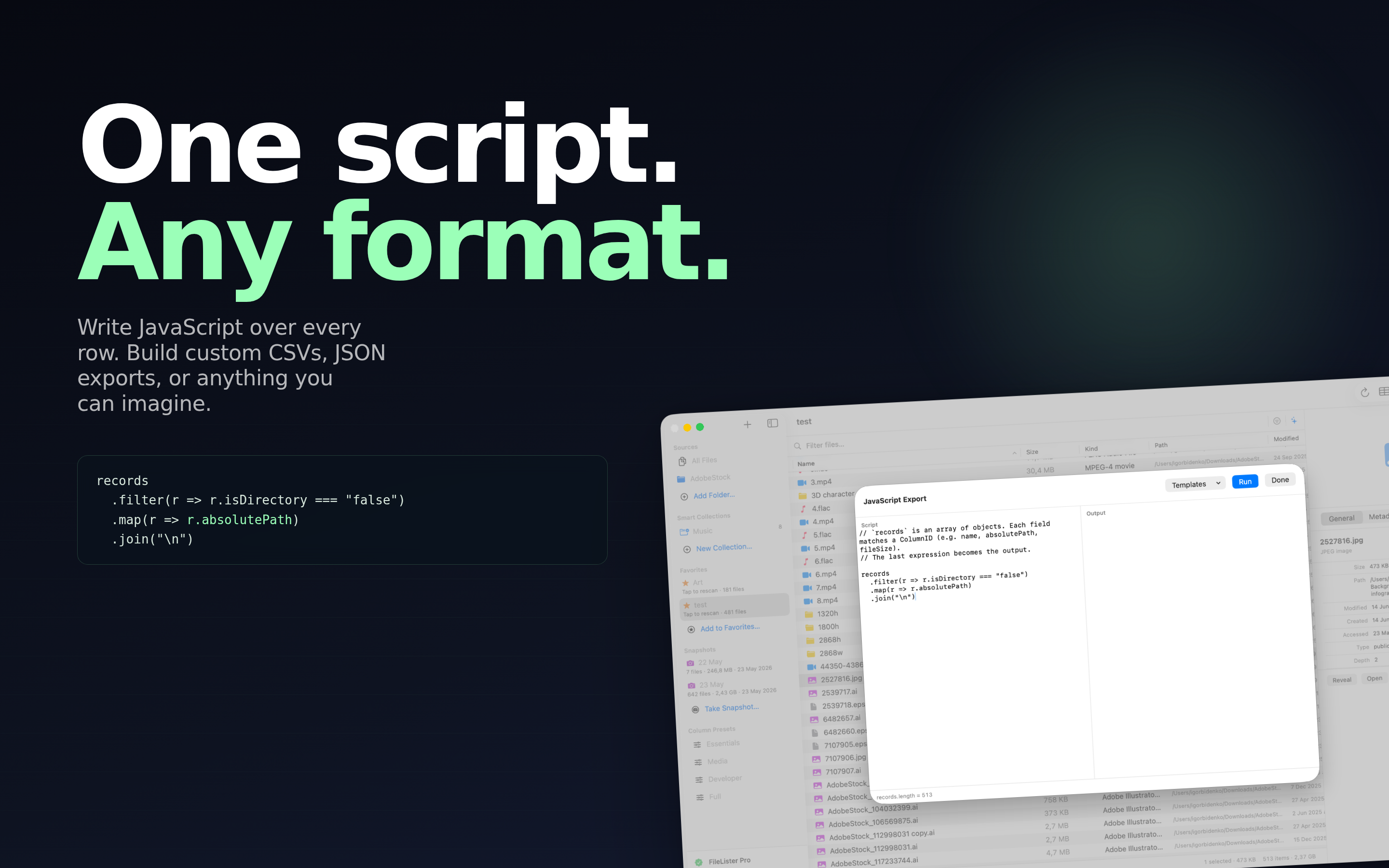
One catalog, every format - CSV, TSV, Excel with thumbnails, JSON, XML, HTML, PDF, Markdown, property list, and plain text.

Hashes & Sidecars

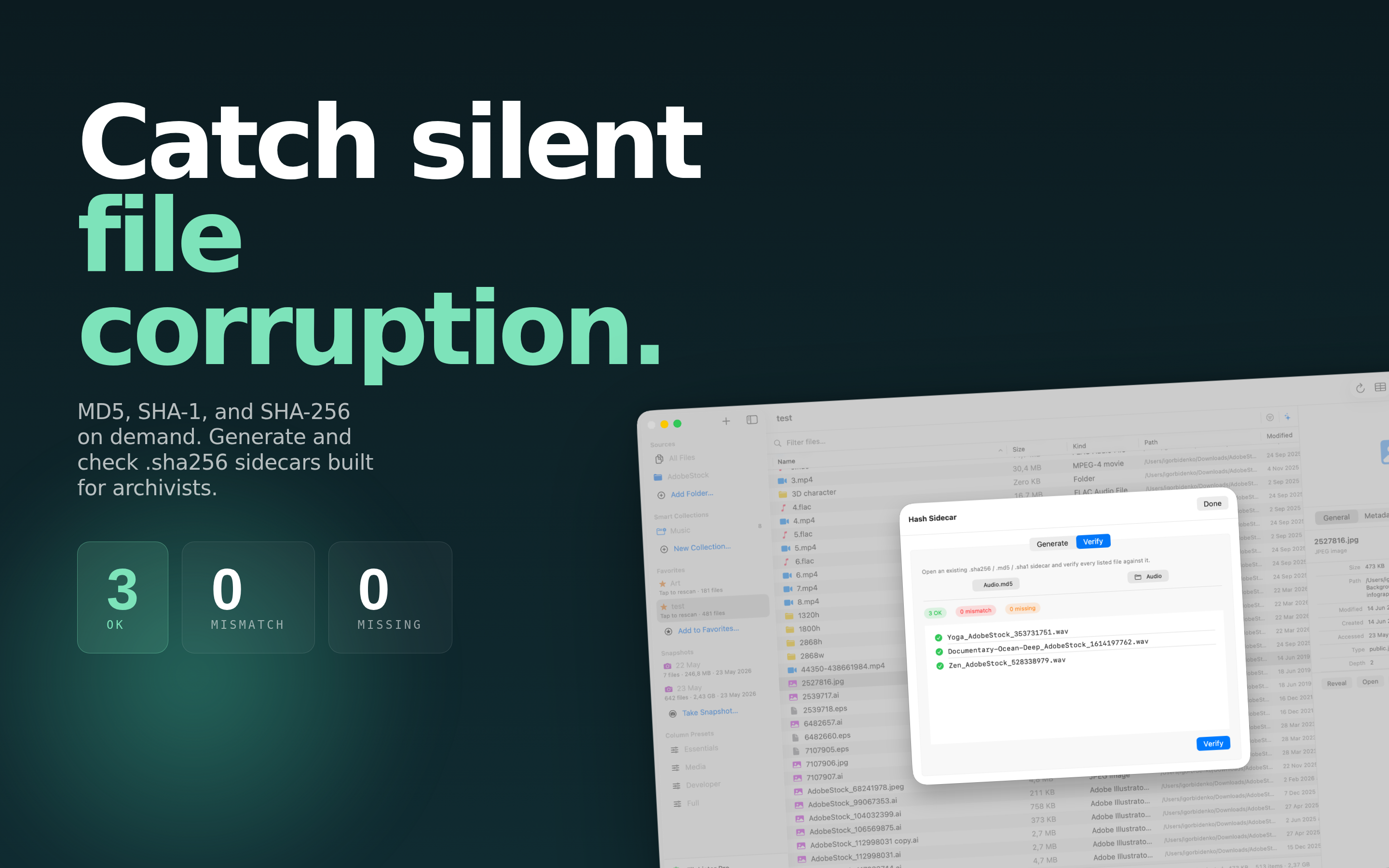
Compute MD5, SHA-1, and SHA-256, write a checksum sidecar, and verify a delivery against one later.

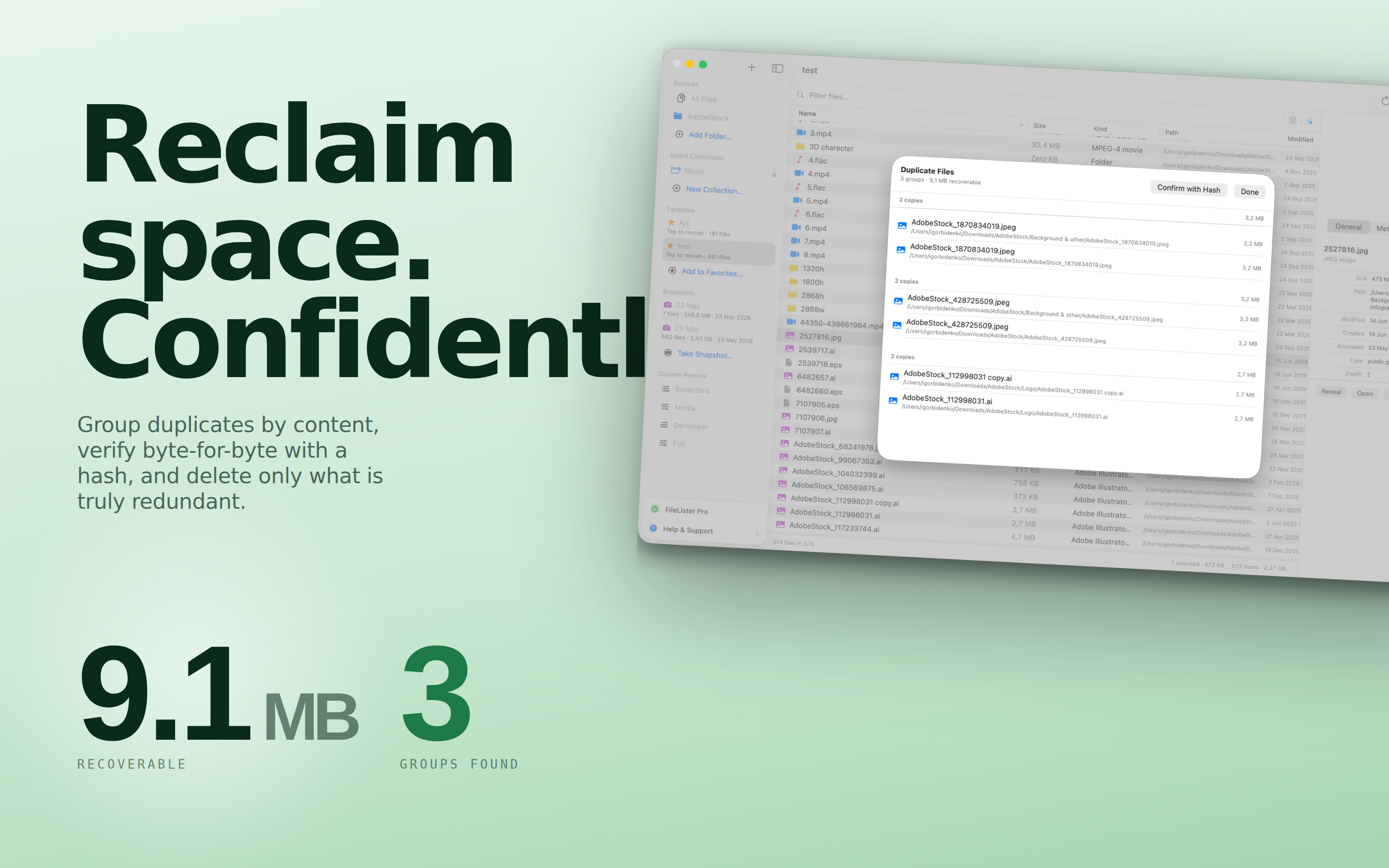
Duplicates & Folder Compare

Group files by content, and diff two folders to see exactly what was added, removed, or changed.

Key-Frame Analysis

Walk a clip's sample table to find the real distance between key frames, so an all-intra requirement can actually be checked.

Offline Drive Catalogs

Keep a searchable record of a drive after you unplug it, and search across every disk you have ever cataloged.

Shortcuts Automation

Full Shortcuts.app integration lets you automate scans, checks, and exports as part of any workflow.

Built for Real Workflows

From auditing a photo archive to documenting a delivery, FileLister makes "what is in this folder?" a one-click answer.

Post & Broadcast

Check vendor-supplied media against a written spec, measure loudness, and send back a list of what missed with the reason attached.

Photographers & Creators

Inventory shoots with EXIF, thumbnails, and duplicates - export a clean delivery manifest in seconds.

Archivists & Admins

Catalog drives and network shares, verify checksums, and keep a durable record of what lives where.

Developers & Power Users

Export JSON, hash files, and automate the whole thing with Shortcuts and repeatable Smart Collections.

Describe a Correct File Once

A delivery spec is usually a paragraph in an email: ProRes 422, 25 fps, 1920×1080 or better, thirty seconds, stereo at 48 kHz, programme loudness minus 23 LUFS. Checking a folder against that by hand means opening files one at a time and reading numbers off an inspector.

A filter set is that paragraph, written down once. Every file in the listing is measured against it as you scan, and the ones that miss are flagged where they sit - with the offending column marked, so you can see which requirement failed without opening anything.

Sets combine as alternatives. A folder that legitimately holds two different deliverables can be held to both at once, and a file passes if it satisfies either one.

Then Act on the Answer

  • Flag in place to keep the whole folder visible with the failures marked.
  • Only failures narrows the listing to what missed - and every export you take from it, CSV included, is that list.
  • Export Failing Files writes a tab-separated file with the reason beside each name, ready to send to whoever supplied the media.
  • Learn from a good file - right-click one that is correct and FileLister drafts a set from its own metadata, which you then edit.
  • Values that were never read are reported as unjudged rather than failed, so a switched-off probe never turns into a page of false failures.

What a Header Cannot Tell You

Codec, resolution and frame rate are read from the container in milliseconds. Two things are not written there at all, and both are routinely specified in a delivery:

  • Loudness. Measured over every audio sample: integrated LUFS, loudness range in LU, and true peak in dBTP on a 4×-oversampled signal, to ITU-R BS.1770-4.
  • Key-frame interval. Found by walking the sample table, so “every frame a key frame” becomes a requirement you can actually test rather than assume.

Both are run on demand over a selection, because both read the whole file. Neither slows down an ordinary scan.

Measurements, Not Just Metadata

A file can name itself ProRes 422 and be ProRes 422 LT. It can be tagged 25 fps and carry a long-GOP stream where the spec asked for all-intra. It can peak at minus 0.1 dBFS in an editor and still clip on a consumer decoder, because sample peak is not true peak.

The difference between a listing and a check is whether the numbers were read or measured. FileLister does both, keeps them in the same table, and lets a filter set reference either.

Results become ordinary columns - sortable, exportable, and usable as requirements in the next set you write.

Tools at Your Fingertips

A focused feature set that turns a folder into an answer.

Folder Scanning Delivery Spec Checks EBU R 128 Loudness 90+ Metadata Fields Portable Column Layouts Multi-Format Export MD5 / SHA Hashes Duplicates & Folder Compare Key-Frame Analysis Offline Drive Catalogs AI Content Search Shortcuts Automation

Mac Screens

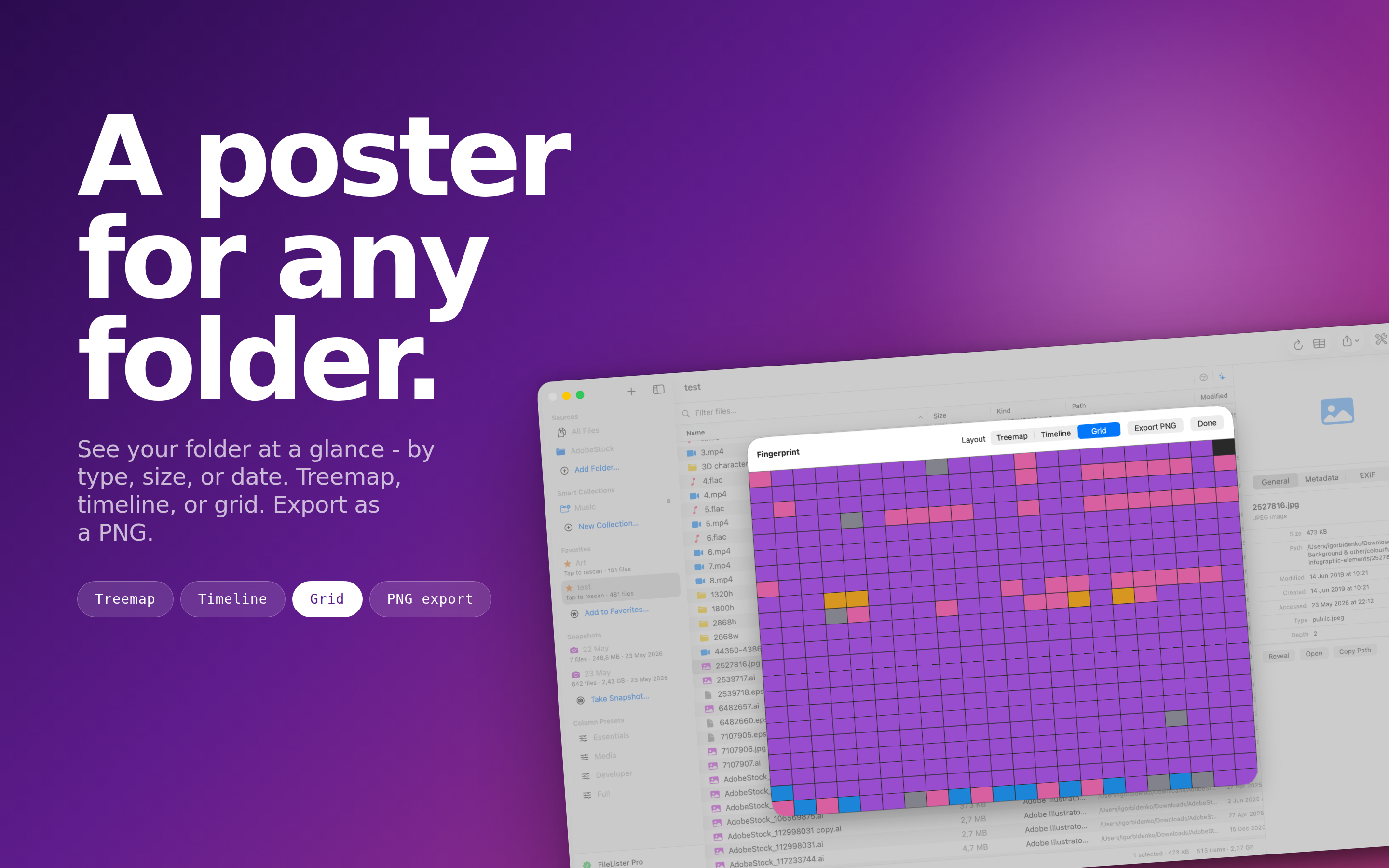
A spacious catalog view with fast search, sortable columns, thumbnails, and export just a click away.

Built for Mac

A native macOS experience, accelerated by Apple Silicon and the Vision framework.

Mac

macOS 13.0 or later

Perfect For

  • Anyone receiving media from a vendor who has to check it against a written spec before it goes on air.
  • Photographers cataloging shoots and producing clean delivery manifests with thumbnails.
  • Archivists and admins auditing drives, network shares, and long-term storage.
  • Developers who need JSON exports, checksums, and Shortcuts-driven automation.
  • Anyone verifying that two folders or backups actually contain the same files.
  • Teams that want one column layout everybody uses, in a file they can share.

What Makes It Different

  • It checks, not just lists: filter sets turn a delivery spec into a pass or fail per file.
  • Loudness on the desktop: LUFS, LU and dBTP to EBU R 128, without a command line or a subscription.
  • 90+ metadata fields: EXIF, camera, video, audio layout, timecode, HDR, and hashes in one pass.
  • Layouts that travel: column order and widths live in the preset and in the exported file.
  • Fast & native: 100,000 files in under a minute on Apple Silicon.
  • 100% on-device: nothing is uploaded, nothing is tracked.

Know Exactly What Is in Every Folder

Download FileLister: Folder Inventory, turn any folder into a searchable catalog, and find out in one pass which files are not what they were supposed to be.

Download on the App Store

Frequently asked questions

What does it produce?

A searchable catalogue of a folder or drive with 90+ metadata fields, exportable to CSV, Excel, JSON and other formats - so the contents stay findable after the drive is unplugged.

Can it tell me which files do not match a delivery spec?

Yes. You write the spec down once as a filter set - codec, frame rate, resolution, duration, loudness - and every file is measured against it. Failures are flagged in place, or the listing can be narrowed to them, and there is a one-click export that lists each failing file with the reason beside it.

Does it measure audio loudness?

Yes - integrated loudness in LUFS, loudness range in LU and true peak in dBTP, to EBU R 128 and ITU-R BS.1770-4. See reading a loudness measurement.

Can it verify that files have not changed or been corrupted?

Yes - it computes MD5, SHA-1 and SHA-256, can write a checksum sidecar, and can verify a delivery against one later. The same hashes power its duplicate detection.

Does it work on network shares and iCloud?

Yes, along with local and external drives. It also supports Shortcuts automation for repeat runs.

Which platform does it run on?

macOS. See what a file catalogue is for the concept.