Calculated on the device • iPhone & iPad

Ascendia: Natal Birth Chart

Your birth chart, calculated properly - and explained in words you can actually read.

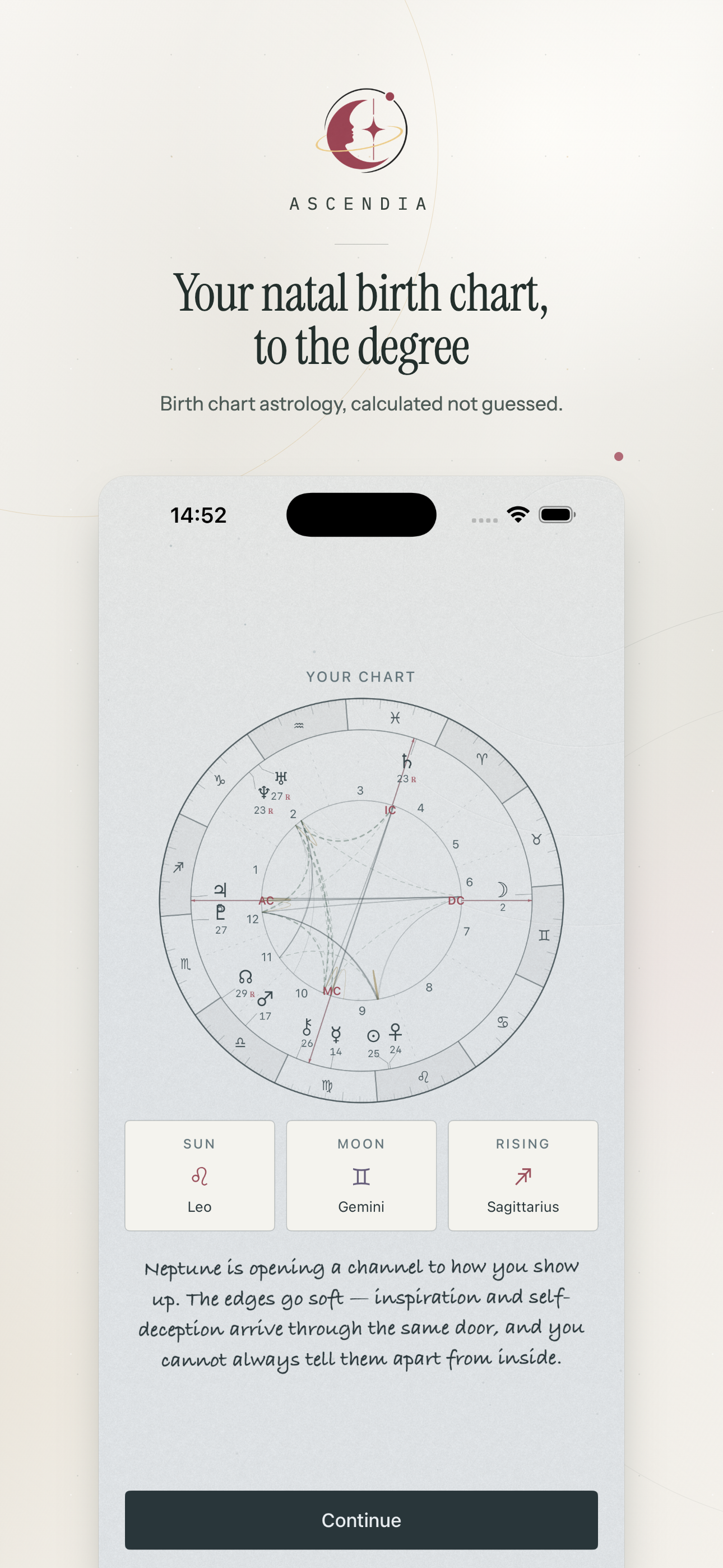
Give it the date, the exact time and the place. It computes planets, signs, houses, aspects and angles on the phone itself, then tells you what each one means where it sits. The birth details never leave the device.

Download on the App Store
iPhone & iPad Seven house systems Works offline Birth data stays local
Ascendia app icon

The chart, read from the top down

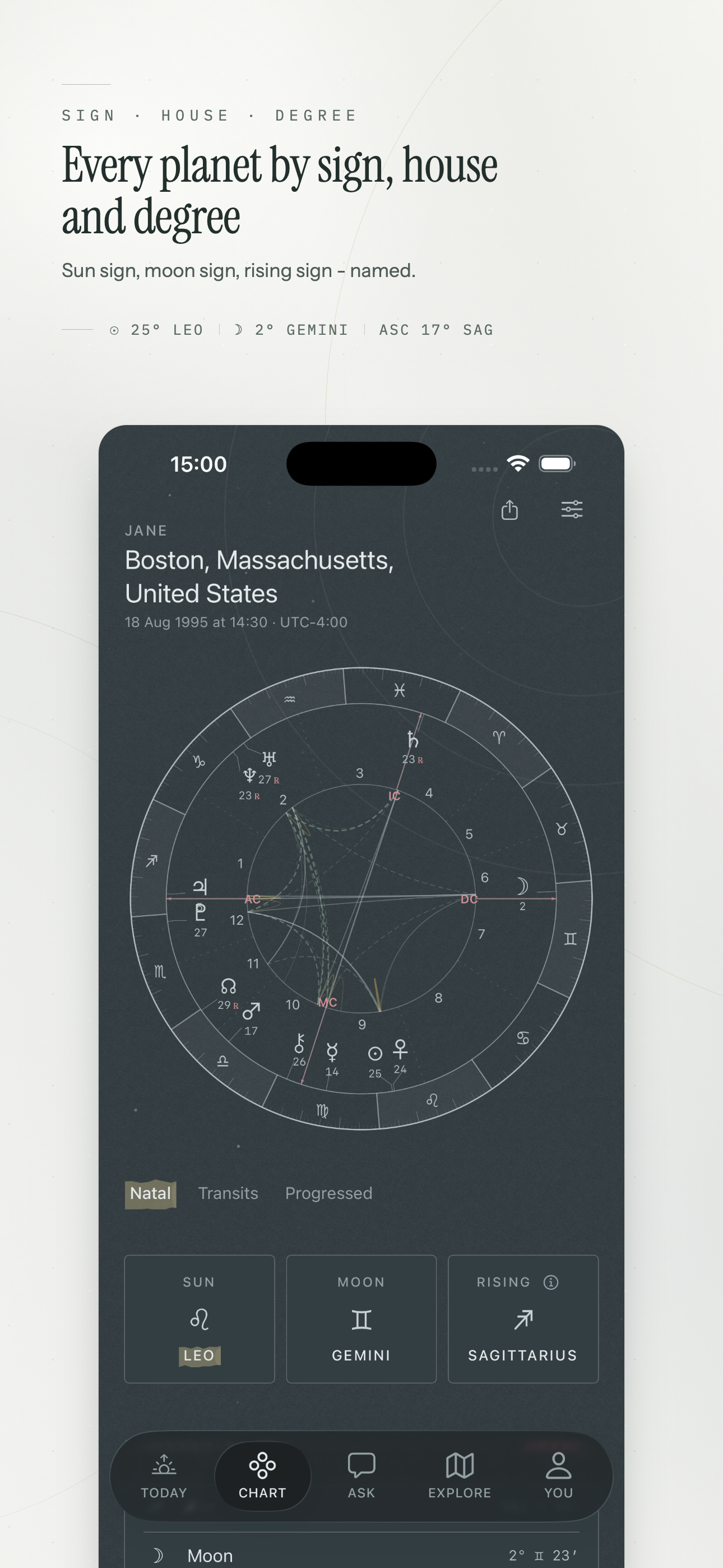
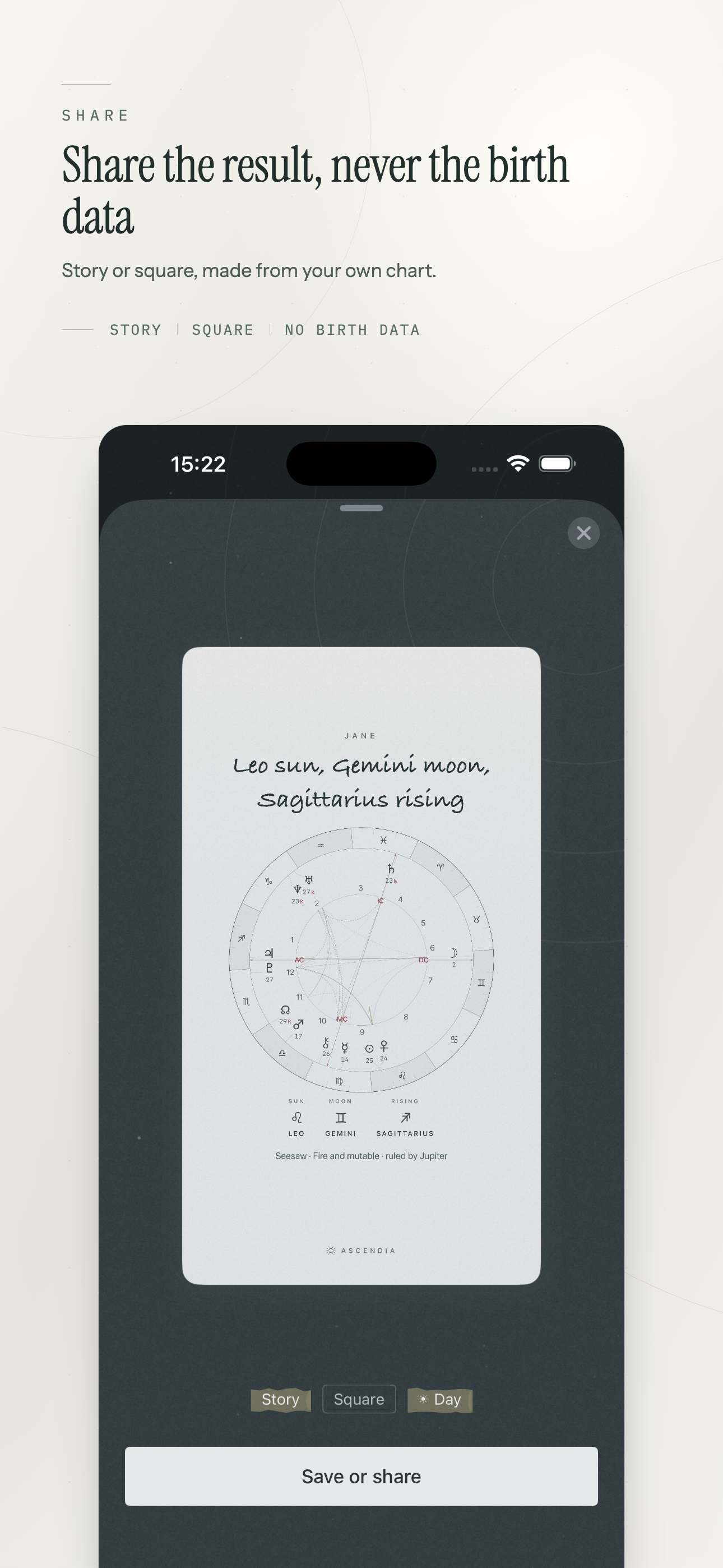
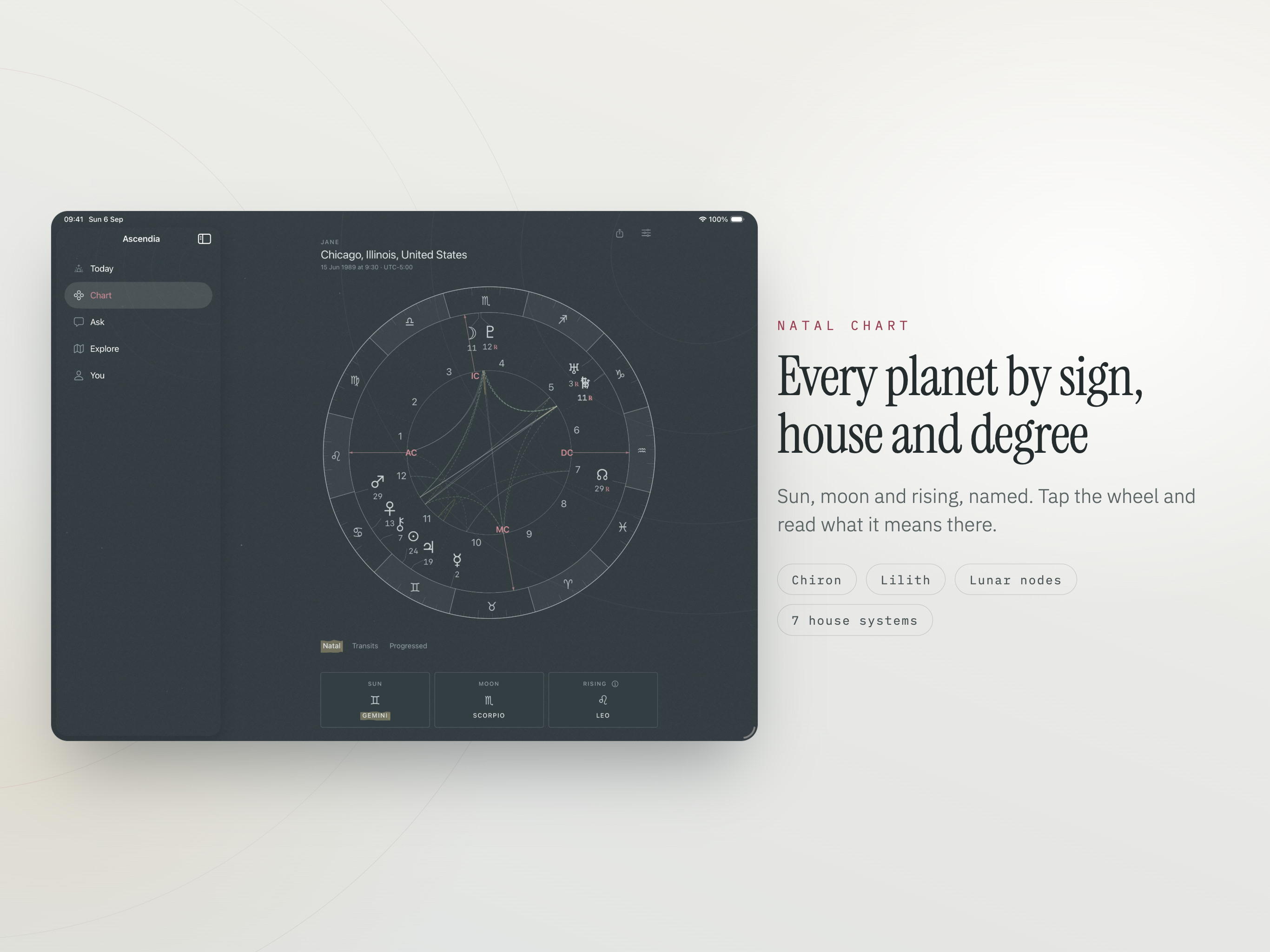
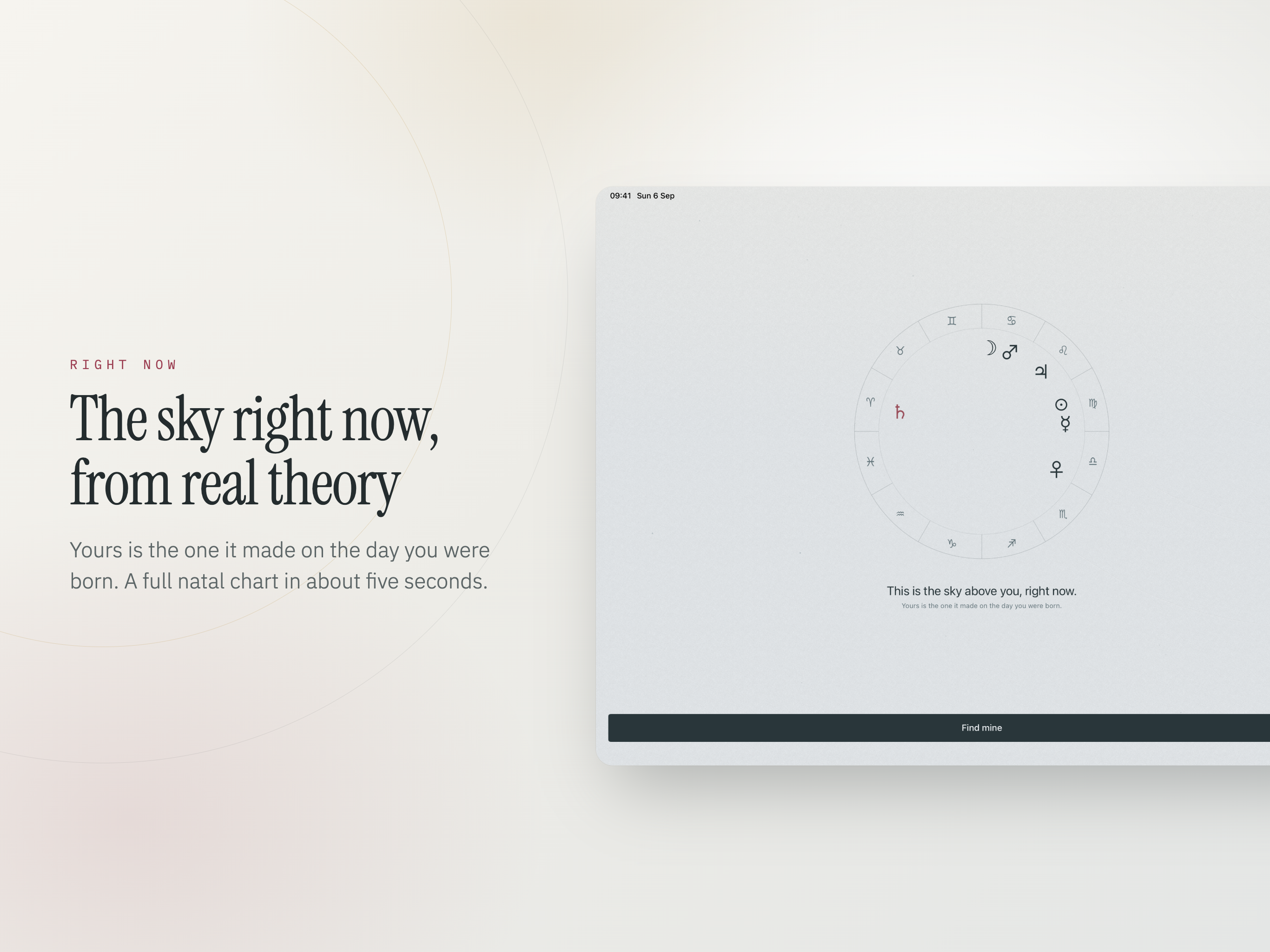
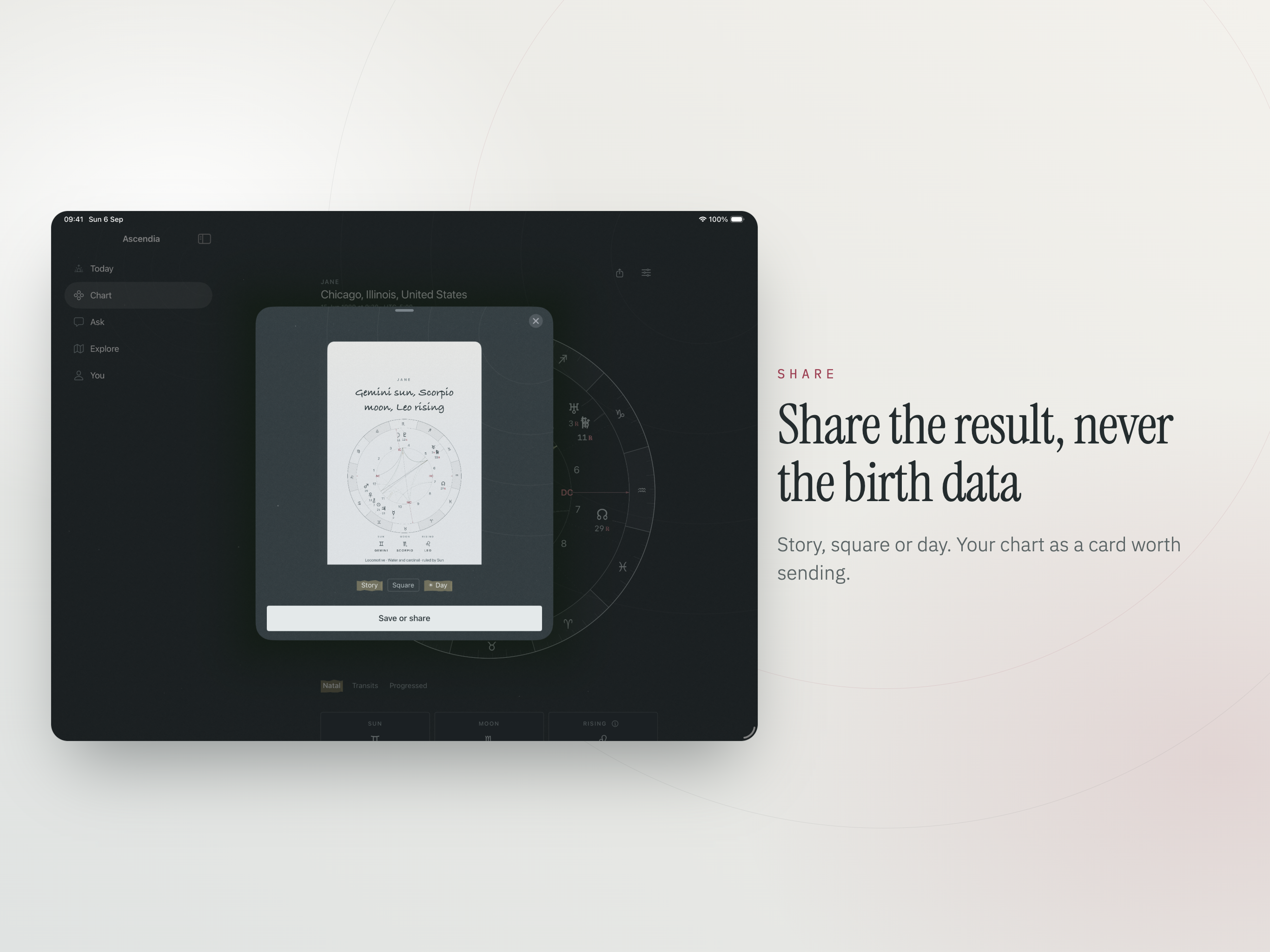
Sun, moon and rising are named plainly at the top. Below them sits every planet and point by sign, house and degree. Tap anything on the wheel and it tells you what that placement means in that house.

Sun Moon Ascendant Midheaven Mercury Venus Mars Jupiter Saturn Uranus Neptune Pluto Chiron North Node South Node Lilith Vertex Part of Fortune
Aspects with their real orbs

Every aspect is listed with the exact orb rather than a tidy label. Three settings - tight, standard, wide - decide how much gets drawn, so you can read a quiet chart or a crowded one.

The shape of it, in a line

Elements, modalities, chart ruler and chart shape are summed up before you read a word. It is the fastest way to take the measure of a chart you have never seen.

Seven house systems

Placidus, Whole Sign, Koch, Equal, Porphyry, Campanus, Regiomontanus. Switch and watch the wheel redraw - the point is seeing for yourself what moves and what stays put.

Angles to the arc minute

Ascendant, Midheaven, Descendant and IC are given to the minute of arc, not rounded to the nearest degree. On a fast-moving angle that difference is the whole answer.

The moon, ahead of time

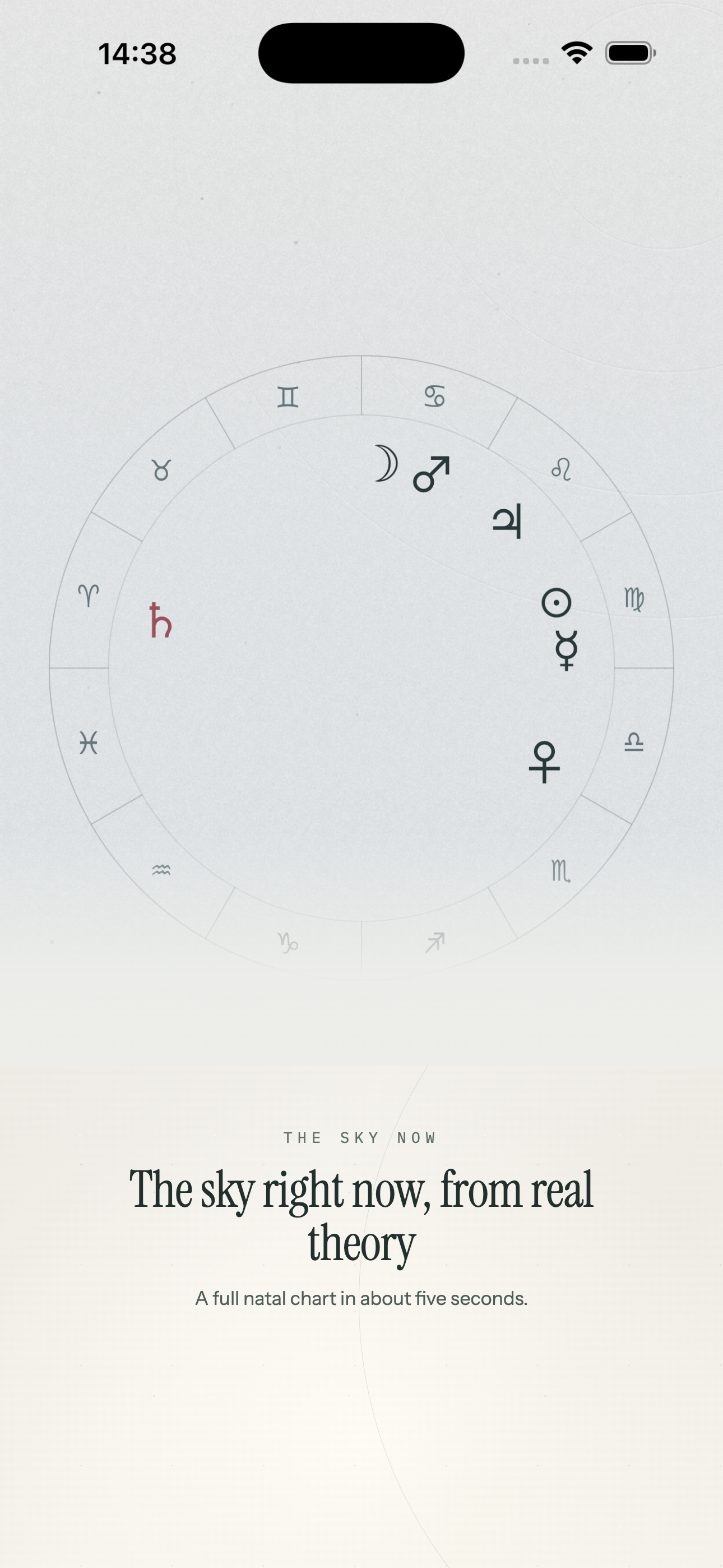
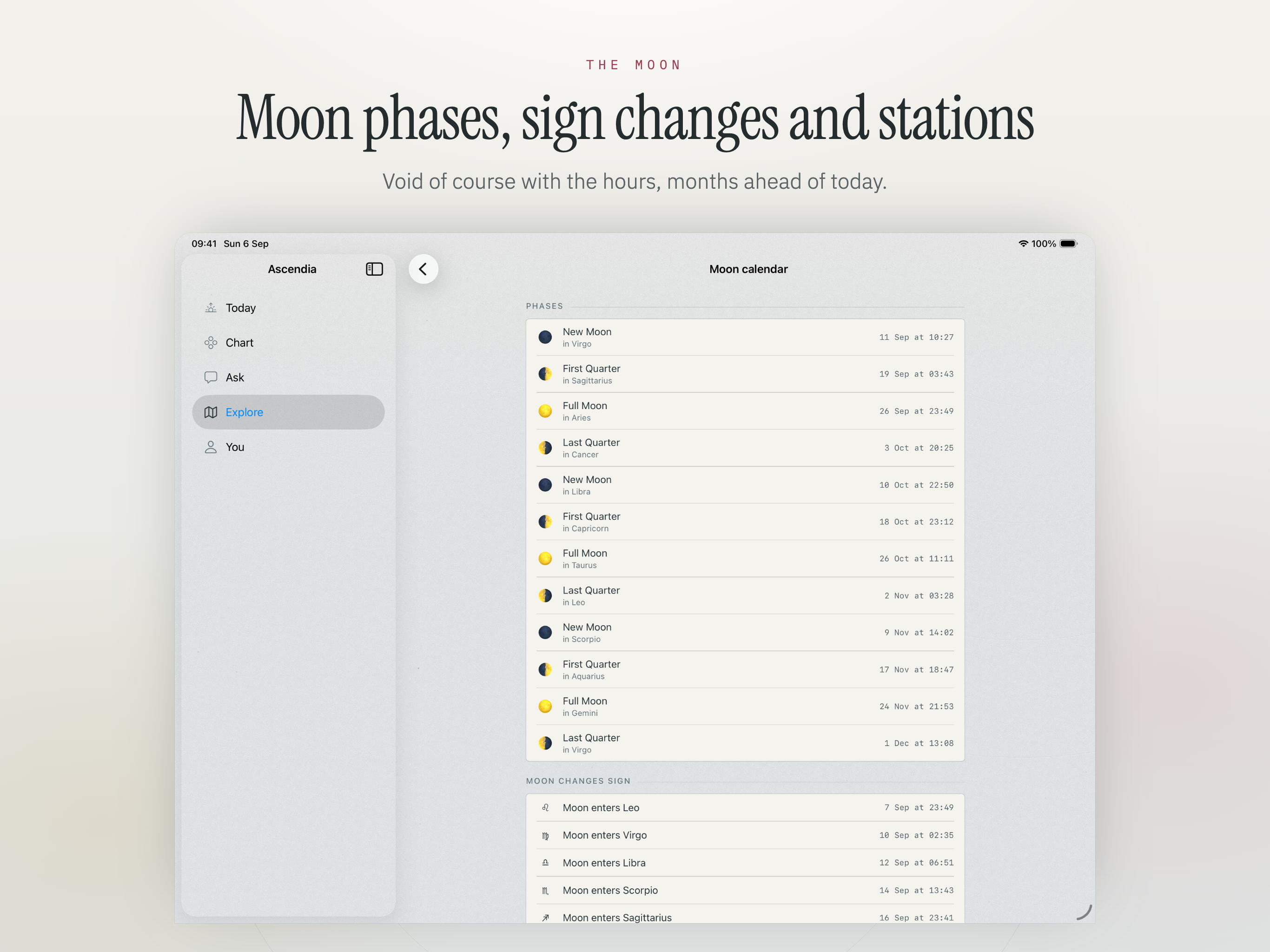
Phases, sign changes and stations for the months to come, plus the void-of-course window on today's screen - the hours when a new start tends not to stick.

Ask about your own chart

Questions answered from the positions actually in your chart, not from a generic sun-sign paragraph.

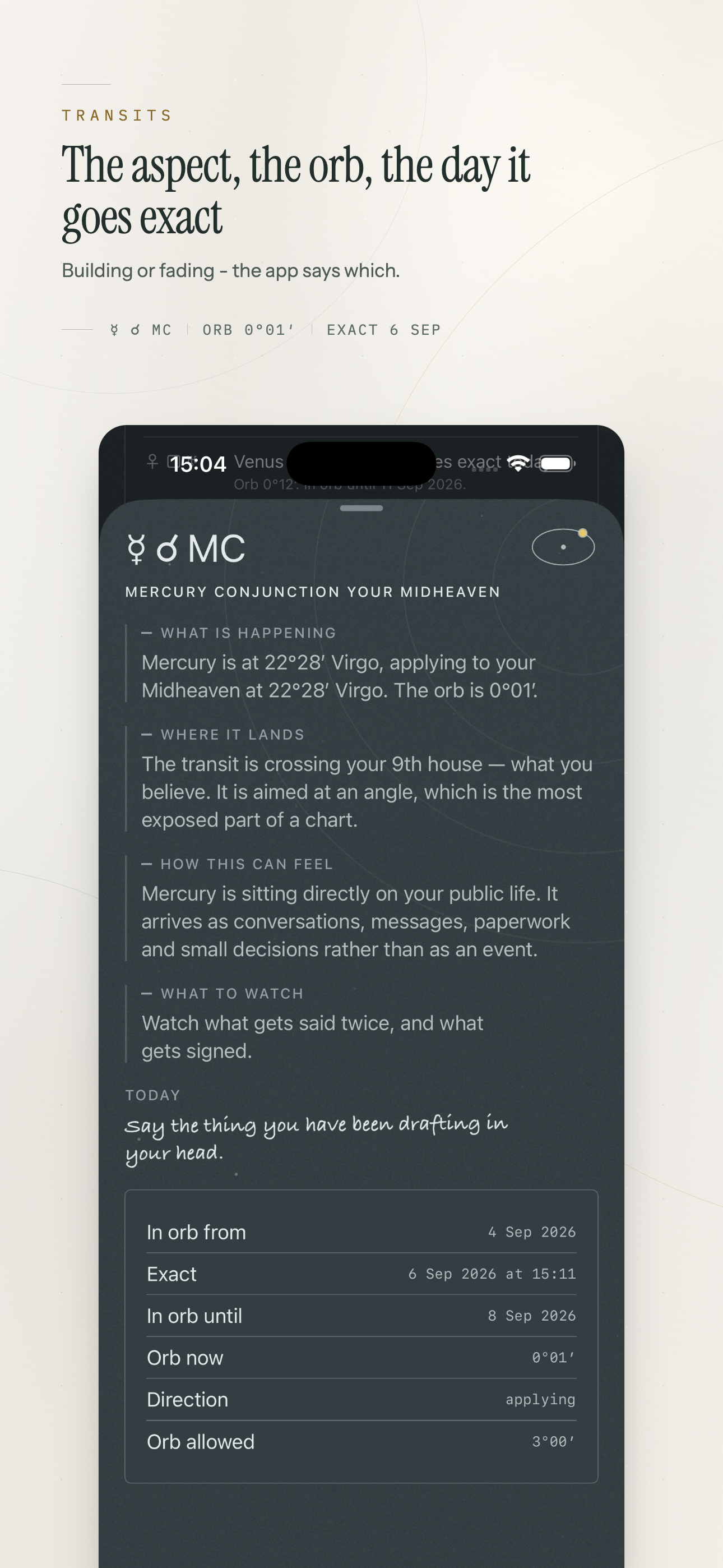
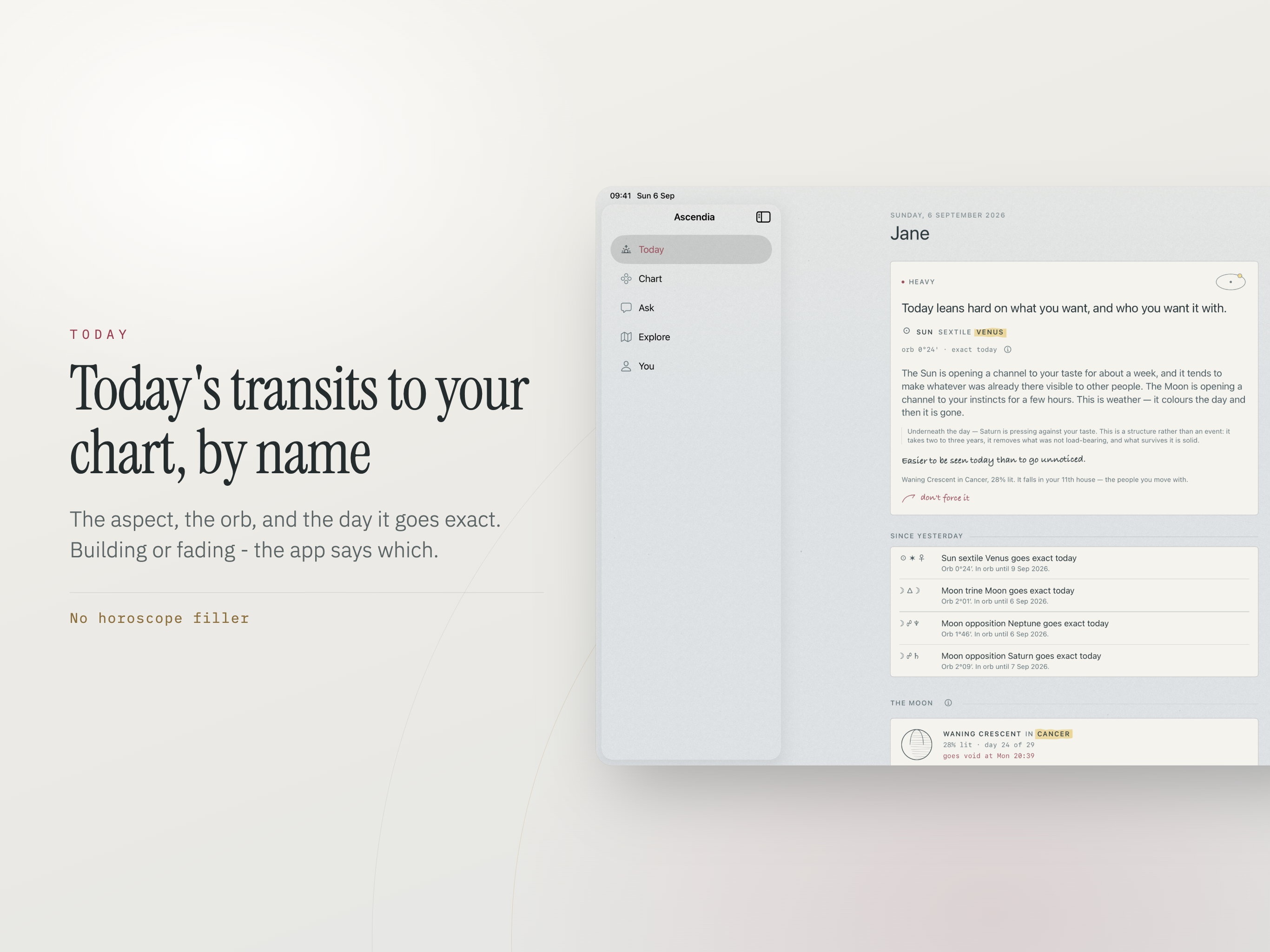
Transits named as aspects, not moods

Most apps tell you the day feels intense. Ascendia tells you which planet is at what orb to what in your chart, whether the aspect is building or fading, and the date it goes exact.

  • Twelve months of exact transit dates, each with the window either side.
  • Every retrograde with its station dates, so you know when it turns rather than only that it turned.
  • Follow a single transit on the Lock Screen and watch the orb close until it perfects.
  • One notification a day, and it names the actual aspect.
7
House systems
12
Months of transits
0
Birth details uploaded
90
Days ranked ahead

Beyond the birth chart

A natal chart is one moment. Most of what people actually want to know involves a second chart, a later year, or a different place on the map.

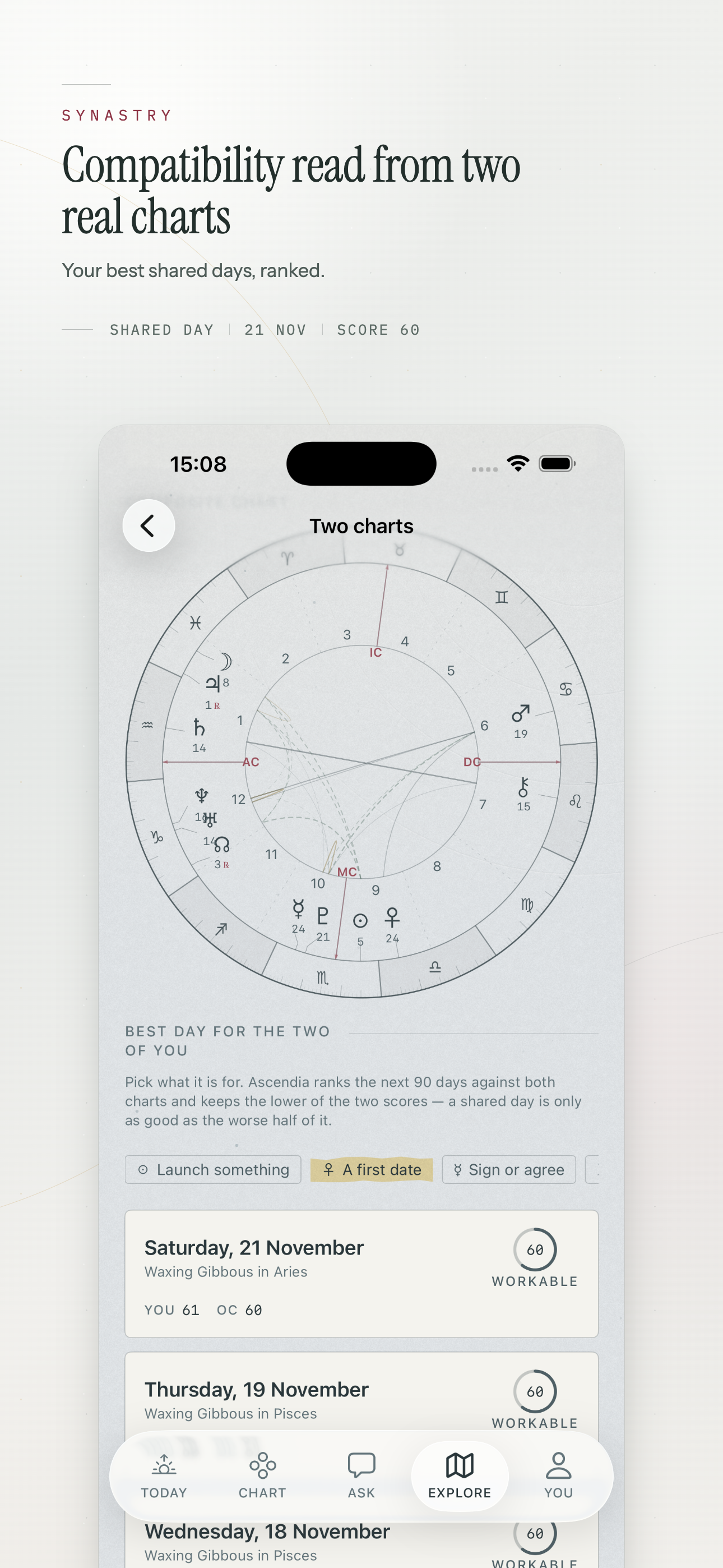
Two charts together

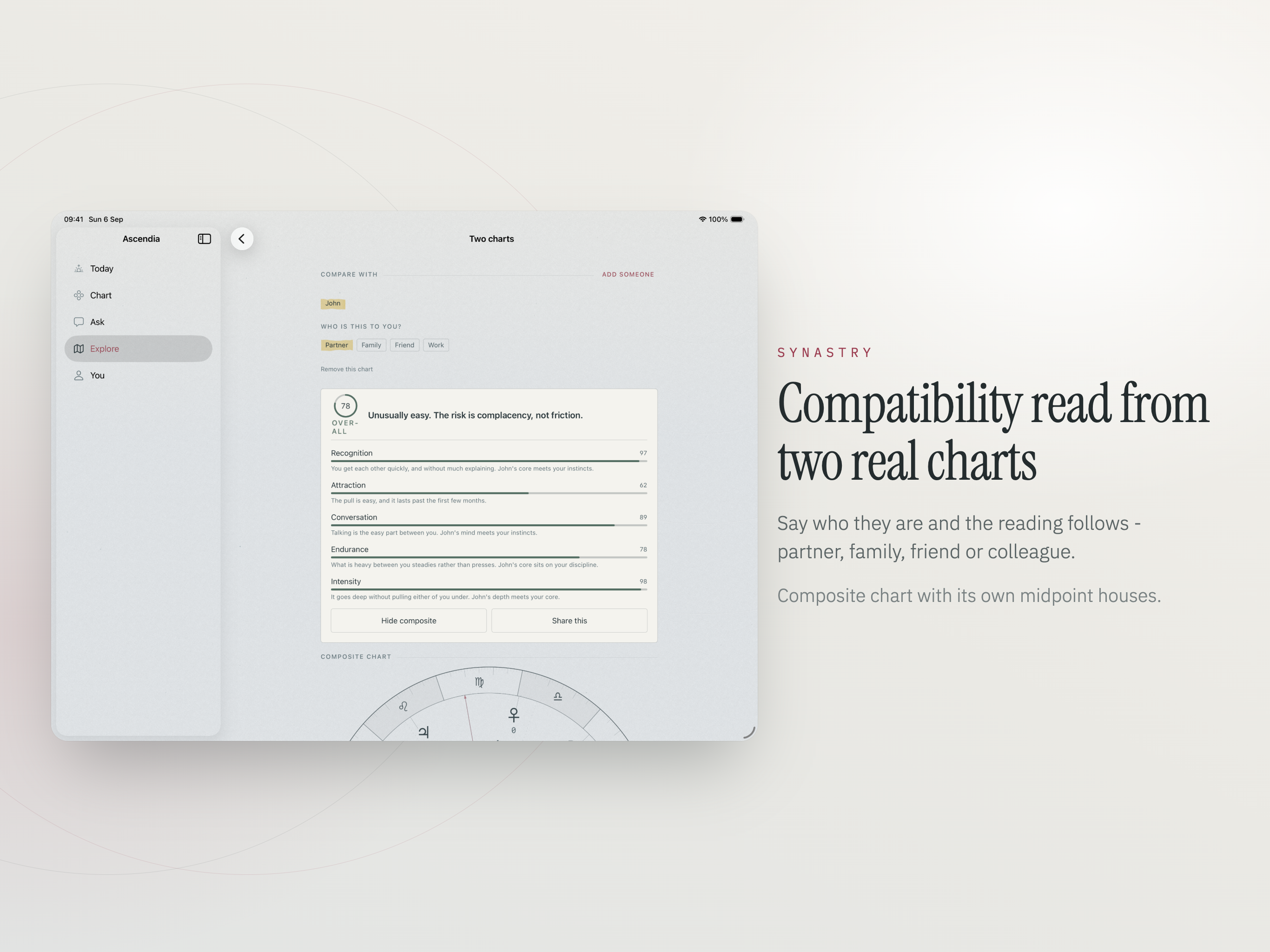
Compatibility read contact by contact, with house overlays showing where their planets land in your life. Say who the person is - partner, family, friend, colleague - and the same contacts are read in the register that fits. The composite chart is here too, with its own midpoint houses.

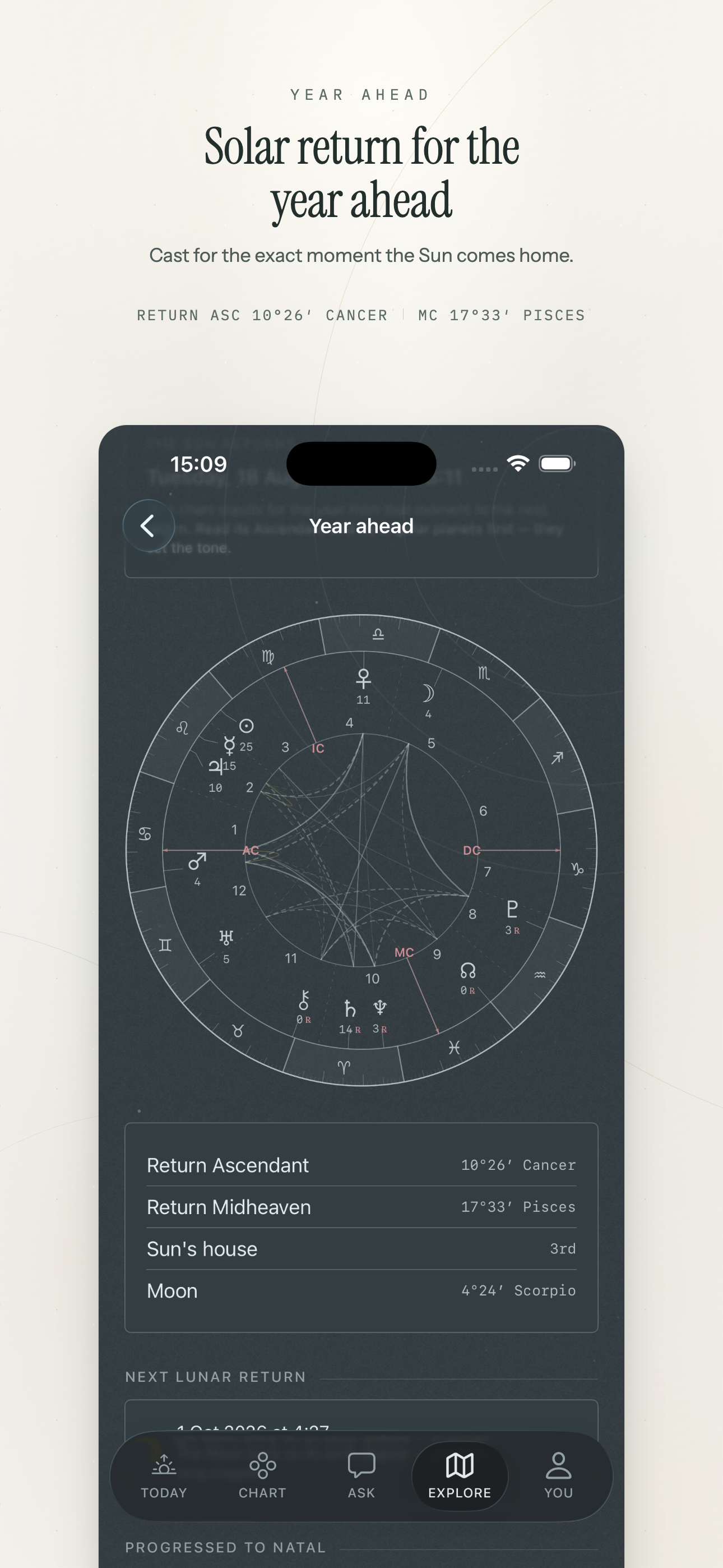
The year ahead

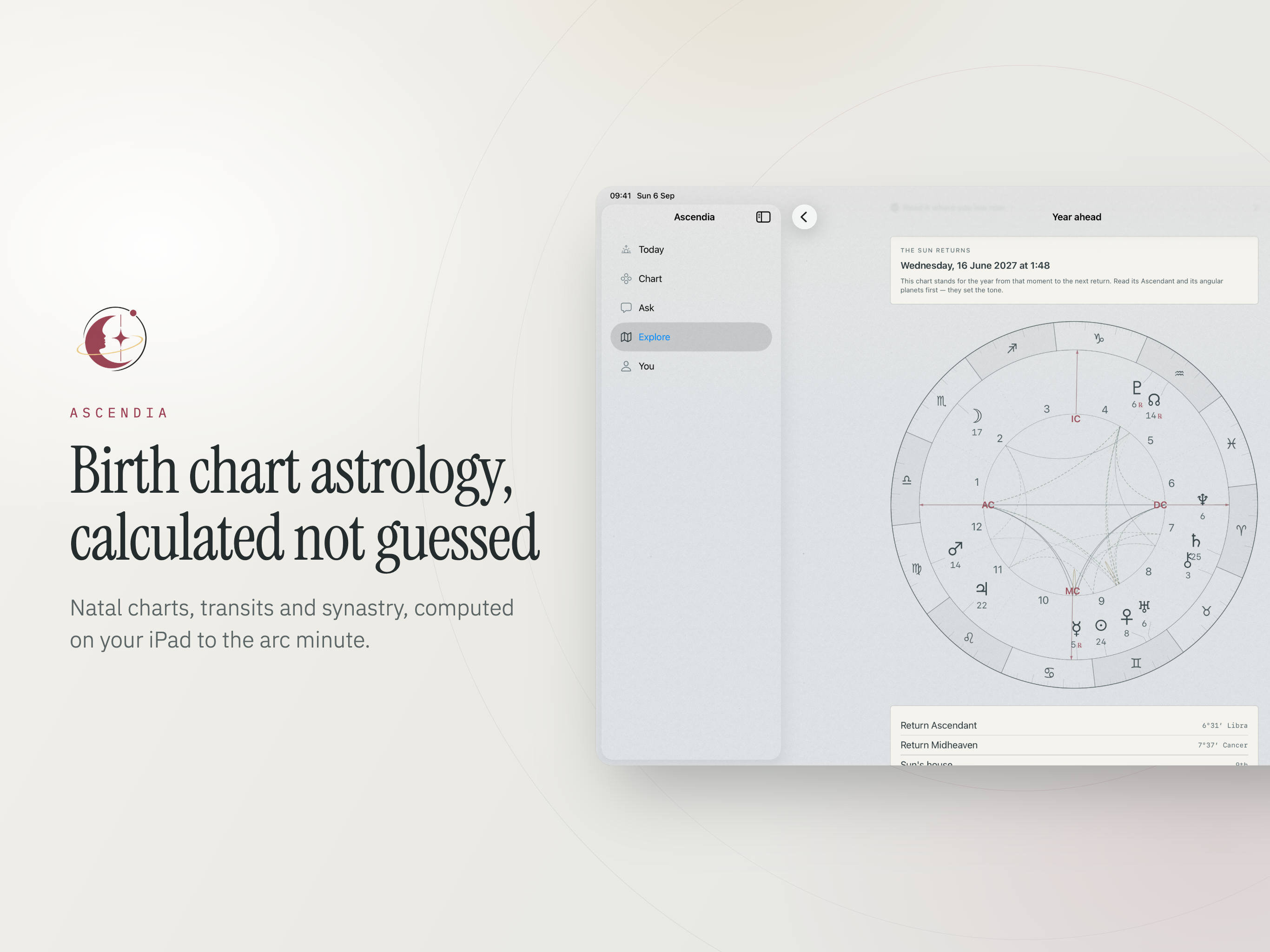
The solar return, cast for the exact moment the Sun comes back to its natal degree. Relocate it to any city before you decide where to spend the birthday.

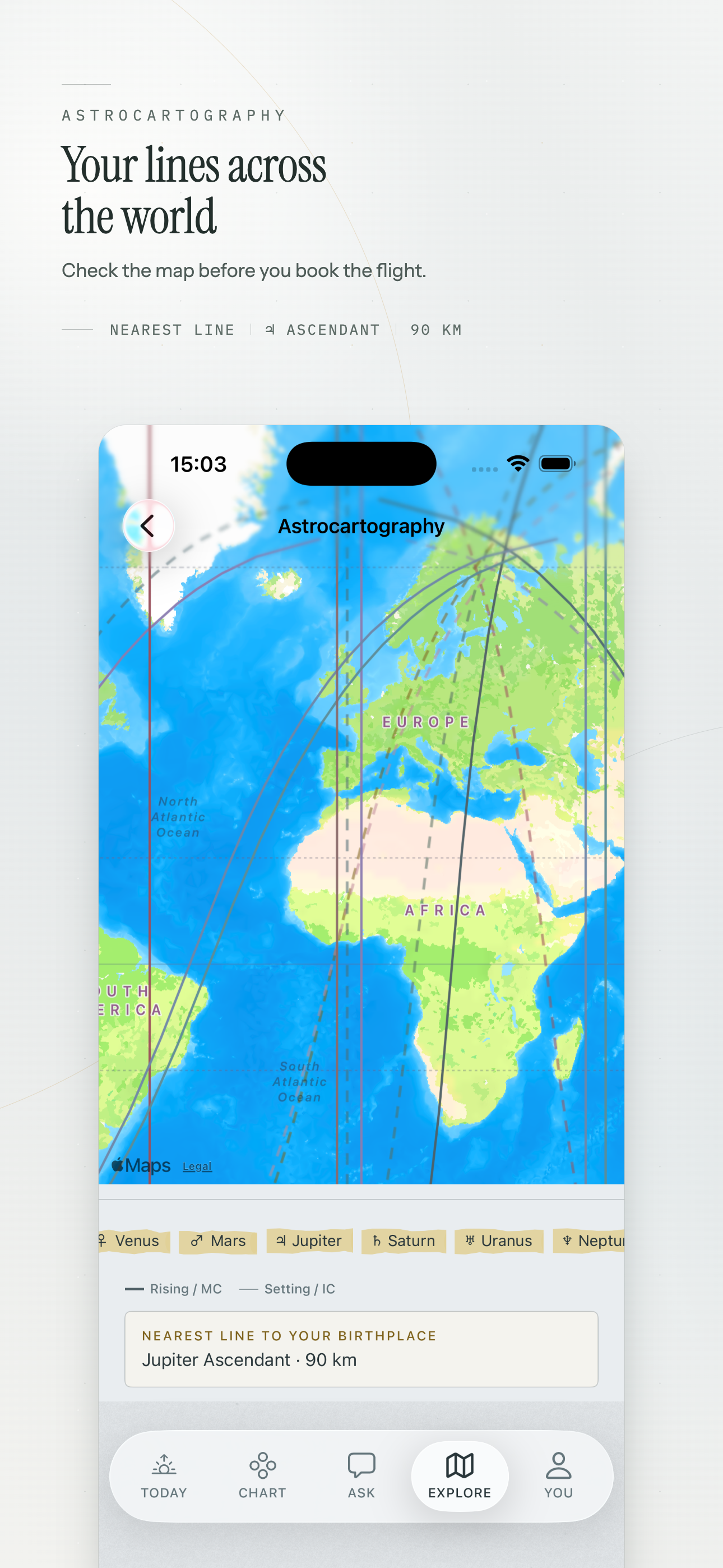
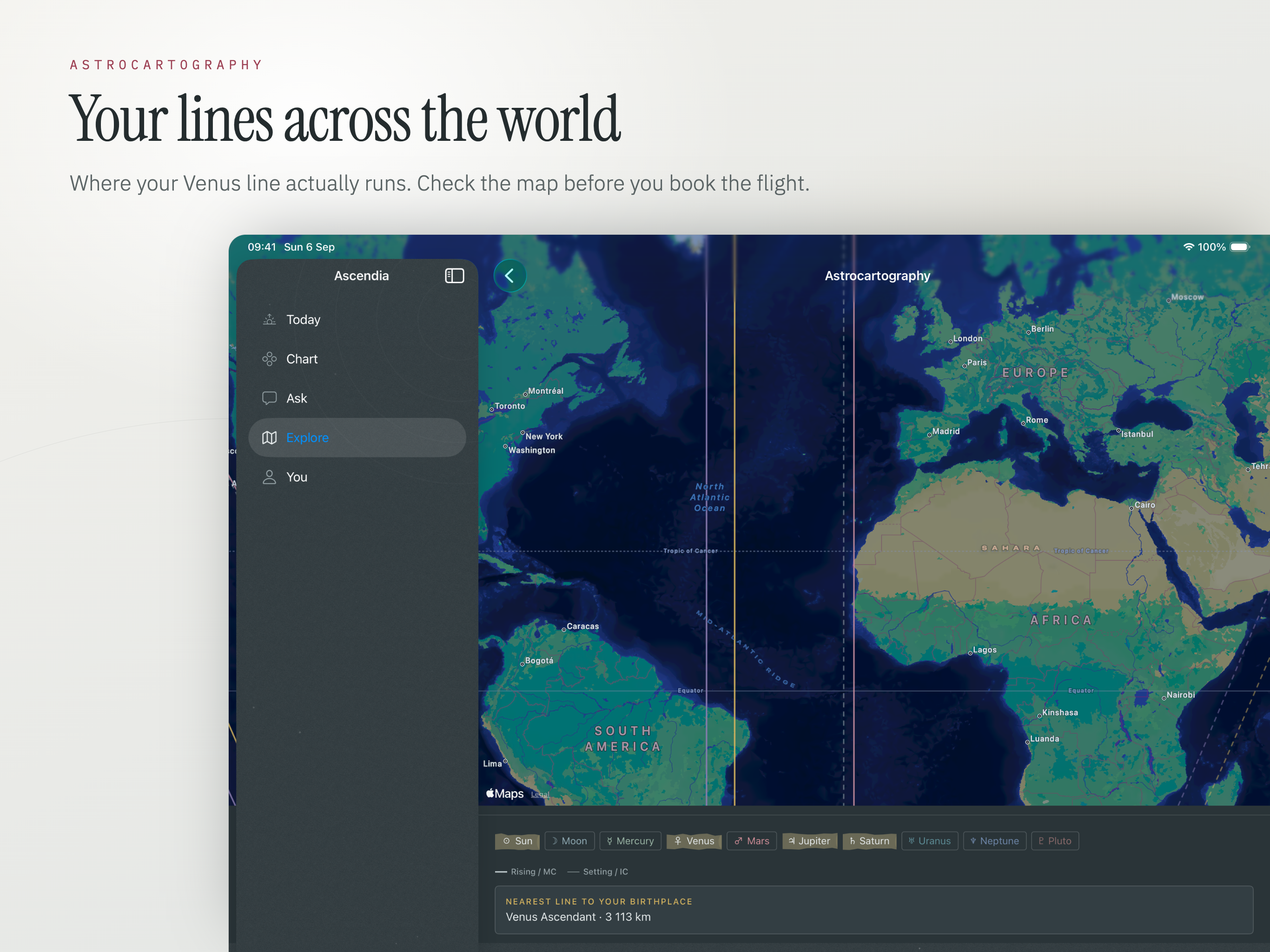
Astrocartography

Your planetary lines drawn across the world. See where Venus, Jupiter or Saturn runs before you book the flight or sign the lease.

Born at an unknown time

Work backwards from events you remember. Test candidate times against real dates until the angles agree with your own history.

Best day for something

Pick an intention and the next ninety days are ranked against your chart, each day carrying the reason it scored where it did.

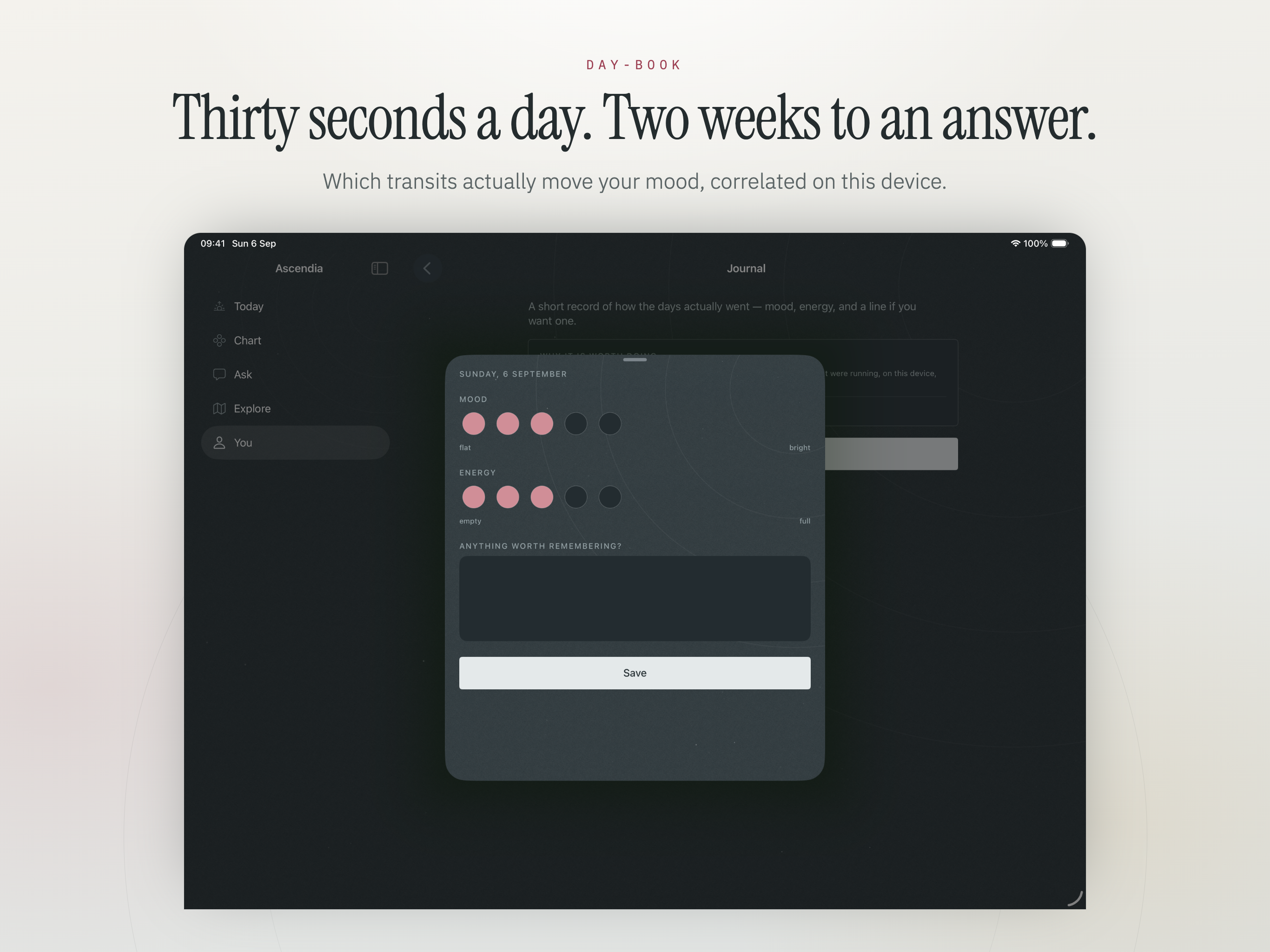
A day-book that pays off

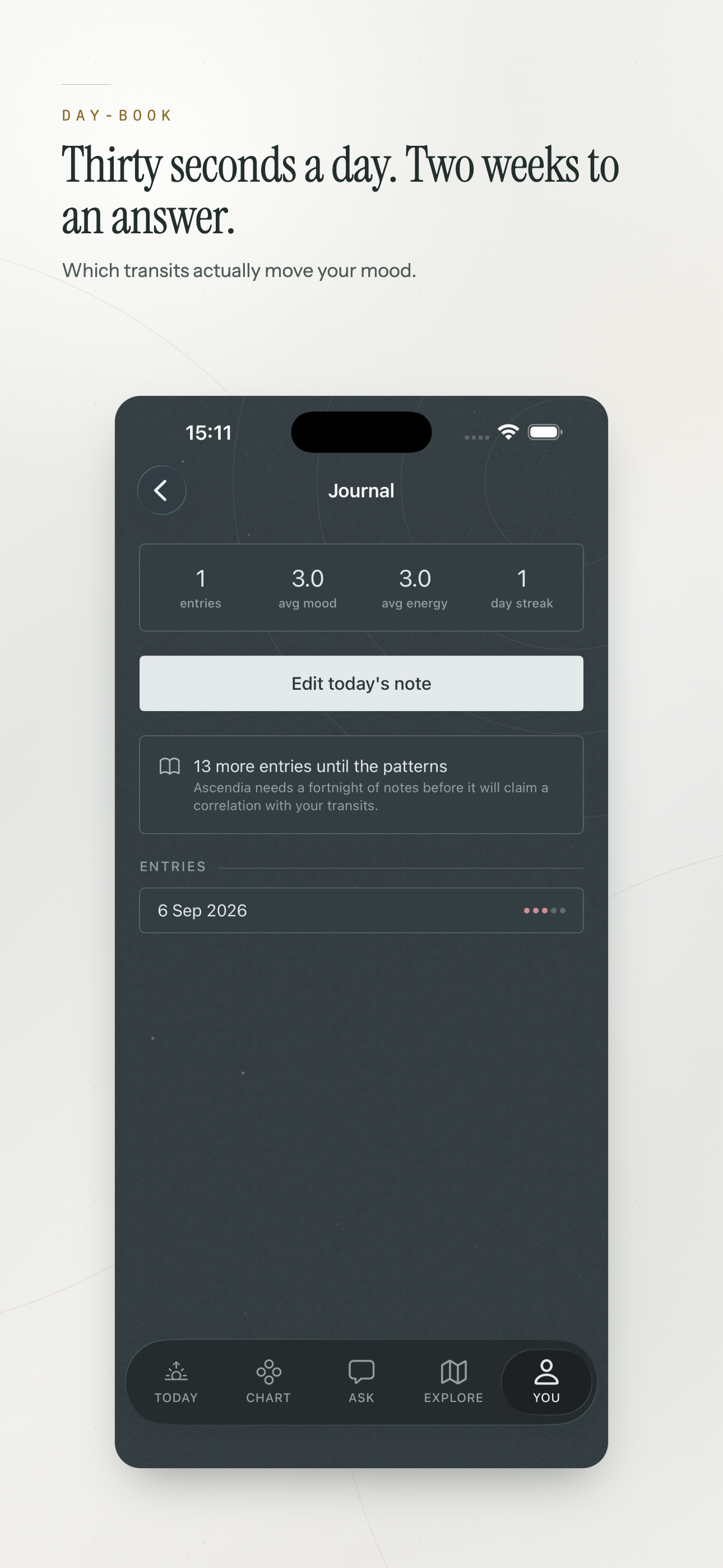
Mood and energy in about thirty seconds a day. After a fortnight it compares your own entries against the transits that were actually running and tells you what lines up - from your record, on this device.

Calculated, not looked up

Plenty of apps ship a table of pre-computed positions and interpolate between them. This one runs the ephemeris.

  • VSOP87D for the planets and ELP2000-82B for the Moon, corrected to JPL DE440.
  • Better than an arcsecond from 1800 to 2200 - well inside what a chart can resolve.
  • Historical time zones and wartime clock rules resolved properly, so a 1943 birth in a small town lands where it belongs rather than an hour off.
  • Offline place search covering every country, so the chart still casts on a plane.
PlanetsVSOP87D, corrected to JPL DE440
MoonELP2000-82B, corrected to JPL DE440
AccuracySub-arcsecond, 1800 to 2200
AnglesAscendant, Midheaven, Descendant, IC to the arc minute
HousesPlacidus, Whole Sign, Koch, Equal, Porphyry, Campanus, Regiomontanus
Time zonesHistorical rules, including wartime changes
PlacesOffline search, worldwide

Your birth data stays on the phone

A birth date, an exact time and a place of birth are, between them, most of what an identity check asks for. There is no good reason to post that to a server so a wheel can be drawn.

  • The whole ephemeris ships inside the app, so the chart is computed locally.
  • Birth details are not uploaded, not synced to anyone else's account, and not sold on.
  • The day-book entries stay on the device too, which is what makes the comparison against transits yours alone.
  • Switch the network off and cast a chart - the quickest way to check the claim rather than take it.

Free and Pro

The free app is a working astrology app, not a locked screenshot of one.

  • Free: your chart, placements, aspects, today's transits, the moon calendar, the day-book, and questions each week.
  • Pro: twelve months of transits, synastry and composite, the solar return, astrocartography, rectification, all twelve best days, unlimited questions and the full PDF report.
  • Monthly, yearly, or a single payment for life.
  • No ads anywhere in the app.

On iPhone

Where the daily transit, the void-of-course window and the thirty-second day-book entry live, because those happen in a pocket or they do not happen.

On iPad

The wheel and the aspect list side by side, which is the layout that makes a crowded chart readable. Astrocartography and the synastry grid want the width too.

Who it suits

The app assumes you can be trusted with a degree and an orb. That suits some people and not others.

Anyone past the sun sign

You already know the rising sign matters and you want the rest of the chart at the same resolution.

People learning the craft

Switching house systems on a chart you know well teaches more in a minute than a chapter about the argument does.

Working astrologers

Rectification, relocated solar returns, composite midpoint houses and a PDF report to hand a client.

The sceptical

Every number is sourced and every claim is checkable. Turn off the network and see what still works.

Ascendia is for reflection. It is not medical, legal or financial advice, and nothing in it should stand in for a professional you would otherwise consult.

Available On

Requires iOS 17 or iPadOS 17 and later.

iPhone

iOS 17.0 or later

iPad

iPadOS 17.0 or later

Frequently asked questions

Does it need my exact birth time?

For the full chart, yes - the Ascendant moves about a degree every four minutes, so the houses depend on it. Without a time you still get every planet by sign; if the time is missing entirely, the rectification tool works backwards from events you can date.

Do I have to adjust for daylight saving myself?

No, and adjusting by hand is the usual cause of a chart that lands an hour out. Historical time zones and wartime clock rules are resolved for the date and place you enter, so a 1943 birth in a small town comes out correctly. Details on the Ascendia help page.

Which house systems are supported?

Placidus, Whole Sign, Koch, Equal, Porphyry, Campanus and Regiomontanus. You can switch between them and watch the wheel redraw, which shows you exactly which placements depend on the choice.

Is my birth data uploaded anywhere?

No. The ephemeris and the place database are inside the app, so everything is computed on the device. Turn on Airplane Mode and cast a chart - it still works, which is the simplest way to check.

Which devices does it run on?

iPhone and iPad, on iOS 17 or iPadOS 17 and later.

Is any of this medical or financial advice?

No. Ascendia is for reflection, and it names the angle it is measuring rather than presenting a forecast. It is not a substitute for a professional you would otherwise consult.