Aurora forecast • Storm alerts • iPhone, iPad & Apple TV

Aurora Forecast

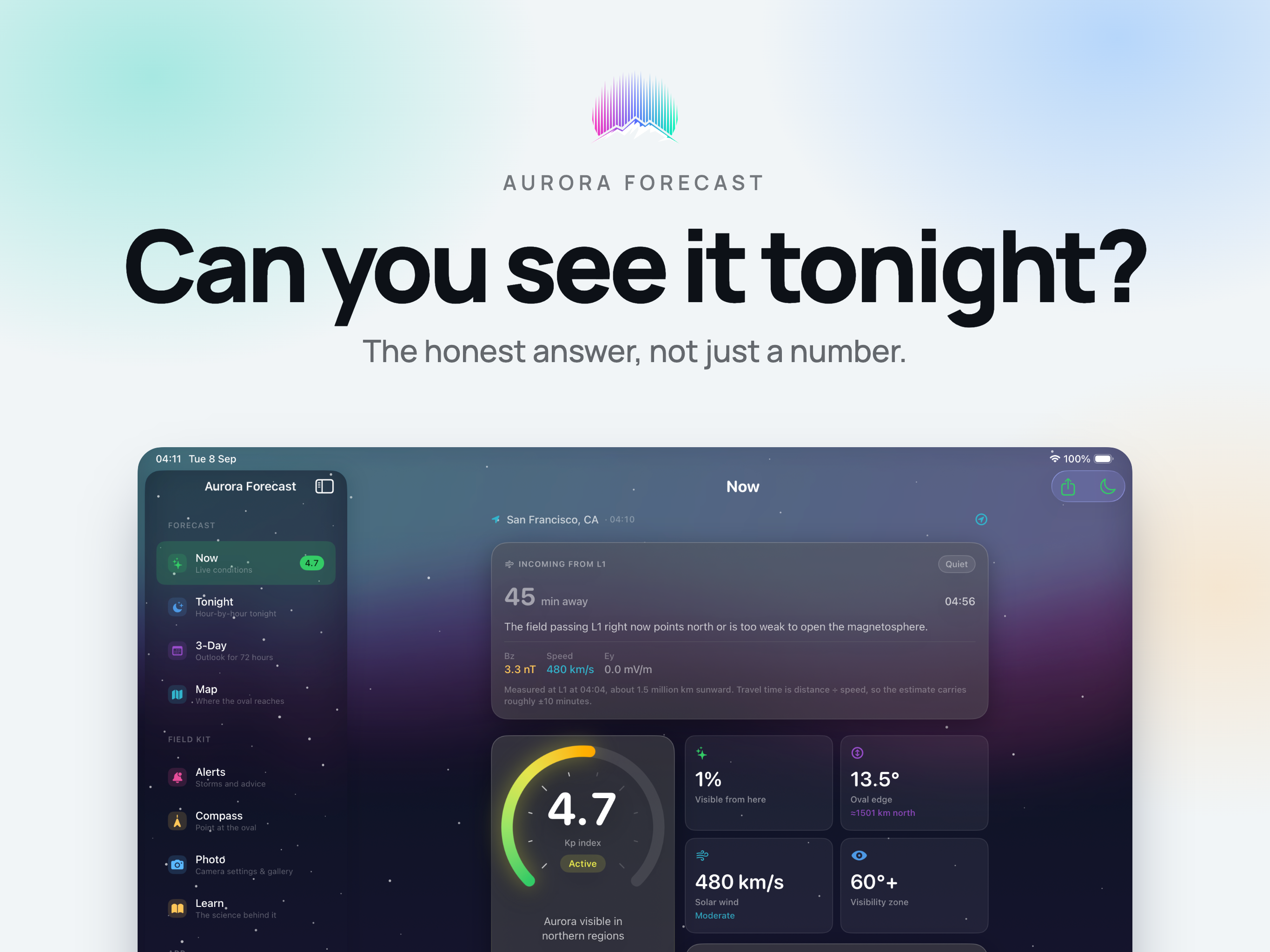
One honest answer to one question: can you see the northern lights tonight, from exactly where you are standing? Most apps hand you a KP number and leave you to guess - the same KP 5 puts the aurora overhead in Tromso and below the horizon in Berlin. Aurora Forecast works out the rest.

Your real chance from your geomagnetic latitude, the clearest gaps in tonight's cloud, alerts that arrive before the sky does anything - on iPhone and iPad, with a glanceable forecast and 4K aurora ambience on Apple TV.

Download on the App Store
Live KP index 30-90 min head start Aurora oval map Cloud gap predictor Night vision mode 4K on Apple TV
Aurora Forecast app logo
Live
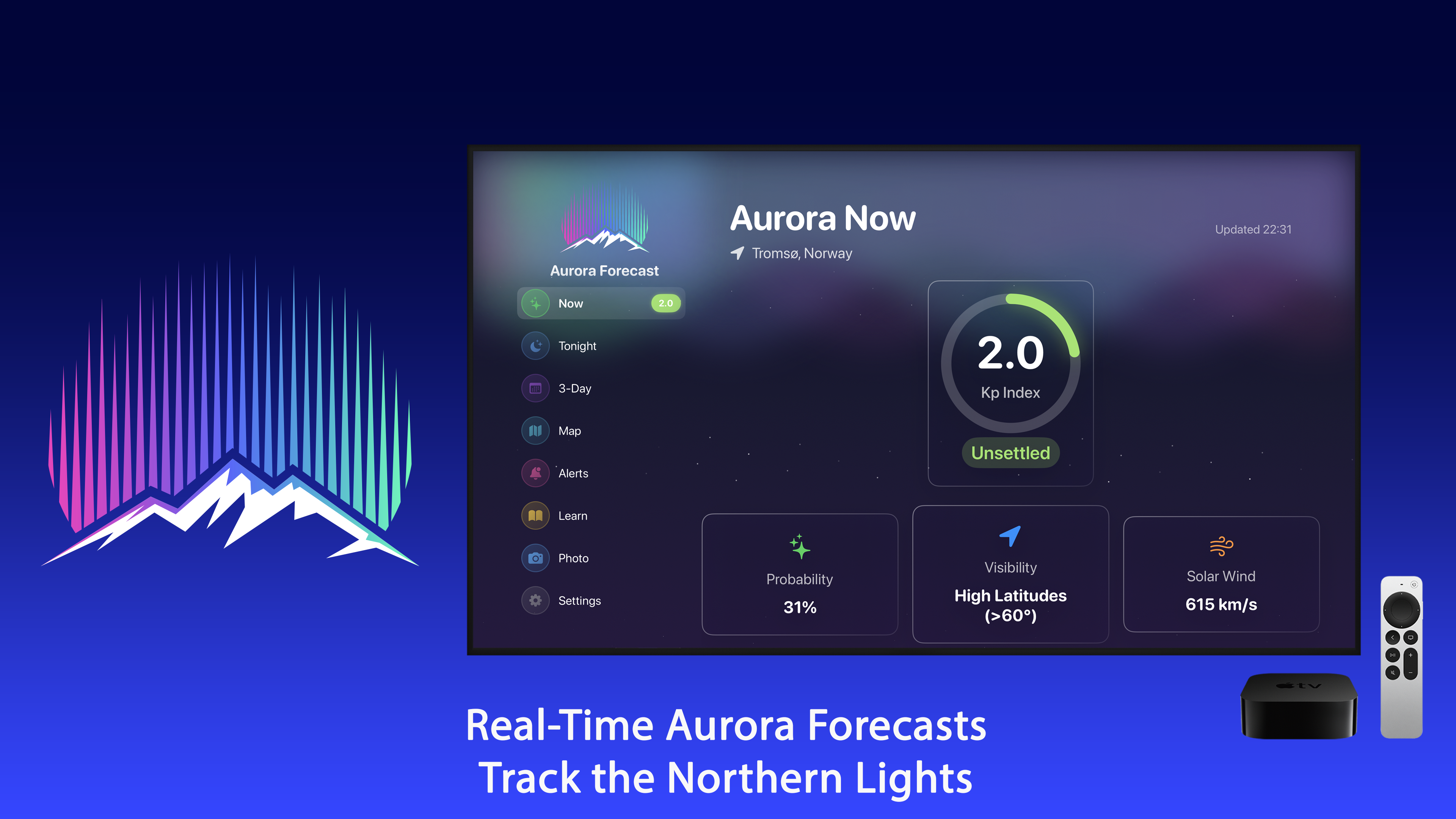
KP index and solar wind from NOAA SWPC, refreshed automatically
Your latitude
Chance computed from geomagnetic latitude, not a generic percentage
30 & 60 min
Ranked clear-sky windows for tonight, or an honest "no window"
3 days
Outlook for picking a night before you book one

A Forecast That Tells You When to Go Outside

Aurora Forecast turns raw space-weather data into one honest answer: is tonight worth the drive, the cold, and the tripod?

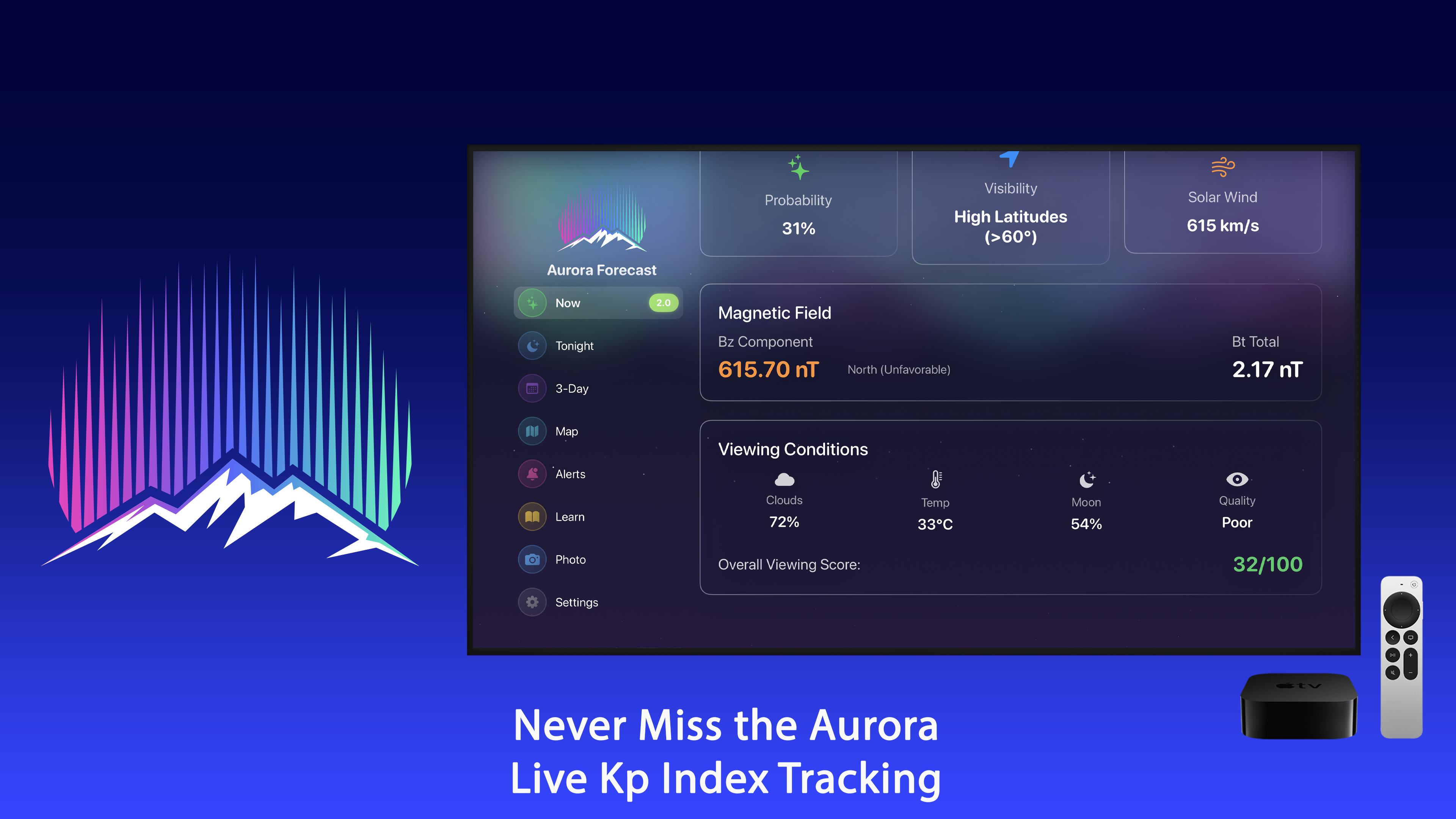
Live KP Index

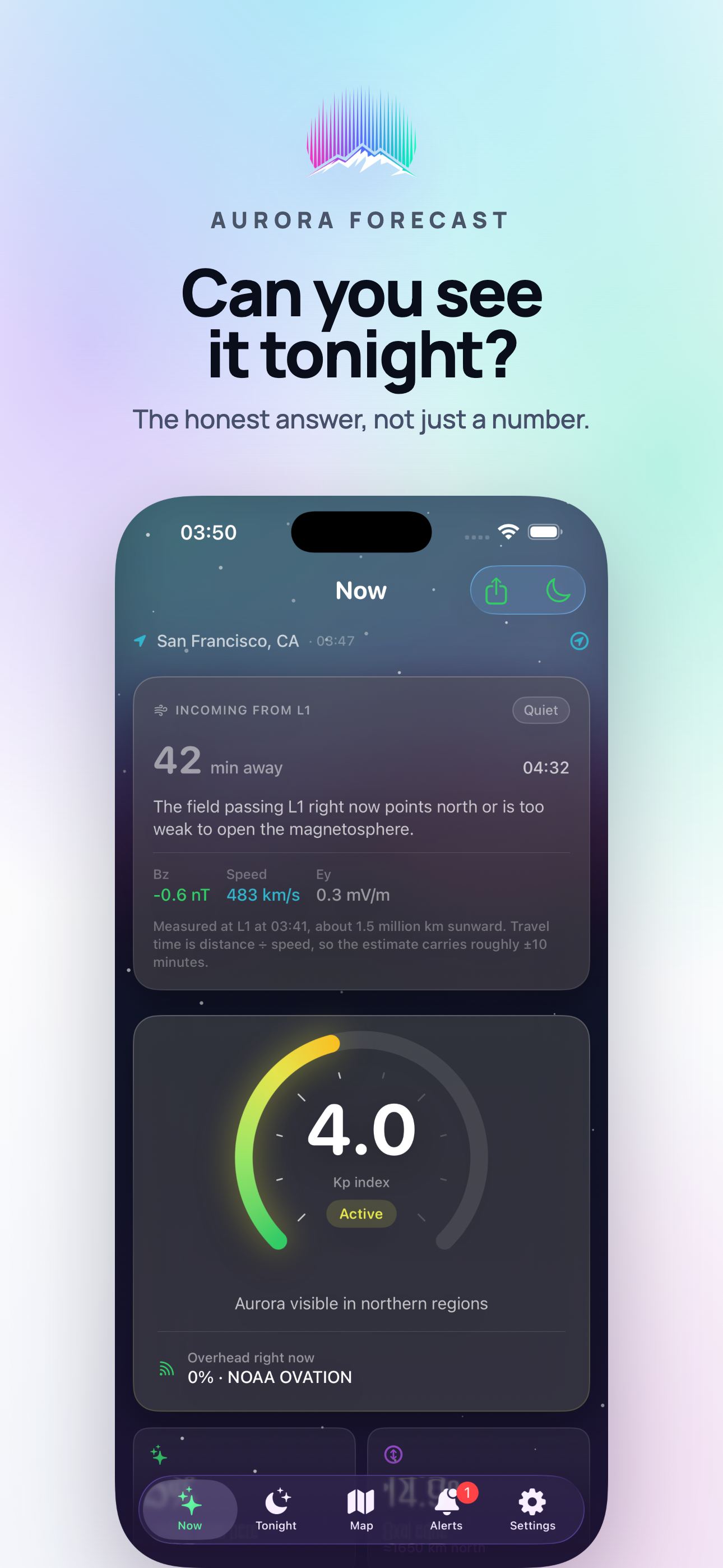
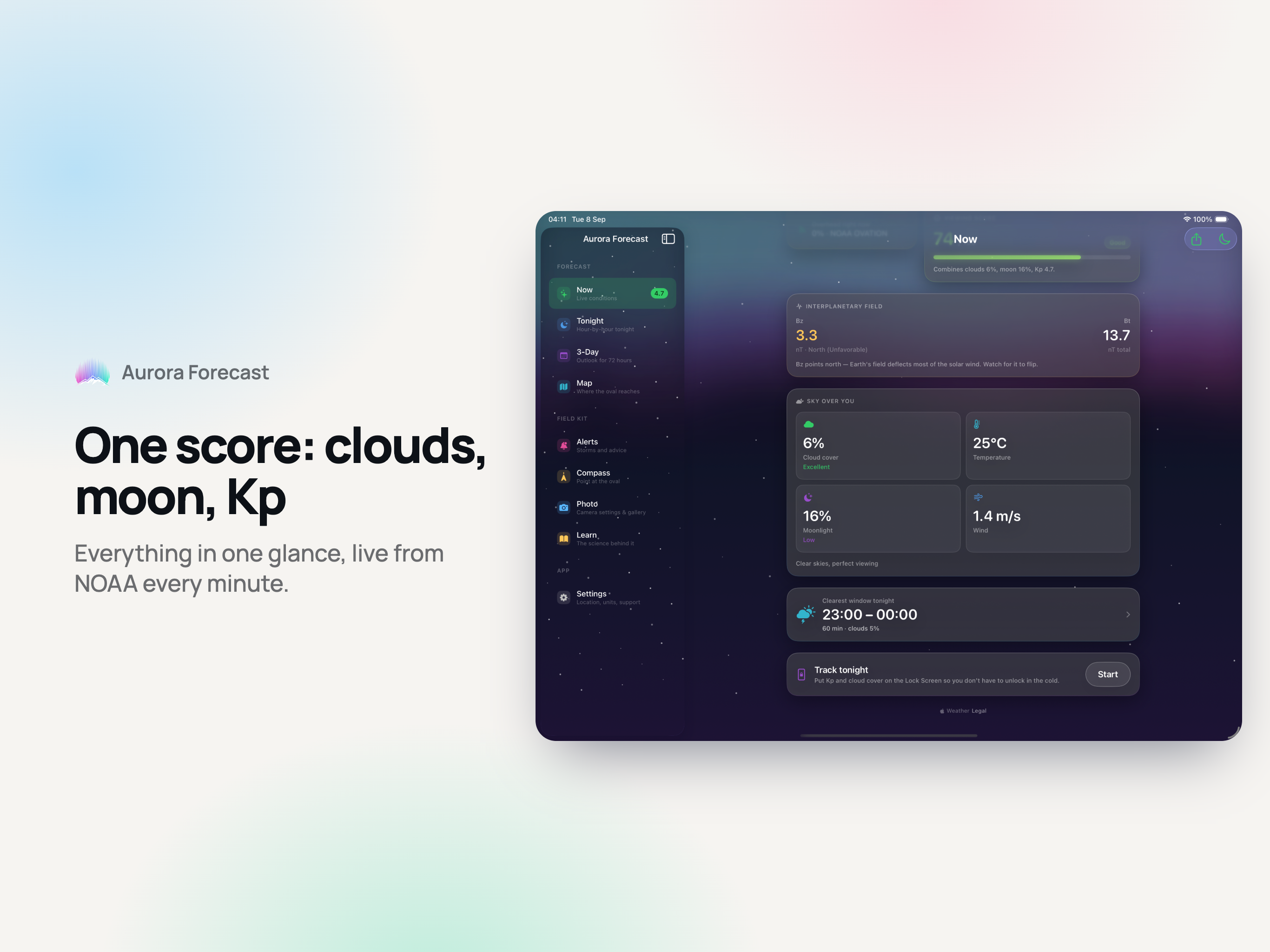
Read straight from NOAA SWPC and refreshed automatically, with a plain-English reading of what that number means at your latitude.

Your Real Chance From Here

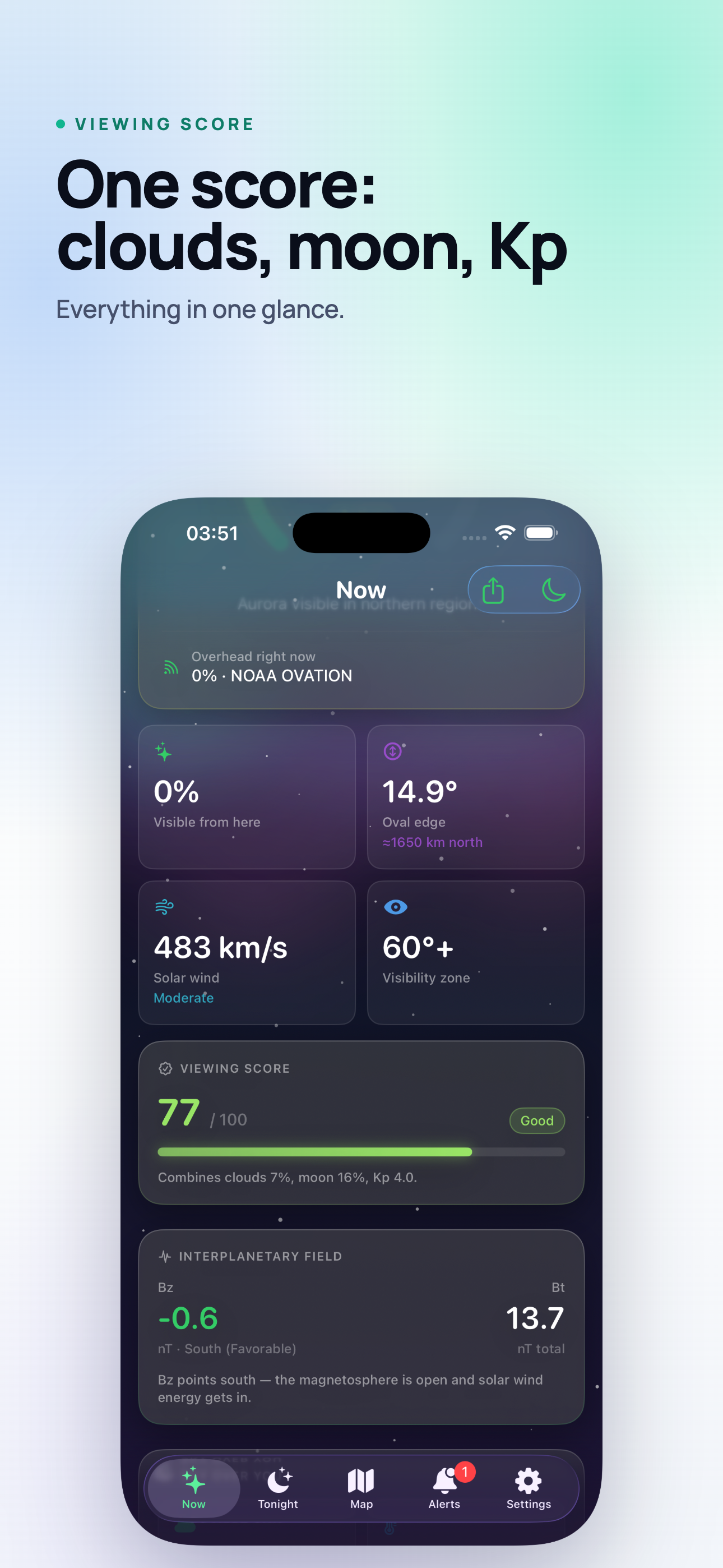
Computed from your geomagnetic latitude rather than shown as a generic percentage - plus how far you are from the edge of the auroral oval, in degrees and kilometres.

Solar Wind and Bz, In Words

Speed and the Bz component explained rather than printed: Bz south means the door is open. A southward field couples to the magnetosphere; a northward one is shrugged off.

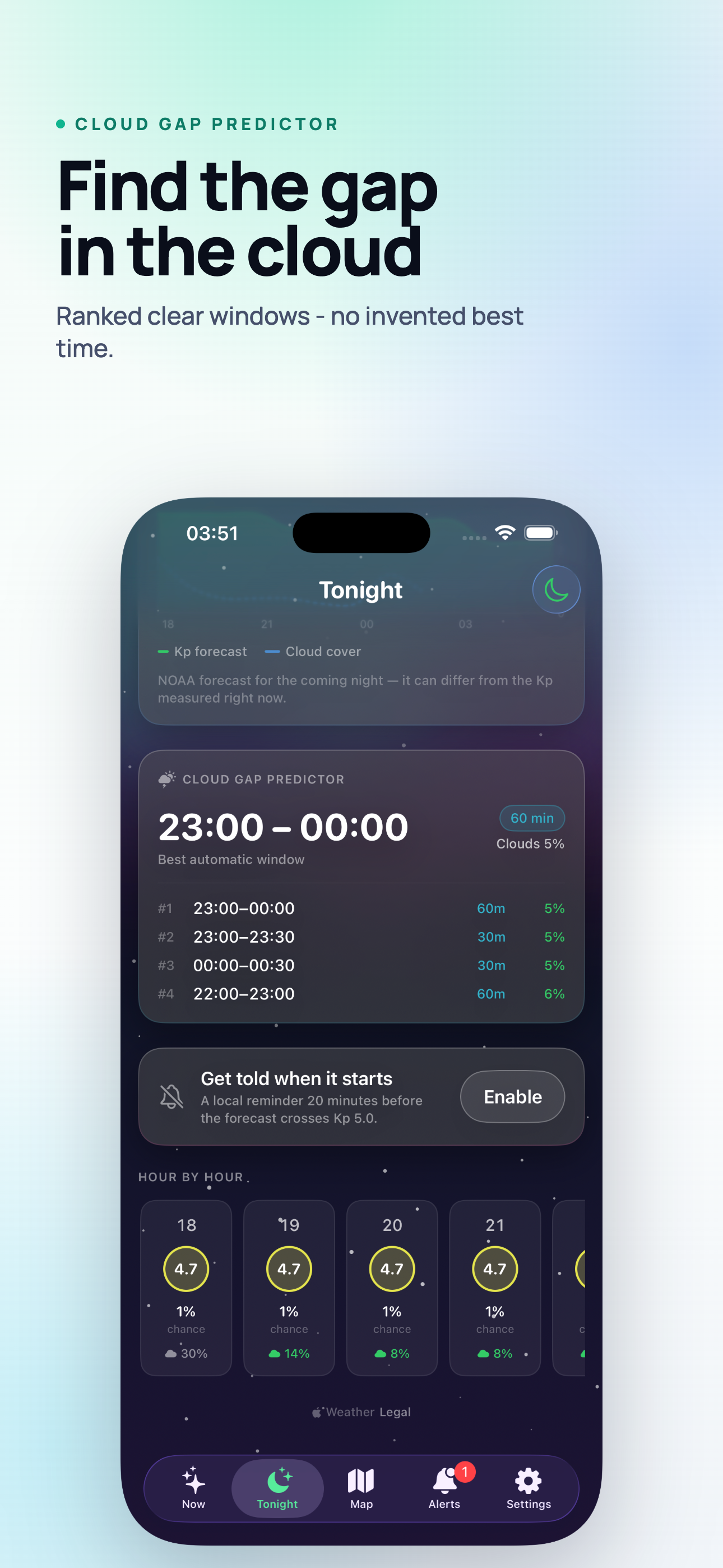
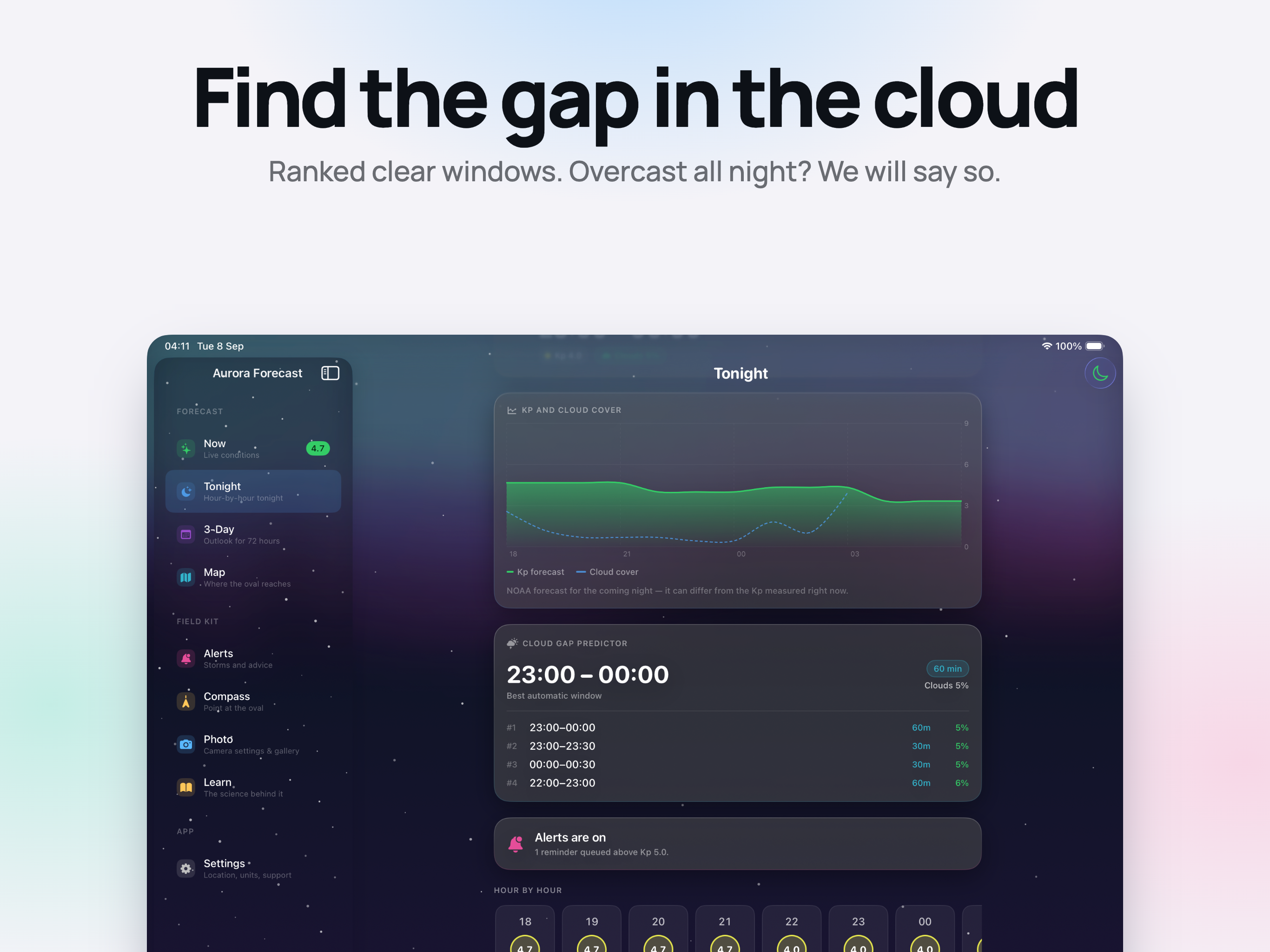
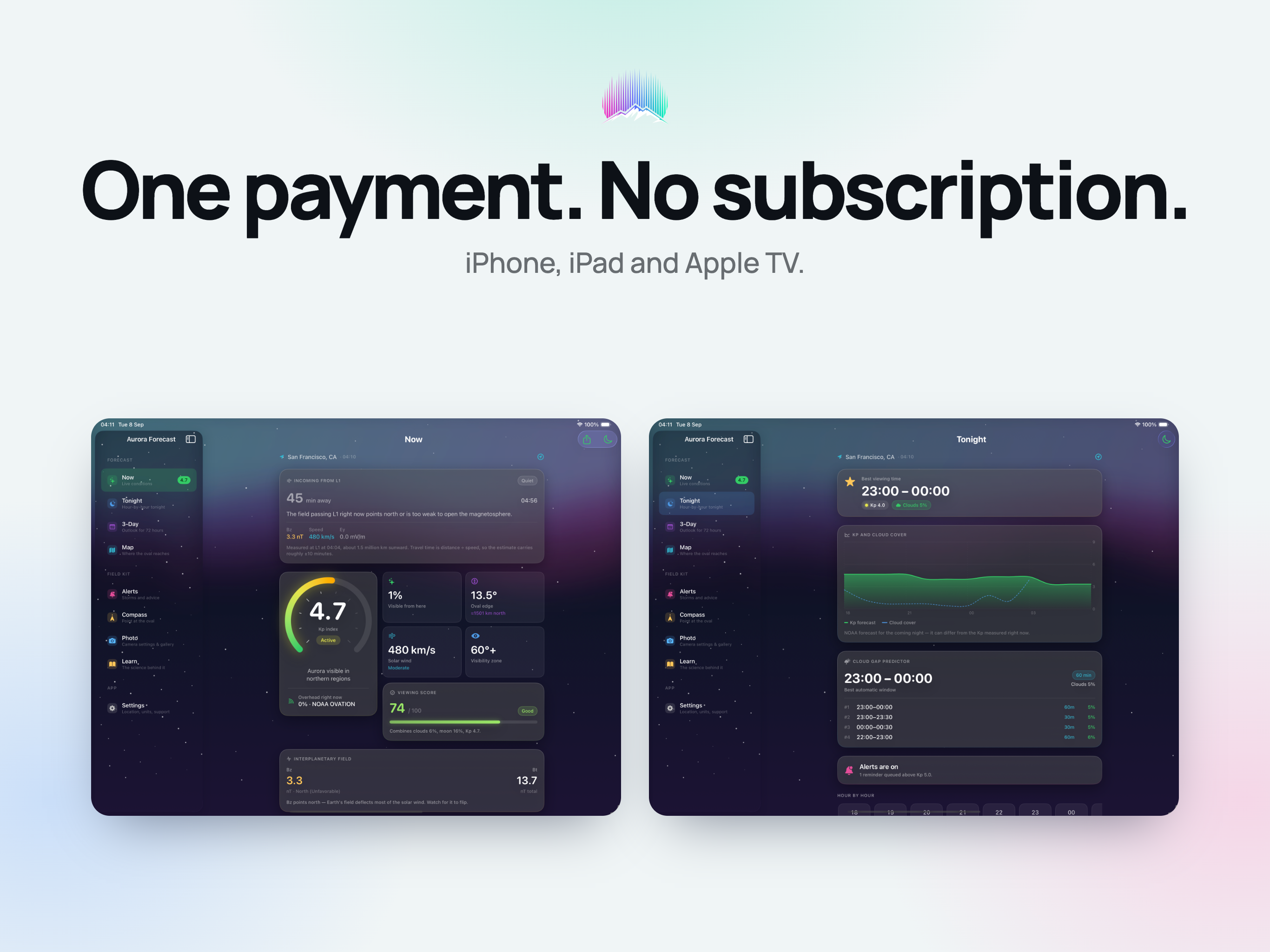
Cloud Gap Predictor

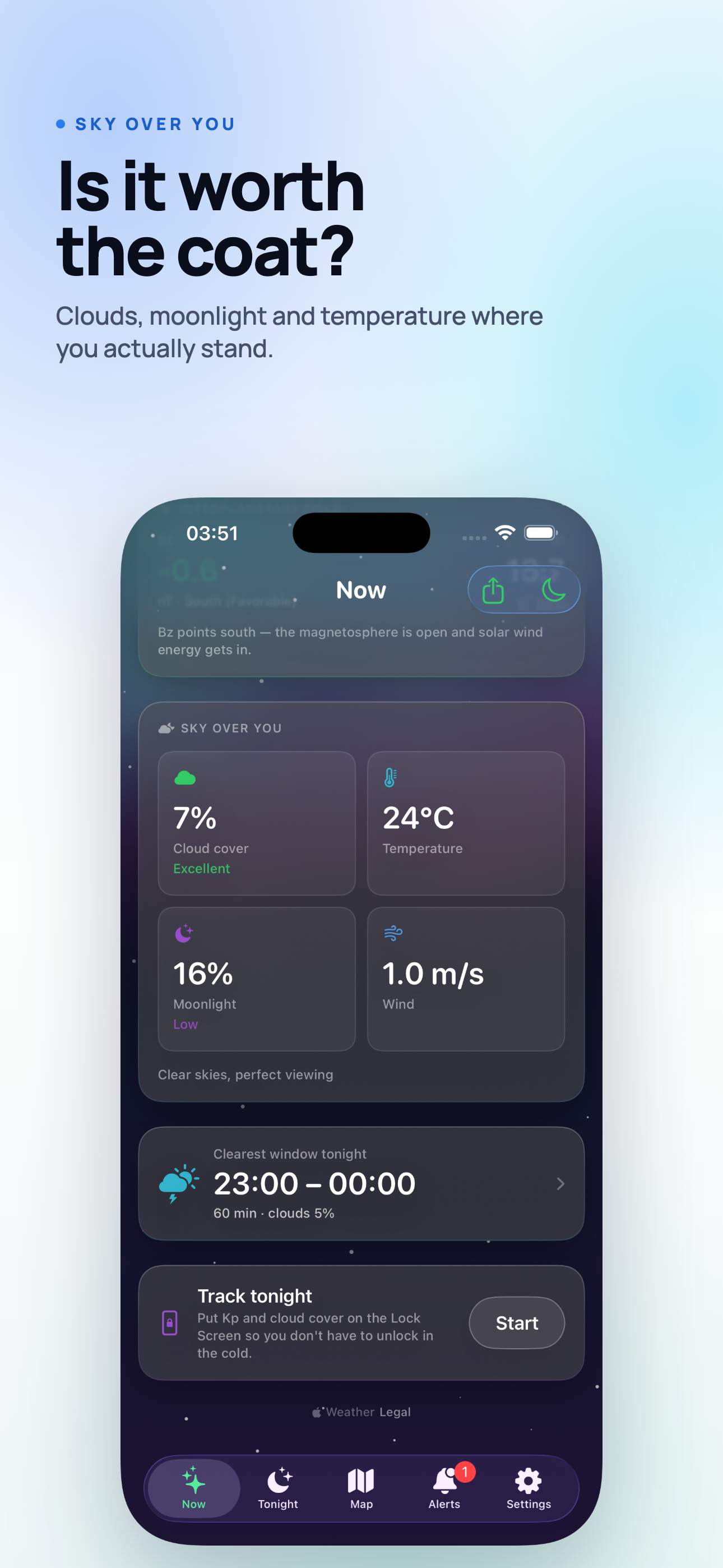
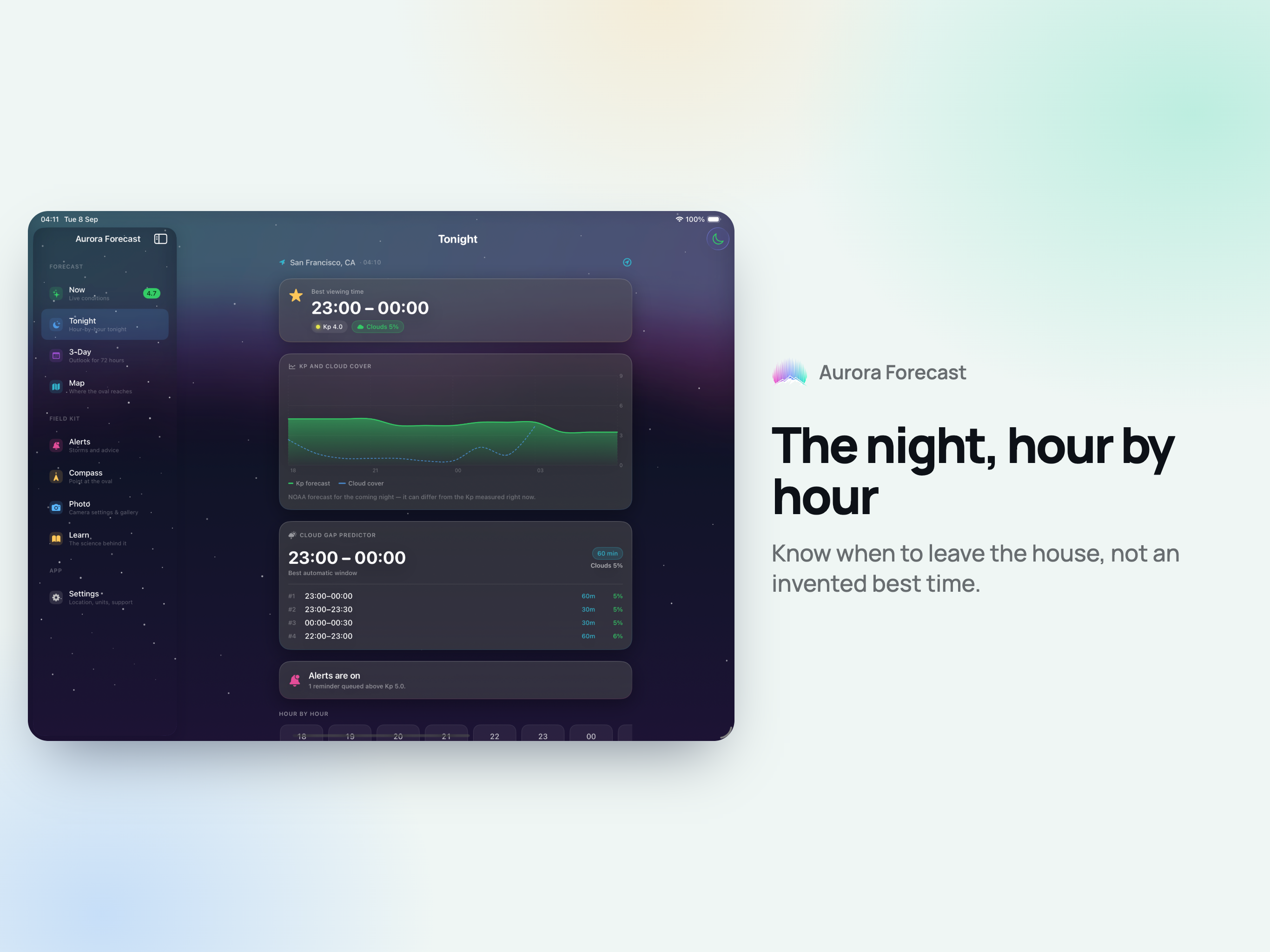
A perfect KP means nothing under a solid deck. The clearest 30- and 60-minute windows of the night, ranked. If the sky stays shut until morning it says so, instead of inventing a "best time".

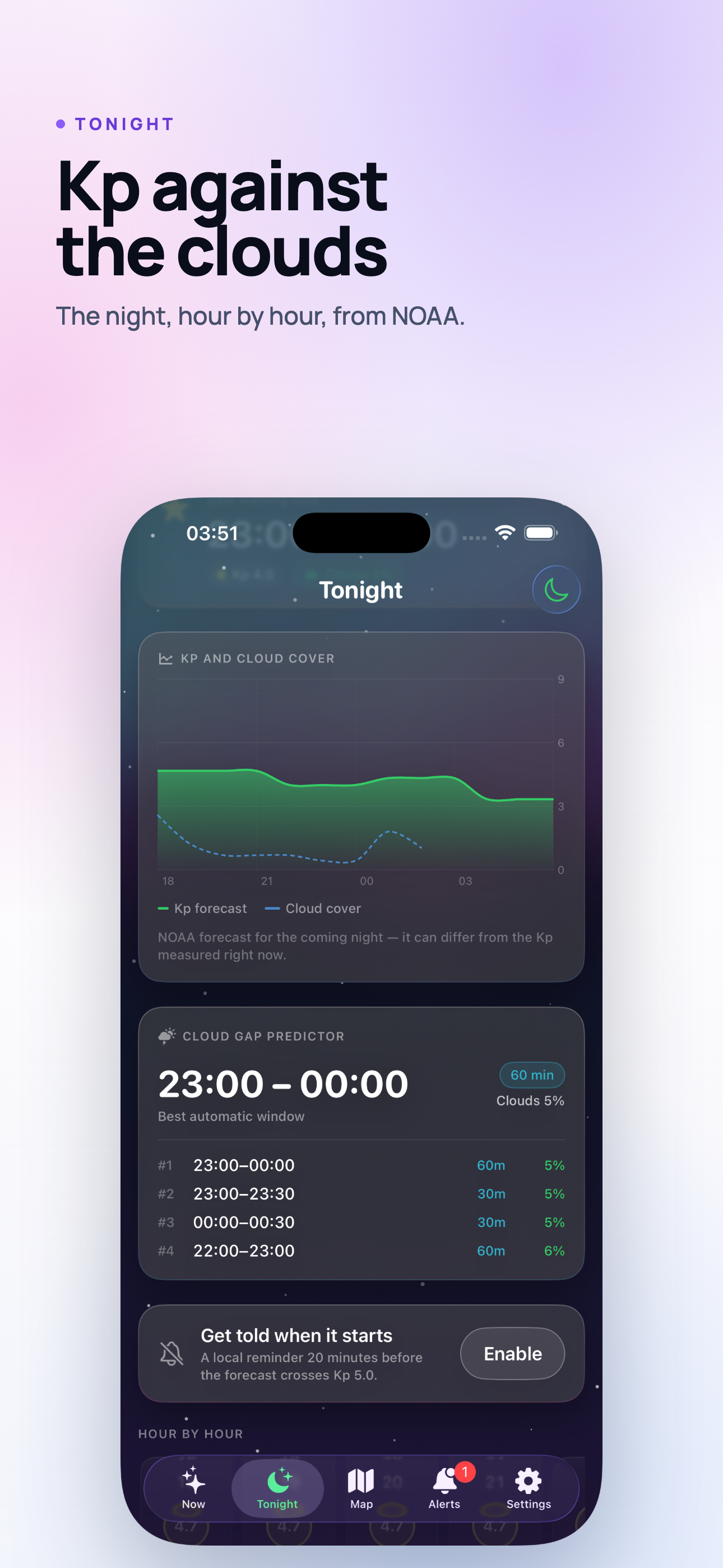
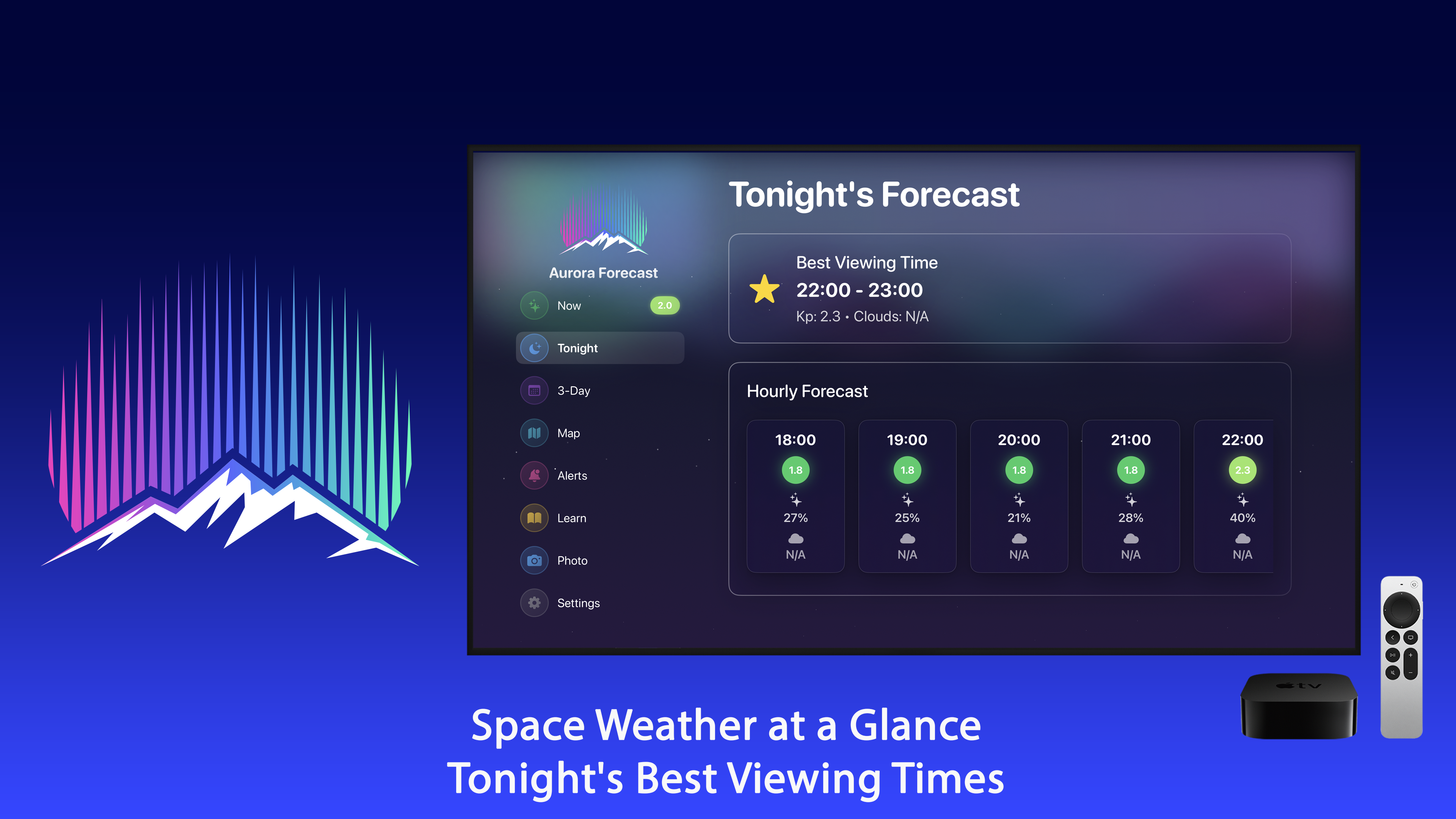
Tonight, Hour by Hour

The KP forecast for the coming night on an interactive chart with cloud cover laid over it, and a best viewing time that shows the KP and the cloud behind the recommendation.

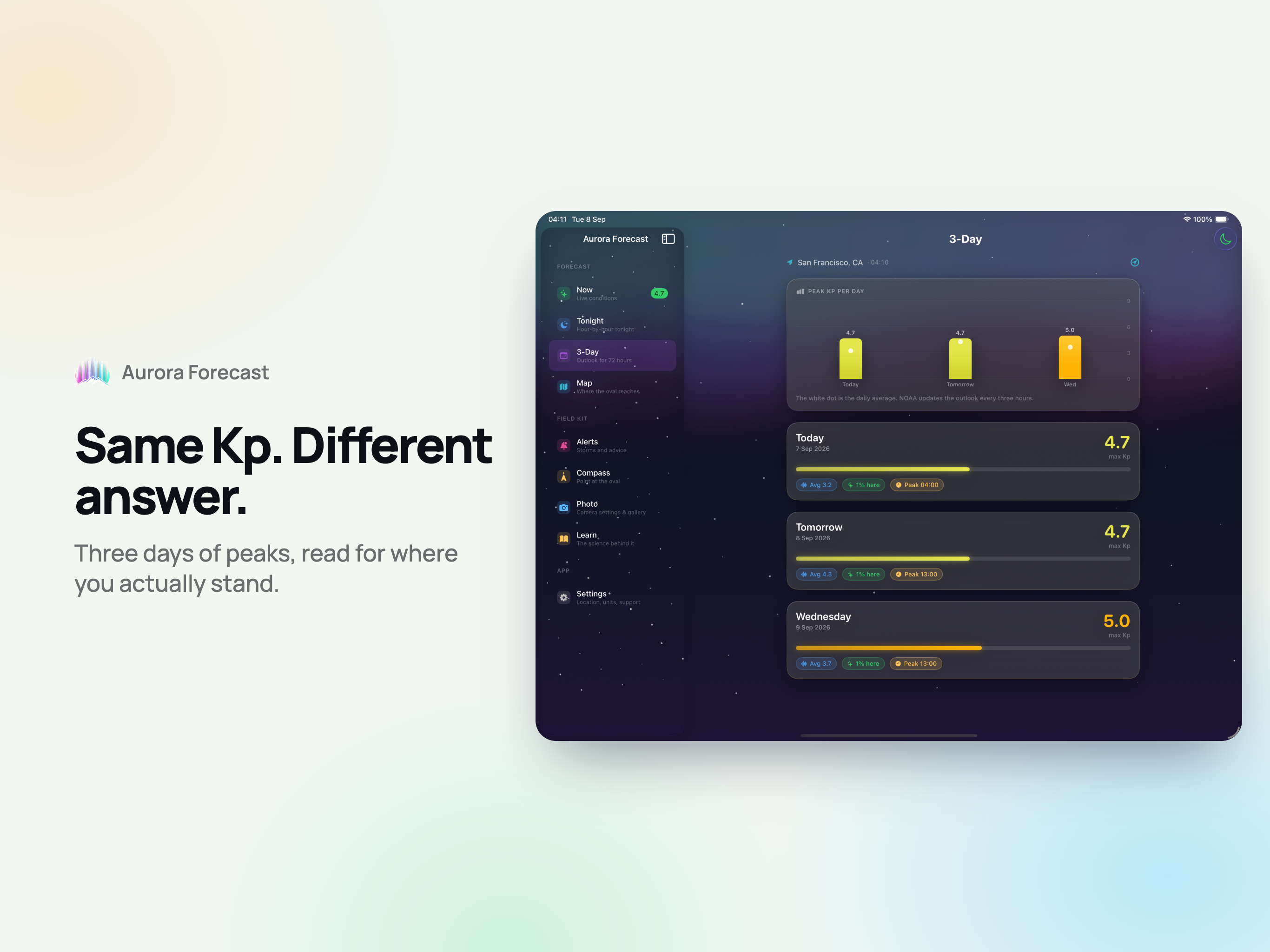
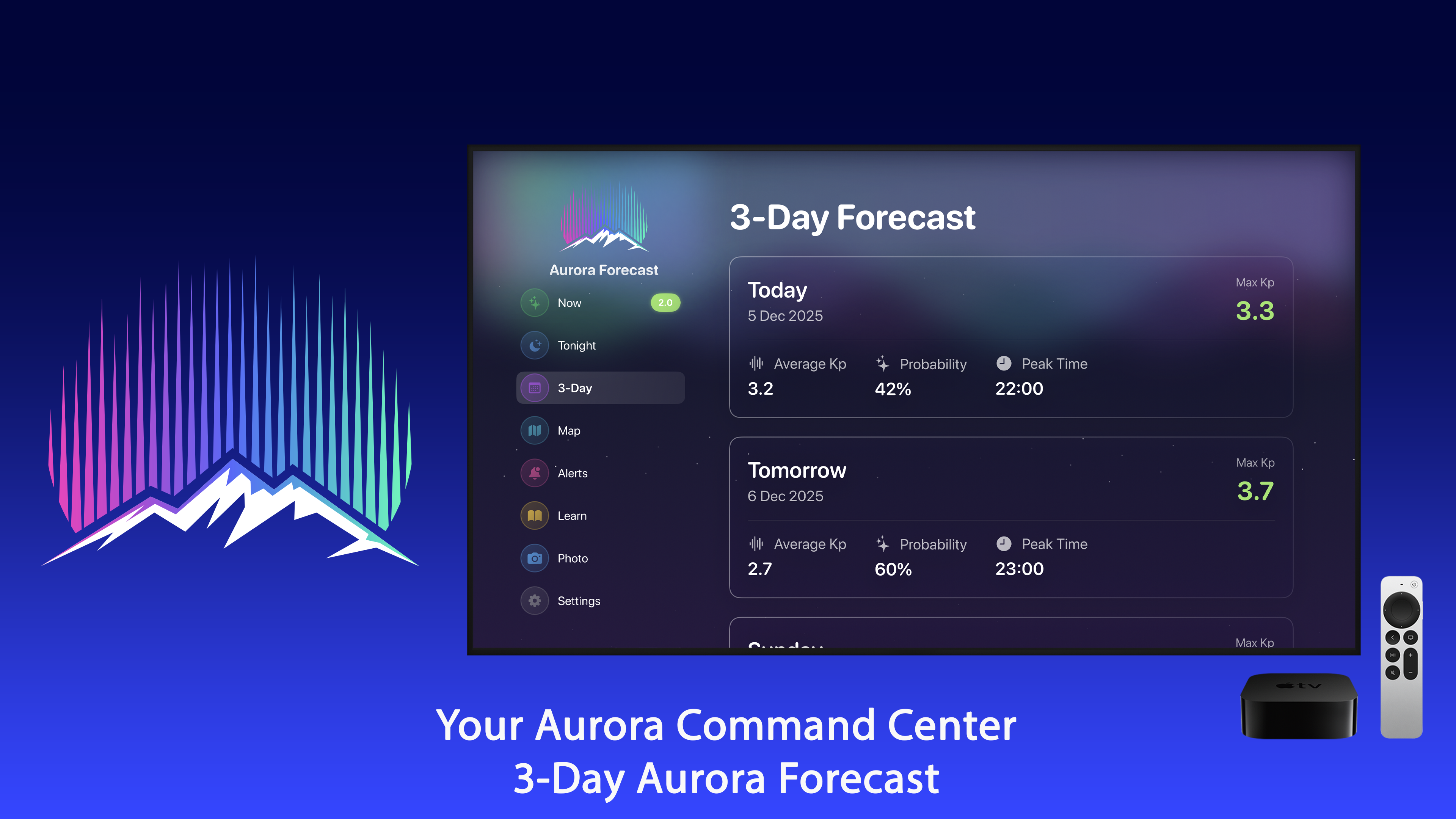
3-Day Outlook

Enough runway to book a cabin, pick a night, or decide the week is a write-off.

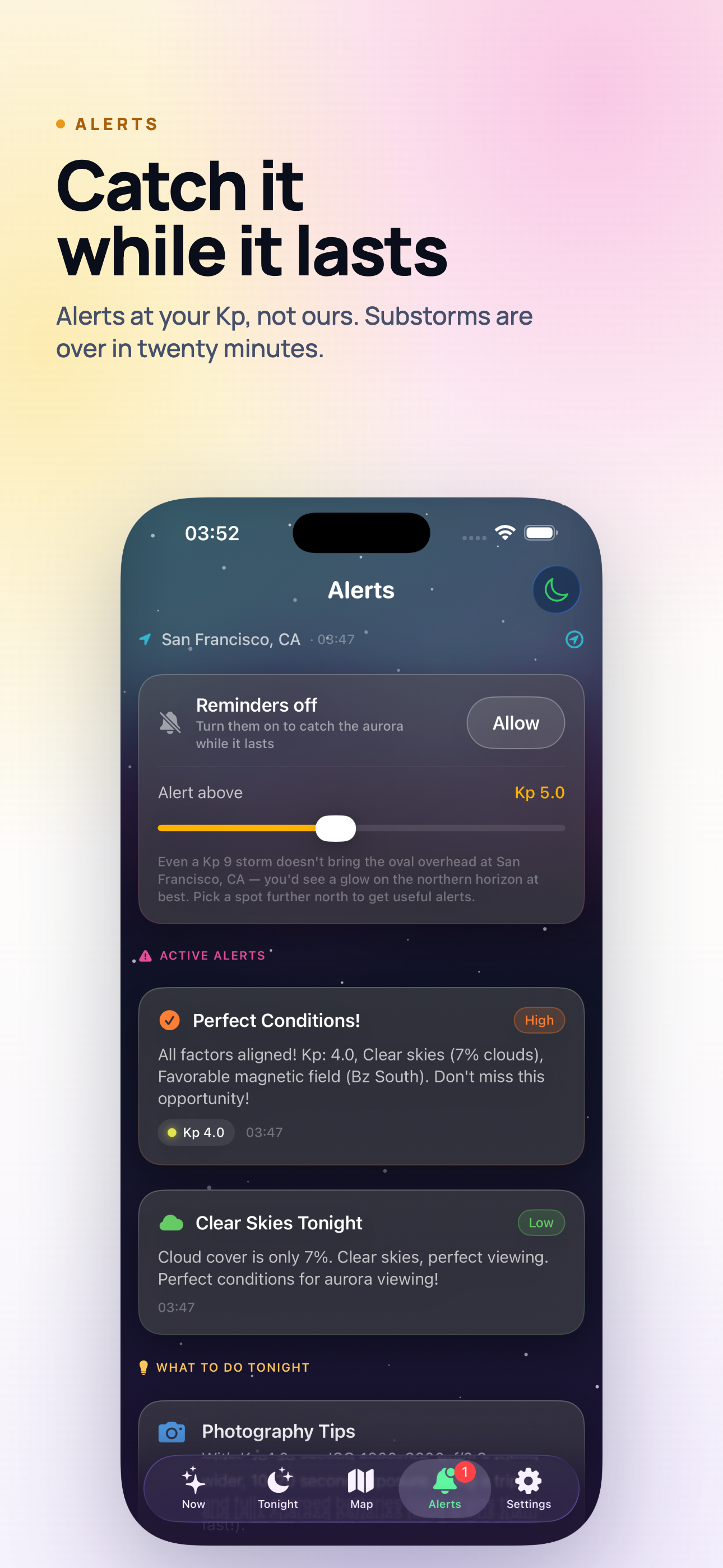
Alerts That Arrive in Time

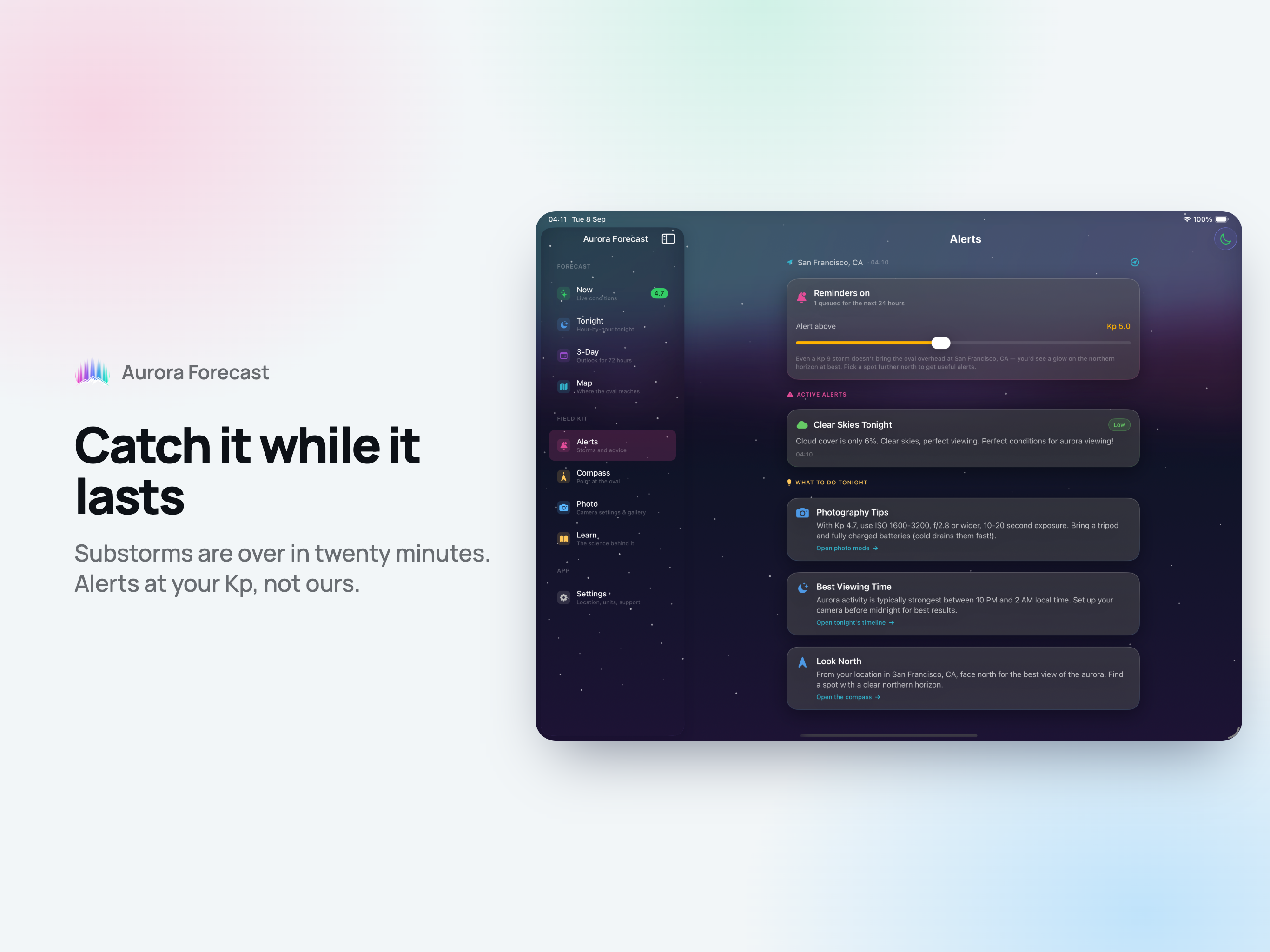
A reminder twenty minutes before the forecast crosses your KP threshold, and a second one when the clouds are about to open. Set the threshold yourself - the app tells you which KP your latitude actually needs.

Widgets, Lock Screen & Live Activity

Home Screen widgets with KP, your chance from here and tonight's clearest window. Lock Screen widgets next to the clock. A Live Activity carrying KP and cloud cover in the Dynamic Island while you are out in the field.

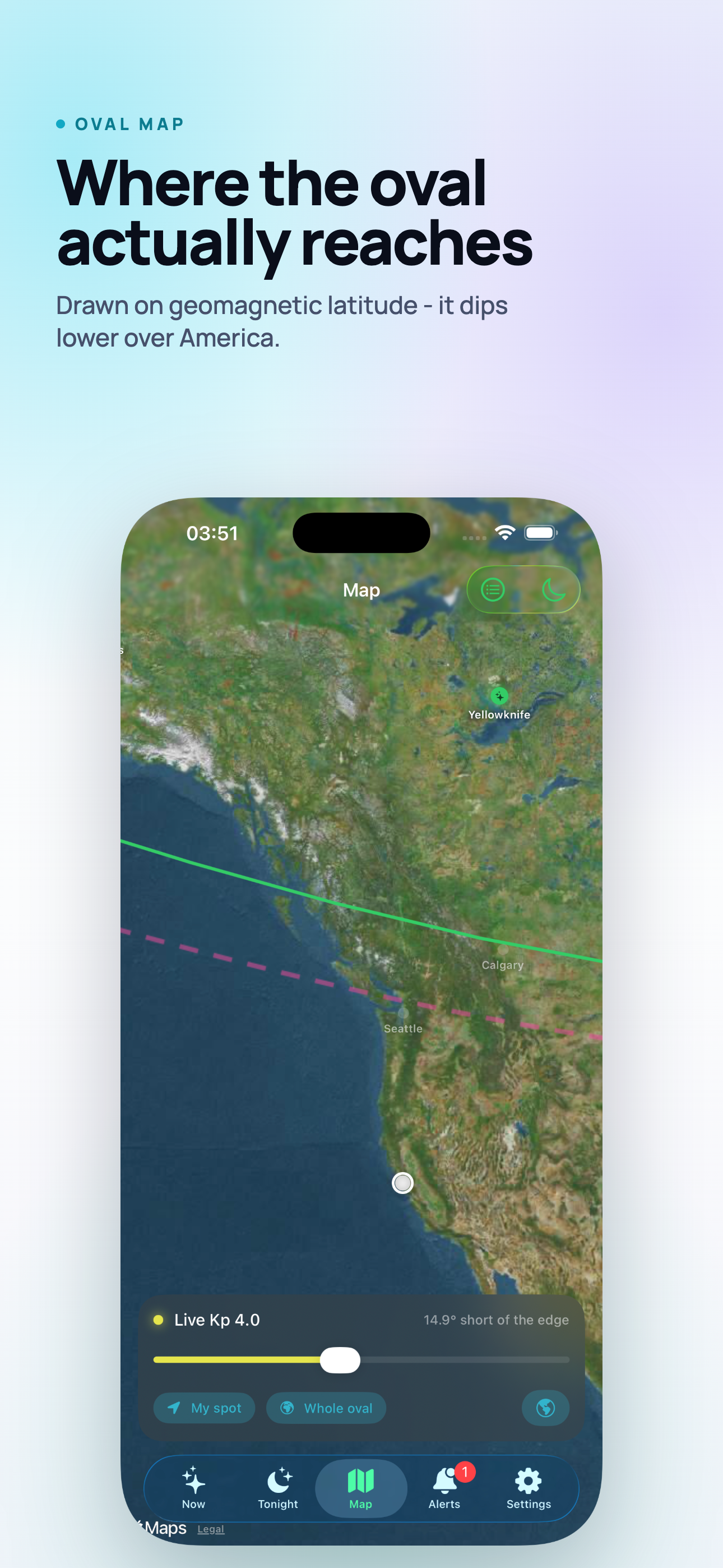
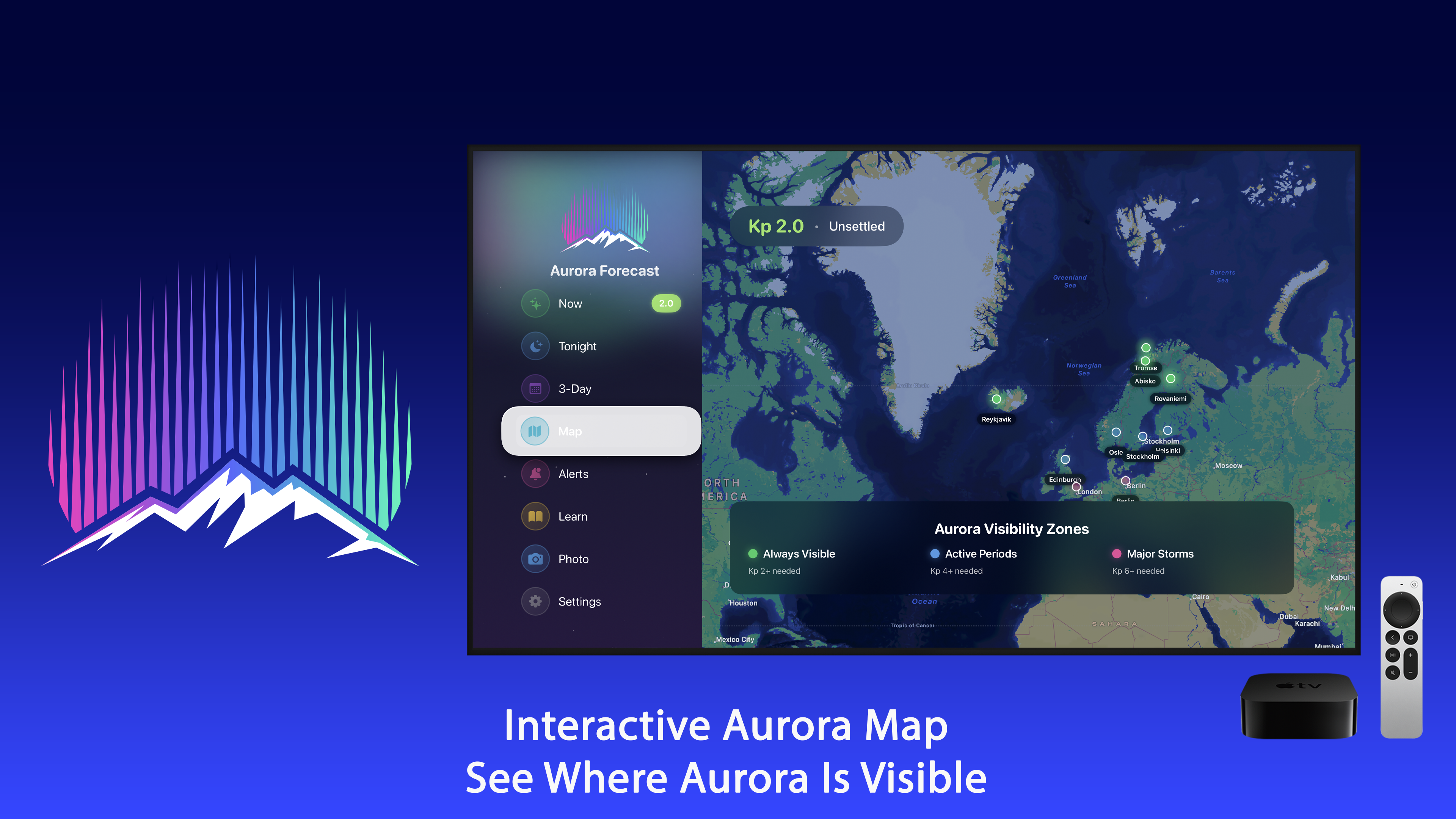
Aurora Oval Map

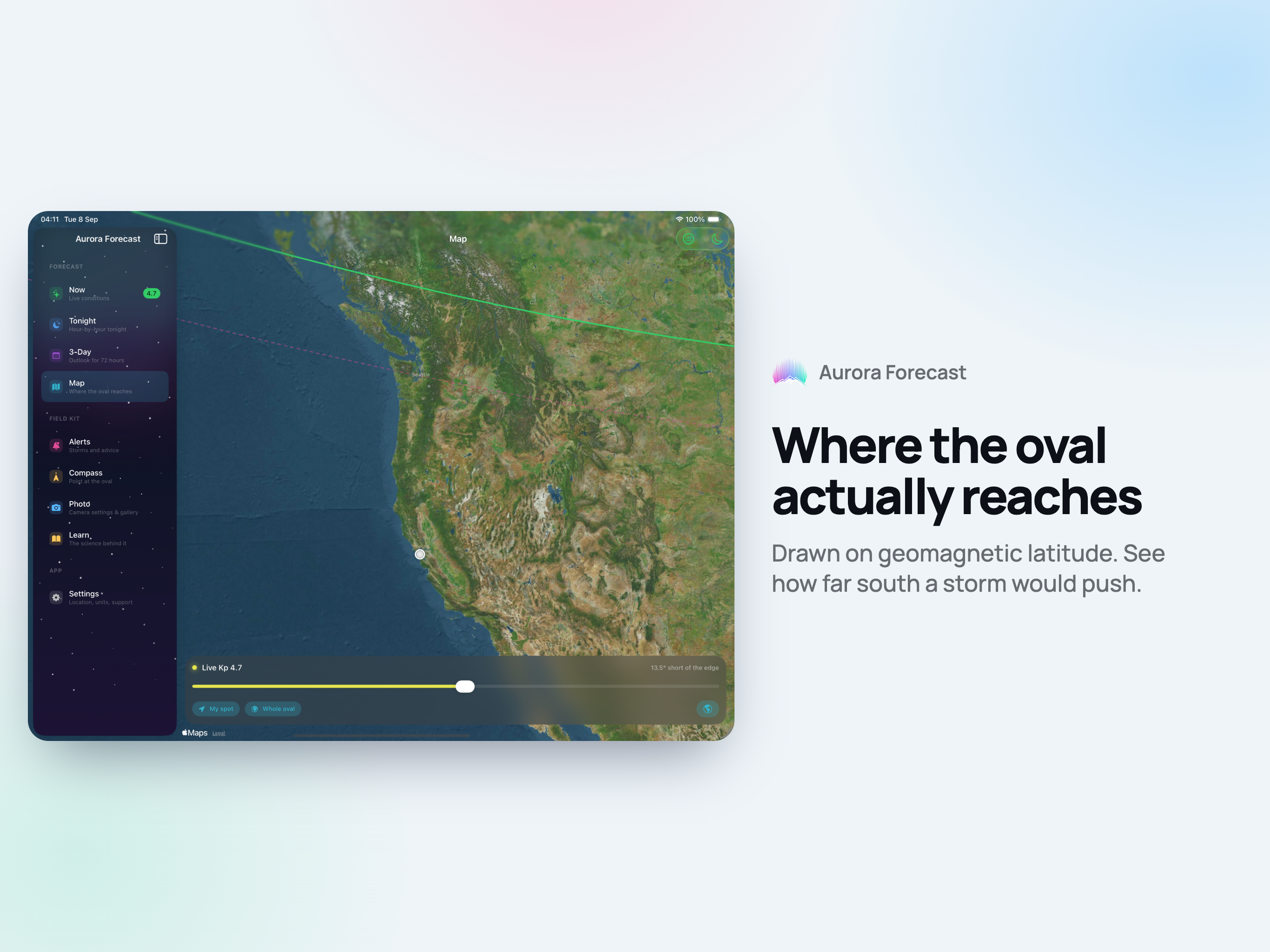
Where the boundary actually runs right now, drawn on geomagnetic latitude - which is why it dips much further south over North America than over Siberia. Move the slider to see what a stronger storm would open up.

Aurora Compass

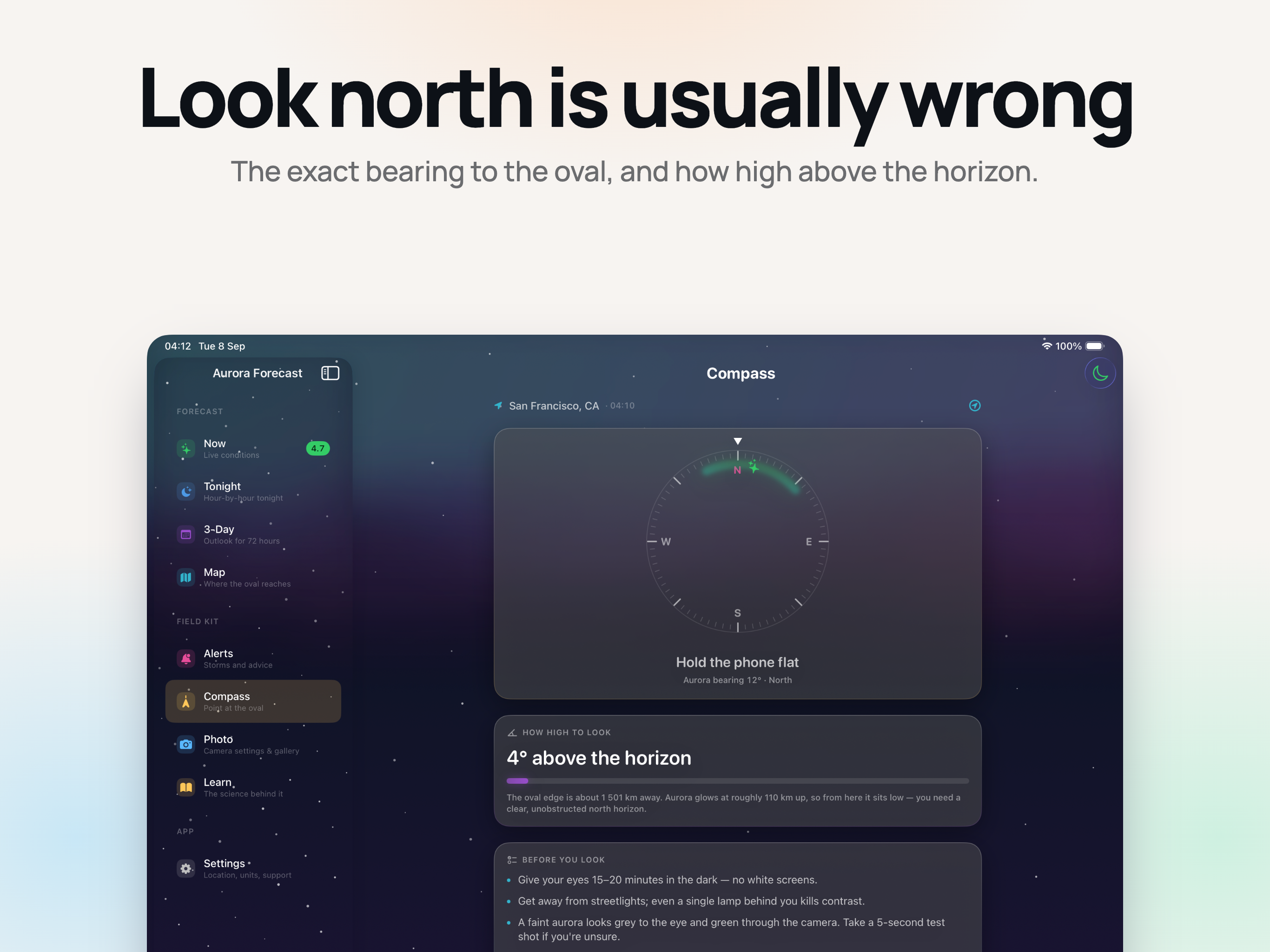
"Look north" is wrong almost everywhere: the geomagnetic pole sits 10-15 degrees off the geographic one, so the aurora can stand well west of north. The compass points at the nearest edge of the oval and tells you how high above the horizon to look.

Night Vision Mode

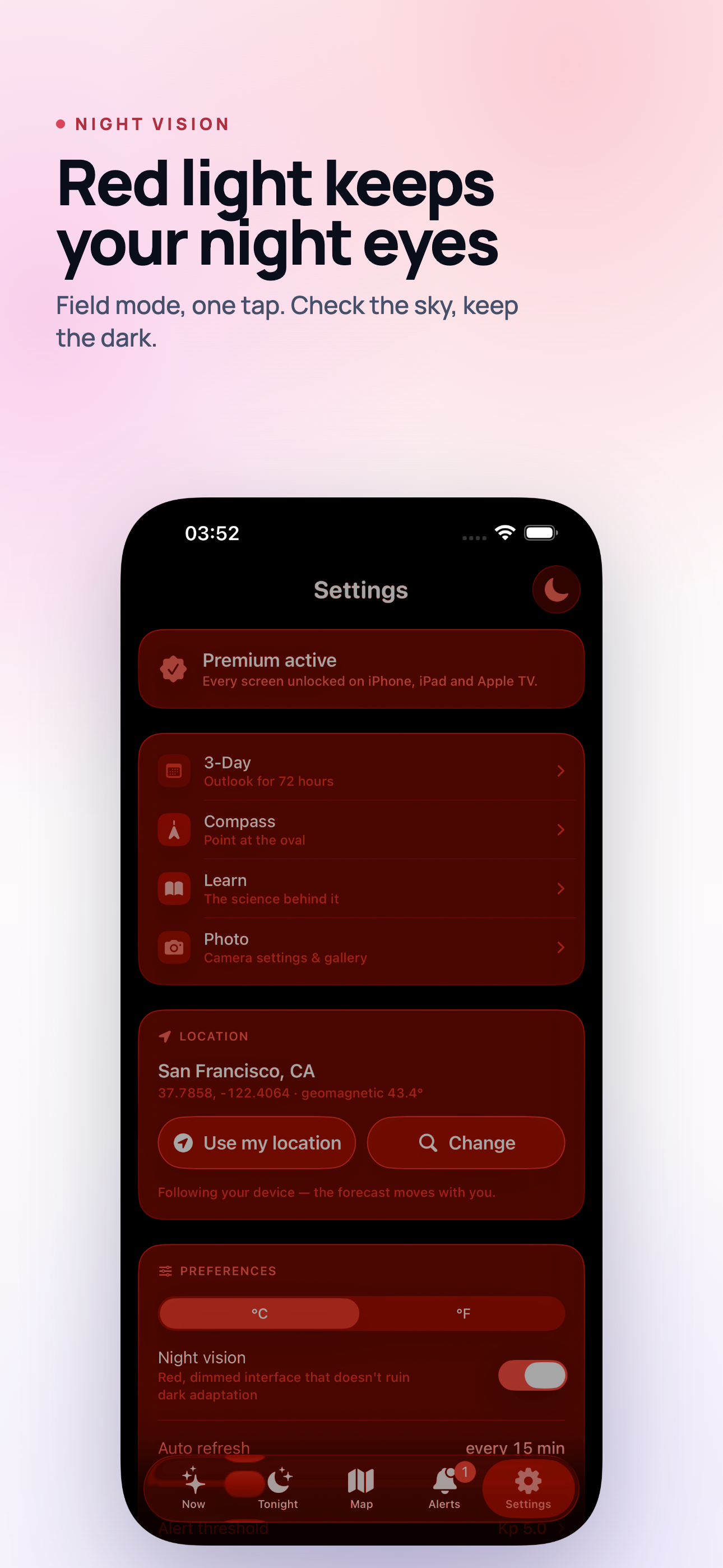
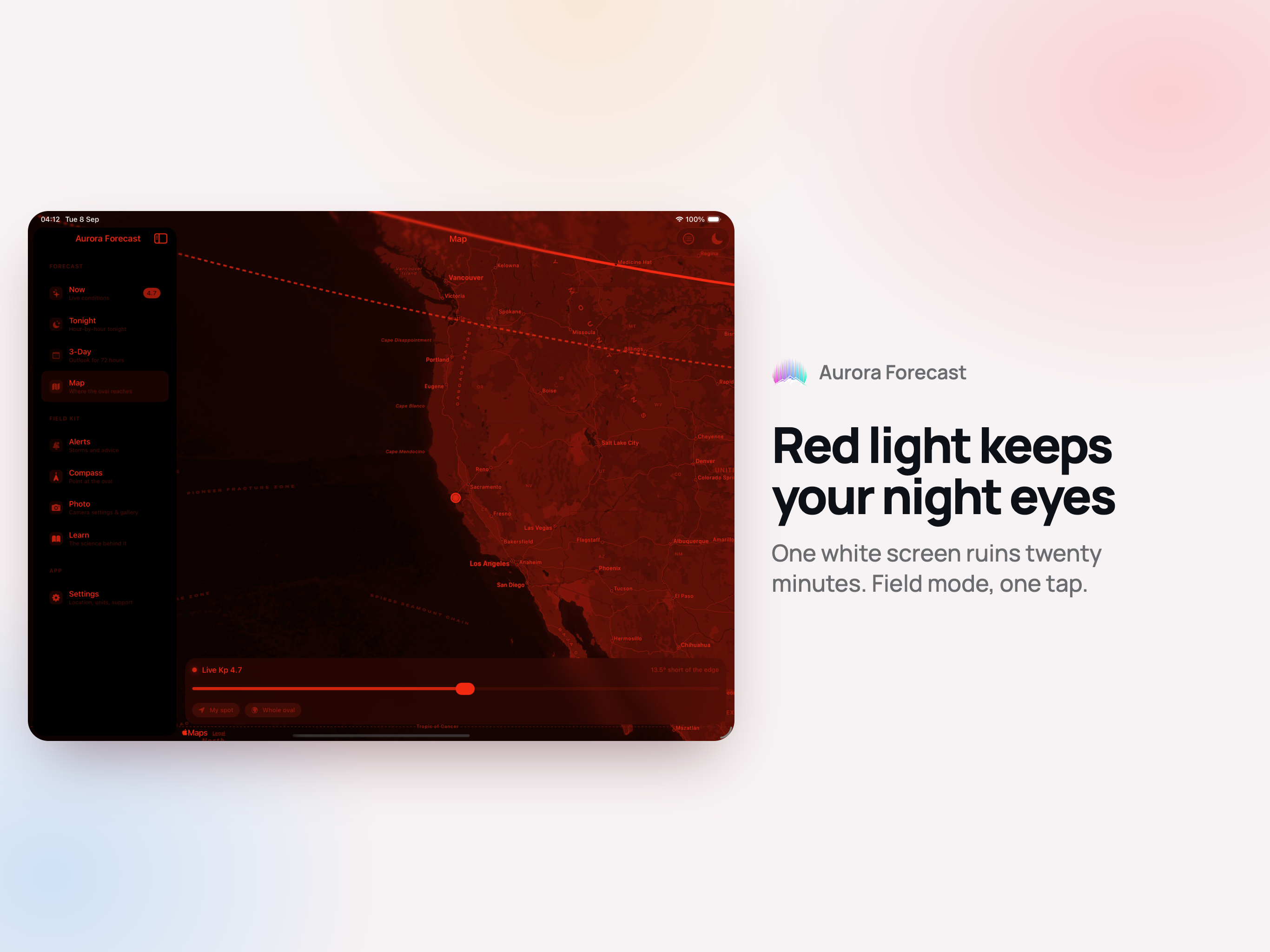
Your eyes need 15-20 minutes to adapt to the dark, and one white screen resets it. Night vision turns the whole app deep red and dims it - the same reason cockpits and observatories use red light. One tap, on every screen.

Photo Mode

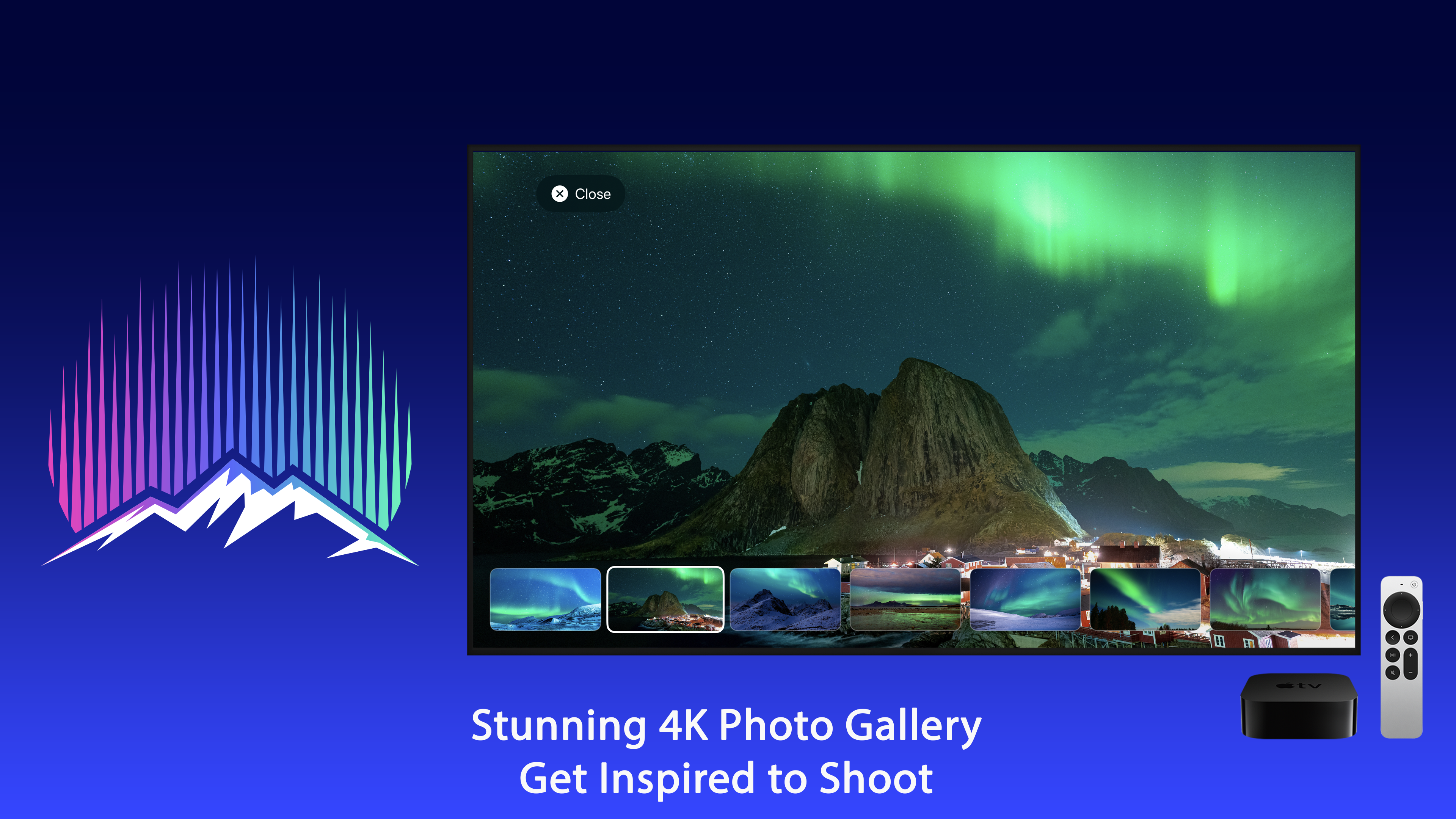
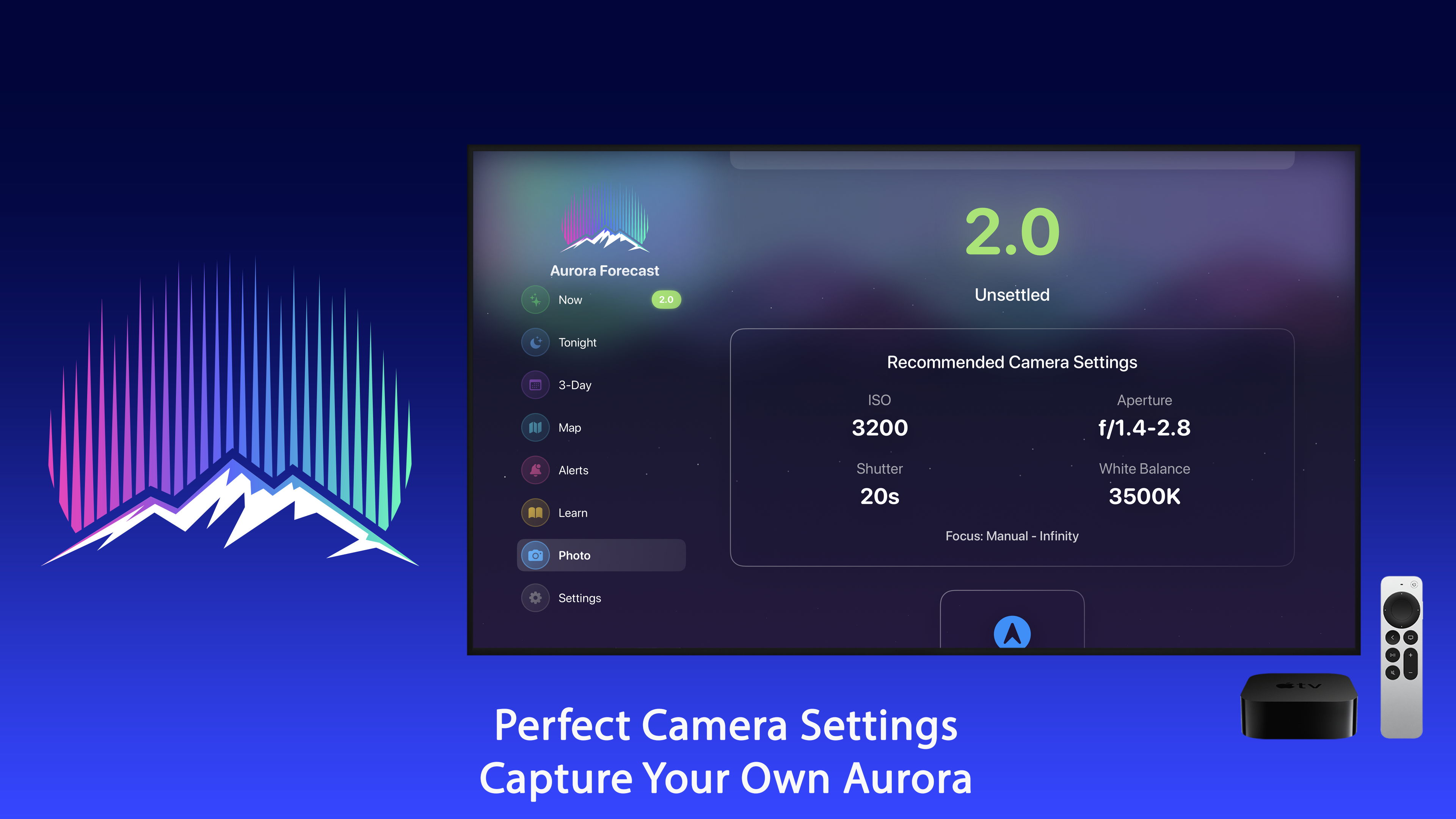
A starting exposure worked out for tonight's activity and for your lens: move the aperture and the ISO follows. Plus a field checklist and a gallery of what to aim for.

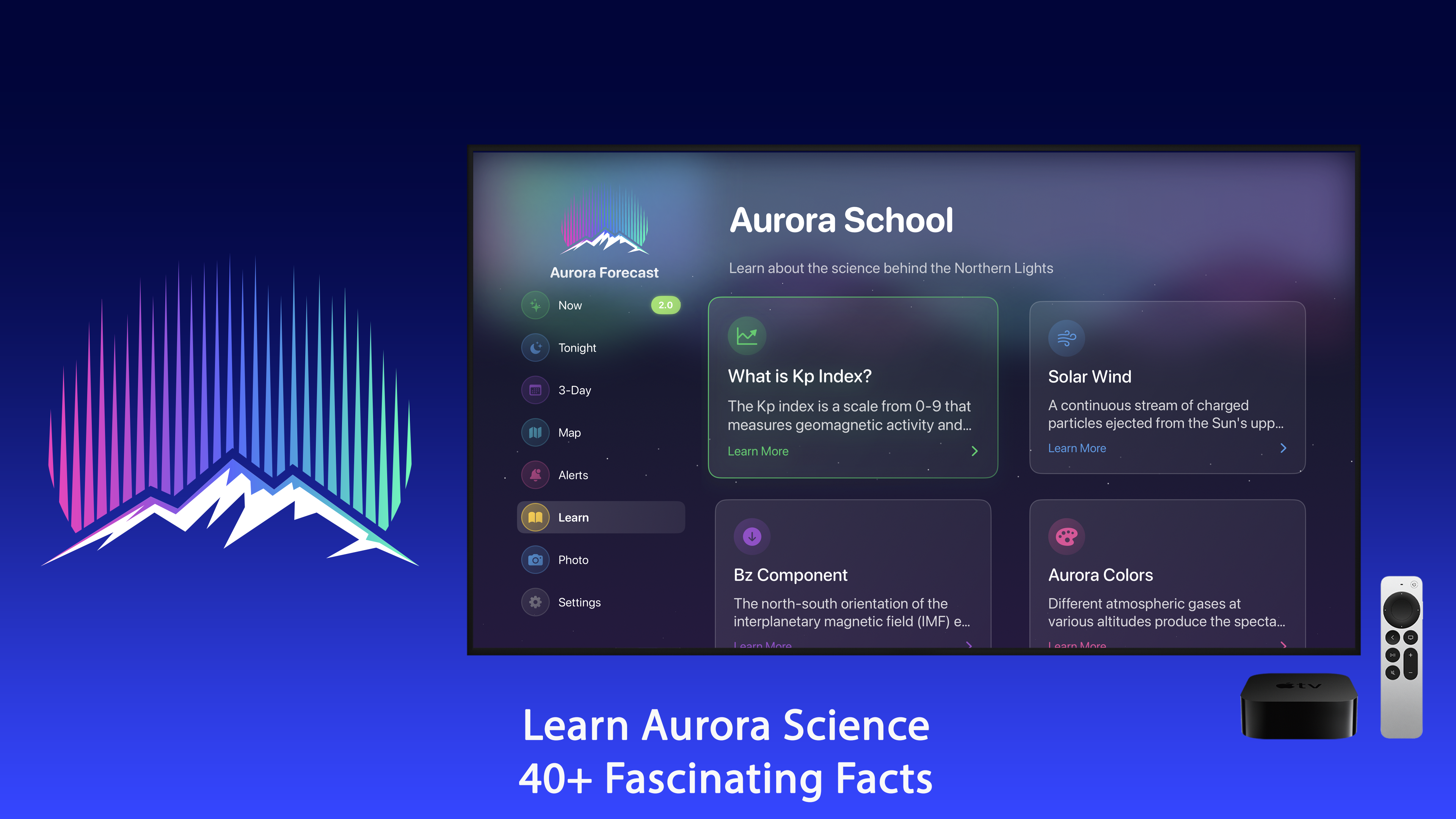
Aurora School

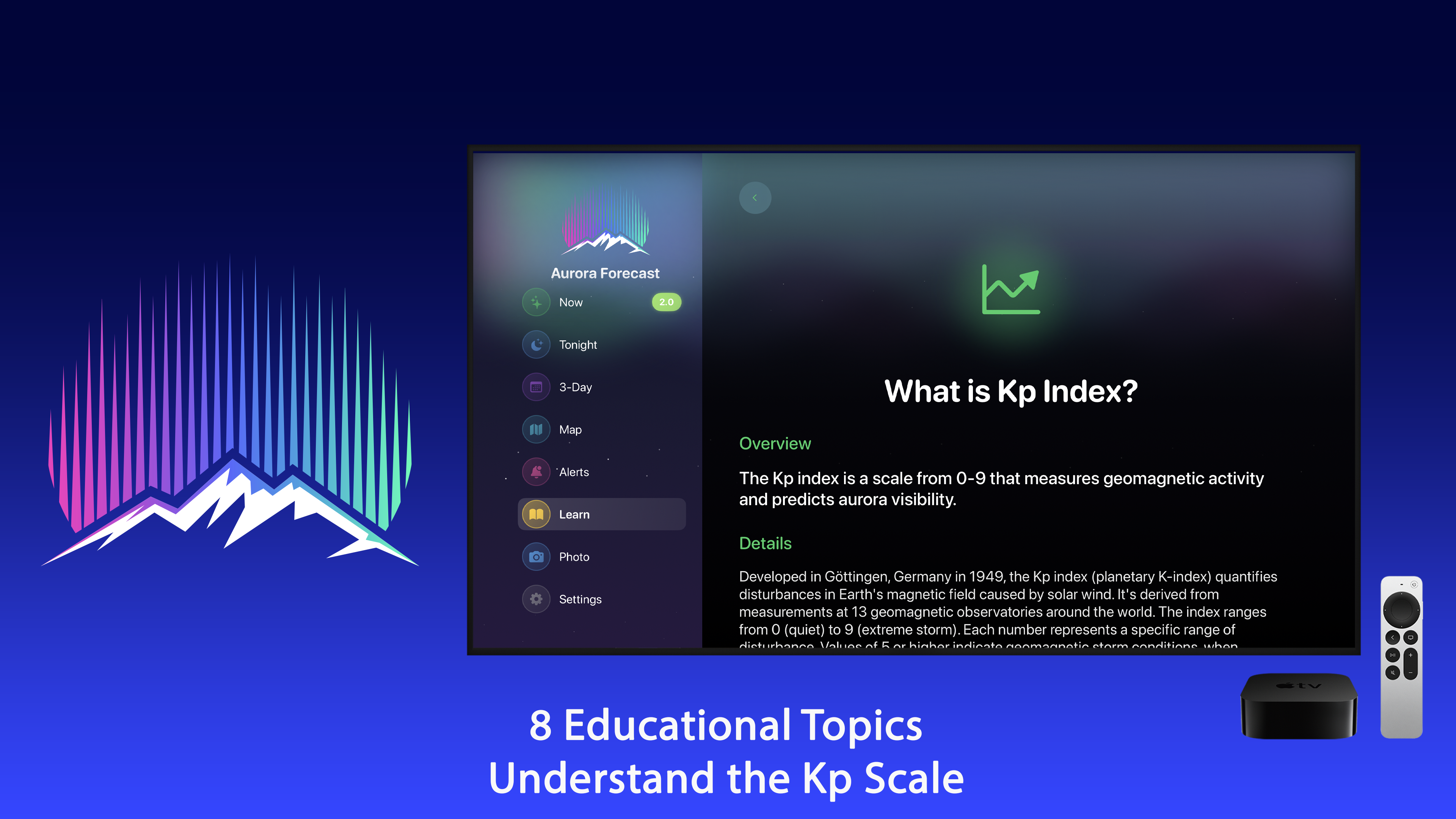
Eight short lessons on KP, solar wind, Bz, aurora colours, geomagnetic storms and moon phase - written so the numbers on the other screens stop being noise.

Cloud, Moon and Temperature

Cloud cover, temperature, moonlight and one overall viewing score in a single view, with a clean summary card you can share in a tap.

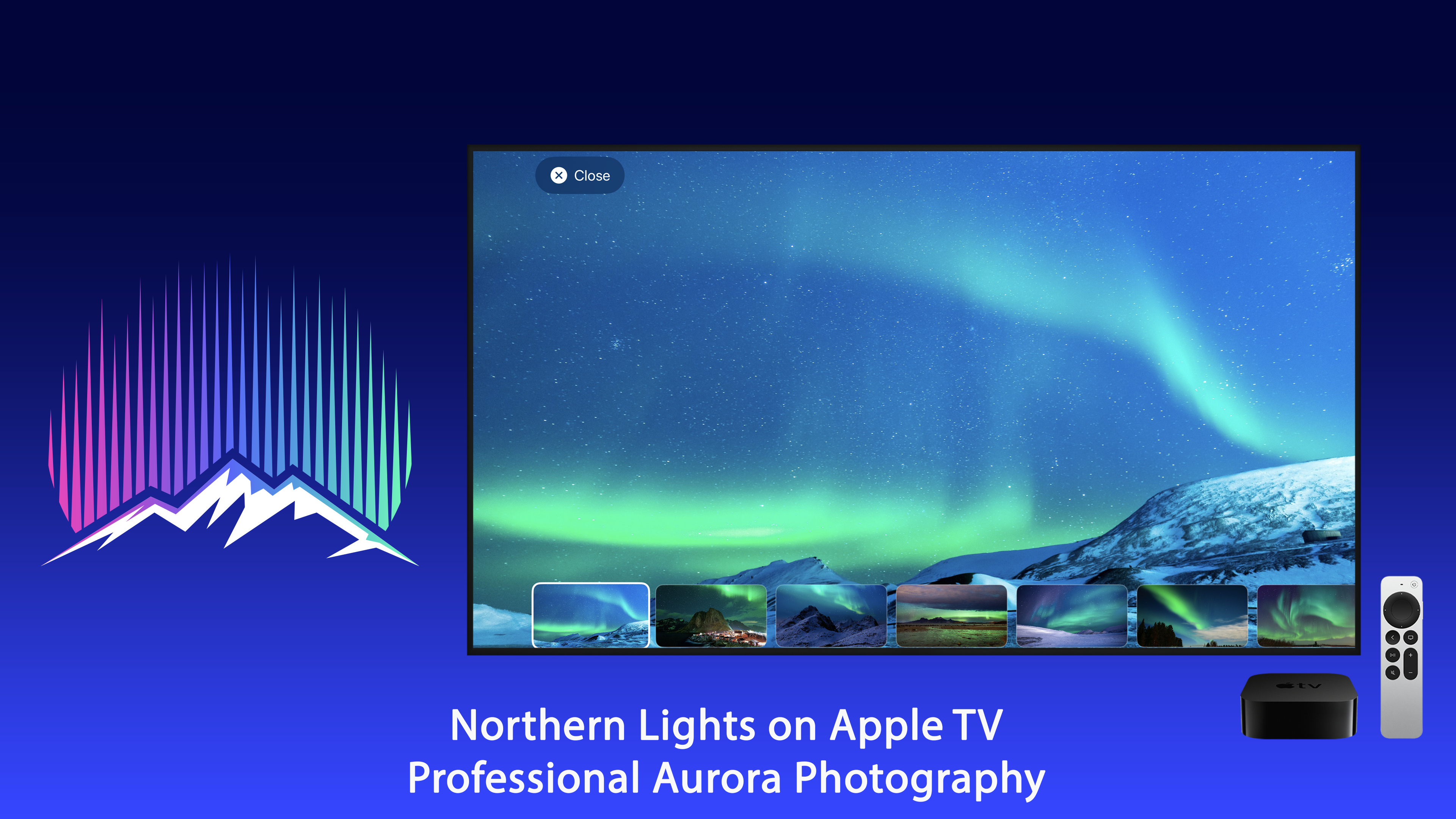
4K Aurora Ambience

On Apple TV, real northern lights footage in 4K - the calmest thing you can leave on a big screen.

Privacy-first

No ads, no tracking, no sign-up. Your location is used to compute the forecast and goes no further than Apple's own weather and geocoding services.

How You Get a Head Start on the Sky

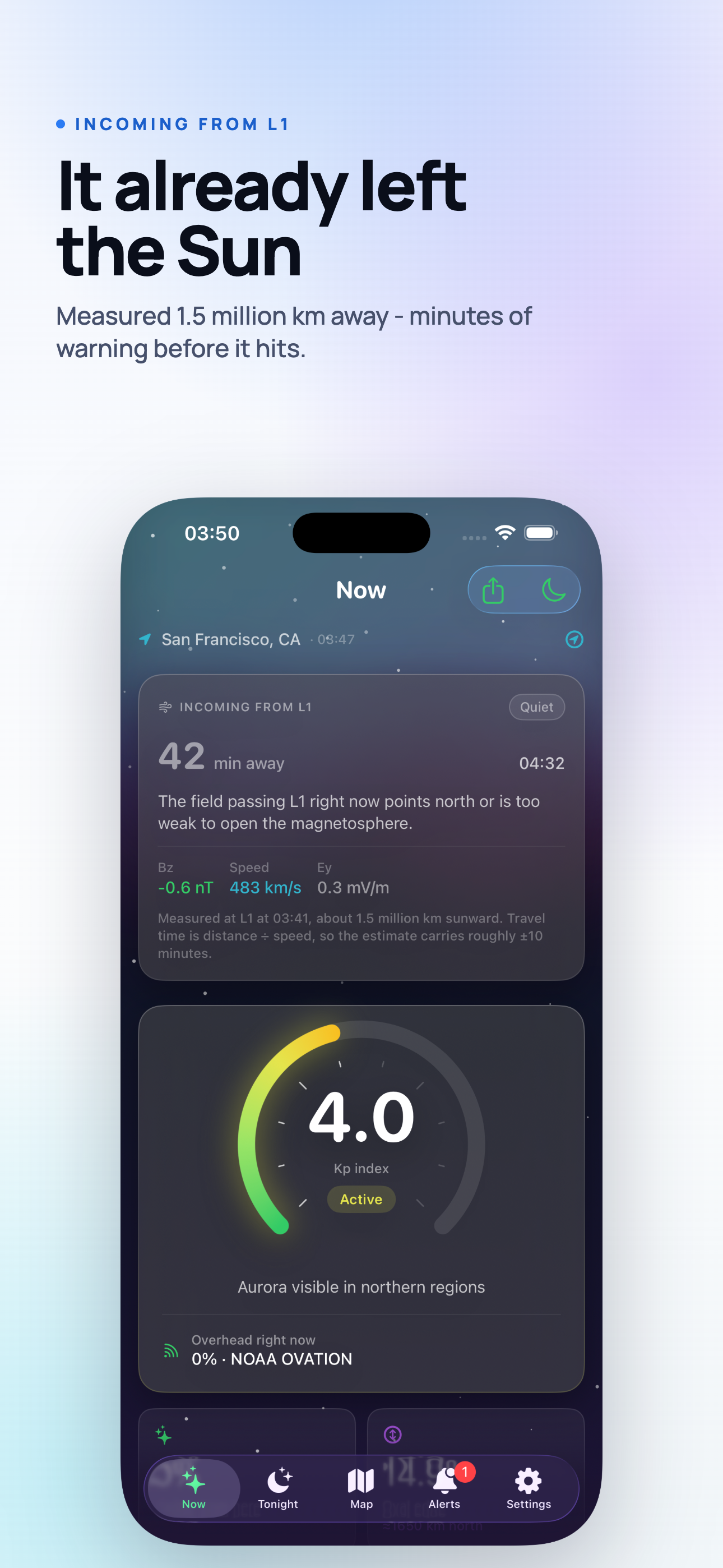
Most aurora apps tell you what already happened. The interesting part of a geomagnetic storm is measurable before it arrives, because the solar wind has to cross the last stretch of space first.

The travel time is not a model or a guess - it is distance divided by speed, applied to an event that has already been measured. A slow stream takes an hour and a half; a fast one, half an hour. That is the window in which you can still get your coat on.

  • L1
    Satellites measure the stream

    DSCOVR and ACE sit about 1.5 million km sunward of Earth and report solar wind speed and the direction of the magnetic field it carries.

  • Bz
    The app checks whether it can couple

    A southward field opens the magnetosphere; a northward one is shrugged off. Speed and Bz together say how hard the sky will actually be driven.

  • T-
    You get told while it is still in flight

    If the driving is strong enough to matter, a notification lands with the arrival time - typically 30 to 90 minutes out.

  • Kp
    The forecast catches up

    Minutes later the index climbs and the oval expands. By then you are already outside, looking north.

Three Screens, One Forecast

The same live data, shaped for where you are standing.

iPhone

The field companion. It lives in your pocket on the drive out and on the Lock Screen for the rest of the week.

  • Your chance from here, and the distance to the edge of the oval.
  • A reminder before the forecast crosses your KP threshold, and again when the clouds are about to open.
  • Home Screen and Lock Screen widgets, plus a Live Activity in the Dynamic Island.
  • Compass and deep-red night vision for standing in the dark.
  • Photo mode: a starting exposure for tonight and for your lens.

iPad

The planning screen. The same forecast with room to see the whole night and the whole map at once.

  • Tonight's KP chart and the cloud layer side by side, not stacked.
  • The oval map at a size where the storm slider is worth moving.
  • The 3-day outlook while you are still deciding which night to drive out.
  • Aurora School lessons laid out for reading, not scrolling.

Apple TV

The one you walk past. A forecast on a wall-sized screen gets looked at; one buried in an app does not.

  • Glanceable KP, oval and 3-day outlook from across the room.
  • 4K northern lights footage as calm ambience.
  • Play your own music over it, or use the included soundscape.
  • Built natively for tvOS - not a phone app stretched out.

Use Cases

Aurora chasers, travellers, photographers, science lovers, and anyone who wants a calm green sky in the living room.

Trip Planning

Pick Tromso, Reykjavik or Fairbanks and check the 3-day outlook before you book the night.

Tonight's Call

Cloud gaps, moonlight and activity in one place, so the decision to drive out takes seconds.

Photography

Starting exposures and a red night mode that keeps your eyes adapted between frames.

Learning

Explainers on KP, solar wind and the aurora oval - good for curious kids and curious adults.

What You Will See

Real forecast data, real planning tools, real aurora footage.

Live KP Aurora oval Solar wind Storm alerts Cloud gaps Hour by hour 3-day outlook Aurora compass Camera settings 4K footage Iceland Norway Night sky Ambient sound

On iPhone

Now, tonight and the map in a pocket, because the decision to put a coat on happens outdoors and in the dark.

On iPad

The night chart, the cloud layer and the oval map at a size where you can plan a drive rather than just check a number.

Apple TV Screens

A glimpse of the forecast and the visuals on the big screen.

Free and Premium

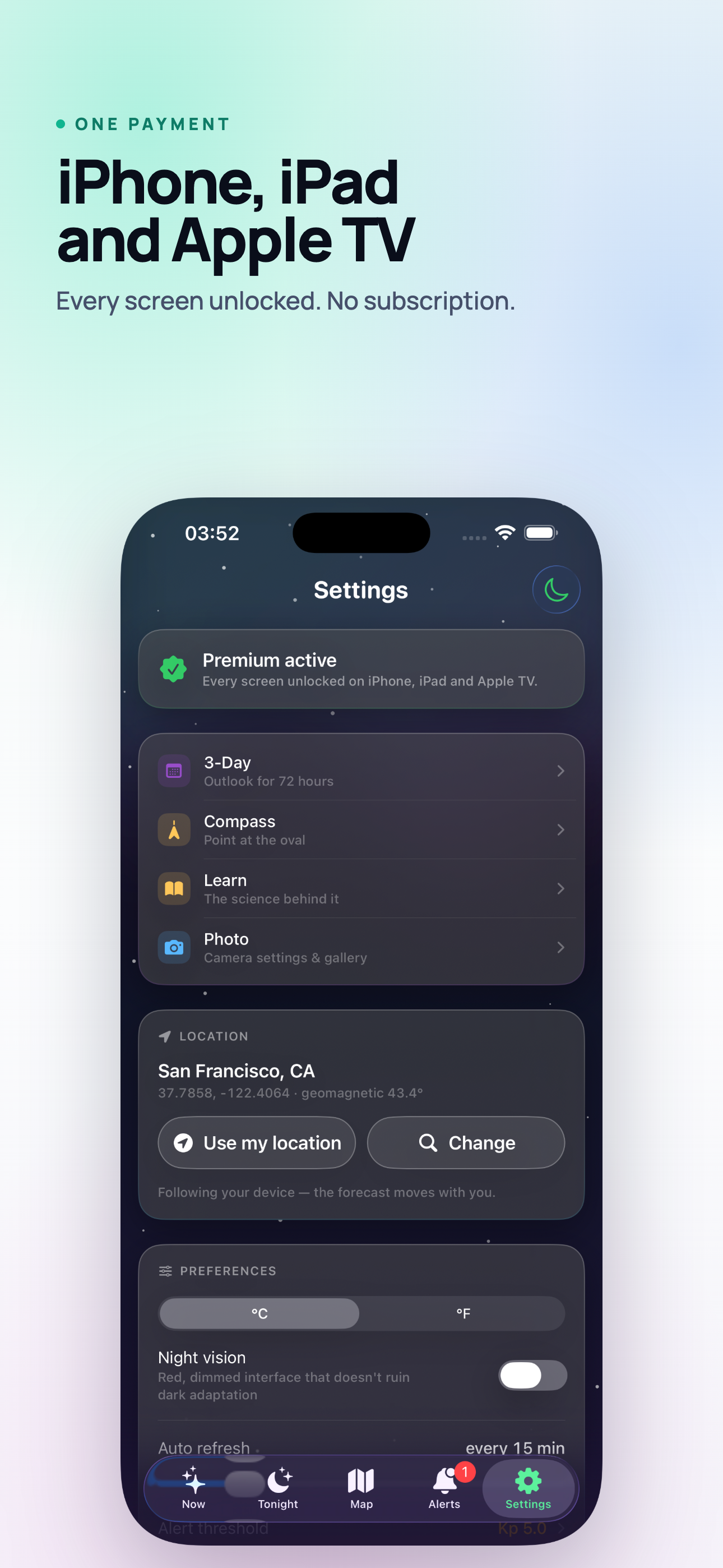
A single one-time purchase - no subscription, no renewals, nothing to cancel. One payment covers iPhone, iPad and Apple TV.

Free

Everything you need to check tonight

  • Now: live KP, your chance from here, solar wind speed and Bz
  • Cloud cover, temperature, moonlight and the overall viewing score
  • Home Screen and Lock Screen widgets
  • Live Activity in the Dynamic Island
  • Night vision mode on every screen
  • The shareable summary card
One-time unlock

Everything you need to plan a night

  • Tonight, hour by hour, with the Cloud Gap Predictor
  • The 3-day outlook
  • The aurora oval map and its storm slider
  • Threshold alerts, and the cloud-opening alert
  • Aurora compass
  • Photo mode, the field checklist and the gallery
  • Aurora School - all eight lessons

Honest Data

Space weather comes from NOAA SWPC. Cloud cover, temperature and moon phase come from Apple Weather. Nothing here is invented to fill a gap.

When a source goes quiet the app says no data rather than showing a plausible-looking number. You may be driving an hour into the dark on the strength of it, and a confident guess is worse than an honest blank.

  • NOAA SWPC - KP index, solar wind speed and the Bz component.
  • Apple Weather - hourly cloud cover, temperature and moon phase.
  • Your location - used to compute the forecast, and passed no further than Apple's own weather and geocoding services.
  • Nothing else - no ads, no tracking, no sign-up, no account.

Where It Runs

Native on every screen it appears on.

iPhone

iOS 17.0 or later

iPad

iPadOS 17.0 or later

Apple TV

tvOS 16.0 or later

Perfect For

  • Aurora chasers planning a trip to Iceland, Norway, Finland, or Alaska.
  • Anyone at high latitude who keeps asking "is tonight the night?"
  • Photographers who need the clearest hour and the right exposure.
  • Astronomy and space-weather enthusiasts.
  • Families who want beautiful 4K northern lights ambience on the TV.

What Makes It Different

  • A head start: alerts from the solar wind still in flight, not from an index that already moved.
  • Clouds included: the forecast answers "can I see it", not just "is it happening".
  • Field-ready: compass, red night mode and widgets for standing outside in the cold.
  • Forecast plus footage: serious data on the phone, 4K aurora on the TV.
  • Privacy-first: no accounts, no tracking, public data only.

Bring the Aurora Home

Get Aurora Forecast, set your alert threshold, and let the northern lights come to you.

Download on the App Store

Frequently asked questions

Can it tell me whether I will see the aurora tonight?

It shows the live KP index, an aurora oval map and a 3-day forecast, location aware - which is the same data aurora chasers use. Nothing can promise clear skies. See what the KP index is.

What is the aurora oval?

The ring around the magnetic pole where the lights are most likely to be visible - explained here. The app draws its current position on a map.

Can it just run as ambience?

Yes, on Apple TV there is 4K northern lights footage, with alerts if you want to be told when activity rises.

How far ahead can it warn me?

Satellites measure the solar wind about 1.5 million km upstream, so a strong stream is detected while it is still in flight - typically 30 to 90 minutes before it reaches Earth. That is the alert you get on iPhone and iPad.

Which devices does it run on?

iPhone and iPad (iOS 17 or later) and Apple TV (tvOS 16 or later), with Home Screen and Lock Screen widgets and a Live Activity on iPhone.

Is a KP number enough on its own?

No, and that is the usual reason an app disappoints. The same KP 5 puts the aurora overhead in Tromso and below the horizon in Berlin. The chance you see here is computed from your geomagnetic latitude, alongside how far you are from the edge of the oval in degrees and kilometres.

What do I get without paying anything?

The live conditions screen, the widgets, the Live Activity and night vision mode are free. Tonight hour by hour, the 3-day outlook, the map, alerts, the compass, photo mode and Aurora School open with a single one-time purchase - no subscription, and one payment covers iPhone, iPad and Apple TV.

What happens when the data source is down?

The app says "no data" rather than showing a plausible-looking number. Space weather comes from NOAA SWPC and the cloud, temperature and moon phase from Apple Weather; when one of them goes quiet you are told, because you may be driving an hour into the dark on the strength of it.