Every one of these produces a pattern that appears to work. That is what makes them worth knowing individually - the failure is never a syntax error, it is a wrong answer that looks right.
1. Greedy quantifiers
The classic. Extract the contents of a tag:
<(.+)>Against <b>bold</b> you expect b. You get b>bold</b, because + is greedy: it takes as much as possible and backtracks only enough to let the rest match. The final > in the string satisfies it.
Make it lazy with ?:
<(.+?)>Better still, exclude the terminator so no backtracking is needed at all:
<([^>]+)>The negated character class is faster and states the intent precisely. It is the version to reach for.
2. The unescaped dot
Outside a character class, . means any character. So this:
file.txtmatches file.txt and also fileXtxt, file1txt and file-txt. Usually harmless, occasionally not - a pattern meant to match one extension quietly matching several is a real failure mode in file processing.
Escape it: file\.txt. Inside a character class it is already literal, so [.] works too and is easier to read in a dense pattern.
3. Anchors that do not anchor what you think
^ and $ mean start and end of string - unless multiline mode is on, when they mean start and end of line. Two different behaviours from the same characters, depending on a flag set elsewhere.
The symptom: a validation pattern that works in your tester and passes multi-line input in production, because the tester had multiline off and the code has it on. Anything validating a whole value should use \A and \z where the language supports them - those always mean the string.
Related: $ also matches before a trailing newline in several engines. A value ending "admin\n" can pass a check for ^admin$.
4. Assuming \d means 0-9
In Unicode mode, \d matches digits in every script - Arabic-Indic, Devanagari, and a dozen others. A pattern validating a phone number will happily accept characters that are digits and are not the ones your database expects.
If you mean the ASCII ten, write [0-9]. The same applies to \w, which in Unicode mode includes accented letters, and to \s, which includes the non-breaking space - the invisible character that causes so much trouble in text pasted out of PDFs.
5. Catastrophic backtracking
The one that takes down a service rather than producing a wrong answer.
(a+)+bAgainst a string of thirty a characters with no b, the engine tries every way of dividing those thirty between the inner and outer quantifier before concluding there is no match. The number of attempts is exponential. Thirty characters can take minutes.
The pattern to be suspicious of is a quantifier applied to a group that itself contains a quantifier, where both can match the same text. It appears innocently in expressions for nested structures and email validation.
Fixes, roughly in order of preference: make the inner parts mutually exclusive so there is nothing to redistribute; use a possessive quantifier or atomic group if the engine supports them; or stop using a regex for something that wants a parser.
6. Testing on the tidy examples
Not a syntax mistake, and the cause of more bad patterns than the other five together.
A pattern gets written against three lines of representative data, all well-formed. Real data contains the empty field, the value with a trailing space, the line where someone typed a comma inside a quoted string, the entry in a different case, the record with the Windows line ending.
The habit that fixes it: build the pattern against the messiest twenty lines you can find rather than a clean sample. If you have to construct the awkward cases by hand, do that - they exist in the real file whether you have looked at them or not.
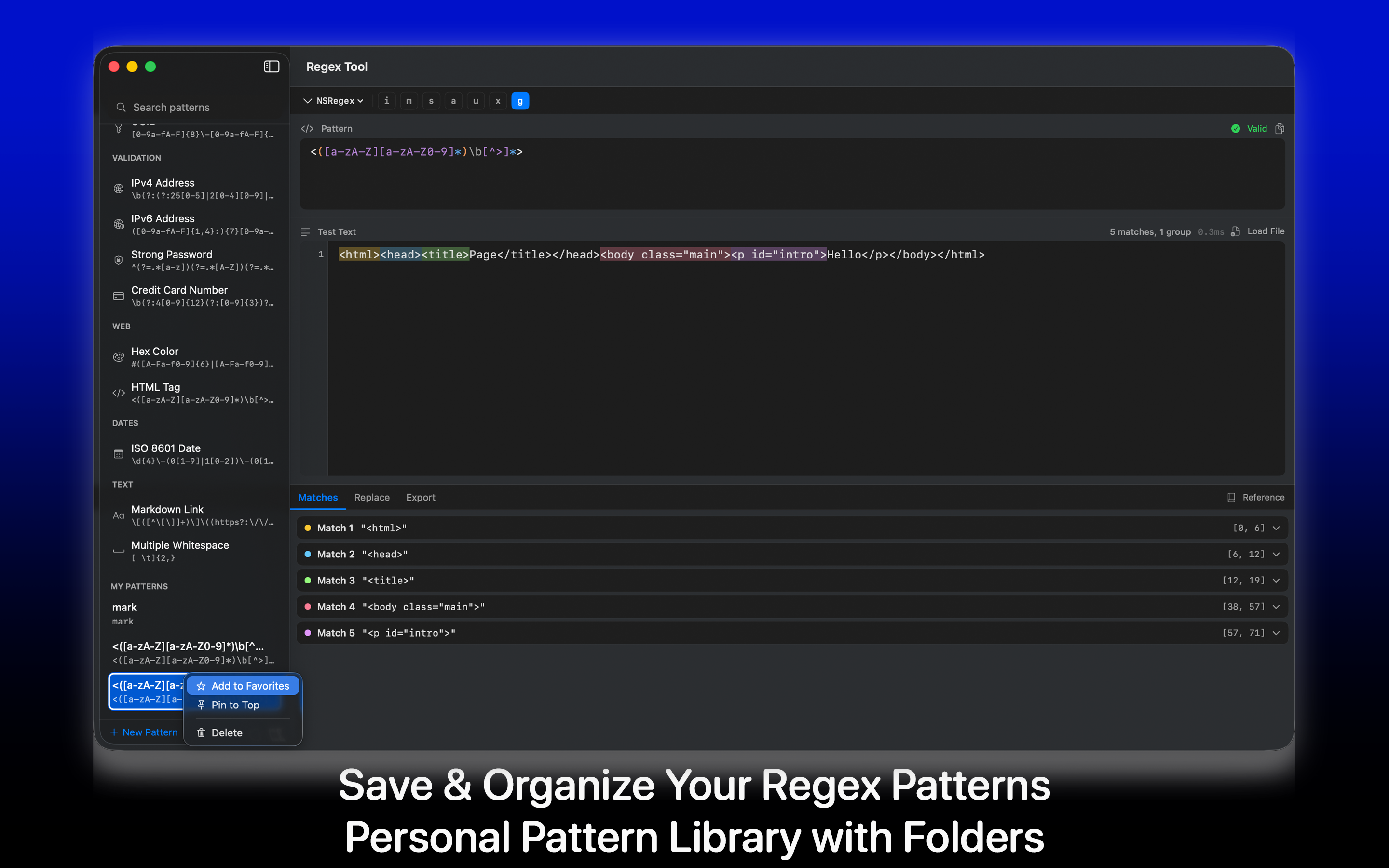
Live highlighting is what makes this practical, because you see all the matches at once rather than checking a boolean. Regex Tool does the highlighting and shows capture groups separately, which catches the specific case where the overall match is right and group 2 is off by one.
The habits worth keeping
- Prefer negated character classes to lazy quantifiers - clearer and faster.
- Escape dots when you mean a dot.
- Use
\Aand\zfor whole-value validation. - Write
[0-9]when you mean ten digits. - Be suspicious of a quantified group containing a quantifier.
- Test on the ugliest data you have, not the sample in the ticket.
And one that covers everything: if a pattern needs a comment to explain it, it needs a comment. Most engines support verbose mode with whitespace and comments inside the pattern, and the version of you reading it in eight months will need it.