Stand outside for twenty minutes and the sky fills in. Stars you could not see at first appear, a faint arc on the northern horizon resolves into something with structure, and the landscape stops being a silhouette. Then you check the time on your phone and all of it is gone.
This is not a matter of squinting or of the screen being too bright. It is a chemical process with a known timescale, and understanding it is the difference between a productive night outside and an hour of frustration.
Two kinds of receptor, doing two different jobs
The retina carries cones and rods. Cones handle colour and detail and need a reasonable amount of light. Rods handle very low light, carry no colour information, and are almost entirely absent from the centre of your vision.
Below a certain light level the cones simply stop contributing and you are seeing with rods alone. That is scotopic vision - monochrome, low resolution, and remarkably sensitive. It is the mode you are in when the faint aurora becomes visible.
Two consequences follow immediately. Colour largely disappears, which is why a display that looks vividly green in a photograph often looks grey-white to the eye. And your central vision goes soft, which is why the trick of looking slightly to the side of a faint object - averted vision - genuinely works.
Why it takes twenty minutes
Rods work through a pigment called rhodopsin. Light breaks it down, a process usually described as bleaching, and darkness lets the eye rebuild it. Rebuilding is the slow half.
Cone adaptation is largely finished after five to ten minutes. Rod adaptation keeps improving for twenty to thirty minutes and continues slowly for an hour or more. The steep part of the curve, the part that matters, is those first twenty minutes.
Bleaching, meanwhile, is fast. A bright white screen at arm's length can undo most of your adaptation in a second or two, and then you wait again from close to the beginning. The asymmetry - seconds to lose, twenty minutes to regain - is the entire problem.
Where red comes in
Rods are not equally sensitive to all wavelengths. Their peak is in the blue-green region, around 500 nm, and their sensitivity falls away sharply towards the red end. By deep red, around 650 nm and beyond, they respond very weakly.
Cones still see red perfectly well. So deep red light gives you something you can read with while leaving rhodopsin largely intact. That is the whole trick, and it is why the convention appears independently in aviation, submarines and observatories.
Two details are usually missed:
Brightness matters as much as colour. A bright red screen still bleaches. Red buys you a large tolerance, not immunity. Dim it as far as you can still read.
Orange is not red. A "warm" or "night shift" filter shifts white light towards amber while leaving plenty of green and blue in it. It is easier on the eyes and does almost nothing for dark adaptation. The useful version is deep, saturated red - which looks wrong indoors, and is supposed to.
Why a night mode has to cover everything
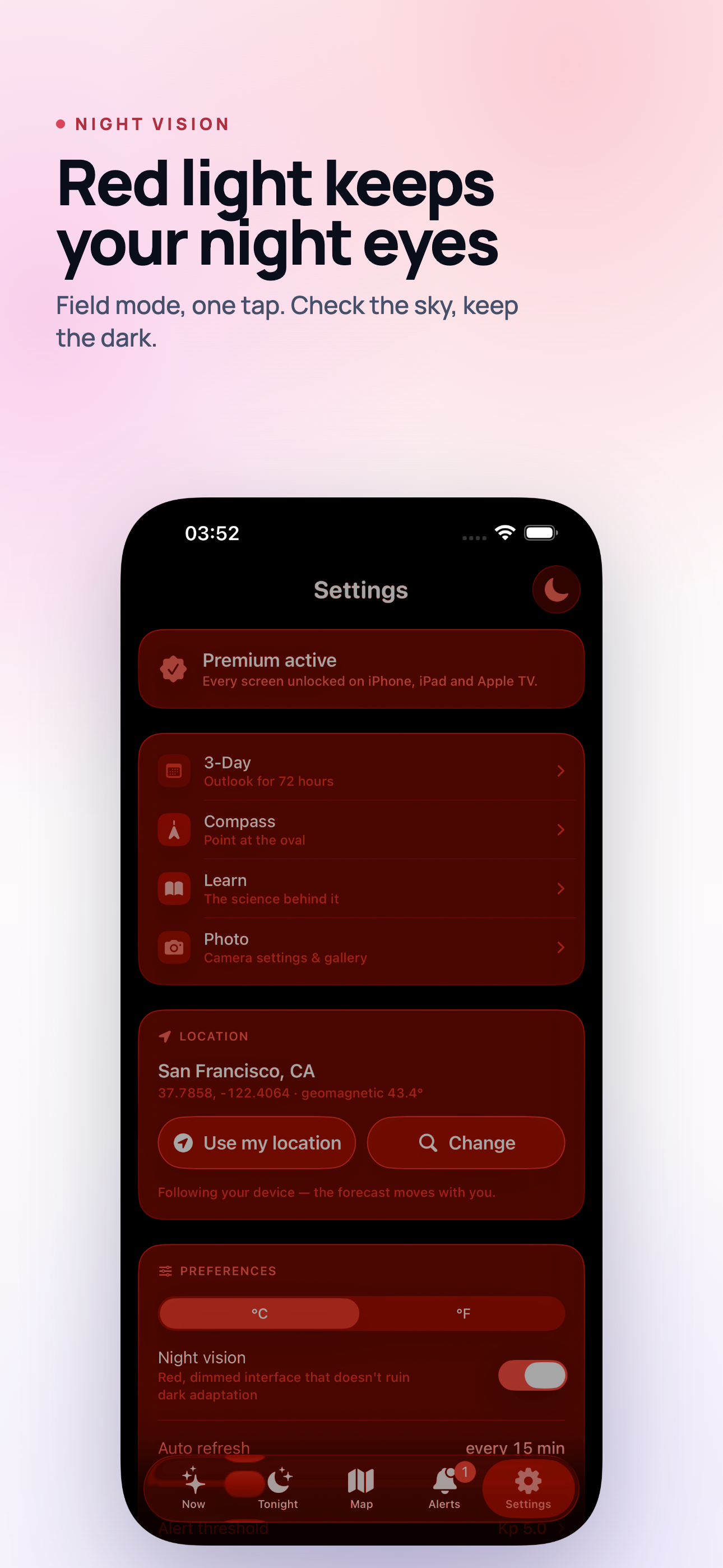
A red mode that applies to one screen is theatre. If checking the map, the alert threshold or the hourly forecast drops you back into a white interface, you have paid the cost anyway - and you will do it without thinking, because the screen you need is never the one you are already on.
The same goes for the things around it. A white notification banner sliding down over a red interface undoes it. So does the camera app. So does the lock screen at full brightness when you pick the phone up. Any of these will cost you the adaptation you spent twenty minutes building.
Setting a phone up for a night outside
What actually works, in order of how much difference it makes:
- Turn the brightness down before you go out, while you can still see what you are doing. Auto-brightness will not go low enough on its own.
- Turn on a real red mode in whatever app you will be using, and check that it covers every screen in that app.
- Silence notifications. A Focus mode costs nothing and prevents the single most common accident.
- Decide before you go dark what you will need - the bearing to look on, the time of the clear window, the alert threshold - so you are not navigating menus at 01:00.
- Carry a red torch if you are handling equipment. A phone screen is not a work light, and a white head torch will cost the adaptation of everyone standing near you.
The last one is worth taking seriously if you are not alone. Dark adaptation is a shared resource on an aurora night, and one person checking a map on full brightness resets the whole group.
What good adaptation buys you
Two things, mostly. Faint structure becomes visible - the difference between "there is a greyish band" and "there is an arc with rays in it". And motion becomes obvious, which matters because the first sign of a substorm is usually the arc starting to move rather than getting brighter.
Neither of those shows up in a photograph, which is the confusing part for people who arrive expecting the images they have seen. A camera on a tripod collects light for several seconds and shows colour your eyes will never see. Your eyes give you structure, motion and the whole sky at once - but only after twenty patient minutes.
Aurora Forecast has a one-tap night vision mode that turns the entire app deep red and dims it, on every screen, so checking the cloud gap or the compass does not cost you the night you have been building. It is free, along with the live conditions screen and the widgets.