Content Credentials are the user-facing name for C2PA, an open standard for attaching a signed record to a file. The record says who made it, with what, and what was done to it afterwards. Cameras, editing apps and AI generators can all write one.
What gets recorded
A credential is a small bundle of statements embedded in the file:
- What produced it - a camera model, an editing app, an AI model.
- What happened to it - opened, cropped, colour adjusted, combined with another image.
- What it was made from - earlier files, recorded as "ingredients".
- A hash of the content - a fingerprint of the pixels at the moment of signing.
- A signature over all of the above, with a certificate naming the signer.
What a valid signature proves
Exactly two things. The bundle was signed by the holder of that certificate. And the content has not changed since - because if a single pixel had changed, the stored hash would no longer match.
That is a strong guarantee about the file. It is not a guarantee about the world. A camera will sign a photo of a staged scene just as happily as a real one.
The certificate question
Anyone can generate a certificate that claims to be a famous camera maker. The signature on it will be mathematically valid. What makes a signature meaningful is whether the certificate chains up to an authority you trust.
C2PA maintains an official trust list for exactly this reason. When a checker says a signer is "not anchored", it means the maths is fine but the identity is unproven: the signer could be anyone. That distinction is the difference between "Verified" and a merely "Valid Signature".
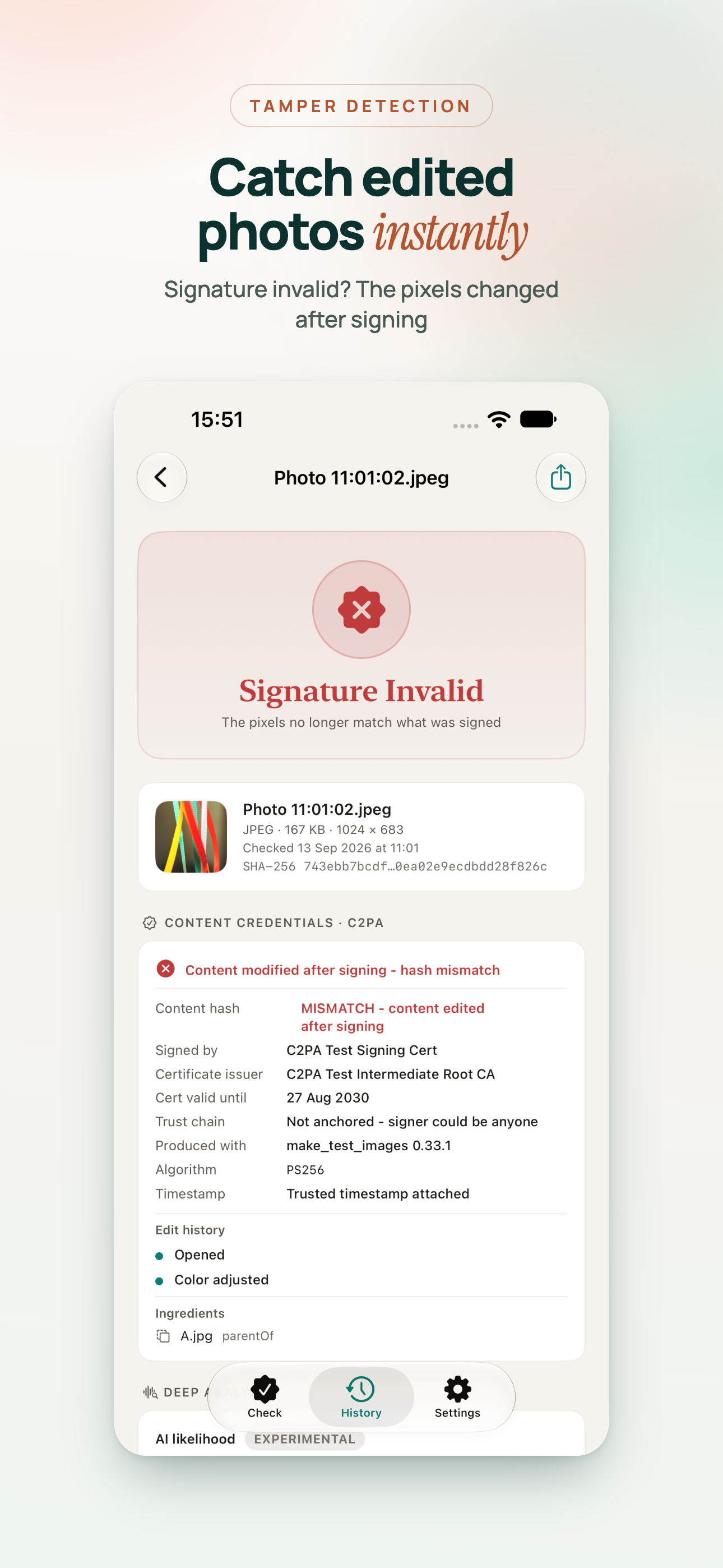
Why "Signature Invalid" is often innocent
An invalid signature means the file changed after it was signed. The instinct is to read that as tampering. Often it is not.
- An app that does not understand Content Credentials cropped or adjusted the image and kept the old metadata.
- A platform re-encoded the pixels to save space but left the credential in place.
- Someone rotated a photo in an app that rewrites the file.
The credential's own edit history and ingredients usually tell you which it was. A colour adjustment recorded before signing is normal. Changes after signing, with no record, are worth a question.
Why most photos have no credentials
This is the part that disappoints people. The vast majority of images you see online carry no Content Credentials at all, for two reasons.
First, adoption is still early. Some cameras from Leica, Sony and others can sign photos, some phones have started to, and several AI tools label their output. But most devices in people's pockets do not add credentials.
Second, credentials live in metadata, and metadata is fragile. Screenshots discard it. Most social networks and messaging apps strip it on upload. The standard tries to address this with invisible watermarks that can point back to a stored copy of the credential, but that depends on the watermark having been added in the first place.
So a missing credential is the normal case. It is not evidence that a photo is fake.
How to use them sensibly
- If credentials are present and verified, you have a reliable history of the file - start from there.
- If the signature is valid but not anchored, treat the named signer as a claim, not a fact.
- If the signature is invalid, read the edit history before assuming tampering.
- If there are no credentials, fall back on metadata, earlier copies and context.
Content Credentials will not end arguments about images. What they do is move some of those arguments from "does this look real?" to "who signed this, and has it changed?" - which are questions with actual answers.