Image metadata comes in three main families, all stored as fields inside the file:
- EXIF - written by cameras and phones: camera model, lens, exposure, date and time, sometimes GPS.
- XMP - a flexible format used heavily by editing software, often recording the software and edit steps.
- IPTC - used by news and photo agencies for captions, credits, copyright and, increasingly, the source type of an image.
All three are plain data. There is no signature protecting them.
How easy it is to change
Very. Free tools such as ExifTool can set the camera model, the capture date and the GPS position to anything you like, and many photo apps have a built-in "adjust date" option. Changing the date on a photo is a normal thing honest people do when a camera clock was wrong.
So a photo that claims to come from a particular camera, on a particular day, in a particular place, is making a claim. It is a useful claim, and it is not proof.
What metadata is good for
Evidence does not need to be proof to be valuable. Metadata is excellent at generating leads and at exposing lazy fakes.
- Inconsistencies. A capture date after the date the image first appeared online. A phone model that did not exist yet. A GPS position on another continent from the claimed event.
- Software fields. An editing app or an AI tool named where you would expect only a camera.
- Generator traces. Stable Diffusion WebUI writes the prompt and settings into a PNG chunk called "parameters". Other tools add an IPTC source type that labels the image as algorithmically generated.
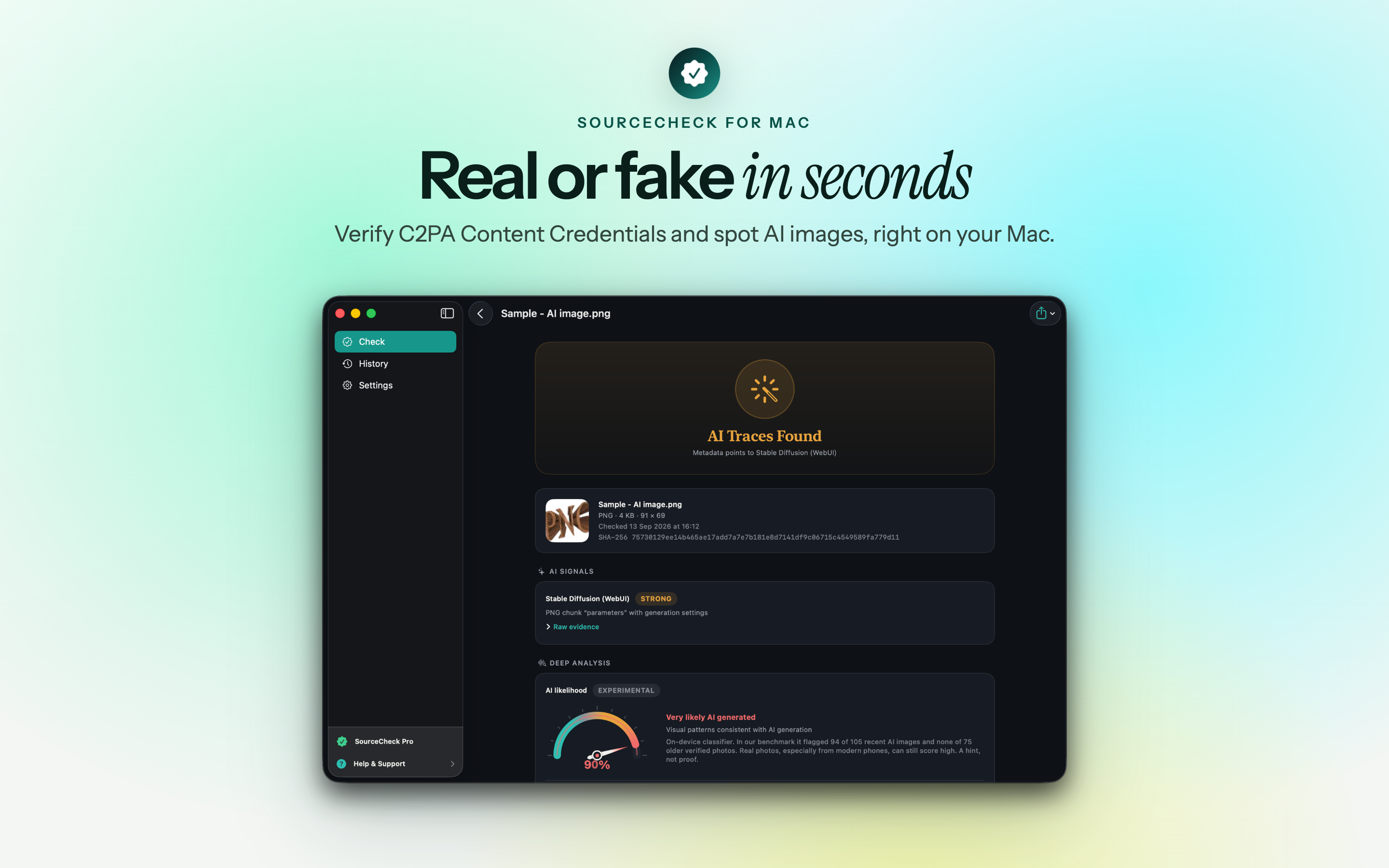
A forger who removes or rewrites metadata carefully will defeat all of these. Most fakes, though, are not made carefully.
Why empty metadata means little
The most common result is no metadata at all, and it is rarely suspicious. Screenshots do not carry the original's metadata. WhatsApp, Instagram, X and most other platforms strip EXIF on upload, partly for privacy - GPS in a family photo is a real risk. Many marketplaces do the same.
So "no EXIF" is the expected result for an image found online, and tells you nothing about whether it is real.
What signed provenance adds
This weakness is exactly what C2PA Content Credentials were built to fix. They carry similar information - what made the file, what was done to it - but sign it, and bind it to a hash of the content. Change the metadata or the pixels and the signature fails.
Credentials are still rare and still get stripped, so metadata remains the everyday tool. The difference is worth remembering: EXIF tells you what a file claims, a valid credential tells you who stands behind the claim.
Reading metadata well
- Treat every field as a claim from an unknown author.
- Look for internal contradictions before external ones.
- Check the software fields for editors and generators.
- Compare dates and places against when and where the image first appeared.
- Never conclude "real" from metadata alone, and never conclude "fake" from its absence.
Used this way, metadata is one of the fastest checks you can run. Used as proof, it is one of the easiest to fool.